
Important Safety Instructions
Please read all instructions carefully before using your Sealy Electric Blanket. Retain this manual for future reference.
- Do not use with infants, children, incapacitated persons, or anyone insensitive to heat.
- Do not use if the blanket is wet.
- Do not use with damaged cords or plugs.
- Do not use with pets.
- Always unplug the blanket when not in use.
- Do not dry clean, bleach, or iron the blanket.
- Ensure the blanket is completely dry before plugging it in after washing.
Product Overview
The Sealy Electric Blanket provides warmth and comfort with its reversible faux fur to sherpa design. It features multiple heating levels and an auto-off timer for personalized use and safety.

Image: Sealy Electric Blanket, Full Size, draped over a bed with the control unit visible on the side.

Image: A close-up view highlighting the soft faux fur and sherpa textures of the blanket.
Setup Instructions
- Unpack the Blanket: Carefully remove the electric blanket from its packaging. Ensure all components, including the blanket and controller, are present and undamaged.
- Position the Blanket: Lay the electric blanket flat on your bed. Ensure it is not bunched, folded, or tucked in tightly, as this can cause overheating. The controller should be positioned near the head of the bed for easy access.
- Connect the Controller: Locate the connector on the blanket and the corresponding plug on the controller cord. Firmly push the controller plug into the blanket connector until it clicks securely into place.
- Plug into Power: Insert the power cord into a standard 120V AC electrical outlet. Ensure the outlet is easily accessible.

Image: The professional controller unit for the Sealy Electric Blanket, showing the digital display for heat and time settings.
Operating Instructions
- Turning On/Off: Press the power button on the controller to turn the blanket on or off. The display will illuminate when the blanket is active.
- Adjusting Heat Levels: Use the 'HEAT' buttons (usually '+' and '-') on the controller to select your desired heating level. There are 10 available heat settings. Start with a lower setting and adjust as needed for comfort.
- Setting the Auto-Off Timer: Use the 'TIME' buttons (usually '+' and '-') to set the auto-off timer. You can choose a duration from 1 to 12 hours. The blanket will automatically shut off after the selected time has elapsed.
- Overheating Protection: The blanket is equipped with built-in overheating protection. If the blanket detects an unsafe temperature, it will automatically shut off to prevent fire hazards.

Image: Visual representation of the controller's features, including 10 heating settings, 1-12 hour auto shut-off, ETL certification, and overheat protection.

Image: A woman comfortably covered by the blanket, with an overlay graph demonstrating the consistent and even heat generation of the Sealy blanket.
Maintenance and Care
Proper care will extend the life of your electric blanket.
- Before Washing: Always unplug the controller from the blanket and the power outlet. Ensure the blanket is completely cool.
- Machine Washing: Place the blanket in a washing machine on a gentle cycle with cold water. Use a mild detergent.
- Drying: Tumble dry on a low heat setting or air dry. Ensure the blanket is completely dry before reconnecting the controller and plugging it into a power source.
- Important Warnings:
- DO NOT DRY CLEAN.
- DO NOT BLEACH.
- DO NOT IRON.
- Do not plug in and power up your heated blanket while damp.
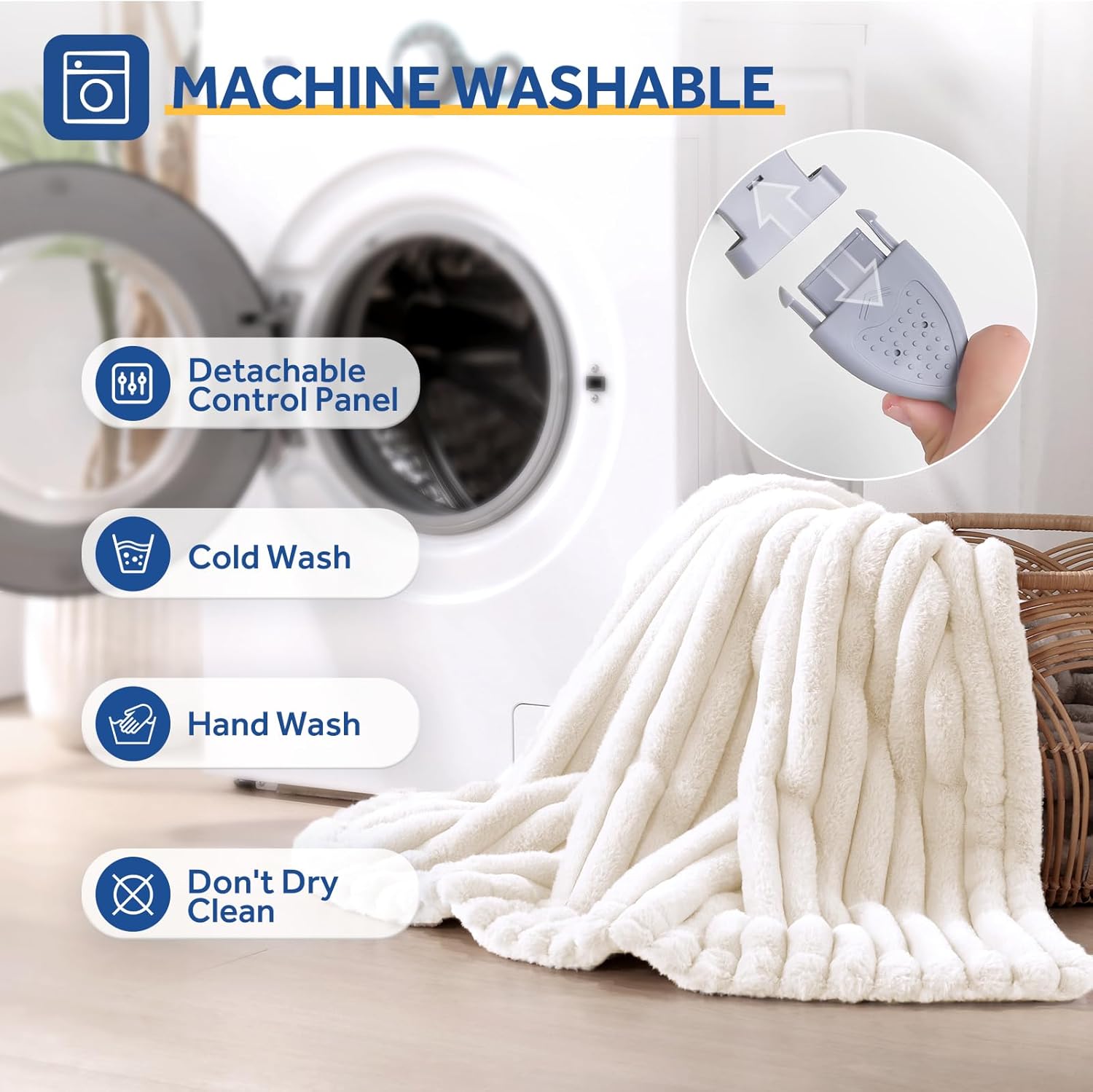
Image: The blanket being prepared for washing, illustrating the detachable control panel and recommended washing methods.
Troubleshooting
If you encounter issues with your electric blanket, please refer to the following common solutions:
- Blanket Not Heating:
- Ensure the power cord is securely plugged into a working electrical outlet.
- Verify that the controller is firmly connected to the blanket.
- Check if the power button on the controller has been pressed.
- If the blanket has been recently washed, ensure it is completely dry.
- Controller Display Not Working:
- Confirm the blanket is plugged into a live power outlet.
- Ensure the controller is properly connected to the blanket.
- Blanket Overheating or Shutting Off Unexpectedly:
- The built-in overheat protection may have activated. Unplug the blanket, allow it to cool for a few minutes, and then try again.
- Ensure the blanket is laid flat and not bunched or folded, which can trap heat.
If these steps do not resolve the issue, please contact customer support.
Specifications
| Feature | Detail |
|---|---|
| Brand | Sealy |
| Model Number | SL-HSR80-SPBEI |
| Size | Full Size 72" x 84" |
| Material | Faux Fur, Polyester, Sherpa |
| Color | Beige |
| Heating Levels | 10 |
| Auto Shut-Off Timer | 1-12 Hours |
| Special Features | Auto Shut Off, ETL Certification, Machine Washable, Skin Friendly |
| Item Weight | 7.43 pounds |
Product Video
Video: An official product video showcasing the Sealy Faux Fur Heated Blanket in various colors and use scenarios, highlighting its features and comfort.
Warranty and Support
Sealy heated products are engineered and tested for quality and durability. For any questions or support regarding your electric blanket, please contact Sealy customer service. We are committed to providing the best support for a healthy and balanced life.
For further assistance, please refer to the contact information provided with your purchase or visit the official Sealy website.
You can also visit the Sealy Brand Store on Amazon for more product information.