
1. Introduction
Welcome to the user manual for your new DOOGEE Note 58 Mobile Phone. This guide provides essential information to help you set up, operate, maintain, and troubleshoot your device. The DOOGEE Note 58 is designed for a seamless user experience, featuring the latest Android 15 operating system, a powerful octa-core processor, and a long-lasting 6250mAh battery.
Key features include a vibrant 6.75-inch HD+ display with a 90Hz refresh rate, a versatile 16MP main camera, and an 8MP front camera. With 32GB RAM (8GB + up to 24GB extended RAM) and 128GB ROM, expandable up to 2TB, you have ample space for all your applications and media. Enjoy enhanced security with Face ID and convenient connectivity with 5G WiFi, OTG, and NFC for Google Pay.

Figure 1.1: Front and back view of the DOOGEE Note 58 Mobile Phone, highlighting its large battery capacity and memory specifications.
2. What's in the Box
Upon unboxing your DOOGEE Note 58, please verify that all the following items are included:
- 1 x Cellphone
- 1 x Type-C Port Cable
- 1 x Charger
- 1 x Protective Film (Pre-applied)
- 1 x SIM card pin
- 1 x Packing Box
- 1 x Manual
- 1 x Warranty Card
- 1 x Protective case

Figure 2.1: All items included in the DOOGEE Note 58 retail packaging.
3. Setup Guide
3.1. SIM Card and Storage Installation
The DOOGEE Note 58 supports dual SIM cards or one SIM card and one TF (microSD) card for expanded storage. Use the provided SIM ejector tool to open the SIM tray located on the side of the device. Insert your Nano-SIM cards or TF card into the designated slots, ensuring correct orientation as indicated on the tray.

Figure 3.1: Visual representation of the 128GB ROM and 2TB expandable storage capabilities.
3.2. Initial Power On & Setup
Press and hold the Power button on the side of the phone until the DOOGEE logo appears. Follow the on-screen prompts to select your language, connect to a Wi-Fi network, and set up your Google account. This process will guide you through basic device settings.
3.3. Memory Expansion Setup (32GB RAM)
The DOOGEE Note 58 features an extended RAM function, allowing you to expand the 8GB basic RAM up to 32GB for smoother multitasking and performance. To activate this feature:
- Open the Settings application on your phone.
- Navigate to the Memory Expansion option.
- Select the desired amount of extended memory.
- Restart your phone to apply the new memory settings.

Figure 3.2: Illustration of the 32GB RAM memory expansion capability.
4. Operating Your DOOGEE Note 58
4.1. Basic Navigation
Your DOOGEE Note 58 features a responsive touchscreen for intuitive navigation. Use standard Android gestures such as tapping, swiping, pinching, and spreading to interact with applications and content. The power button controls screen on/off and device power, while the volume buttons adjust audio levels.
4.2. Camera Usage
The DOOGEE Note 58 is equipped with a 16MP AI main camera and an 8MP front camera, allowing you to capture clear and vibrant photos and videos. Open the Camera app from your home screen or app drawer.
- 16MP Main Camera: Features an OV16880 sensor chip with AF support and rear flashes for enhanced low-light performance.
- 8MP Front Camera: Utilizes an IMX134 sensor chip with a 78° FOV and F/2.2 aperture, ideal for selfies and video calls.

Figure 4.1: The 16MP main camera captures clear moments with ease.

Figure 4.2: The 8MP front-mounted camera is perfect for high-quality selfies.
4.3. Connectivity (Wi-Fi, Bluetooth, NFC)
The DOOGEE Note 58 offers robust connectivity options:
- Wi-Fi: Supports 5G Wi-Fi for high-speed internet access. Connect to available networks via Settings > Network & internet > Wi-Fi.
- Bluetooth: Pair with wireless headphones, speakers, and other Bluetooth-enabled devices via Settings > Connected devices > Bluetooth.
- NFC: Near Field Communication allows for quick pairing and mobile payments. The device supports Google Pay for convenient transactions.

Figure 4.3: Multifunctional NFC enables convenient mobile payments with Google Pay.

Figure 4.4: High-speed Wi-Fi 5 transmission for reliable connectivity.
4.4. Security Features (Face Unlock)
The DOOGEE Note 58 offers Face Unlock for quick and secure access to your device. To set up Face Unlock, navigate to Settings > Security > Face Unlock and follow the on-screen instructions to register your face.

Figure 4.5: Face scanning provides immediate and secure access to your device.
4.5. Battery Management
The DOOGEE Note 58 is equipped with a large 6250mAh battery, providing extended usage times. To maximize battery life, consider adjusting screen brightness, disabling unnecessary background apps, and utilizing power-saving modes.
- OTG Reverse Charging: The device supports OTG (On-The-Go) reverse charging, allowing you to use your phone as a power bank to charge other compatible devices.
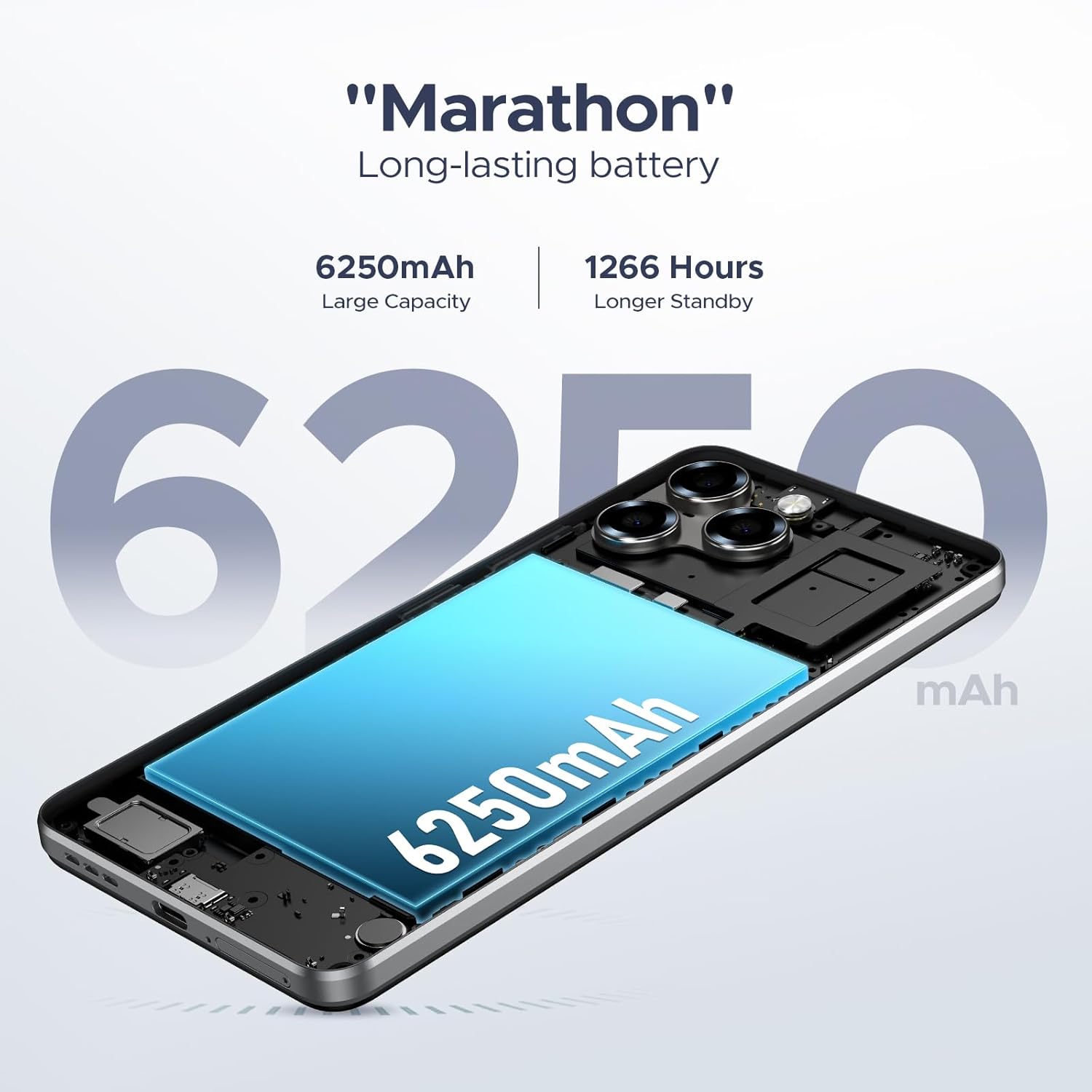
Figure 4.6: The 6250mAh large capacity battery ensures long-lasting power.

Figure 4.7: The DOOGEE Note 58 supports OTG reverse charging.
4.6. Android 15 Features
Running on the latest Android 15, the DOOGEE Note 58 offers a smooth and efficient user experience with several enhanced features:
- Smart Pre-loading: Apps start faster due to intelligent pre-loading.
- Multitasking: Seamlessly switch between applications and run multiple tasks simultaneously.
- Split-screen Mode: Use two apps side-by-side for increased productivity.
- Dual System Mode: Provides flexibility for different user profiles or work/personal separation.

Figure 4.8: The Android 15 operating system enhances system speed and user experience.

Figure 4.9: Multifunctional Android 15 system features.
5. Maintenance and Care
5.1. Cleaning Your Device
To keep your DOOGEE Note 58 in optimal condition, regularly clean its surfaces. Use a soft, lint-free cloth to wipe the screen and body. For stubborn smudges, slightly dampen the cloth with water or a screen cleaner. Avoid using harsh chemicals or abrasive materials.
5.2. Software Updates
Ensure your phone's software is up-to-date to benefit from the latest features, security patches, and performance improvements. You can check for updates by going to Settings > System > System update.
5.3. Battery Care
To prolong the lifespan of your 6250mAh battery:
- Avoid extreme temperatures, both hot and cold.
- Do not fully discharge the battery regularly; aim to keep it between 20% and 80%.
- Use the original charger and cable provided with your device.
6. Troubleshooting Common Issues
6.1. General Issues
- Phone not turning on: Ensure the battery is charged. Connect the charger and wait a few minutes before attempting to power on again.
- Apps crashing or freezing: Close the problematic app and reopen it. If the issue persists, clear the app's cache (Settings > Apps > [App Name] > Storage > Clear cache).
- Screen unresponsive: Perform a forced restart by holding the Power button for about 10-15 seconds until the device reboots.
6.2. Connectivity Problems
- Wi-Fi connection issues: Toggle Wi-Fi off and on. Restart your router. Forget the network and reconnect.
- Bluetooth pairing issues: Ensure both devices are in pairing mode and within range. Try restarting both devices.
6.3. Performance Issues
If your phone feels slow or overheats, it might be due to multiple apps running in the background or intensive usage. The DOOGEE Note 58 features an intelligent cooling and heat dissipation system to manage thermal performance.
- Lagging performance: Close unused apps. Clear cache regularly. Consider reducing the number of widgets on your home screen.
- Overheating: Reduce heavy usage (gaming, video streaming) for a while. Close background apps. Ensure the phone is not covered while charging.

Figure 6.1: The intelligent cooling and heat dissipation system helps maintain optimal performance.
7. Product Specifications
| Feature | Specification |
|---|---|
| Brand | DOOGEE |
| Model Name | Note 58 (N58) |
| Operating System | Android 15 |
| Display Size | 6.75 Inches |
| Resolution | 720x1600 HD+ |
| Refresh Rate | 90 Hz |
| RAM | 32GB (8GB + 24GB Extended) |
| Internal Storage (ROM) | 128GB |
| Expandable Storage | Up to 2TB (TF Card) |
| Main Camera | 16MP AI Camera |
| Front Camera | 8MP |
| Battery Capacity | 6250mAh Lithium Polymer |
| Product Dimensions | 16.8 x 7.75 x 0.86 cm |
| Item Weight | 199 g |
| Connectivity | 4G, Dual SIM, 5G WiFi, Bluetooth, NFC, OTG |
| Security | Face ID |
8. Warranty and Support
8.1. Warranty Information
Your DOOGEE Note 58 Mobile Phone comes with a 2-Year Warranty from the date of purchase, covering manufacturing defects. Additionally, a 30-Day Money Back Guarantee and free return policy are provided for your peace of mind. Please retain your proof of purchase for warranty claims.
8.2. Customer Support
For any questions, technical assistance, or warranty inquiries, DOOGEE offers 24/7 One-on-One Online Support. Please refer to the contact information provided on the warranty card or visit the official DOOGEE website for support channels.

Figure 8.1: DOOGEE's commitment to worry-free customer service.


