Introduction
This instruction manual provides essential information for the proper setup, operation, and maintenance of your Comfort Zone CZ12158 Replacement Remote Control. This remote is specifically designed to be compatible with the Comfort Zone CZ12823 Oscillating Tower Heater, ensuring seamless control over your heating unit. Please read this manual thoroughly before using the remote control.
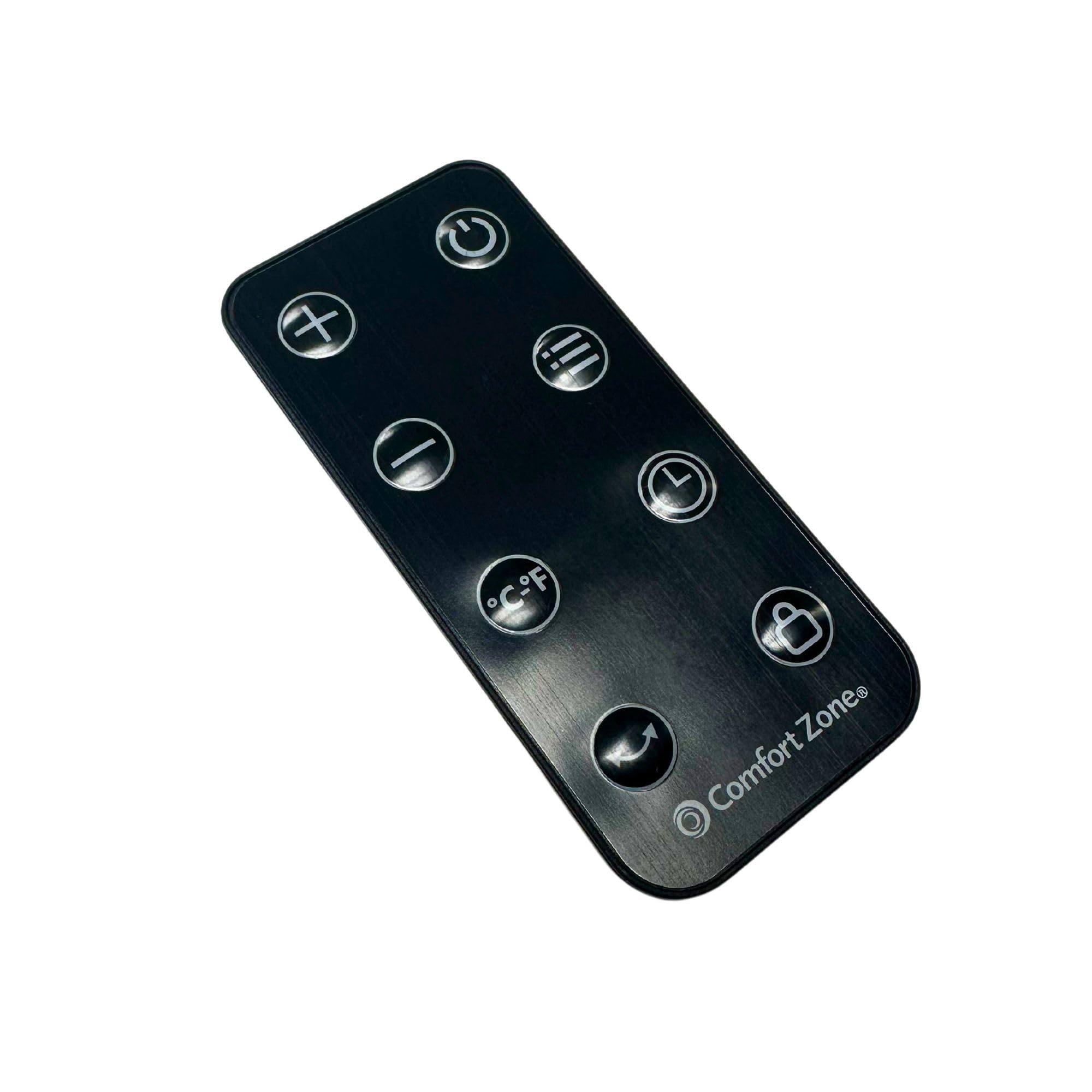
Image: The Comfort Zone CZ12158 Replacement Remote Control. This image displays the front view of the remote, highlighting its compact design and button layout.
Setup
Installing Batteries
The remote control requires two AAA batteries (not included) for operation. Follow these steps to install them:
- Locate the battery compartment on the back of the remote control.
- Press down on the tab and slide the battery cover off.
- Insert two AAA batteries, ensuring the positive (+) and negative (-) terminals align correctly with the markings inside the compartment.
- Slide the battery cover back into place until it clicks securely.
Note: Ensure batteries are inserted correctly. Incorrect installation can prevent the remote from functioning.
Operating Instructions
Remote Control Functions
The Comfort Zone CZ12158 remote control provides convenient access to your heater's functions. Point the remote directly at the heater's receiver for optimal performance.
- Power Button (⏻): Turns the heater ON or OFF.
- Mode Button: Cycles through available heating modes (e.g., High, Low, ECO).
- Temperature Up (▲) / Down (▼) Buttons: Adjusts the desired temperature setting.
- Oscillation Button: Activates or deactivates the heater's oscillation function, allowing it to rotate and distribute heat more widely.
For detailed information on specific heater functions, refer to the instruction manual provided with your Comfort Zone CZ12823 Oscillating Tower Heater.
Maintenance
Battery Replacement
When the remote control's range decreases or it stops responding, it is likely time to replace the batteries. Follow the battery installation steps outlined in the 'Setup' section. Always replace both batteries at the same time with new AAA batteries.
Cleaning
To clean the remote control, gently wipe its surface with a soft, dry cloth. Do not use abrasive cleaners, waxes, or solvents, as these may damage the remote's finish or internal components. Avoid exposing the remote to excessive moisture.
Troubleshooting
If you experience issues with your remote control, please refer to the following common problems and solutions:
- Remote Not Responding:
- Check if the batteries are installed correctly with the correct polarity.
- Replace old batteries with new AAA batteries.
- Ensure there are no obstructions between the remote and the heater's receiver.
- Make sure you are within the effective operating range of the heater.
- Heater Not Responding to Specific Commands:
- Verify that the heater itself is powered on and functioning correctly.
- Ensure the remote is pointed directly at the heater.
- If the issue persists, consult the heater's instruction manual for specific troubleshooting related to its remote control receiver.
Specifications
| Feature | Detail |
|---|---|
| Model Number | CZ12158 |
| Compatible Heater Model | Comfort Zone CZ12823 Oscillating Tower Heater |
| Product Dimensions | 0.6 x 1.5 x 4.2 inches |
| Item Weight | 1.6 ounces (0.1 Pounds) |
| Power Source | 2 x AAA Batteries (not included) |
| Color | Black |
| Special Feature | Remote Control |
Warranty and Support
For warranty information or technical support regarding your Comfort Zone CZ12158 Replacement Remote Control, please contact Comfort Zone customer service. Refer to the original packaging or the Comfort Zone website for the most current contact details and warranty terms.
You can typically find support information by visiting the official Comfort Zone website or by calling the customer service number provided with your original heater purchase.


