1. Introduction
This manual provides essential information for the assembly, operation, and maintenance of your Bush Business Furniture Move 60 Series L-Shaped Standing Desk. This electric sit-stand desk is designed to offer a versatile and ergonomic workspace, allowing for seamless transitions between sitting and standing positions. Please read these instructions thoroughly before use to ensure safe and optimal performance.
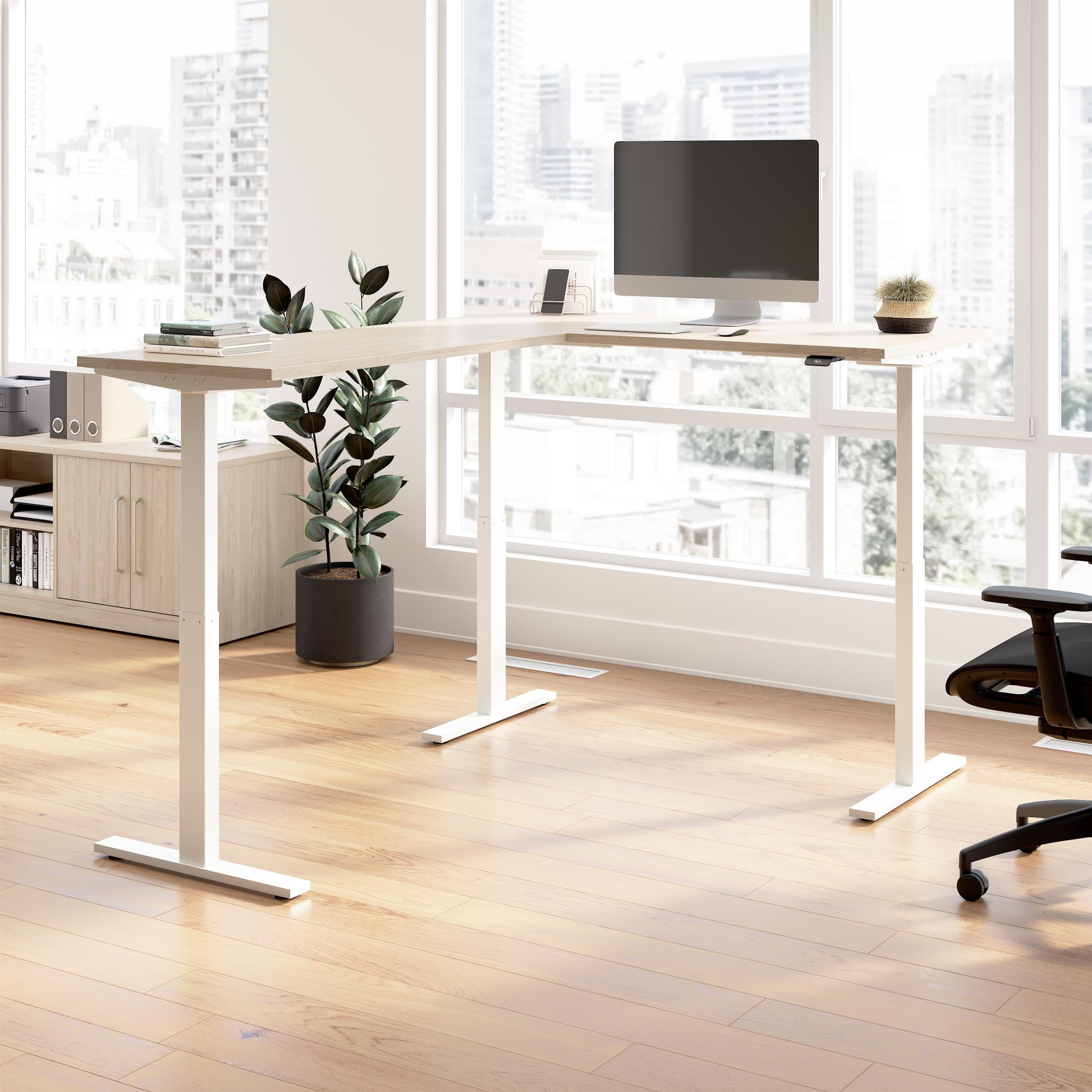
Image 1.1: The Bush Business Furniture Move 60 Series L-Shaped Standing Desk, Natural Elm with White Base.
2. Safety Information
- Weight Capacity: Do not exceed the maximum weight capacity of 200 pounds (90.7 kg) on the desk surface. Overloading can cause damage or injury.
- Pinch Points: Keep hands, feet, and other objects clear of moving parts during height adjustments to prevent pinching or crushing.
- Power Connection: Ensure the desk is plugged into a standard, grounded electrical outlet. Do not use damaged power cords or adapters.
- Obstructions: Before adjusting the desk height, verify there are no obstructions above or below the desk that could impede movement. The desk features an anti-collision sensor to help prevent damage, but user vigilance is still required.
- Children and Pets: Keep children and pets away from the desk during operation.
- Assembly: Assembly requires two people. Follow all assembly instructions carefully.
3. Package Contents
Please verify that all components are present before beginning assembly. Refer to the detailed parts list included in your product packaging for specific item counts and identifiers.
- L-Shaped Desk Surface (Natural Elm)
- Electric Height-Adjustable Legs (White Base)
- Control Panel with Digital Display
- Power Cord
- Hardware Pack (screws, bolts, tools)
- Cable Management Grommets
4. Assembly Instructions
Assembly of the Move 60 Series L-Shaped Standing Desk requires two individuals. Detailed, step-by-step instructions with diagrams are provided in the separate assembly guide included with your product. Please follow these instructions precisely to ensure proper construction and functionality.
Key Assembly Points:
- Lay out all parts and hardware before starting.
- Ensure all connections are secure and tightened appropriately.
- Attach the control unit and cable management components as directed.

Image 4.1: Dimensional overview of the L-shaped standing desk.

Image 4.2: Cable management grommet for organized wiring.
5. Operating Instructions
The Move 60 Series desk features an electric lift system for easy height adjustment and programmable memory settings.
5.1. Height Adjustment
To adjust the desk height, use the control panel located on the front edge of the desk. Press and hold the UP or DOWN arrow buttons until the desired height is reached. The digital display will show the current height in inches.
5.2. Memory Presets
The desk allows you to save two preferred height settings (seated and standing) for quick recall.
- Adjust the desk to your desired height using the UP/DOWN buttons.
- Press the M button, then immediately press either the 1 or 2 button to save the current height to that preset.
- To recall a saved height, press and hold the corresponding 1 or 2 button until the desk reaches the saved position.
5.3. Custom Alert
Set a custom alert to remind you to change positions. Refer to your detailed assembly guide for specific instructions on programming this feature.
5.4. Anti-Collision Sensor
The desk is equipped with an anti-collision sensor that automatically stops movement if an obstruction is detected during height adjustment. If the desk stops unexpectedly, remove any obstructions and resume adjustment.

Image 5.1: Digital control panel for height adjustment and presets.

Image 5.2: Key features of the Move 60 Series L-Shaped Standing Desk.
Video 5.3: Official product video demonstrating the Bush Business Furniture Move 60 Collection, including height adjustment functionality.
6. Maintenance
To maintain the appearance and functionality of your desk:
- Cleaning: Wipe the desk surface and base with a damp cloth. Avoid harsh chemicals or abrasive cleaners that could damage the finish.
- Inspections: Periodically check all screws and connections to ensure they remain tight.
- Cable Management: Ensure cables are properly routed through the grommets and are not tangled or pinched, especially during height adjustments.
7. Troubleshooting
If you encounter issues with your desk, refer to the following common solutions:
| Problem | Possible Cause | Solution |
|---|---|---|
| Desk does not move. | No power, loose connection, motor error. | Check power cord connection to outlet and desk. Ensure all cables are securely connected to the control unit. Unplug and replug the desk after 30 seconds. |
| Desk moves unevenly or makes unusual noises. | Obstruction, uneven load, loose components. | Remove any obstructions. Redistribute weight evenly on the desk. Check and tighten all assembly screws. |
| Digital display shows an error code. | System malfunction. | Refer to the detailed troubleshooting section in your assembly guide or contact customer support. |
| Electronic devices on desk experience interference during movement. | Electromagnetic interference from control unit. | If possible, reposition sensitive electronics away from the central control unit. Applying aluminum foil as a shield between the control unit and the device may reduce interference. |
8. Specifications
| Feature | Detail |
|---|---|
| Model Name | Move 60 Series |
| Model Number | M6SL6078NEWK |
| Desk Type | L-Shaped Electric Standing Desk |
| Dimensions (D x W x H) | 76.97" x 59.45" x 27.44" (minimum height) |
| Height Range | 27 inches to 46.7 inches |
| Weight Capacity | 200 pounds (90.7 kg) |
| Top Material | Thermally Fused Laminate Engineered Wood |
| Base Material | Welded 16-gauge Steel |
| Color | Natural Elm (top) with White Base |
| Assembly Required | Yes (2 people recommended) |
| Certifications | ANSI/BIFMA quality standards, UL Listed |
9. Warranty and Support
This Bush Business Furniture Move 60 Series L-Shaped Standing Desk is backed by a 5 Year Manufacturer's Warranty. This warranty covers defects in materials and workmanship under normal use.
For warranty claims, technical support, or replacement parts, please contact Bush Business Furniture customer service. Refer to your product packaging or the Bush Furniture official website for the most current contact information.
Please retain your proof of purchase for warranty validation.


