
1. Product Overview
The Skull Shaver Pitbull Platinum PRO PX5 is an advanced electric rotary shaver designed for efficient and comfortable head and face shaving. It features an upgraded, powerful motor for smoother and faster results, along with flexible multi-directional rotary blades that adapt to the contours of your head and face.
- Enhanced Performance: Equipped with a powerful motor for smoother and faster shaving.
- Wet or Dry Convenience: Designed for use in the shower or on the go, without the need for water or shaving cream.
- Easy Rinse Cleaning: Simple cleaning process by dipping the shaver head in warm water while running.
- Cordless Operation: Features a rechargeable lithium-ion battery providing up to 90 minutes of runtime.
- Ergonomic Design: Fits perfectly in your hand for full control and comfortable shaving.
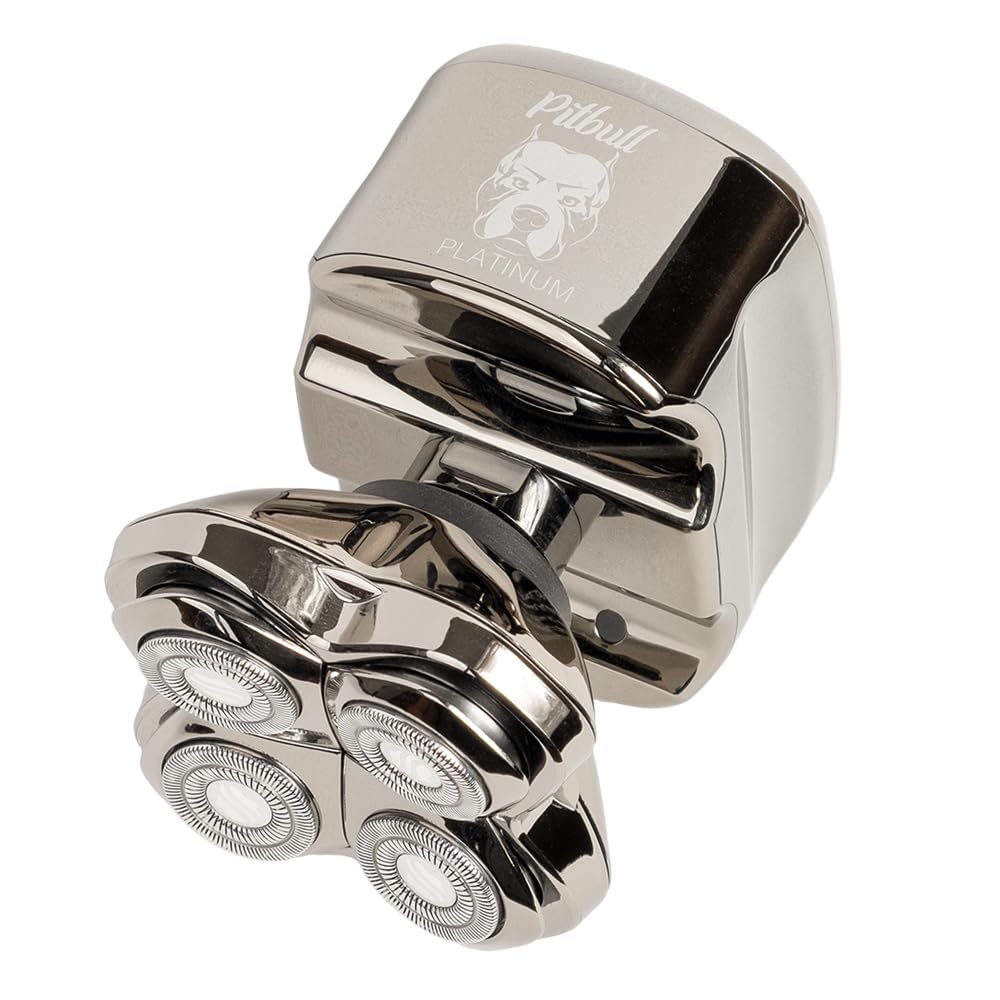
2. Setup
2.1 Unboxing and Initial Inspection
Upon receiving your Skull Shaver Pitbull Platinum PRO PX5, carefully unbox all components. Ensure the package includes the shaver unit, charging cable, USB adapter, cleaning brush, rinse stand, and travel case. Inspect all items for any signs of damage.

2.2 Charging the Shaver
Before first use, fully charge your shaver. The device features a digital display indicating the battery percentage. Connect the small end of the USB charging cable to the charging port on the shaver and the larger end to the USB adapter. Plug the adapter into a wall outlet. A full charge provides approximately 90 minutes of cordless operation.
Video 1: Unboxing and initial setup of the Pitbull Platinum Pro shaver, demonstrating the contents and charging process.
3. Operating Instructions
3.1 Powering On/Off
To turn the shaver on, press the power button located on the top of the unit. To turn it off, press the power button again. The digital display will show the battery percentage when powered on.
3.2 Shaving Techniques (Wet & Dry)
The Pitbull Platinum PRO PX5 can be used for both wet and dry shaving. For dry shaving, ensure your skin is clean and dry. For wet shaving, you may use shaving cream or gel. The flexible rotary blades are designed to contour to your head and face for a close shave with minimal irritation.
Video 2: Demonstration of dry shaving with the Skull Shaver, highlighting its convenience and effectiveness for a smooth finish.
Video 3: A user review showcasing the Skull Shaver Pitbull Platinum in action, demonstrating its ergonomic design and ease of use for head shaving.
4. Maintenance
4.1 Easy Rinse Cleaning
For daily cleaning, simply dip the shaver head into warm water while the shaver is running. This will adequately clean the blades and remove most hair clippings. The rinse stand can be used for this purpose.
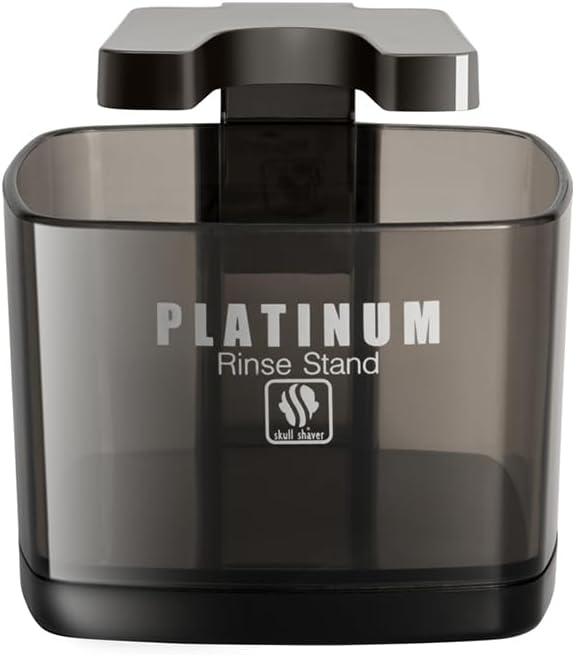
4.2 Deep Cleaning
For a more thorough cleaning, detach the shaver head from the main unit. Gently twist and pull the head to separate it. Use the provided cleaning brush to remove any trapped hairs from both the blades and the internal mechanism. You can also rinse the detached head under running water. Ensure all parts are dry before reattaching the head.

Video 5: A detailed guide on how to clean your Pitbull Skull Shaver, including detaching the head and rinsing.
5. Troubleshooting
5.1 Shaver Not Turning On
- Check Battery: Ensure the shaver is fully charged. The digital display indicates battery level.
- Travel Lock: The Pitbull Platinum line comes with a Travel Lock feature. Press and hold the On/Off switch for a few seconds to turn off the lock. A lock icon will appear/disappear on the display.
5.2 Reduced Shaving Performance
- Clean Blades: Hair clippings can accumulate and reduce efficiency. Perform an easy rinse or deep clean as described in the Maintenance section.
- Blade Wear: Over time, blades may dull. Consider replacing the shaver head for optimal performance.
5.3 Skin Irritation
- Gentle Pressure: Apply light, even pressure while shaving. Excessive pressure can cause irritation.
- Wet Shaving: If dry shaving causes irritation, try wet shaving with a quality shaving cream or gel.
- Cleanliness: Ensure the shaver head is clean before each use to prevent bacterial buildup.
6. Specifications
| Feature | Detail |
|---|---|
| Product Dimensions | 7 x 8 x 4 inches |
| Item Weight | 1.05 Pounds |
| Item Model Number | PBPX5-UK |
| Batteries | 1 Lithium Ion battery (included) |
| Battery Average Life | 90 minutes |
| Power Source | Battery Powered |
| Head Type | Rotary |
| Number of Blades | 5 |
| Blade Material | Stainless Steel |
| Additional Features | Ergonomic Design, Portable, Waterproof |
7. Warranty & Support
7.1 Warranty Information
Skull Shaver products are designed for durability and performance. For specific warranty details, please refer to the documentation included with your product or visit the official Skull Shaver website. Generally, products come with a manufacturer's warranty covering defects in materials and workmanship.
7.2 Customer Support
For any questions, technical assistance, or support regarding your Pitbull Platinum PRO PX5 shaver, please contact Skull Shaver customer service. You can find contact information, including phone numbers and online support resources, on the official Skull Shaver website or in your product's instruction manual.
Important Safety Precautions:
- Always keep the shaver away from water and do not submerge it beyond its waterproof rating.
- Use the travel lock when not in use to prevent accidental activation.
- Be gentle while shaving to avoid skin irritation.
- Clean and maintain the shaver regularly to prevent bacterial growth.
- Always follow the user manual for safe and optimal operation.


