
Introduction
Thank you for choosing the WALI Projector Mount Floating TV Shelf (Model CS303NB). This manual provides essential information for the safe and efficient installation, operation, and maintenance of your new floating shelf system. Designed to securely hold various media devices such as DVD/Blu-Ray players, satellite/cable boxes, game consoles, and projectors, this 3-shelf unit offers a space-saving and elegant solution for your entertainment setup. Please read these instructions thoroughly before beginning installation.
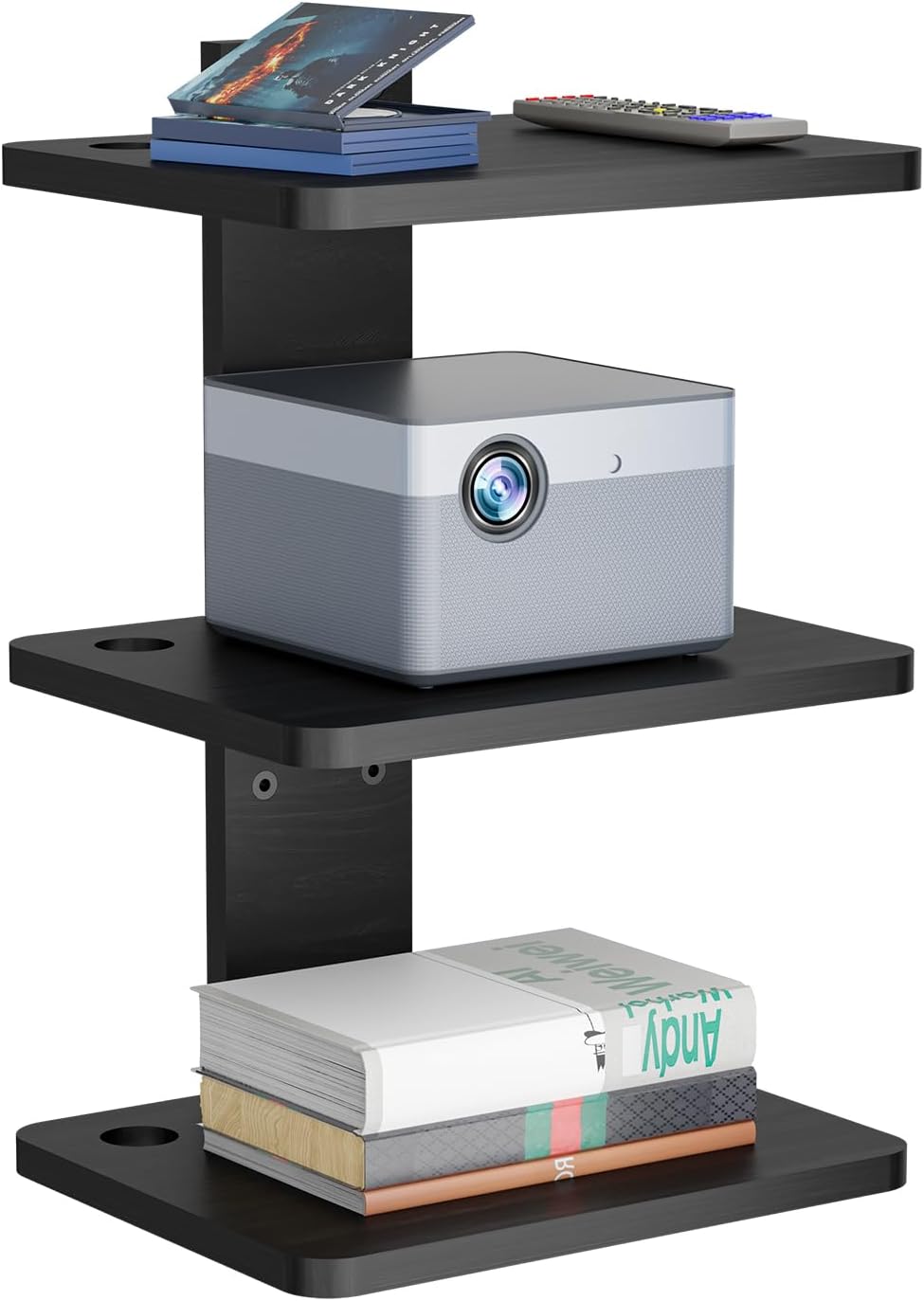
Image: The WALI CS303NB 3-Shelf Floating TV Shelf, showcasing its three black wooden shelves holding a projector, a remote control, and a stack of books, demonstrating its versatile storage capabilities.
Safety Information
WARNING: Always follow the provided instructions for proper installation and adhere strictly to the specified weight limits to ensure safety and prevent injury or damage to property. Failure to do so may result in product failure and potential harm.
- Do not exceed the maximum weight capacity of 22 lbs (10 kg) per shelf.
- Ensure the mounting surface is structurally sound and capable of supporting the combined weight of the shelf and all placed items.
- Do not mount on drywall alone. Always secure to a wood stud, brick, or concrete wall using appropriate anchors.
- Keep small parts away from children to prevent choking hazards.
- If you are unsure about any part of the installation process, seek professional assistance.
Package Contents
Verify that all components are present and undamaged before beginning assembly.
- 1 x WALI Floating Shelf System (Wooden main bracket)
- 3 x Black Strengthened Wooden Shelves (13.8 x 11 inches each)
- 1 x Mounting Hardware Kit (includes screws, anchors, etc.)
- 1 x User Manual (this document)
Specifications
| Feature | Detail |
|---|---|
| Model Name | CS303NB |
| Number of Shelves | 3 |
| Shelf Dimensions (each) | 13.8" W x 11" D (35cm x 28cm) |
| Shelf Thickness | 0.7 inches (1.8 cm) |
| Overall Product Dimensions | 11"D x 13.8"W x 22.8"H (28cm D x 35cm W x 58cm H) |
| Weight Capacity (per shelf) | Up to 22 lbs (10 kg) |
| Material | Strengthened Wood |
| Color | Black |
| Installation Type | Wall-Mounted |
| Special Feature | Space Saving, Cable Management Holes |

Image: Detailed dimensions of the WALI CS303NB shelf system, indicating a total height of 22.8 inches, shelf width of 13.8 inches, and depth of 11 inches, with 8.6 inches of vertical space between shelves.
Setup and Installation
Before You Begin
- Choose a suitable location on your wall, ensuring it is free from electrical wires, water pipes, or other obstructions.
- Determine the desired height for your shelf system, considering the devices you plan to place on it and your viewing/access needs.
Tools Required (Not Included)
- Pencil
- Measuring Tape
- Drill
- Drill Bits (appropriate for your wall type and anchor size)
- Level
- Phillips Head Screwdriver
- Hammer (for wall anchors)
Wall Type Compatibility
This floating shelf system is designed for installation on:
- Brick Walls: Use ST5x55mm anchors/bolts.
- Concrete Walls: Use ST5x55mm anchors/bolts.
- Wood Studs: Use ST5x55mm bolts directly into the stud.
IMPORTANT: DO NOT mount on drywall alone. Always secure to a structural element.

Image: Illustration of versatile installation options for the WALI shelf, detailing the correct fasteners for brick, concrete, and wood stud walls, and emphasizing the prohibition of drywall-only mounting.
Installation Steps
- Mark Hole Positions: Hold the main bracket against the wall at your desired height. Use a level to ensure it is straight. Mark the drilling points through the pre-drilled holes on the bracket with a pencil.
- Drill Holes: Using an appropriate drill bit for your wall type, drill holes at the marked positions. For brick or concrete, insert the plastic wall anchors into the drilled holes. For wood studs, anchors are not required.
- Assemble Shelves to Bracket: Attach the three wooden shelves to the main bracket using the provided screws. Ensure they are securely fastened. The shelves can be adjusted vertically to your preferred spacing before final tightening.
- Mount to Wall: Align the assembled shelf unit with the drilled holes/anchors on the wall. Insert the mounting screws through the bracket and into the wall/anchors. Tighten all screws firmly until the unit is secure against the wall. Do not overtighten.

Image: A visual guide illustrating the four key steps for installing the WALI floating shelf: marking the wall, drilling and inserting anchors, assembling the shelves onto the bracket, and finally mounting the complete unit to the wall.
Operating Instructions
Once installed, your WALI floating shelf is ready for use. Place your electronic devices, media, or decorative items on the shelves, ensuring the weight distribution is even and does not exceed the 22 lbs (10 kg) per shelf limit.
Cable Management
The shelves feature dual wire holes on both sides to facilitate neat cable routing. Thread your device cables through these holes to keep them organized and out of sight, enhancing the aesthetic appeal of your entertainment area.

Image: The WALI CS303NB shelf in use, displaying a projector on the middle shelf and a game console on the bottom shelf, highlighting its functionality for various media components.

Image: A detailed view of the WALI shelf's design elements, including the integrated wire management holes for organized cabling, the smooth wooden surface, and the safety-conscious rounded corners.
Maintenance
To maintain the appearance and longevity of your WALI floating shelf, follow these simple maintenance guidelines:
- Cleaning: Wipe the shelves with a soft, damp cloth. For tougher spots, a mild wood cleaner can be used. Avoid abrasive cleaners or harsh chemicals that may damage the finish.
- Dusting: Regularly dust the shelves to prevent buildup.
- Inspection: Periodically check all mounting screws and connections to ensure they remain tight and secure. Retighten if necessary.
- Weight Distribution: Always distribute weight evenly across the shelves and avoid placing excessively heavy items on one side.
Troubleshooting
If you encounter any issues with your WALI floating shelf, refer to the following common problems and solutions:
| Problem | Possible Cause | Solution |
|---|---|---|
| Shelf feels unstable or wobbly. | Loose mounting screws or incorrect wall anchors. | Ensure all mounting screws are tightened securely. Verify that the correct anchors were used for your wall type. If mounted on drywall alone, relocate to a stud or use appropriate heavy-duty drywall anchors (not included). |
| Shelf is not level. | Mounting holes were not marked level, or screws were tightened unevenly. | Loosen mounting screws slightly, adjust the shelf using a level, and then retighten evenly. Ensure initial marking was done with a level. |
| Devices do not fit on shelves. | Device dimensions exceed shelf capacity. | Refer to the "Specifications" section for shelf dimensions (13.8" W x 11" D). Ensure your devices fit within these measurements. |
| Cables are messy despite cable holes. | Insufficient use of cable management features or too many cables. | Utilize both cable holes on each shelf. Consider using cable ties or sleeves (not included) to bundle cables for a neater appearance. |
Warranty and Support
WALI is committed to providing high-quality products and excellent customer service. While specific warranty terms are not detailed in this manual, WALI offers experienced and US-based customer support, available to assist you 7 days a week. Our team aims to respond to emails within 12 hours to ensure you receive the best shopping experience possible.
For assistance, please contact WALI customer support through the retailer's platform or visit the official WALI website for contact information.
Online Resources:


