
Product Overview
The GOOLOO A2 is a versatile 8-in-1 roadside emergency tool designed for drivers. It combines a powerful car jump starter, a cordless tire inflator, a multi-mode LED light, and a power bank into one compact device. This unit ensures you are prepared for unexpected situations on the road, from dead batteries to low tire pressure.

The GOOLOO A2 8-in-1 Jump Starter with Air Compressor, showcasing its compact design and integrated features.
What's in the Box
| Item | Quantity |
|---|---|
| GOOLOO A2 Portable Car Jump Starter with Tire Inflator | 1 |
| Jumper Cable | 1 |
| Air Hose Tube | 1 |
| Air Nozzles | 5 |
| User Manual | 1 |

All components included in the GOOLOO A2 package, neatly arranged with the main unit, jumper cables, air hose, various nozzles, and user manual.
Specifications
| Brand: | GOOLOO |
| Model: | A2 |
| Product Dimensions: | 4.84"D x 1.97"W x 6.54"H |
| Item Weight: | 2.8 Pounds |
| Peak Output Current: | 2500 Amps |
| Amperage: | 2500 Amps |
| Battery Capacity: | 37Wh |
| Starting Current: | 400A |
| USB-C Input: | 5V/2A |
| USB-A Output: | 5V/2.1A |
| Country of Origin: | China |
Safety Information
- Always read the user manual completely before first use.
- Do not short-circuit the jumper clamps.
- Do not expose the unit to extreme temperatures outside of -20℃ to 60℃.
- Keep out of reach of children.
- Ensure proper polarity connection before jump starting.
- Do not attempt to jump start a frozen or damaged battery.
- Remove jumper cables from the vehicle battery within 30 seconds after the vehicle starts.
Setup
Charging the GOOLOO A2:
Before first use, fully charge the GOOLOO A2 using the provided USB-A to USB-C cable. The LED display will indicate the battery level during charging. A full charge ensures optimal performance.

The GOOLOO A2 being charged via its USB-C input port, demonstrating its power bank functionality for electronic devices.
Operating Instructions
1. Jump Starting a Vehicle:
- Ensure the GOOLOO A2 has at least 2 bars of battery power.
- Insert the blue end of the smart jumper cable into the jump starter socket on the GOOLOO A2.
- Connect the red clamp to the positive (+) terminal of the vehicle battery and the black clamp to the negative (-) terminal. The smart jumper cable will indicate a correct connection with a green light.
- Start your car engine.
- Once the vehicle has started, remove the jumper cables from the vehicle battery within 30 seconds.

The GOOLOO A2 connected to a car battery, ready to jump start a vehicle. The image highlights its 2500A peak power and compatibility with various engine sizes.
Official GOOLOO video demonstrating the jump starting process for a vehicle.
2. Using the Air Compressor:
- Attach the air hose to the unit's air output port and tighten it.
- Connect the appropriate air nozzle to the item you wish to inflate (tire, ball, etc.).
- Press and hold the power button to turn on the unit. Press the 'Setting' button to choose the inflation mode (car, motorcycle, bicycle, ball).
- Use the '+' or '-' buttons to adjust the desired PSI.
- Short press the power button to start inflation. The unit will automatically shut off when the preset pressure is reached.
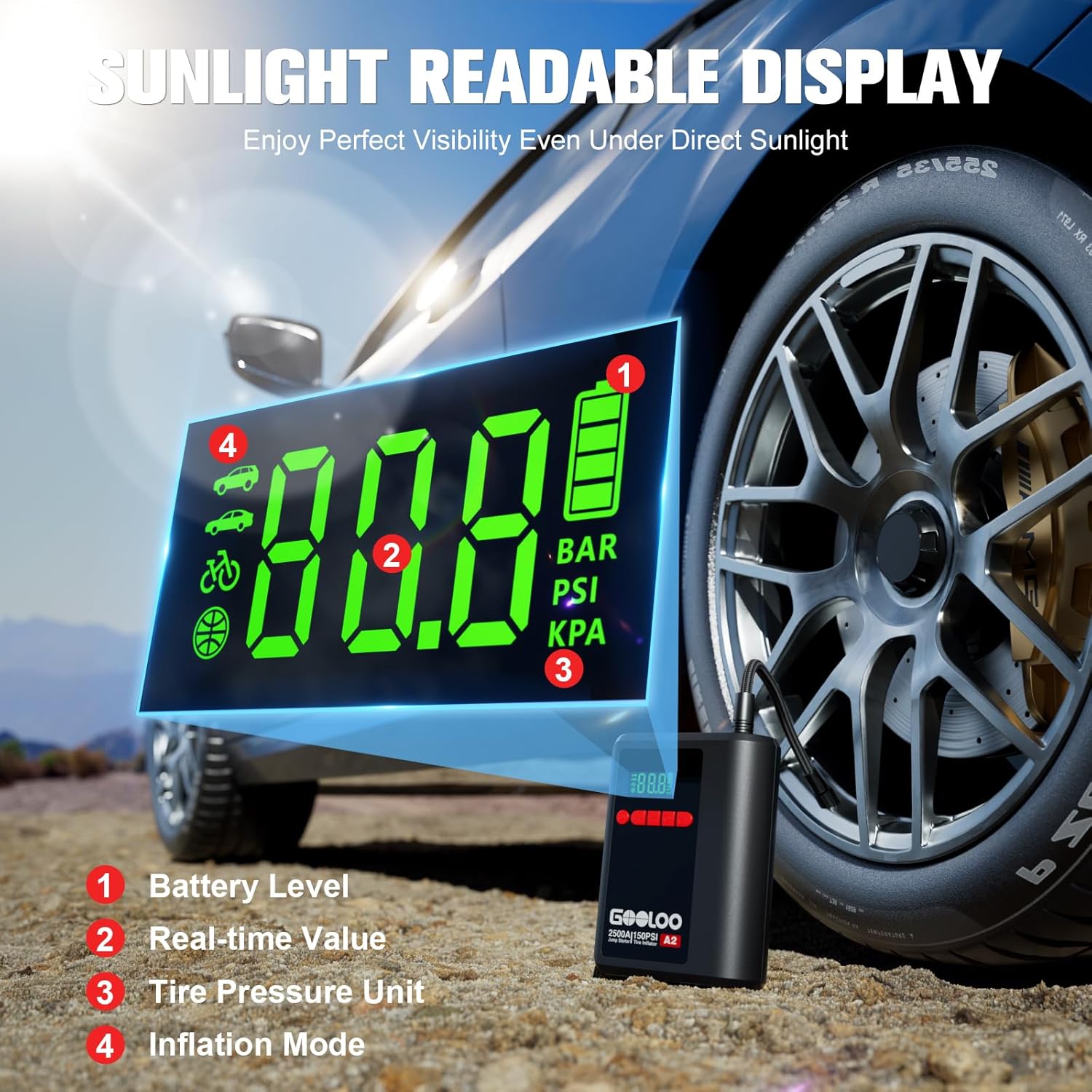
The GOOLOO A2 inflating a car tire, demonstrating its 150 PSI cordless air compressor with auto-shutoff feature.
Official GOOLOO video demonstrating the tire inflation process.
3. Using the LED Light:
The GOOLOO A2 features a bright LED light with multiple modes for emergencies. Press the light button to cycle through modes: steady spotlight, SOS signal, and red strobe warning light.

A person using the GOOLOO A2's 400 lumen LED light to illuminate a car engine at night, highlighting its spotlight, SOS, and strobe functions.
4. Using as a Power Bank:
Connect your mobile devices to the USB-A output port using a compatible USB cable to charge them on the go. The unit supports more than 1000+ charge cycles.
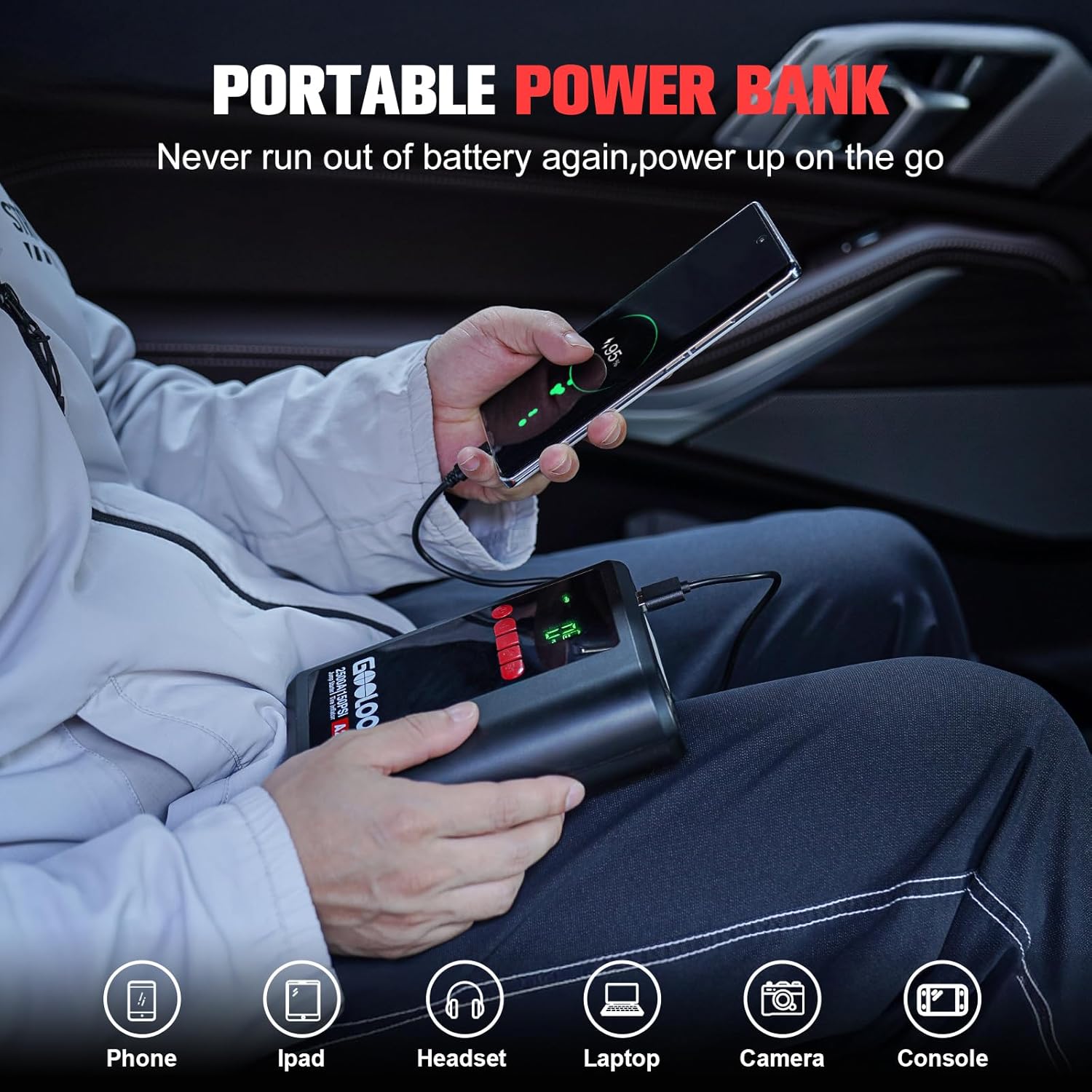
A person charging a smartphone using the GOOLOO A2's power bank function, illustrating its capability to power various electronic devices.
Maintenance
- Store the unit in its carrying bag in a cool, dry place.
- Recharge the unit every 3-6 months to maintain battery health, even if not used.
- Clean the unit with a dry, soft cloth. Do not use harsh chemicals or abrasive materials.
- Keep the air output port free from dust and debris.
Troubleshooting
Unit not turning on:
- Ensure the unit is charged. If the battery level is low, recharge it fully.
- Press and hold the power button for a few seconds to turn it on.
Vehicle not jump starting:
- Check that the jumper clamps are connected correctly to the battery terminals (red to positive, black to negative).
- Ensure the smart jumper cable is fully inserted into the jump starter socket.
- If the vehicle battery is completely dead, use the "BOOST" function on the smart jumper cable (refer to the quick start guide for details).
Air compressor not inflating:
- Verify the air hose and nozzle are securely attached.
- Check the selected inflation mode and preset PSI.
- Ensure the unit has sufficient battery power.
Warranty & Support
The GOOLOO A2 comes with an 18-month warranty from the date of purchase. For warranty claims, technical support, or any inquiries, please contact GOOLOO customer service.
Contact information can be found in the included user manual or on the official GOOLOO website.