
Product Overview
The Fanttik S1 Pro 3.7V Electric Screwdriver and S1 Capsule Deluxe Cordless Screwdriver are designed for precision and power in various assembly and repair tasks. This manual provides essential information for safe and effective use, maintenance, and troubleshooting.
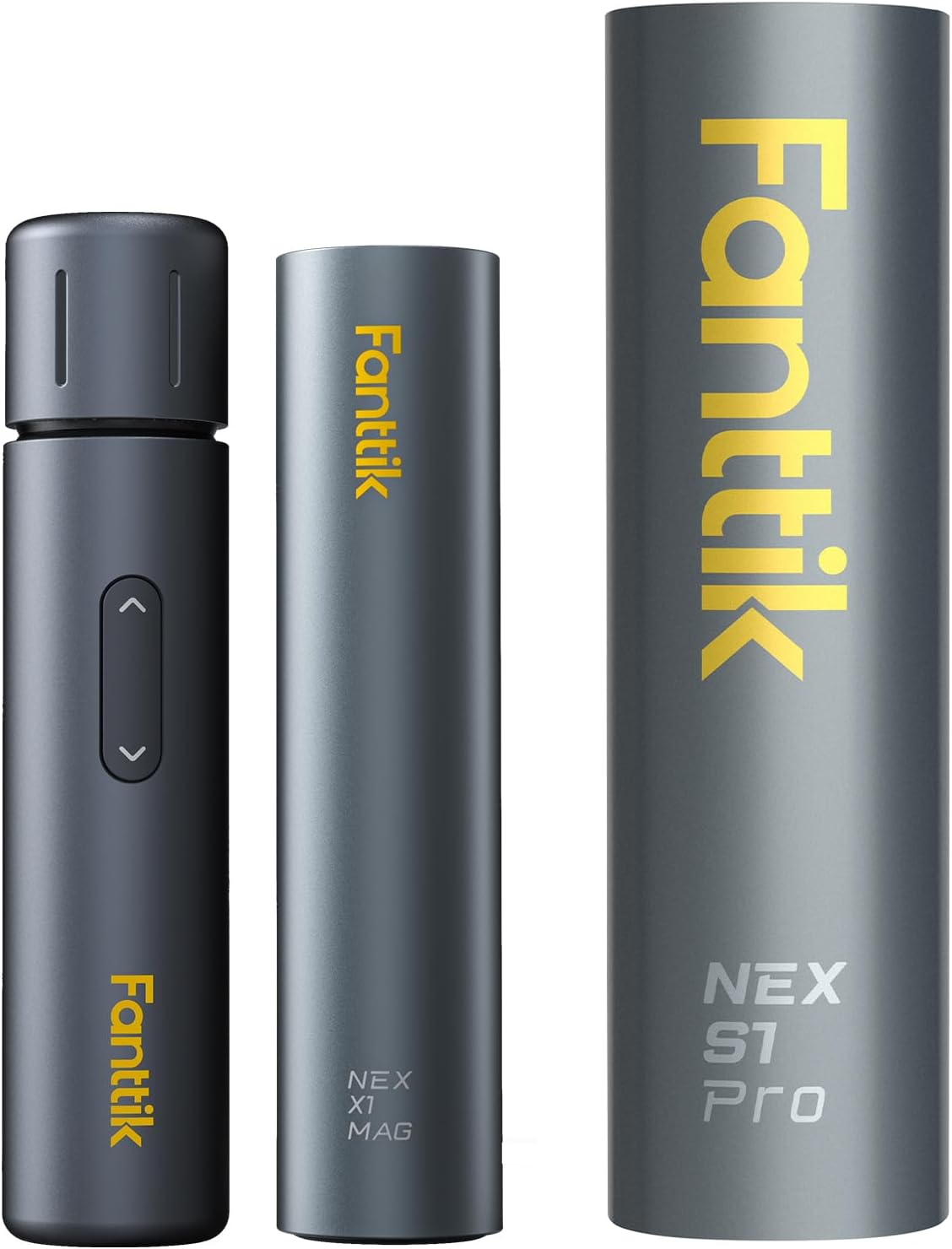
Image: The Fanttik S1 Pro electric screwdriver and the S1 Capsule Deluxe bit holder, presented in their sleek, compact design.
Setup and Assembly
1. Unpacking and Initial Charge
Carefully remove all components from the packaging. Before first use, ensure the S1 Pro electric screwdriver is fully charged. The charging port is located at the end of the screwdriver. Use the provided USB-C cable for charging.
2. Accessing the Screwdriver and Bits
The S1 Pro comes in a magnetic aluminum alloy case. To access the screwdriver, press the designated "Press Zone" on the case, and the screwdriver will pop out. The S1 Capsule Deluxe bit holder also features a pop-up mechanism for easy access to bits.

Image: The S1 Pro electric screwdriver being accessed from its portable aluminum alloy case, highlighting the pop-up mechanism.
3. Attaching Screwdriver Bits
The chuck and bits of the S1 Pro are magnetic, ensuring secure attachment. Simply insert the desired bit into the chuck until it clicks into place. The S1 Pro includes 14 coated S2 hardened steel bits of 5 categories, while the S1 Capsule Deluxe includes 2-inch long 1/4'' bits with a gear-driven rotatable bit holder for quick access.

Image: The Fanttik S1 Pro electric screwdriver displayed alongside its comprehensive set of 14 coated S2 steel bits, showing various types and sizes.
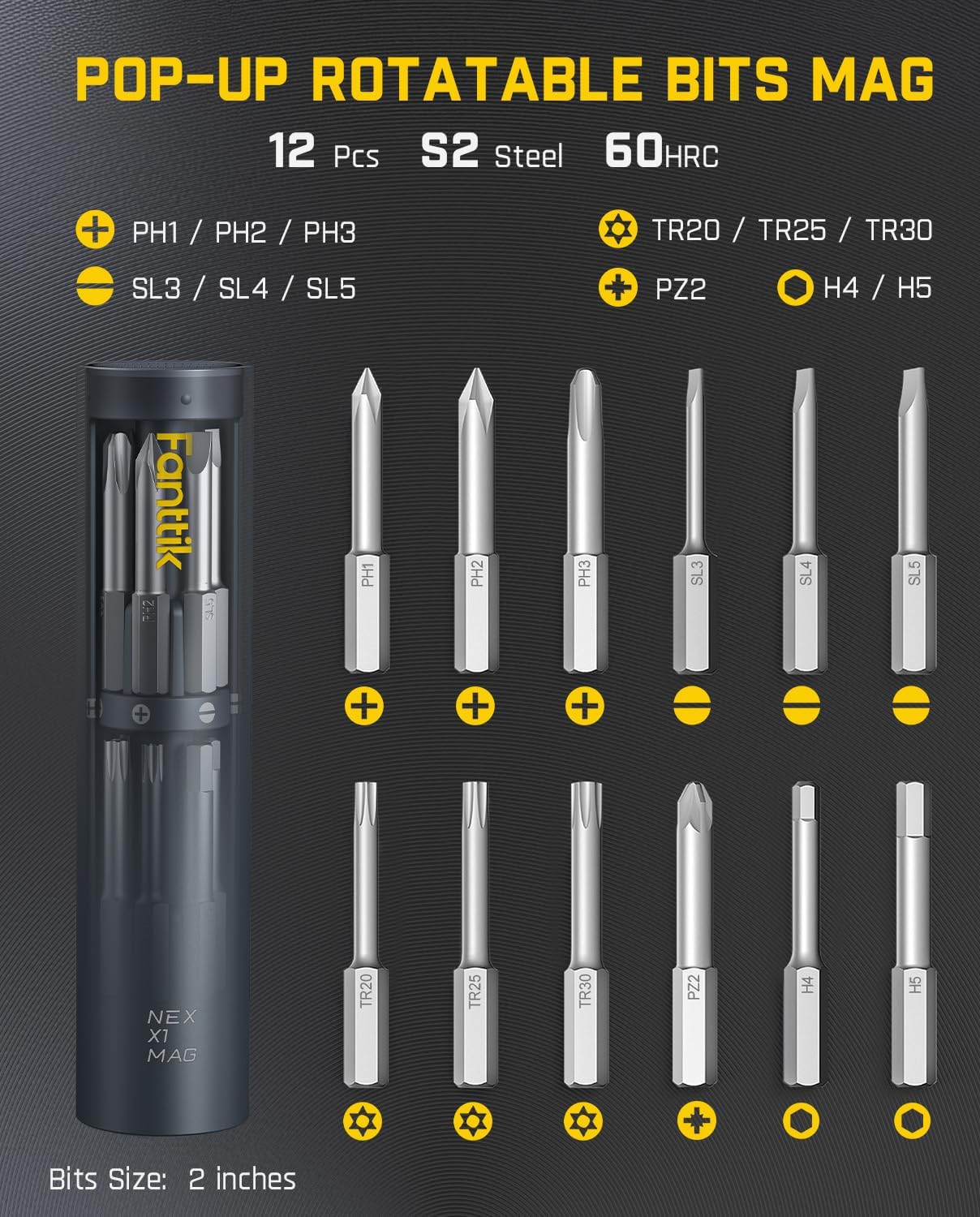
Image: The S1 Capsule Deluxe bit holder with its pop-up rotatable design, showcasing the organized storage of 12 S2 steel bits.
Operating Instructions
1. Powering On and Off
To operate the screwdriver, ensure it is charged and a bit is securely inserted. The device features an immediate stop function the moment your finger lifts from the button, enhancing control and safety.
2. Adjusting Torque Levels
The S1 Pro offers three torque levels: 1.5 N.m, 3 N.m, and 4.2 N.m, with a maximum hard torque of 6 N.m. A manual torque of 8 N.m is also available. Adjust the torque setting based on the material and screw type to prevent damage to precision instruments or fragile materials.

Image: Visual representation of the three adjustable torque levels on the Fanttik S1 Pro, demonstrating its versatility for different tasks.

Image: Close-up of the S1 Pro's three-staged torque knob, indicating maximum hard torque of 6 N.m and maximum manual torque of 8 N.m.
3. Usage Scenarios
This powerful electric screwdriver is ideal for a variety of tasks, including assembly and repair of furniture, air conditioners, faucets, socket boards, and desktop computers. The long bits included in the set are particularly useful for reaching screws in tight spaces.

Image: The Fanttik S1 Pro electric screwdriver in action, demonstrating the utility of its long bits for accessing screws in confined areas, such as furniture assembly and computer repair.
Maintenance
1. Cleaning
Wipe the screwdriver and bits with a clean, dry cloth after each use to remove dust and debris. Do not use abrasive cleaners or immerse the device in water.
2. Battery Care
To prolong battery life, charge the screwdriver regularly, even when not in frequent use. Avoid completely draining the battery before recharging. Store the device in a cool, dry place.
3. Bit Storage
Always store the bits in their designated magnetic cases (S1 Pro case or S1 Capsule Deluxe) to prevent loss and damage. This also helps maintain their coated S2 hardened steel integrity.
Troubleshooting
- Screwdriver Not Turning On: Ensure the battery is charged. Connect the USB-C cable and allow it to charge for at least 30 minutes before attempting to use it again.
- Bit Not Holding Securely: Verify that the bit is fully inserted into the magnetic chuck. Clean any debris from the chuck or the bit's base that might prevent a secure connection.
- Reduced Torque/Power: This may indicate a low battery. Recharge the screwdriver. If the issue persists after charging, contact customer support.
- Screwdriver Overheating: Discontinue use immediately. Allow the device to cool down. Overheating can occur with prolonged heavy use. Ensure proper ventilation.
Specifications
| Feature | Detail |
|---|---|
| Style | S1 Pro & S1 Capsule Deluxe |
| Material | Aluminum |
| Power Source | Battery Powered |
| Voltage | 3.7 Volts |
| Speed | 1.5E+3 RPM |
| S1 Pro Torque Levels | 1.5/3/4.2 N.m (electric), 6 N.m (max hard), 8 N.m (manual) |
| S1 Pro Bits | 14 pcs Coated S2 Steel Bits |
| S1 Capsule Deluxe Bits | 2-inch long 1/4'' bits, Pop-up Rotatable Bits Mag (12 Pcs S2 Steel 60HRC) |
Warranty and Support
For warranty information or technical support, please contact Fanttik Innovation Direct, the seller of this product. Refer to your purchase documentation for specific warranty terms and contact details. The product is subject to a 30-day return policy.


