1. Introduction
This manual provides essential information for setting up, operating, maintaining, and troubleshooting your BOSGAME P3 Lite Mini PC. The P3 Lite is a compact and powerful desktop computer featuring an AMD Ryzen 7 6800H processor, 24GB DDR5 RAM, and a 1TB PCIe 4.0 SSD, designed for various computing tasks from business to entertainment.

Image 1.1: The BOSGAME P3 Lite Mini PC, showcasing its compact design and port layout.
2. Setup Guide
Follow these steps to set up your BOSGAME P3 Lite Mini PC:
- Unpack: Carefully remove the Mini PC and all accessories from the packaging.
- Connect Display: Connect your monitor(s) to the Mini PC using an HDMI, DisplayPort, or USB4 cable. The device supports triple display output.
- Connect Peripherals: Plug in your keyboard, mouse, and any other USB devices into the available USB ports.
- Connect Network (Optional): For a wired connection, connect an Ethernet cable to one of the LAN ports. For wireless, ensure your Wi-Fi network is available.
- Power On: Connect the power adapter to the DC-in port on the Mini PC, then plug the adapter into a power outlet. Press the power button located on the front of the device.

Image 2.1: Front and rear view of the BOSGAME P3 Lite Mini PC, highlighting its various input/output ports including USB, HDMI, DisplayPort, LAN, and power input.
3. Operating Instructions
Your BOSGAME P3 Lite Mini PC comes with Windows 11 Pro pre-installed, offering a familiar and user-friendly operating environment.
- First Boot: Upon the first startup, follow the on-screen instructions to complete the Windows 11 Pro setup, including language, region, and user account creation.
- Network Connection:
- Wi-Fi: Click the Wi-Fi icon in the taskbar, select your network, enter the password, and connect. The device supports Wi-Fi 6E for high-speed wireless connectivity.
- Ethernet: If an Ethernet cable is connected, the system should automatically establish a wired network connection.
- Bluetooth Devices: To pair Bluetooth devices (e.g., headphones, speakers), go to Windows Settings > Bluetooth & devices, and select 'Add device'. The Mini PC features Bluetooth 5.2.
- Triple Display Setup: The Mini PC supports connecting up to three displays simultaneously via HDMI, DisplayPort, and USB4. To configure multiple displays, right-click on the desktop, select 'Display settings', and arrange your monitors as desired.

Image 3.1: An overview of the BOSGAME P3 Lite Mini PC's capabilities, highlighting its support for triple screen display via HDMI, DisplayPort, and USB4.
4. Key Features
The BOSGAME P3 Lite Mini PC is equipped with advanced components for robust performance:
- Processor: Powered by an AMD Ryzen 7 6800H processor, featuring 8 cores and 16 threads, with a maximum boost clock speed of up to 4.7GHz. This CPU provides strong performance for multitasking and demanding applications.
- Memory (RAM): Comes with 24GB of high-speed DDR5 4800MHz SODIMM RAM, ensuring smooth operation and efficient handling of multiple applications. The memory is expandable up to 64GB.
- Storage: Includes a 1TB M.2 2280 NVMe PCIe 4.0 x4 SSD for fast boot times and rapid data access. The system supports adding a second M.2 2280 NVMe PCIe 4.0 SSD for expanded storage capacity.
- Graphics: Features integrated AMD Radeon 680M graphics, capable of handling 4K resolution at 60Hz across multiple displays.
- Connectivity: Equipped with Wi-Fi 6E for advanced wireless networking, Bluetooth 5.2 for peripheral connections, and dual 2.5G RJ45 LAN ports for high-speed wired network access.
- Ports: A comprehensive selection of ports including HDMI 2.0, DisplayPort, USB4 (Thunderbolt 4.0 compatible), multiple USB 3.2 Gen 2 ports, a USB 2.0 port, and a 3.5mm audio jack.

Image 4.1: Detailed view of the AMD Ryzen 7 6800H processor, emphasizing its core count, thread count, L3 cache, and boost clock speed.

Image 4.2: Visual representation of the DDR5 SODIMM RAM modules and the M.2 NVMe PCIe 4.0 SSD, which are key components for system performance.
5. Specifications
| Feature | Specification |
|---|---|
| Brand | BOSGAME |
| Model Number | P3 Lite |
| Operating System | Windows 11 Pro |
| Processor Brand | AMD |
| Processor Type | Ryzen 7 6800H |
| Processor Speed | Up to 4.7 GHz |
| Number of Cores | 8 |
| Cache Size | 16 MB L3 Cache |
| RAM | 24 GB DDR5 4800MHz SODIMM |
| Maximum Memory | 64 GB |
| Storage | 1 TB M.2 2280 NVMe PCIe 4.0 SSD |
| Storage Interface | PCIe x4 (supports second M.2 2280 NVMe PCIe 4.0 SSD) |
| GPU | Integrated AMD Radeon 680M |
| Max Resolution | 3840 x 2160 (4K) @ 60Hz |
| Wireless Connectivity | Wi-Fi 6E (802.11ax), Bluetooth 5.2 |
| Wired Connectivity | 2x 2.5G RJ45 LAN ports |
| Video Output | 1x HDMI 2.0, 1x DisplayPort, 1x USB4 (Thunderbolt 4.0 compatible) |
| USB Ports | 4x USB 3.2 Gen 2, 1x USB 2.0, 1x USB4 |
| Audio Port | 1x 3.5mm Audio Jack |
| Dimensions (L x W x H) | 12.3 x 4.4 x 12.9 cm (4.84 x 1.73 x 5.08 inches) |
| Weight | 530 Grams (1.17 lbs) |

Image 5.1: The compact dimensions of the BOSGAME P3 Lite Mini PC, illustrating its small footprint.
6. Maintenance
Proper maintenance ensures the longevity and optimal performance of your Mini PC:
- Cleaning: Regularly clean the exterior of the Mini PC with a soft, dry cloth. Use compressed air to clear dust from ventilation grilles to prevent overheating. Ensure the device is powered off and unplugged before cleaning.
- Software Updates: Keep your Windows operating system and drivers updated. Windows Update can be accessed via Settings > Windows Update. Regularly check the BOSGAME website for any specific driver updates.
- Storage Management: Periodically review your storage usage. Uninstall unnecessary programs and delete old files to free up space on the 1TB SSD.
- Hardware Upgrades: The Mini PC supports upgrades for both RAM and storage. You can expand the DDR5 RAM up to 64GB and add a second M.2 2280 NVMe PCIe 4.0 SSD. Refer to the detailed instructions for opening the chassis and installing components to avoid damage.
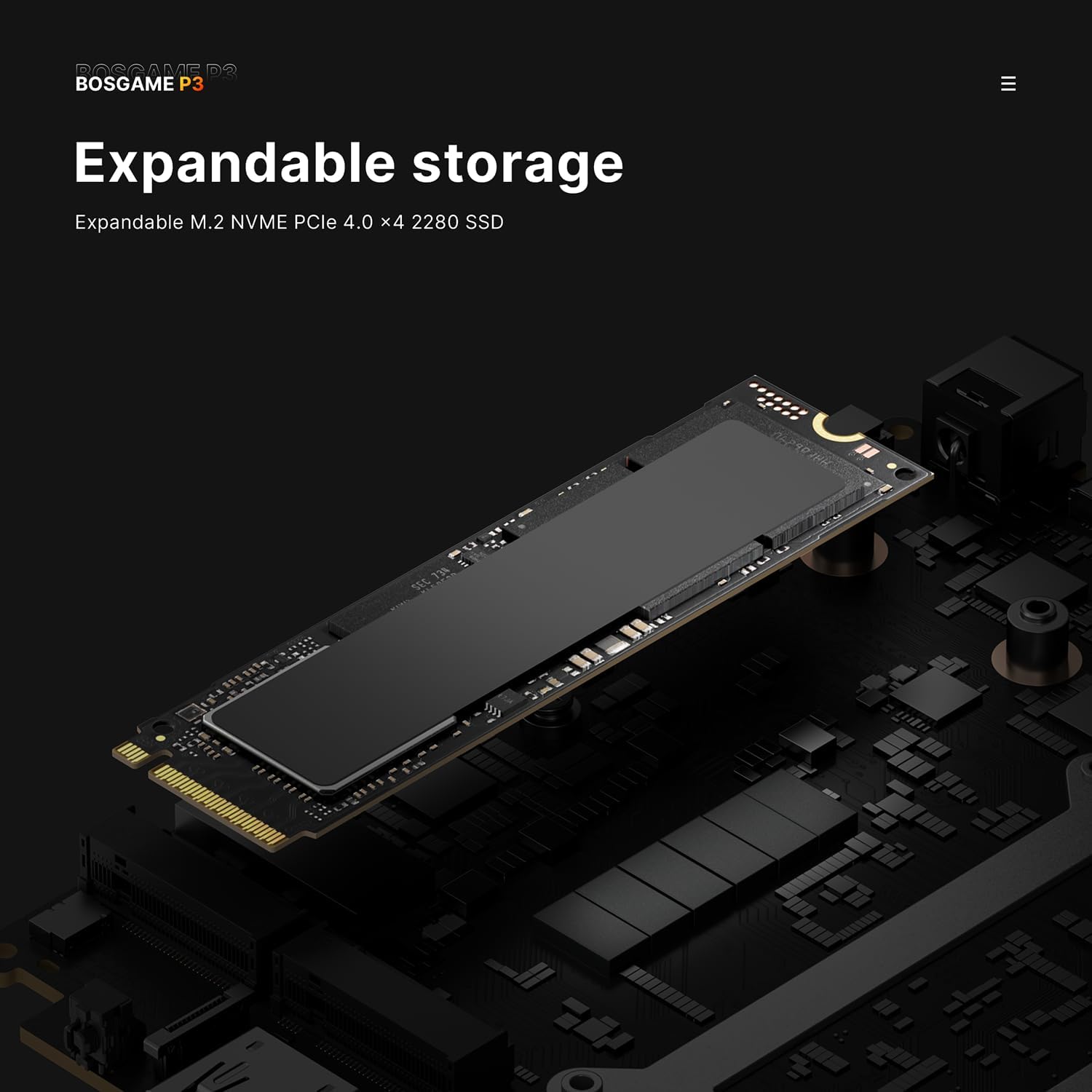
Image 6.1: An illustration of the expandable storage slot, indicating support for an additional M.2 NVMe PCIe 4.0 SSD.
7. Troubleshooting
If you encounter issues with your Mini PC, refer to these common troubleshooting steps:
- No Power:
- Ensure the power adapter is securely connected to both the Mini PC and a working power outlet.
- Verify the power outlet is functional by plugging in another device.
- Try a different power outlet if available.
- No Display:
- Check that the monitor is powered on and the correct input source is selected.
- Ensure the HDMI, DisplayPort, or USB4 cable is securely connected to both the Mini PC and the monitor.
- Try a different display cable or monitor if possible.
- Network Connection Issues:
- For Wi-Fi, ensure your router is working and the Wi-Fi password is correct. Restart your router.
- For Ethernet, check if the LAN cable is properly connected to both the Mini PC and the router/modem. Verify the router's internet connection.
- In Windows, go to Settings > Network & internet and run the network troubleshooter.
- Slow Performance:
- Close unnecessary applications running in the background.
- Check for and install any pending Windows updates.
- Ensure there is sufficient free space on your SSD.
- Run a virus scan to check for malware.
8. Warranty and Support
The BOSGAME P3 Lite Mini PC comes with a one-year warranty. For technical support, warranty claims, or further assistance, please contact BOSGAME customer service through the retailer where the product was purchased or refer to the official BOSGAME support channels. Please have your product model number (P3 Lite) and purchase information ready when contacting support.


