
radtel RT-4D
Radtel RT-4D DMR Radio
User Manual
1. Introduction
Thank you for choosing the Radtel RT-4D DMR Radio. This dual-band, dual-mode walkie-talkie is designed for reliable and versatile communication, supporting both analog and digital modes with 1024 channels. This manual provides essential information for the proper setup, operation, and maintenance of your device to ensure optimal performance and longevity.
Please read this manual thoroughly before using the radio and keep it for future reference.
2. Product Overview
The Radtel RT-4D is a robust communication device featuring a clear display, intuitive controls, and a durable design. It comes bundled with a speaker microphone for enhanced usability.

Figure 2.1: Radtel RT-4D DMR Radio with included Speaker Microphone. This image displays the main radio unit alongside the speaker mic, highlighting their compact and functional design.

Figure 2.2: Close-up view of the Radtel Speaker Microphone. This accessory features a PTT button, speaker, and microphone, designed for convenient hands-free communication.
The radio features a full keypad and a clear LCD display for easy navigation and status monitoring. The speaker mic provides a convenient way to communicate without needing to hold the radio directly to your ear.
3. Package Contents
Please verify that all items are present in your package:
- Radtel RT-4D DMR Radio Unit
- Speaker Microphone
- Battery Pack
- Antenna
- Belt Clip
- Desktop Charger with AC Adapter
- User Manual (this document)
Note: If any items are missing or damaged, please contact your vendor immediately.
4. Setup
4.1 Battery Installation and Charging
- Align the battery pack with the grooves on the back of the radio.
- Slide the battery pack upwards until it clicks into place.
- To charge, place the radio (with battery installed) into the desktop charger. Ensure the charging indicator light illuminates.
- A full charge typically takes 3-4 hours. The indicator light will change color when charging is complete.
4.2 Antenna Attachment
- Screw the antenna clockwise into the connector on the top of the radio until it is finger-tight. Do not overtighten.
4.3 Speaker Microphone Connection
- Insert the 2-pin connector of the speaker microphone into the accessory jack on the side of the radio.
- Ensure a secure connection.
5. Operating Instructions
5.1 Power On/Off and Volume Control
- To power on, rotate the Power/Volume Knob clockwise until you hear a click.
- Continue rotating to adjust the volume.
- To power off, rotate the knob counter-clockwise until it clicks.
5.2 Channel Selection
- Use the Up/Down Arrow keys on the keypad to navigate through programmed channels.
- Alternatively, enter the channel number directly using the numeric keypad.
5.3 Making a Call
- Select the desired channel or contact.
- Press and hold the Push-to-Talk (PTT) button on the side of the radio or on the speaker microphone.
- Speak clearly into the microphone.
- Release the PTT button to listen for a response.

Figure 5.1: Illustration of Single, Group, and All Call options. The Radtel RT-4D supports various calling modes, allowing users to communicate with individual contacts, predefined groups, or all contacts within the system.
5.4 Digital vs. Analog Mode
The RT-4D supports both digital (DMR) and analog communication. The radio will automatically detect the signal type on a given channel if configured correctly. Ensure your radio is set to the appropriate mode for the network you are trying to access.

Figure 5.2: Radtel RT-4D operating in DMR Digital + Analog Dual Mode. This image highlights the radio's capability to seamlessly switch between digital and analog communication protocols.
6. Features
- Dual Band & Dual Mode: Supports both UHF/VHF frequencies and operates in both analog and digital (DMR) modes.
- 1024 Channels: Ample capacity for various communication needs.
- Dual Time Slot (Tier 1 & Tier 2): Enables efficient communication by allowing two conversations on a single frequency.
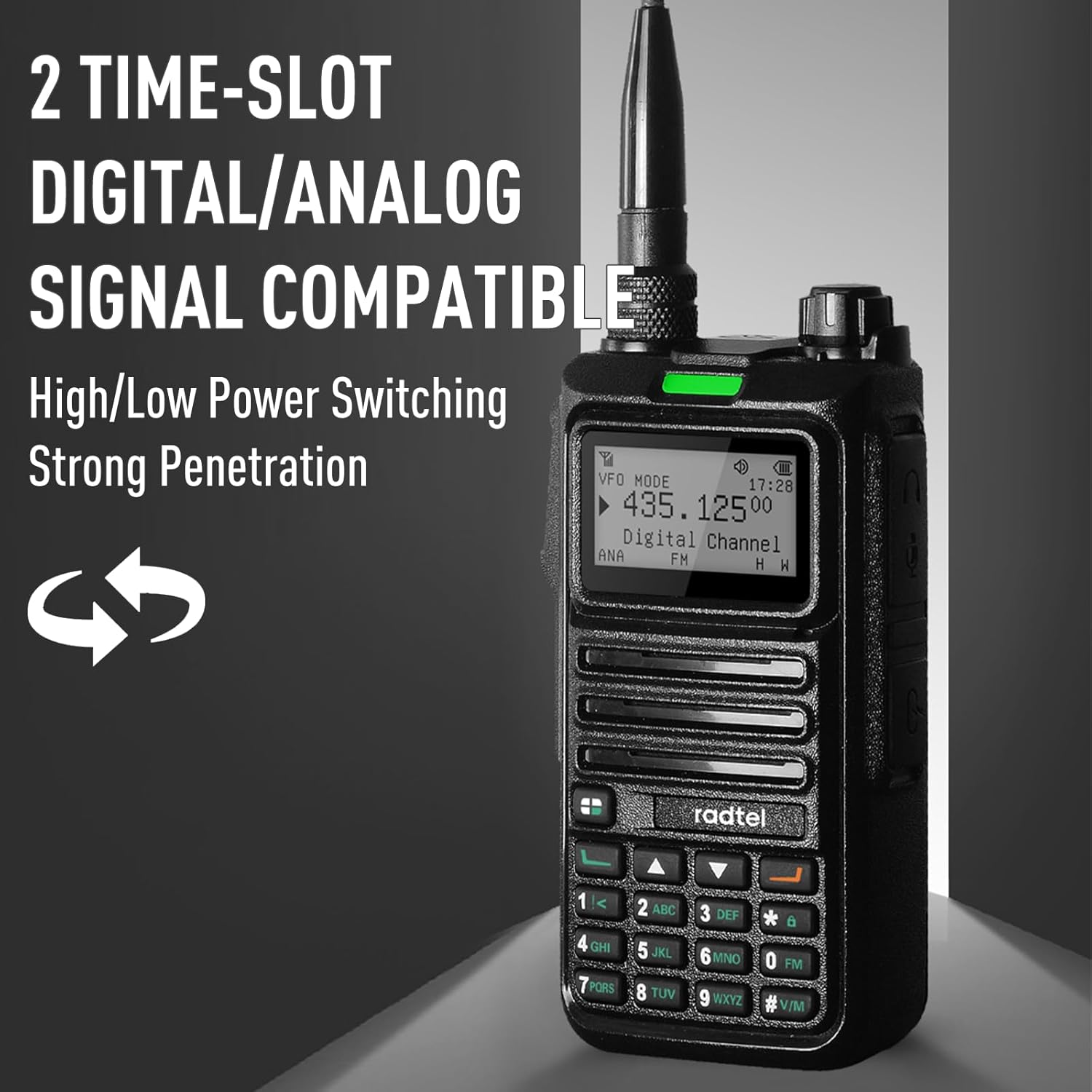
Figure 6.1: Radtel RT-4D demonstrating 2 Time-Slot Digital/Analog Signal Compatibility. This feature enhances channel efficiency and signal penetration.
- Wide Frequency Range:
- Analog: 108-136 MHz (aviation AM reception), 136-520 MHz RX
- Digital VHF: 136-174 MHz / UHF: 400-470 MHz RX
- Speaker Microphone: Included accessory with a 360° rotatable clip and 19.29-inch cable for flexible use. Provides clear and loud voice transmission.
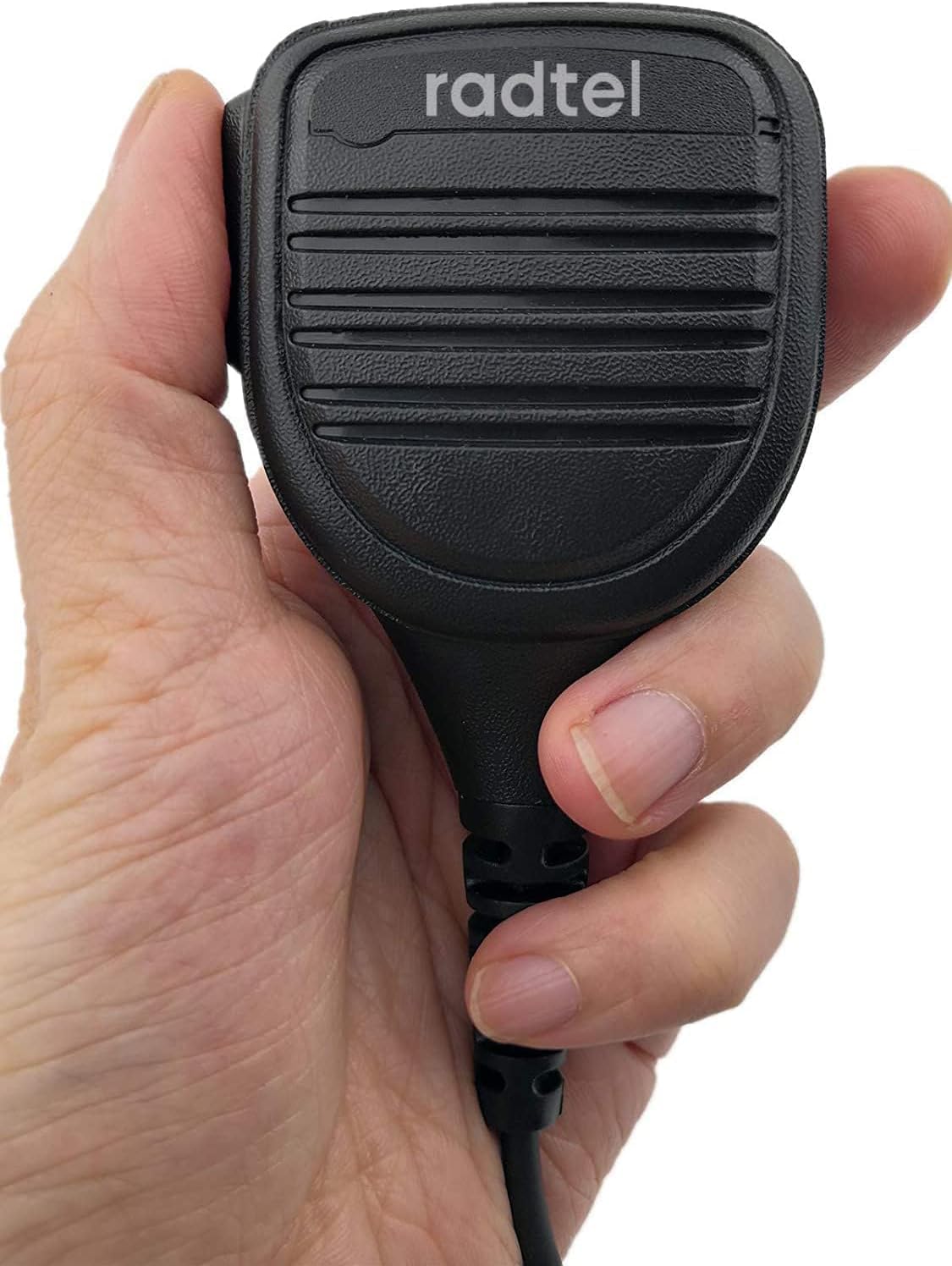
Figure 6.2: A hand holding the Radtel Speaker Microphone, illustrating its ergonomic design and portability for ease of use.
- One-Click Detecting Remote Sub-Tone Decoding: Facilitates quick matching and decoding of signals.

Figure 6.3: Radtel RT-4D demonstrating One-Click Detecting Remote Sub-Tone Decoding. This feature allows for quick signal matching and decoding.
7. Maintenance
- Cleaning: Use a soft, damp cloth to clean the radio's surface. Do not use harsh chemicals or abrasive cleaners.
- Battery Care: To prolong battery life, avoid overcharging and fully discharging the battery regularly. Store the radio and battery in a cool, dry place when not in use for extended periods.
- Storage: Store the radio in a dry environment, away from direct sunlight and extreme temperatures.
- Antenna: Do not bend or twist the antenna excessively, as this can damage the connector.
8. Troubleshooting
| Problem | Possible Cause | Solution |
|---|---|---|
| Radio does not power on. | Battery is not installed correctly or is discharged. | Ensure battery is securely installed. Charge the battery fully. |
| No sound or low volume. | Volume is too low; speaker mic not connected properly; channel is inactive. | Increase volume. Reconnect speaker mic. Verify channel activity. |
| Cannot transmit or receive. | Incorrect frequency/channel; antenna not attached; radio in wrong mode (digital/analog). | Verify frequency/channel settings. Attach antenna securely. Ensure correct mode is selected. |
| Poor audio quality. | Weak signal; interference; damaged antenna. | Move to an area with better signal. Check for sources of interference. Inspect antenna for damage. |
9. Specifications
| Feature | Detail |
|---|---|
| Brand | radtel |
| Model | RT-4D |
| Number of Channels | 1024 |
| Frequency Range (Analog RX) | 108-136 MHz (Aviation AM), 136-520 MHz |
| Frequency Range (Digital RX) | VHF: 136-174 MHz, UHF: 400-470 MHz |
| Tuner Technology | VHF, UHF |
| Connectivity Protocol | DMR |
| Special Feature | Dual Time Slot, DMR Radio |
| Included Components | Speaker Mic (and main radio unit, battery, antenna, charger) |
| Color | Black |
| Water Resistance Level | Not Water Resistant |
10. Warranty and Support
Radtel products are manufactured to high-quality standards. For information regarding warranty coverage, technical support, or service, please refer to the warranty card included with your product or visit the official Radtel website.
For further assistance, please contact Radtel customer support.
Related documentsRT-4D


Ask a question about this manual
Ask about setup, troubleshooting, compatibility, parts, safety, or missing instructions. Manuals+ will review the question and use this page’s manual context to help answer it.