
1. Introduction
This manual provides instructions for the AGIMA X1 Smart Projector. The AGIMA X1 is a portable projector featuring 1080P Full HD resolution with 4K support, a built-in Android TV operating system, WiFi 6, and Bluetooth 5.2 connectivity. It includes automatic keystone correction and a 180-degree rotatable design for flexible projection. Please read this manual thoroughly before operating the device.
2. Setup
2.1 Unpacking
Carefully remove all components from the packaging. Ensure the following items are present:
- AGIMA X1 Projector
- Power Adapter with Cable
- Remote Control (AAA batteries not included)
- User Manual
2.2 Power Connection
Connect the power adapter to the projector's power input port and then plug it into a standard electrical outlet (Voltage range: 100-240V).
2.3 Initial Power-On
Press the power button on the projector or the remote control to turn on the device. The system will initiate, and the main interface will appear on the projection surface.
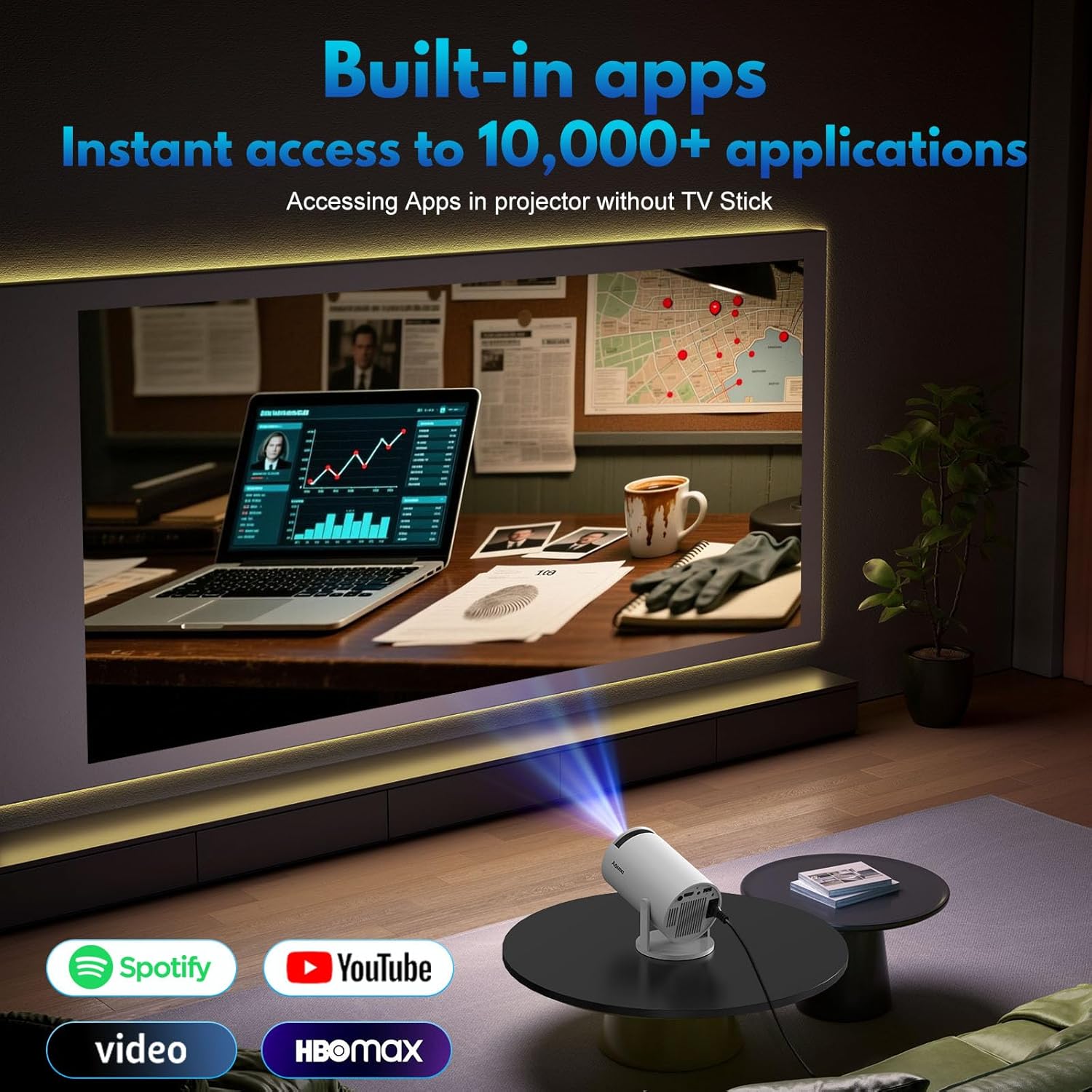
Figure 1: AGIMA X1 Projector powered on and projecting its interface.
3. Operating the Projector
3.1 Control Modes
The projector supports dual control modes: a wireless mouse (included in the package) and the provided remote control for navigation.
3.2 Built-in Android Smart TV OS
The X1 projector is equipped with a built-in smart Android TV OS, allowing direct access to various applications such as YouTube and Netflix without requiring an external TV stick.
3.3 Focus Adjustment
Adjust the focus using the focus wheel located on the projector to achieve the clearest possible image.
3.4 Keystone Correction and Rotation
The projector features automatic keystone correction to smoothly adjust the screen shape. For manual adjustments, navigate to the display settings. The projector also has a 180-degree rotatable design, allowing you to adjust the projection angle for various surfaces like walls or ceilings.

Figure 2: Projector showing its 180-degree rotatable design and various ports.
3.5 Digital Zoom
The digital zoom function allows you to adjust the screen size between 35% and 100% to fit your projection surface. The screen aspect ratio is 1.3:1, with a projection distance of 3-18 feet and a projection size of 35-240 inches.

Figure 3: Illustration of the projector's digital zoom capability.
3.6 Screen Mirroring
The projector supports screen mirroring for both iOS (Airplay mode) and Android devices (Miracast mode), allowing you to display content from your smartphone or tablet.
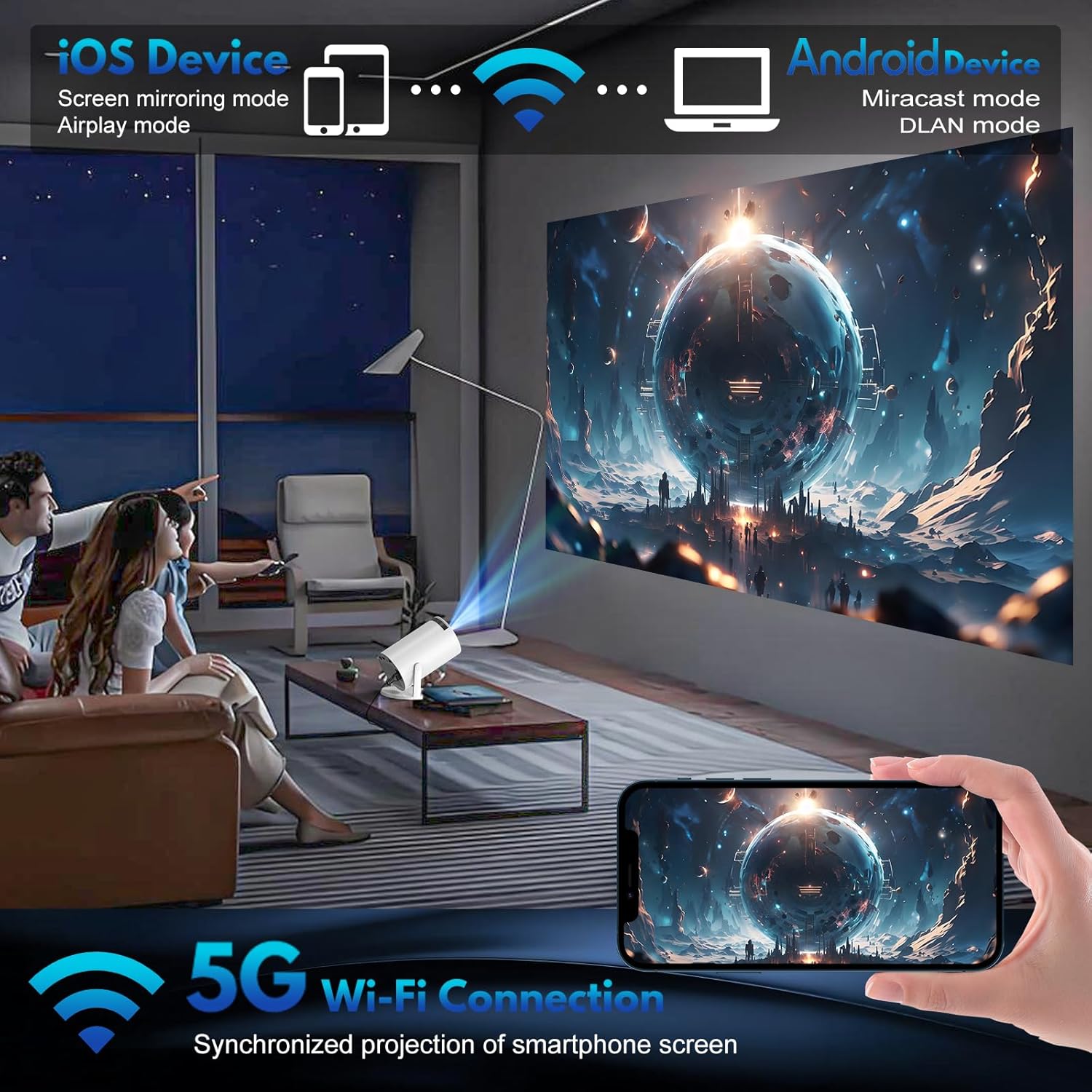
Figure 4: Projector demonstrating wireless screen mirroring from a mobile device.
4. Connectivity
4.1 Wireless Connectivity
- WiFi 6: Provides a powerful and versatile connection experience with dual-band WiFi 6, ensuring faster and less interference for streaming.
- Bluetooth 5.2: Supports two-way Bluetooth 5.2 audio transmission, enabling easy connection to wireless speakers, headphones, or other audio devices to enhance sound quality.
4.2 Wired Connections
The projector includes the following ports for various devices:
- 1 USB Port: For connecting USB drives, mice, or other compatible USB devices.
- 1 HDMI Port: For connecting external devices such as TV sticks, laptops, or gaming consoles.
- 1 3.5mm Headphone Jack: For connecting wired headphones or external speakers.
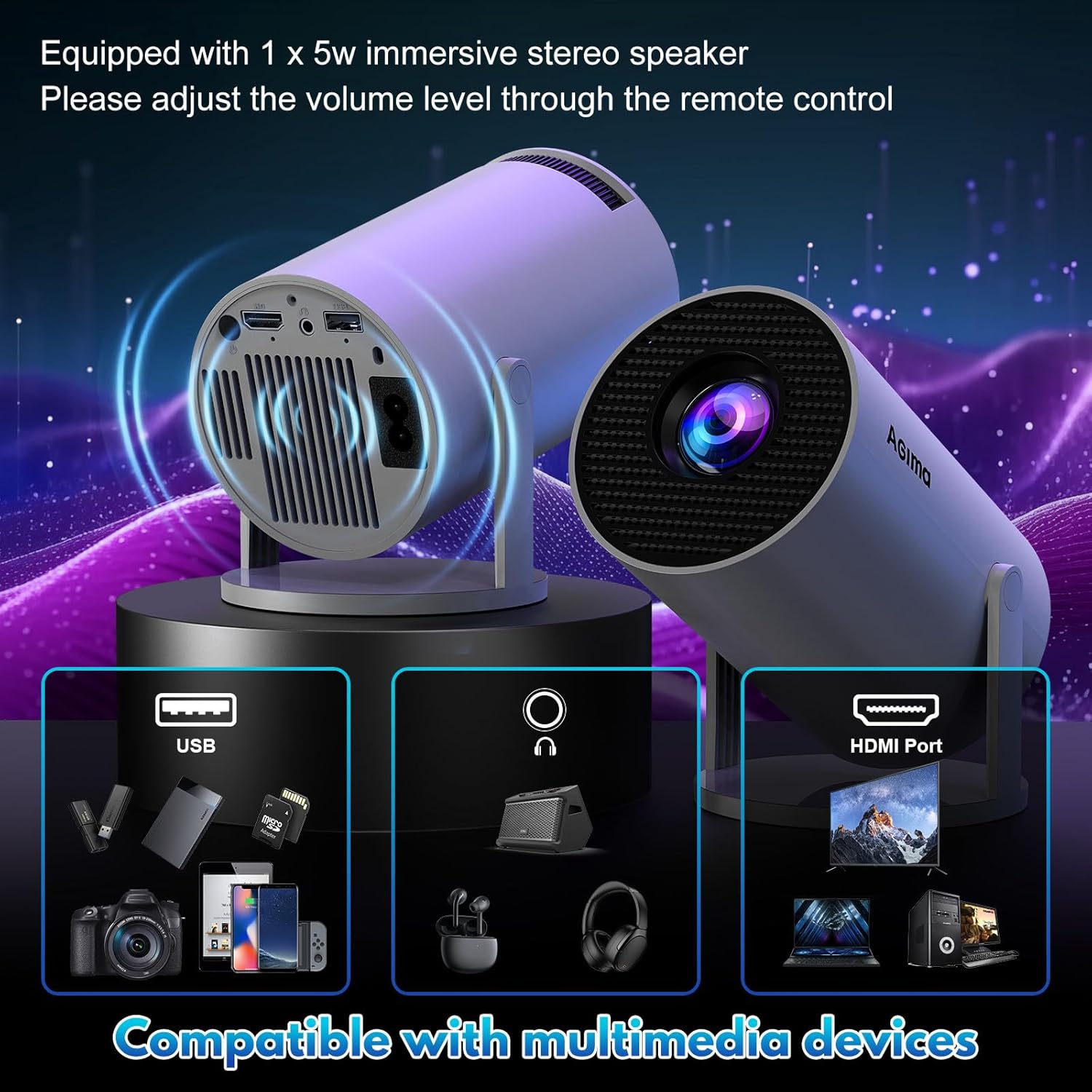
Figure 5: Rear panel of the projector with various input/output ports.
5. Display and Audio
5.1 Display Quality
The projector's new LCD projection technology improves screen contrast and color accuracy. HDR delivers richer, more lifelike images by capturing and displaying a wider range of brightness levels and color depth. It supports video playback in 4K, 1080P, and 720P formats.
- Native Resolution: 1920 x 1080 (1080P)
- Supported Resolution: Up to 4K
- Image Contrast Ratio: 10000:1
- Aspect Ratio: 4:3
5.2 Audio
The built-in HIFI speaker provides cinema-level sound effects. For an enhanced audio experience, external speakers or headphones can be connected via Bluetooth 5.2 or the 3.5mm audio jack.
6. Mounting Options
The AGIMA X1 projector is versatile in its placement. It features a 1/4-inch screw hole at the bottom, making it compatible with various mounting solutions:
- Tripod mounting
- Ceiling wall mounting
- Desktop mounting
7. Maintenance
7.1 Lens Care
To maintain optimal image clarity, regularly clean the projector lens with a soft, lint-free cloth. Avoid using abrasive materials or harsh chemicals that could damage the lens coating.
7.2 Ventilation
Ensure that the projector's ventilation openings are not obstructed. Proper airflow is essential to prevent overheating and ensure the longevity of the device.
8. Troubleshooting
8.1 No Image or Distorted Image
- Check all cable connections (power, HDMI, USB).
- Adjust the focus wheel for a clear image.
- Use the automatic keystone correction or manually adjust it in the display settings to correct trapezoidal distortion.
- Ensure the projection surface is flat and clear.
8.2 No Sound or Low Sound
- Increase the volume on the projector and any connected external audio devices.
- Check Bluetooth connections for external speakers or headphones.
- Ensure the 3.5mm audio jack is fully inserted if using wired headphones/speakers.
8.3 Fan Noise
A certain level of fan noise is normal during operation as the projector cools itself. If the noise is excessive, ensure ventilation openings are not blocked. Using external speakers can help mask the fan sound.
8.4 Connectivity Issues (WiFi/Bluetooth)
- Ensure WiFi and Bluetooth are enabled in the projector's network settings.
- Verify correct network passwords for WiFi.
- Restart the projector and the device you are trying to connect.
9. Specifications
| Feature | Specification |
|---|---|
| Brand | AGIMA |
| Model | X1 |
| Model Year | 2025 |
| Display Technology | LCD |
| Native Display Resolution | 1920 x 1080 (1080P) |
| Supported Resolution | Up to 4K |
| Image Contrast Ratio | 10000:1 |
| Aspect Ratio | 4:3 |
| Connectivity Technology | 3.5mm Jack, USB, WIFI6 / Bluetooth5.2, Wi-Fi |
| Hardware Interface | 3.5mm Audio, HDMI, USB |
| Compatible Devices | Laptop, Smartphone, Speaker, Tablet |
| Special Features | Voltage range: 100-240V. 15*9.5*10.9cm/0.45kg, Support 1080P 4K, Auto Keystone Correction, Bluetooth 5.2, Portable |
| Form Factor | Portable |
| Mounting Type | Table Mount, Wall Mount, Ceiling Mount |
| Product Dimensions | 15 x 9.5 x 10.9 cm; 770 g |
10. Warranty and Support
For warranty information and technical support, please refer to the documentation provided with your purchase or contact AGIMA customer service. While specific warranty details are not included in this manual, AGIMA is committed to providing high-quality products and customer satisfaction.