
BAOFENG Baofeng F22
Contents
BAOFENG F22 FRS Walkie Talkie
Instruction Manual
1. Introduction
Thank you for choosing the BAOFENG F22 FRS Walkie Talkie. This device is designed for reliable, long-range communication, ideal for outdoor activities, family trips, and professional use. Featuring a durable design, clear audio, and essential functions like a built-in flashlight and NOAA weather alerts, the F22 ensures you stay connected. This manual provides detailed instructions for proper setup, operation, and maintenance to ensure optimal performance and longevity of your walkie talkies.
2. Safety Information
- Battery Safety: Use only the specified 1400mAh Li-ion battery pack or 3x AA non-rechargeable alkaline batteries. Do not attempt to disassemble, crush, or incinerate batteries. Dispose of batteries properly according to local regulations.
- Charging: Use only the provided USB Type-C charging cable. Ensure the charging port is dry before connecting the cable. Do not charge in wet or humid conditions.
- Usage Environment: Avoid exposing the walkie talkie to extreme temperatures, direct sunlight for prolonged periods, or corrosive substances. Keep away from strong electromagnetic fields.
- Water Resistance: While designed for outdoor use, this device is not fully waterproof. Avoid submerging it in water.
- Hearing Protection: Do not hold the antenna close to your ear or touch it during transmission. Adjust volume to a comfortable level to prevent hearing damage.
3. Package Contents
Please check the package to ensure all items are present:
- BAOFENG F22 FRS Walkie Talkie Units (2-Pack)
- 1400mAh Li-ion Battery Packs (2 included)
- USB Type-C Charging Cable (Y-splitter for simultaneous charging)
- Belt Clips (2 included)
- User Manual (this document)

Image: Contents of the BAOFENG F22 Walkie Talkie package, including two radios, two batteries, and a charging cable.
4. Product Features
- 22 FRS Channels: Provides a wide range of channels for clear communication.
- 155 Privacy Codes (CTCSS/DCS): Enhances communication privacy by filtering out unwanted conversations.
- 1400mAh Rechargeable Battery: High-capacity Li-ion battery for extended standby and talk time.
- USB Type-C Charging: Convenient and universal charging method.
- Built-in LED Flashlight: Provides illumination in low-light conditions.
- Backlit LCD Screen: Ensures high visibility of settings and status, even at night.
- VOX (Voice Operated Exchange): Allows for hands-free communication.
- NOAA Weather Radio: Accesses all hazards weather channels and alerts to withstand extreme weather conditions.
- Call Alert: Notifies you of incoming calls.
- Scan Function: Automatically scans channels for activity.
- Multi-level Volume Adjustment: Allows precise control over audio output.
- 2-Pin Kenwood Headset Jack: Compatible with various audio accessories.
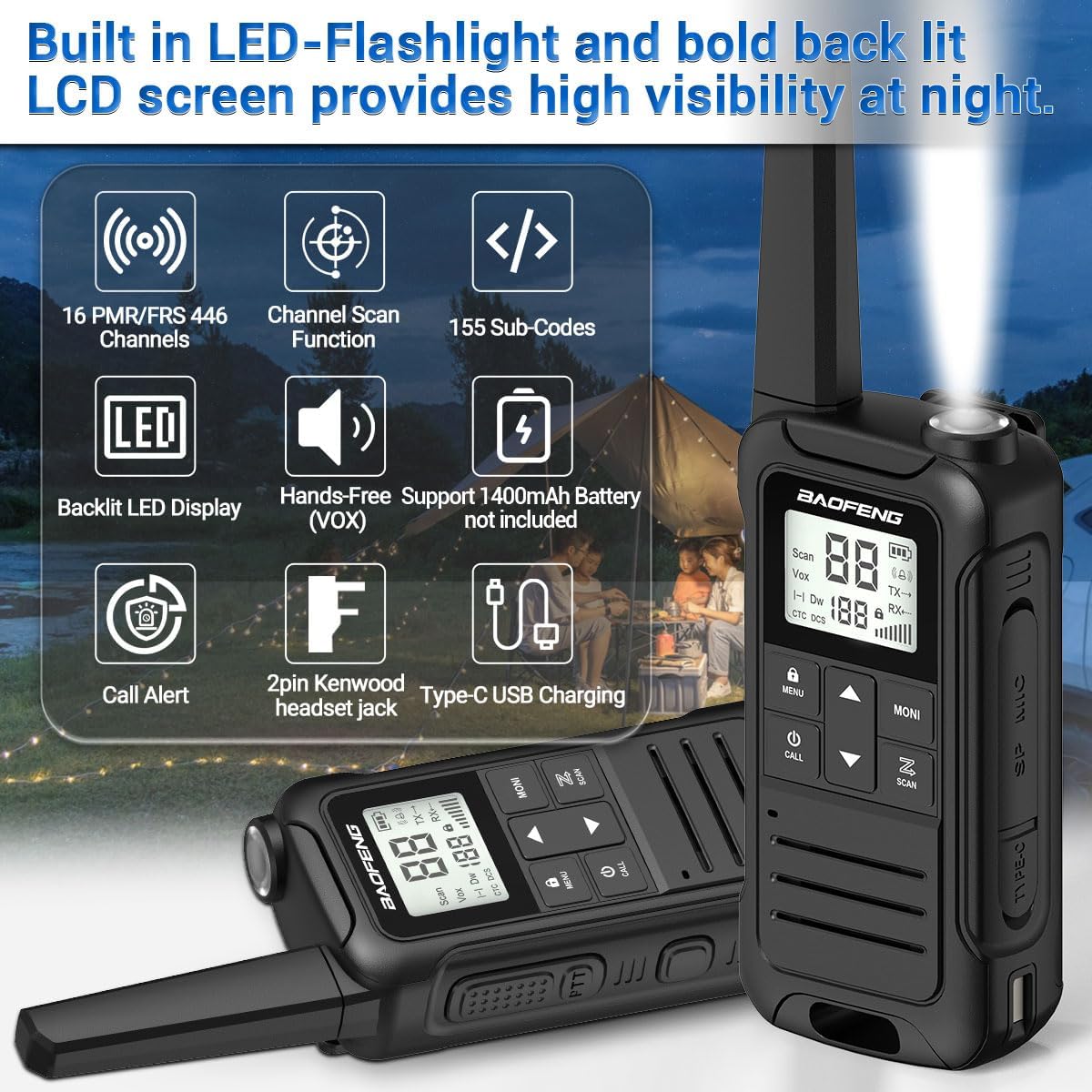
Image: Overview of the BAOFENG F22's main features.

Image: Detailed diagram labeling all external parts of the BAOFENG F22 walkie talkie.
5. Setup
5.1. Battery Installation
- Ensure the walkie talkie is powered off.
- Locate the battery compartment cover on the back of the unit.
- Slide the battery release latch (located at the bottom of the unit) to unlock the cover.
- Carefully remove the battery cover.
- Insert the 1400mAh Li-ion battery pack into the compartment, ensuring the contacts align correctly. The battery pack is labeled "UP INSERT WITH THIS SIDE OUT".
- Replace the battery cover and slide the latch back to secure it.
Alternatively, the radio can be powered by 3x AA non-rechargeable alkaline batteries (not included). Open the battery compartment and insert the AA batteries according to the polarity markings.

Image: Steps for battery and belt clip installation, and a demonstration of wearing the walkie talkie.

Image: Illustration of power source options for the walkie talkie, including rechargeable and AA batteries, and USB-C charging.
5.2. Charging the Battery
- Connect the USB Type-C charging cable to the charging port on the side of the walkie talkie.
- Connect the other end of the USB cable to a compatible USB power source (e.g., wall adapter, power bank, computer USB port).
- The battery indicator on the LCD screen will show charging status. A full charge typically takes several hours.
- Once fully charged, disconnect the charging cable.
Video: This video demonstrates the convenient Type-C USB charging feature of the Baofeng F22 walkie talkie, showing how to connect the cable and highlighting its ease of use. It also showcases the variety of colors available for the walkie talkies and demonstrates clear sound transmission and multi-level volume adjustment.
6. Operating Instructions
6.1. Power On/Off
Press and hold the Power/Call button (usually labeled with a power icon) for a few seconds until the LCD screen lights up or turns off.
6.2. Adjusting Volume
Use the UP and DOWN arrow buttons to adjust the listening volume. The volume level will be displayed on the LCD screen.
6.3. Channel Selection
With the walkie talkie powered on, use the UP and DOWN arrow buttons to select your desired FRS channel (1-22). Ensure all radios in your group are on the same channel for communication.
6.4. Privacy Codes (CTCSS/DCS)
Privacy codes help reduce interference from other users on the same channel. To set a privacy code:
- Press the MENU/LOCK button.
- Use the UP or DOWN buttons to navigate to the CTCSS or DCS setting.
- Press MENU/LOCK again to enter the setting.
- Use UP or DOWN to select a privacy code (01-155).
- Press MENU/LOCK to confirm and exit. All radios in your group must use the same channel and privacy code.
6.5. Transmitting and Receiving
To transmit, press and hold the PTT (Push-To-Talk) button located on the side of the walkie talkie. Speak clearly into the microphone. Release the PTT button to receive. The RX/TX indicator on the screen will show transmission (TX) or reception (RX) status.
6.6. VOX Function (Hands-Free)
VOX allows you to transmit by speaking into the microphone without pressing the PTT button. To activate/deactivate VOX:
- Press the MENU/LOCK button.
- Navigate to the VOX setting.
- Press MENU/LOCK to enter.
- Use UP or DOWN to select a VOX sensitivity level (1-3, 3 being most sensitive) or OFF.
- Press MENU/LOCK to confirm.
6.7. Scan Function
To activate the scan function, press the SCAN button (usually labeled with a magnifying glass icon). The radio will scan through active channels. Press the SCAN button again to stop scanning.
6.8. Call Alert
To send a call alert tone to other radios on the same channel, briefly press the CALL button (usually labeled with a bell icon).
6.9. Flashlight Operation
To turn the built-in LED flashlight on or off, briefly press the Flashlight Emergency Button located on the side of the unit, near the top.
6.10. NOAA Weather Radio
To access NOAA weather channels and alerts, press the Weather Monitor Button. This feature allows you to receive real-time weather updates and alerts for your area. Press the button again to exit weather mode.
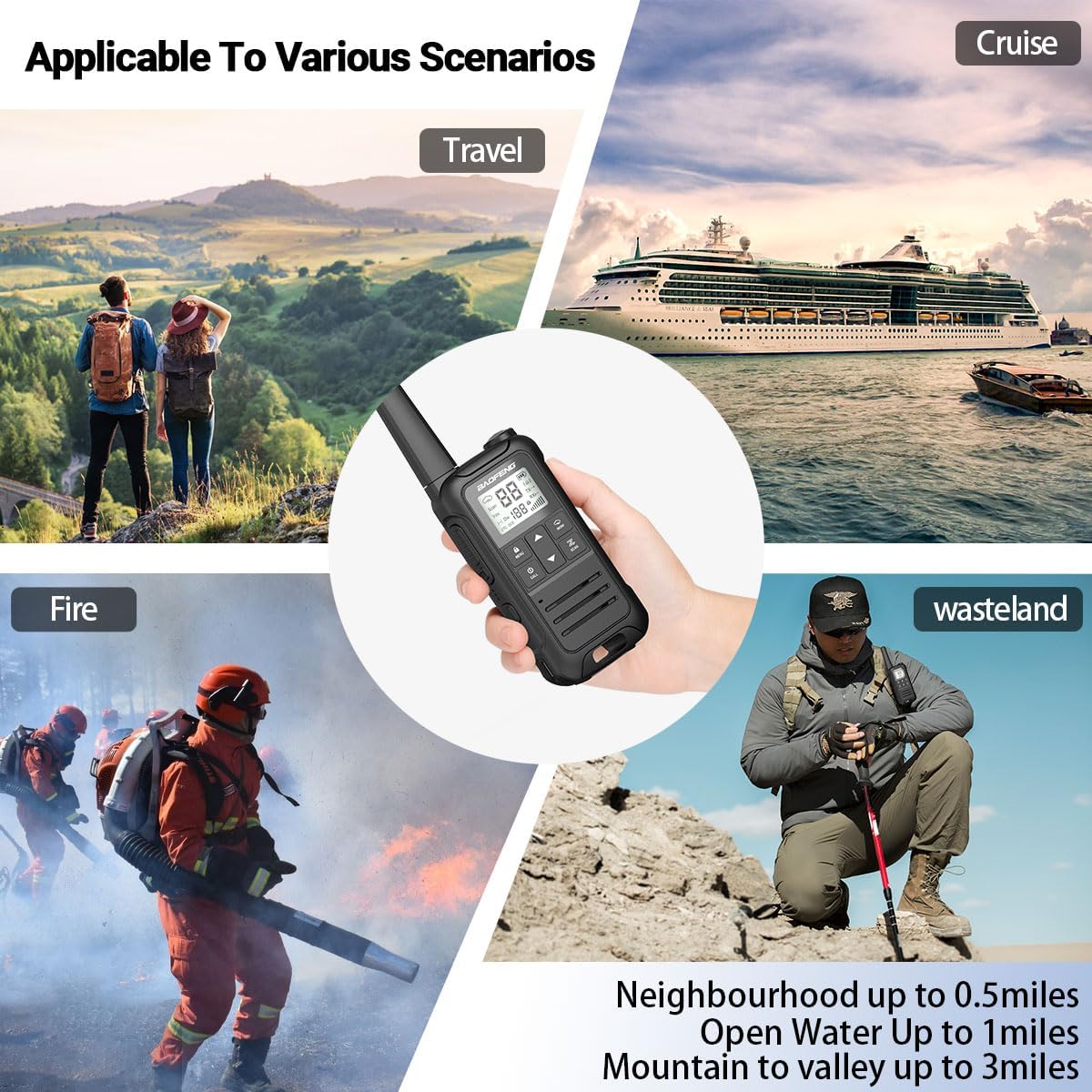
Image: The BAOFENG F22's NOAA Service feature, providing weather alerts for various conditions.
7. Maintenance
- Cleaning: Wipe the walkie talkie with a soft, damp cloth. Do not use harsh chemicals or abrasive cleaners.
- Storage: Store the walkie talkie in a cool, dry place when not in use. If storing for extended periods, remove the batteries.
- Battery Care: To prolong battery life, avoid overcharging or completely draining the battery. Recharge the battery regularly, even if the unit is not in frequent use.
- Antenna: Do not bend or damage the antenna, as this can affect communication range and clarity.
8. Troubleshooting
| Problem | Possible Cause | Solution |
|---|---|---|
| No power | Battery is low or dead; Battery not installed correctly. | Charge the battery; Reinstall the battery, ensuring proper contact. |
| Cannot transmit or receive | Different channel/privacy code; Out of range; Obstructions. | Ensure all radios are on the same channel and privacy code; Move closer to the other radio; Move to an open area. |
| Poor audio quality / Static | Weak signal; Interference; Volume too low/high. | Move closer to the other radio; Avoid sources of electrical interference; Adjust volume to a comfortable level. |
| Battery drains quickly | Frequent transmission; Old battery; Extreme temperatures. | Reduce transmission time; Replace battery if old; Avoid extreme temperatures. |
| Buttons unresponsive | Keypad locked. | Press and hold the MENU/LOCK button to unlock the keypad. |
9. Specifications
| Feature | Specification |
|---|---|
| Model Number | Baofeng F22 |
| Frequency Range | 462-467 MHz (FRS) |
| Channels | 22 FRS Channels |
| Privacy Codes | 155 (CTCSS/DCS) |
| Battery Type | 1400mAh Li-ion (Rechargeable) or 3x AA Alkaline (Not Included) |
| Charging Port | USB Type-C |
| Talking Range (Maximum) | 3 Miles (Line of Sight) |
| Item Weight | 14.4 ounces |
| Package Dimensions | 7.48 x 3.78 x 3.07 inches |
| Compatible Devices | FRS radios, Kenwood headsets |
10. Warranty and Support
For warranty information and technical support, please refer to the documentation provided with your purchase or contact BAOFENG customer service directly. Keep your purchase receipt as proof of purchase for warranty claims.
For further assistance, you may visit the official BAOFENG Store: BAOFENG Store on Amazon
Documents and downloads
Ask a question about this manual
Ask about setup, troubleshooting, compatibility, parts, safety, or missing instructions. Manuals+ will review the question and use this page’s manual context to help answer it.