
radtel RT-4D
Contents
Radtel RT-4D DMR Radio User Manual
Introduction
This manual provides comprehensive instructions for the operation and maintenance of your Radtel RT-4D DMR Radio. The RT-4D is a versatile dual-band UHF/VHF walkie-talkie featuring 1024 channels and supporting both analog and digital communication modes. It is designed for efficient and reliable two-way communication.
Please read this manual thoroughly before using the radio to ensure proper operation and to maximize its performance and lifespan.
Product Overview and Components
The Radtel RT-4D radio is a compact and robust communication device. Familiarize yourself with its main components:

Image: Radtel RT-4D DMR Radio and included USB Programming Cable.
Key Features:
- Dual band UHF/VHF operation with 1024 channels.
- Supports both analog and digital communication modes.
- Dual Time Slot functionality for efficient communication in Tier 1 and Tier 2 modes.
- Analog frequency reception: 108-136 MHz (aviation AM), 136-520 MHz RX.
- Digital frequency reception: VHF 136-174 MHz / UHF 400-470 MHz RX.
- Compatible with various Radtel models including RT-4D, RT-490, RT-470, RT-470L, RT-470X, RT10, RT12, RT-890, RT-830, RT-900, RT-420, RT518, 8800 Plus, UV9D, AR-869, jc-8629.
Setup
Initial Charging:
Before first use, fully charge the radio's battery. Connect the charger to a power outlet and place the radio in the charging cradle. The indicator light will show charging status.
Installing the Antenna:
Screw the antenna clockwise into the connector on top of the radio until it is firmly seated. Do not overtighten.
Attaching the Belt Clip:
Align the belt clip with the screw holes on the back of the radio and secure it with the provided screws.
Using the USB Programming Cable:
The included USB programming cable allows you to customize radio settings, frequencies, and channels using compatible software (not included). Connect the cable to the radio's programming port and to a USB port on your computer. Refer to the software's instructions for detailed programming steps.

Image: Radtel USB Programming Cable for radio customization.
Operating Instructions
Powering On/Off:
To power on the radio, rotate the power/volume knob clockwise until you hear a click. To power off, rotate it counter-clockwise until it clicks off.
Channel Selection:
Use the channel knob or the up/down arrow keys on the keypad to select your desired channel. The display will show the current channel number or frequency.
Mode Switching (Analog/Digital):
The RT-4D supports both analog and digital modes. The radio can automatically detect the signal type or be manually switched. Refer to the radio's menu for specific mode switching options.

Image: The Radtel RT-4D supports both DMR digital and analog modes for versatile communication.
Dual Time Slot Operation:
The radio features dual time slot functionality, enabling two simultaneous conversations on a single frequency in digital mode (Tier 2). This enhances channel efficiency. Ensure your contacts are configured for the correct time slot.
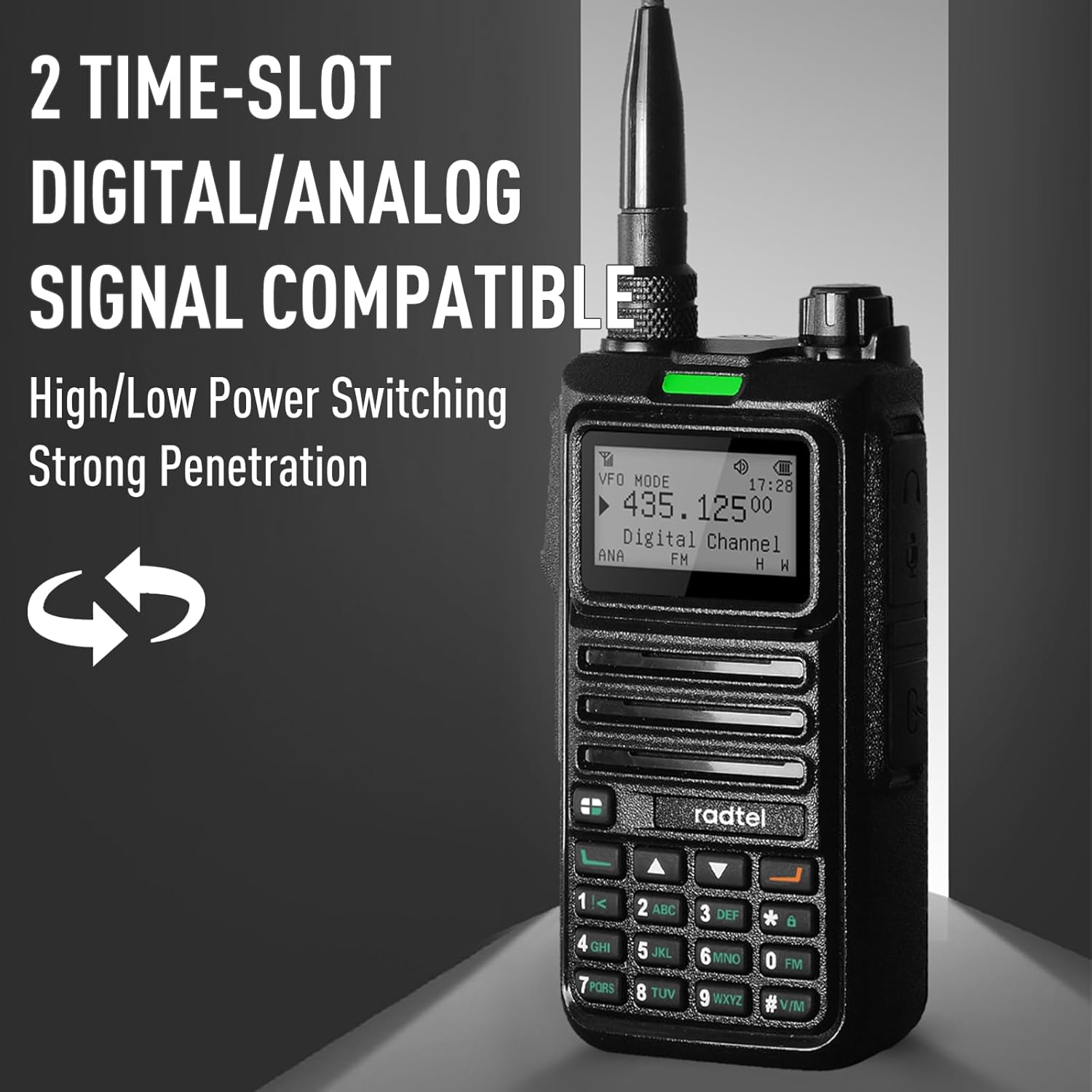
Image: The RT-4D's dual time slot capability allows for efficient digital communication.
Making Calls (Single, Group, All Call):
The RT-4D supports various call types:
- Single Call: Direct communication with a specific individual.
- Group Call: Communication with a predefined group of users.
- All Call: Broadcast message to all users within range on the current channel.
Select the desired contact or group from your contact list and press the PTT (Push-To-Talk) button to transmit.

Image: The RT-4D offers flexible calling choices including single, group, and all calls.
Digital Encryption:
The radio features digital encryption capabilities to enhance communication privacy and prevent unauthorized listening or interference. This function helps secure your conversations.

Image: Digital encryption on the RT-4D provides enhanced communication security.
Frequency Range and Bands:
- Analog Reception: 108-136 MHz (Aviation AM), 136-520 MHz RX
- Digital VHF: 136-174 MHz RX
- Digital UHF: 400-470 MHz RX
Maintenance
To ensure the longevity and optimal performance of your Radtel RT-4D radio, follow these maintenance guidelines:
- Cleaning: Use a soft, damp cloth to wipe the radio's surface. Do not use harsh chemicals or abrasive cleaners.
- Battery Care: Avoid overcharging or completely draining the battery. Store the radio in a cool, dry place when not in use for extended periods.
- Storage: Keep the radio away from extreme temperatures, direct sunlight, and moisture.
- Antenna: Handle the antenna carefully to prevent bending or damage.
Troubleshooting
If you encounter issues with your Radtel RT-4D, refer to the table below for common problems and their solutions:
| Problem | Possible Cause | Solution |
|---|---|---|
| Radio does not power on | Low battery; Battery not properly installed; Power knob not turned on | Charge the battery; Reinstall battery; Rotate power knob clockwise |
| Cannot transmit or receive | Incorrect channel/frequency; Antenna loose or damaged; Out of range; Mode mismatch (Analog/Digital) | Verify channel/frequency settings; Check antenna connection; Move closer to other radios; Ensure correct analog/digital mode is selected |
| Poor audio quality | Low volume; Weak signal; Obstructions; Speaker/microphone issues | Adjust volume; Move to an open area; Check for physical damage to speaker/mic |
| Programming cable not recognized | Driver not installed; Cable not fully connected; Software issue | Install correct USB drivers; Ensure cable is firmly connected to radio and PC; Restart programming software/PC |
Specifications
| Feature | Detail |
|---|---|
| Brand | radtel |
| Model | RT-4D |
| Number of Channels | 1024 |
| Frequency Range | 136-520 MHz (General), 136-174 MHz (VHF), 400-470 MHz (UHF) |
| Connectivity Protocol | DMR |
| Water Resistance Level | Not Water Resistant |
| Included Components | USB Programming Cable |
| Manufacturer | Radtel |
Warranty and Support
Radtel products are manufactured to high-quality standards. For information regarding warranty coverage, technical support, or service, please refer to the warranty card included with your product or visit the official Radtel website. Keep your purchase receipt as proof of purchase.
Documents and downloads
Ask a question about this manual
Ask about setup, troubleshooting, compatibility, parts, safety, or missing instructions. Manuals+ will review the question and use this page’s manual context to help answer it.