
1. Introduction
This manual provides essential information for setting up, operating, maintaining, and troubleshooting your Amazon Ember 40-inch 2-Series Fire TV. Please read this guide thoroughly before using your device to ensure optimal performance and safety.

Image 1.1: The Amazon Ember 40-inch 2-Series Fire TV, showcasing its sleek design and Fire TV interface.
2. Setup
2.1. What's Included
Verify that all components are present in the box:
- Amazon Ember 2-Series TV
- Alexa Voice Remote Enhanced
- TV stand (2 legs, 4 screws)
- Power cord
- 2 AAA batteries
- Quick Start Guide
2.2. Attaching the TV Stand
- Carefully place the TV screen-down on a soft, clean surface to prevent scratches.
- Align each stand leg with the corresponding slots on the bottom of the TV.
- Secure each leg using the provided screws. Ensure they are tightened firmly.
2.3. Connecting Power and Peripherals
- Connect the power cord to the TV's power input and then to a wall outlet.
- For external devices (e.g., gaming consoles, Blu-ray players), use the HDMI ports. This model includes 1 HDMI 2.0 and 1 HDMI 2.1 with eARC.
- A USB 2.0 port is available for connecting compatible USB devices.
- For wired internet, connect an Ethernet cable to the Ethernet port.
2.4. Initial Setup
- Power on the TV.
- Follow the on-screen instructions to select your language, connect to a Wi-Fi network (Wi-Fi 6 supported), and sign in with your Amazon account.
- Pair the Alexa Voice Remote Enhanced by inserting the included AAA batteries and following the on-screen prompts.
3. Operating Your Fire TV
3.1. Alexa Voice Remote Enhanced
The Alexa Voice Remote Enhanced allows for intuitive control of your TV. Press the voice button and speak naturally to find content, launch apps, or control smart home devices.
- Voice Button: Press and hold to activate Alexa voice commands.
- Navigation Pad: Use to move through menus and select items.
- Preset Buttons: Quickly access your favorite apps with dedicated buttons.
3.2. Fire TV Interface
The Fire TV interface features a modern design for quick access to entertainment. Browse dedicated content categories, pin favorite apps, and receive personalized recommendations.

Image 3.1: The Fire TV home screen, showing various content and app recommendations.
3.3. Ambient Experience with Omnisense Technology
The TV features Omnisense technology, which uses built-in sensors to detect your presence. When you enter the room, the display can automatically wake up to show artwork or quickly resume your viewing experience.
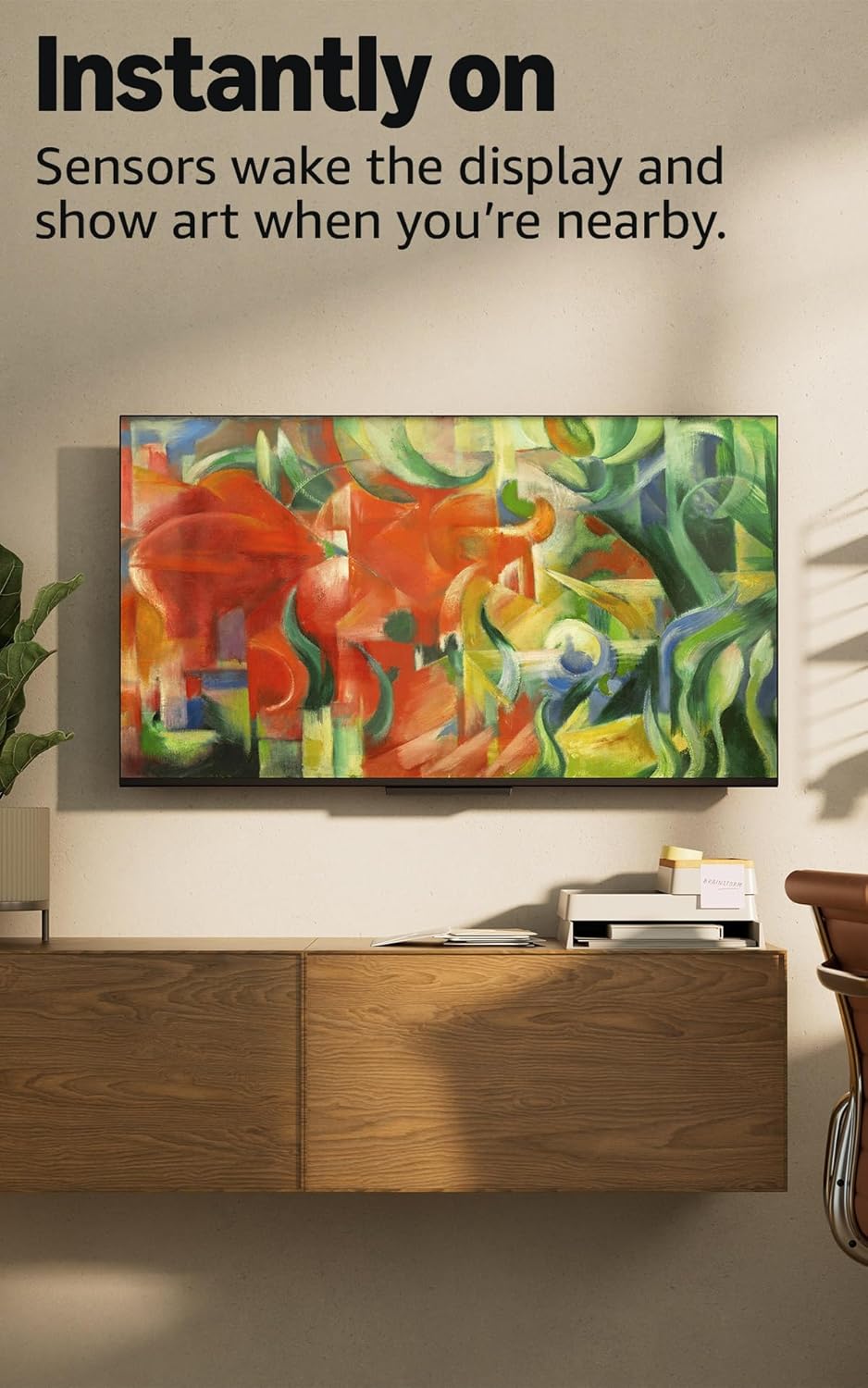
Image 3.2: The TV in Ambient Experience mode, displaying artwork when not actively in use.
3.4. Smart Home Control
Control compatible smart home devices directly from your Fire TV. Access the Smart Home dashboard to manage lights, view security camera feeds, and more.

Image 3.3: The Smart Home interface on the Fire TV, showing options to control connected devices.
3.5. Accessibility Features
The Amazon Ember Fire TV includes several accessibility features:
- VoiceView Screen Reader: Provides audio descriptions for on-screen elements for users who are blind or visually impaired.
- Screen Magnifier: Allows zooming in and out, and panning around the screen.
- Text Banner: Consolidates on-screen text into a customizable banner.
- Closed Captioning: Available for compatible videos and TV shows.
- Audio Description: Provides verbal descriptions of on-screen actions for compatible content.
- Bluetooth Audio Streaming: Supports compatible Bluetooth hearing aids and headphones for a private listening experience.
Note: Captions and audio descriptions are not available for all content.
4. Maintenance
4.1. Cleaning Your TV
- Unplug the TV before cleaning.
- Use a soft, dry, lint-free cloth to gently wipe the screen and exterior surfaces.
- Do not use liquid cleaners, aerosols, or abrasive cleaning agents, as they may damage the TV.
4.2. Software Updates
Your Fire TV will automatically receive software security updates to enhance performance and add new features. Ensure your TV is connected to the internet to receive these updates. For more information, visit the Amazon Fire TV support page.
5. Troubleshooting
If you encounter issues with your Amazon Ember Fire TV, refer to the following common solutions:
- No Power: Ensure the power cord is securely connected to both the TV and a working power outlet. Try a different outlet.
- No Picture: Check that the correct input source is selected. Verify all HDMI cables are securely connected. Restart the TV by unplugging it for 30 seconds and plugging it back in.
- Remote Not Responding: Replace the AAA batteries in the Alexa Voice Remote Enhanced. Ensure there are no obstructions between the remote and the TV. Re-pair the remote if necessary (hold Home button for 10 seconds).
- Wi-Fi Connection Issues: Restart your Wi-Fi router and modem. Ensure the TV is within range of your Wi-Fi network. Re-enter your Wi-Fi password.
- App Not Working: Try restarting the app. If the issue persists, clear the app's cache or reinstall the app.
For further assistance, visit the Amazon Fire TV support website or contact customer service.
6. Specifications
| Feature | Detail |
|---|---|
| Screen Size | 40 inches (39.5 inches viewable) |
| Resolution | Full HD (1920 x 1080) |
| Display Resolution | FHD |
| HDR Format | HDR10, HLG |
| Backlight Type | Direct LED |
| Refresh Rate | 60Hz |
| HDMI Ports | 1 HDMI 2.0 + 1 HDMI 2.1 with eARC |
| Wi-Fi & Ethernet | Wi-Fi 6 + 1 Ethernet port |
| USB | 1 USB 2.0 |
| Digital Optical Audio Output | 1 Digital Optical Audio Port |
| Voice Support | Yes, hands-free with Alexa, press and ask Alexa with Alexa Voice Remote Enhanced or Fire TV app |
| Audio Support | Dolby Digital Plus with passthrough of Dolby-encoded audio |
| Operating System | Fire OS |
| Product Size with Stand | 35.1” x 21.9” x 8.9” |
| Weight (with stand) | 11.0 lbs |
| VESA Wall Mount Standard | 100 mm x 100 mm |
| SKU Number | RF565B |
7. Warranty and Support
7.1. Product Warranty
Your Amazon Ember 2-Series TV includes a 1-year limited warranty and service. Optional 3-Year and 4-Year Extended Warranties are available for U.S. customers and sold separately.
The Alexa Voice Remote Enhanced includes a 90-day limited warranty and service.
7.2. Customer Support
For detailed support, troubleshooting guides, and warranty claims, please visit the official Amazon Fire TV support website or contact Amazon customer service.
Use of Amazon Ember devices is subject to the terms found on the Amazon website.


