
Introduction
Thank you for purchasing the ZURU MAX Retro Blind Pack. This product is part of a collectible series featuring various retro-themed buildable items. Each capsule contains one unique model from a collection of 6 different retro designs. This manual provides essential information for assembly, safe handling, and care of your new collectible.
Box contents: 1 x capsule – a selection of a particular model is not possible. There are 6 different retro designs to collect.

Image: ZURU MAX Retro Blind Pack packaging, featuring a blue box with a boombox design and a golden capsule.
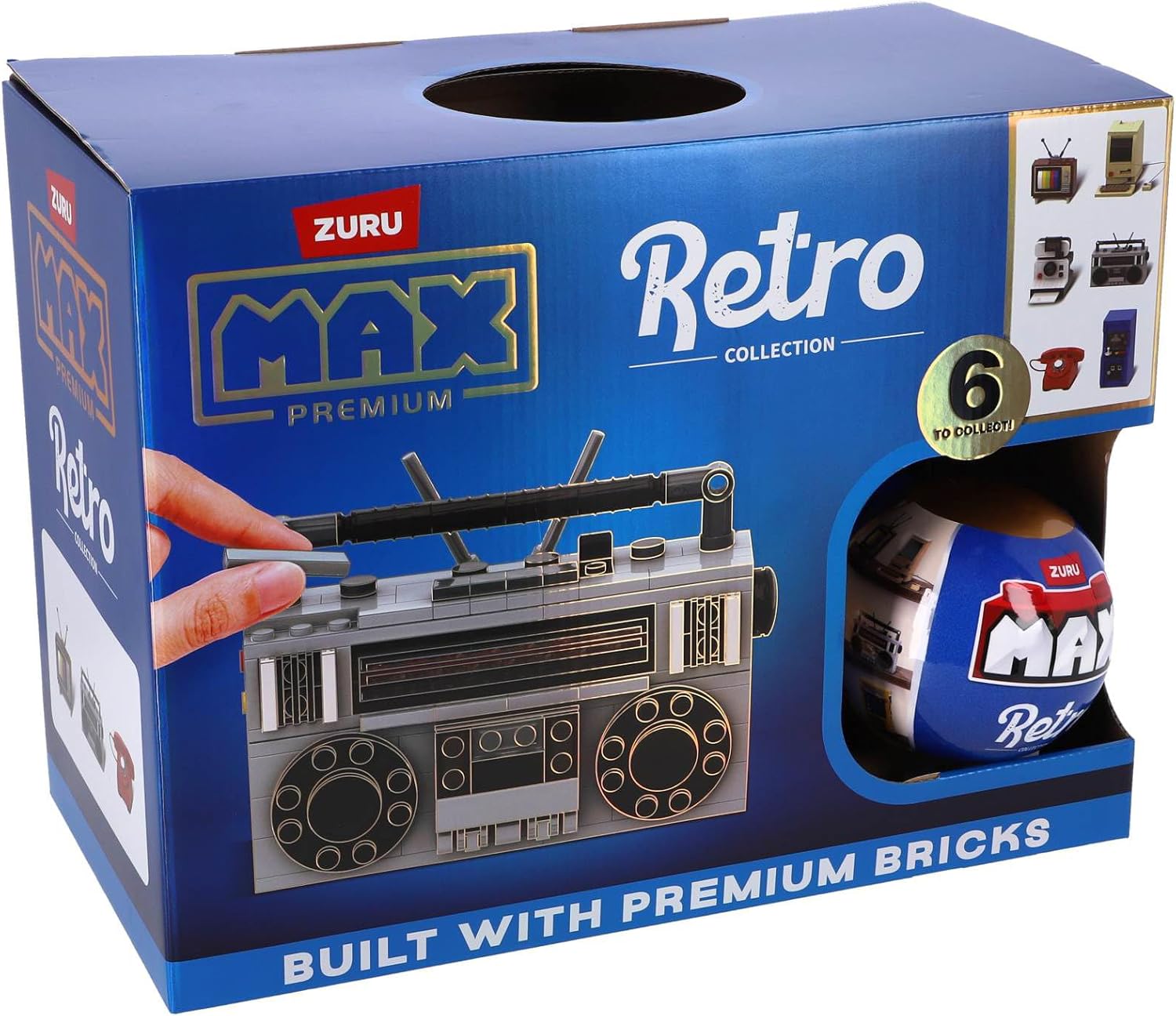
Image: A golden ZURU MAX Retro capsule, illustrating various retro items that can be found inside.
Setup and Assembly
Each ZURU MAX Retro Blind Pack contains all the necessary building bricks and instructions to assemble one retro-themed item. Follow the step-by-step instructions provided within your capsule to construct your model.
- Unpack the Capsule: Carefully open the golden capsule to reveal the sealed bags of building bricks and the instruction leaflet.
- Organize Components: Empty the contents of the sealed bags onto a clean, flat surface. It is recommended to sort the bricks by color and shape to facilitate assembly.
- Follow Instructions: Refer to the included instruction leaflet. Each step will clearly illustrate which pieces are needed and how they connect. Pay close attention to the diagrams.
- Secure Connections: Ensure all bricks are firmly pressed together to create a stable and durable model.
Operating Your Model
Once assembled, your ZURU MAX Retro model is primarily a display item. Some models may feature small movable parts or interactive elements. Refer to your specific model's instructions for any unique operational features.
- Display: Place your completed model on a stable surface where it can be admired.
- Interactive Features: If your model has movable parts (e.g., a cassette player door, a camera lens), operate them gently to avoid damage.
Maintenance
To ensure the longevity and appearance of your ZURU MAX Retro model, follow these simple maintenance guidelines:
- Cleaning: Dust your model regularly with a soft, dry cloth or a soft-bristled brush. For stubborn dirt, lightly dampen the cloth with water (do not use harsh chemicals or abrasive cleaners).
- Storage: If disassembling for storage, keep all pieces in a sealed container to prevent loss and damage. Store in a cool, dry place away from direct sunlight.
- Handling: Handle your model with care to prevent pieces from detaching or breaking.
Troubleshooting
If you encounter any issues during assembly or with your completed model, consider the following:
- Missing Pieces: Double-check the packaging and your work area. If a piece is genuinely missing, contact ZURU customer support.
- Difficulty Assembling: Re-read the instructions carefully. Sometimes a small detail can be overlooked. Ensure pieces are oriented correctly and pressed firmly.
- Loose Connections: If parts feel loose, gently disassemble the affected section and reassemble, ensuring a tight fit.
Specifications
| Feature | Detail |
|---|---|
| Item Weight | 4.2 ounces |
| ASIN | B0DSWCLGXG |
| Item Model Number | 83185SK |
| Manufacturer Recommended Age | 36 months - 6 years |
| Manufacturer | Zuru |
Safety Information
WARNING: CHOKING HAZARD - Small parts. Not suitable for children under 3 years.
Always supervise young children during play to prevent accidental ingestion of small parts. Keep packaging materials away from children.
Warranty and Support
For any inquiries regarding your ZURU MAX Retro Blind Pack, including missing parts or product information, please visit the official ZURU website or contact their customer support directly. Specific warranty details may vary by region and retailer.
Visit the ZURU Store on Amazon for more products and information.

