
1. Introduction
The TOPDON TopScan Pro is an advanced, wireless OBD2 diagnostic tool that transforms your smartphone into a professional-grade scanner. It offers extensive vehicle coverage and powerful functions, including full system diagnostics, bi-directional control, and numerous reset services. This manual provides detailed instructions for setting up, operating, maintaining, and troubleshooting your TopScan Pro device.

Image: The TOPDON TopScan Pro diagnostic dongle connected wirelessly to a smartphone displaying the TopScan Pro application interface.
2. Package Contents
Please verify that all items are present in your package:
- TOPDON TopScan Pro Diagnostic Dongle
- User Manual (this document)
- USB Charging Cable (Type-C)
3. Setup Guide
Follow these steps to activate and set up your TopScan Pro device with your smartphone:
- Download the App:
For iOS devices, download the "TOPGURU" app from the App Store.
For Android devices, download the "TopScan" app from Google Play. - Create an Account:
Open the downloaded app and follow the on-screen prompts to create a new user account. You will typically need to provide an email address and set a password. - Enter Verification Code:
A verification code will be sent to your registered email address. Enter this code into the app to verify your account. - Bind TopScan Pro to Your Phone:
Plug the TopScan Pro dongle into your vehicle's OBD2 port. Ensure your vehicle's ignition is on (engine can be off).
Open the app, navigate to the device binding section (often labeled "Add VCI" or similar), and follow the instructions to pair your TopScan Pro via Bluetooth. The app will guide you through the connection process.
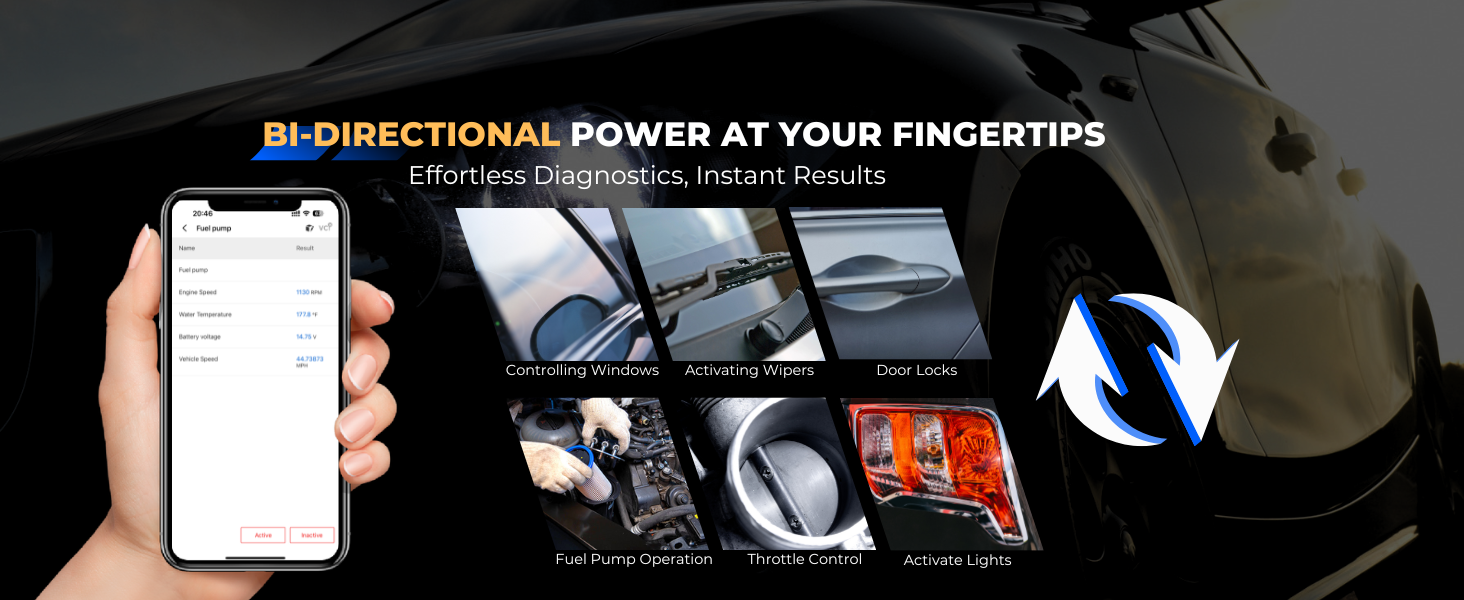
Image: Visual guide illustrating the three steps for activating the TopScan Pro: downloading the app, creating an account and entering a code, and binding the device.
4. Operating Instructions
The TopScan Pro offers a wide range of diagnostic and service functions. Ensure your device is properly connected to your vehicle and smartphone before proceeding.
4.1 Full System Diagnostics
This function allows you to scan all available electronic control units (ECUs) in your vehicle, including Engine, Transmission, ABS, SRS (Airbag), AC, and Chassis systems. It reads and clears Diagnostic Trouble Codes (DTCs), displays ECU information, and provides comprehensive system status.
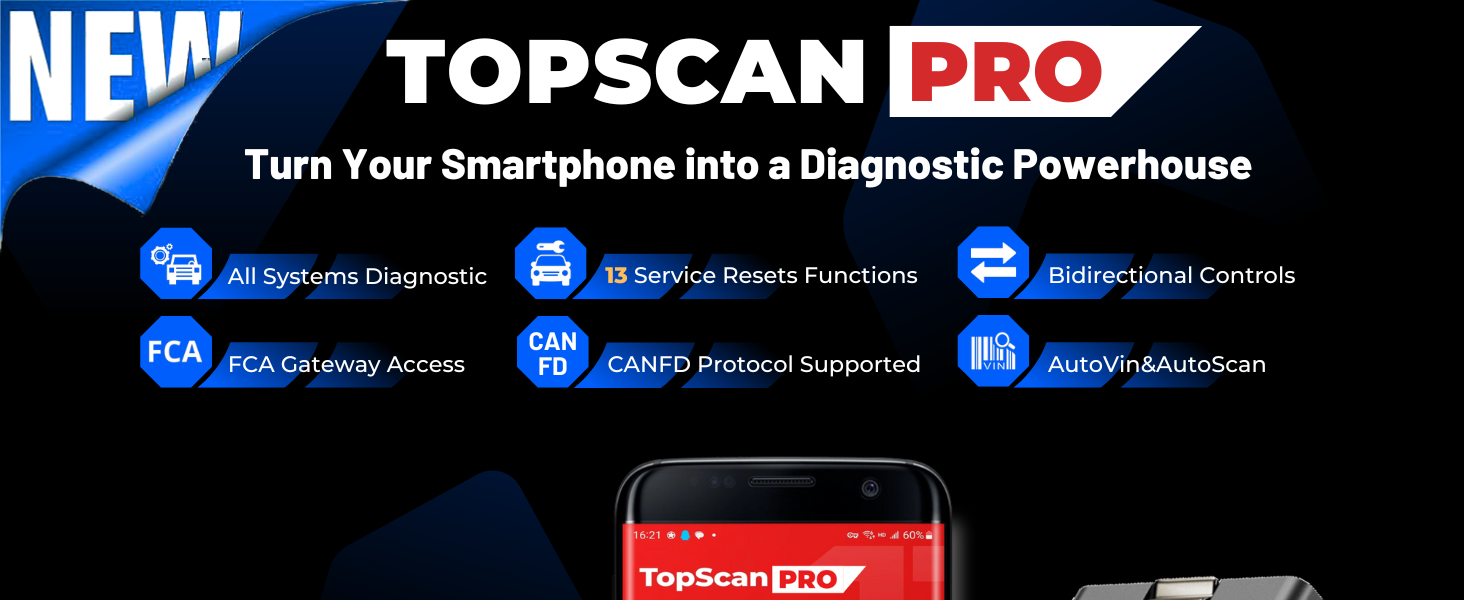
Image: Diagram showing the various vehicle systems covered by the All Systems Diagnostics feature, including Engine, Transmission, ABS, SRS, AC, and Chassis.
4.2 Bi-Directional Control (Active Test)
The bi-directional control feature enables you to send commands from your smartphone directly to the vehicle's ECUs to perform active tests. This allows for precise identification of faulty components by testing actuators like fuel pumps, windows, wipers, and door locks.
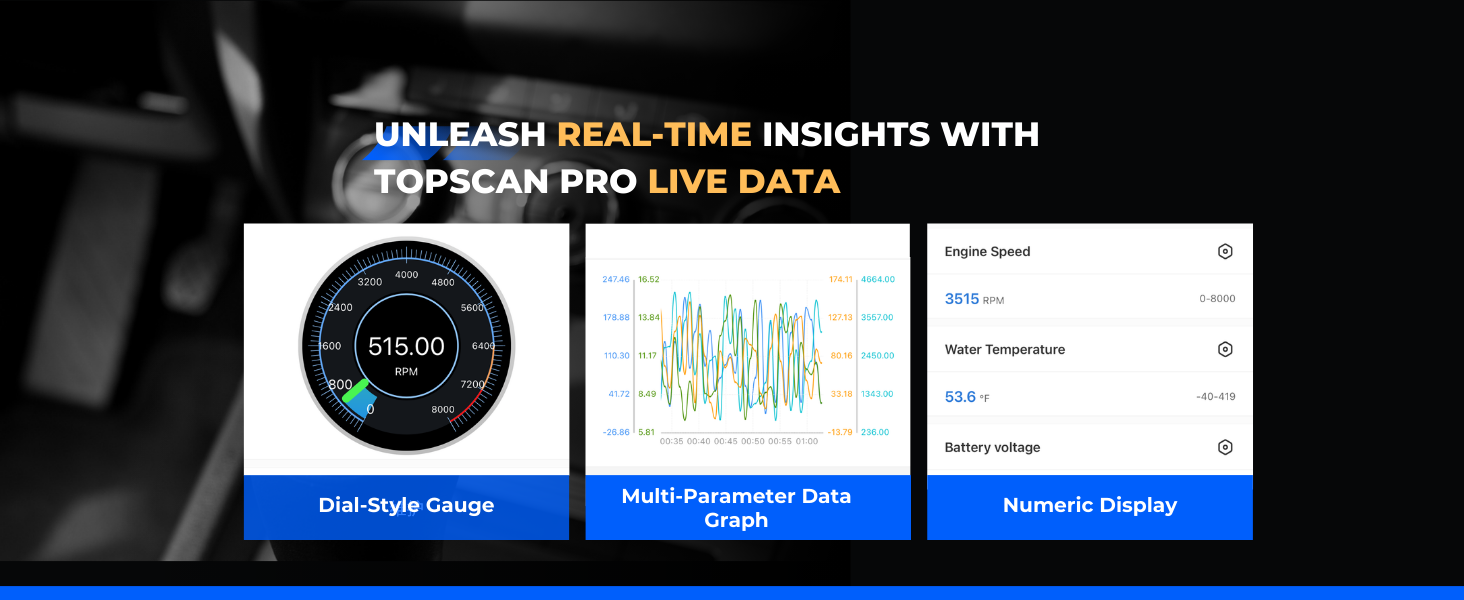
Image: Examples of bi-directional control functions, such as controlling windows, activating wipers, testing door locks, fuel pump operation, throttle control, and activating lights.
4.3 13+ Advanced Reset Functions
The TopScan Pro provides access to over 13 common maintenance and reset services, simplifying routine vehicle care:
- Oil Reset
- Throttle Adaptation
- EPB (Electronic Parking Brake) Reset
- DPF (Diesel Particulate Filter) Regeneration
- ABS Bleeding
- BMS (Battery Management System) Reset
- Airbag Reset
- Injector Coding
- Steering Angle Reset
- Tire Pressure Reset (TPMS)
- Sunroof Initialization
- Seat Calibration
- Windows Calibration

Image: Icons representing the 13+ advanced reset functions available with the TopScan Pro, including Oil, Throttle, EPB, BMS, Steering, ABS, DPF, SRS, Injector, TPMS, Seats, Windows, and Sunroof.
4.4 FCA Gateway Access
The TopScan Pro supports FCA Gateway Access, allowing you to perform protected functions on FCA vehicles (Chrysler, Jeep, Fiat, Dodge) manufactured from 2018 and later. This feature integrates AutoAuth for instant access. Note: An individual FCA account is required to use these functions.
Compatibility also extends to Renault, Dacia, and RSM models from 2017 and later, with the option to unlock Renault SGW Access through TopScan Pro Tokens purchase.
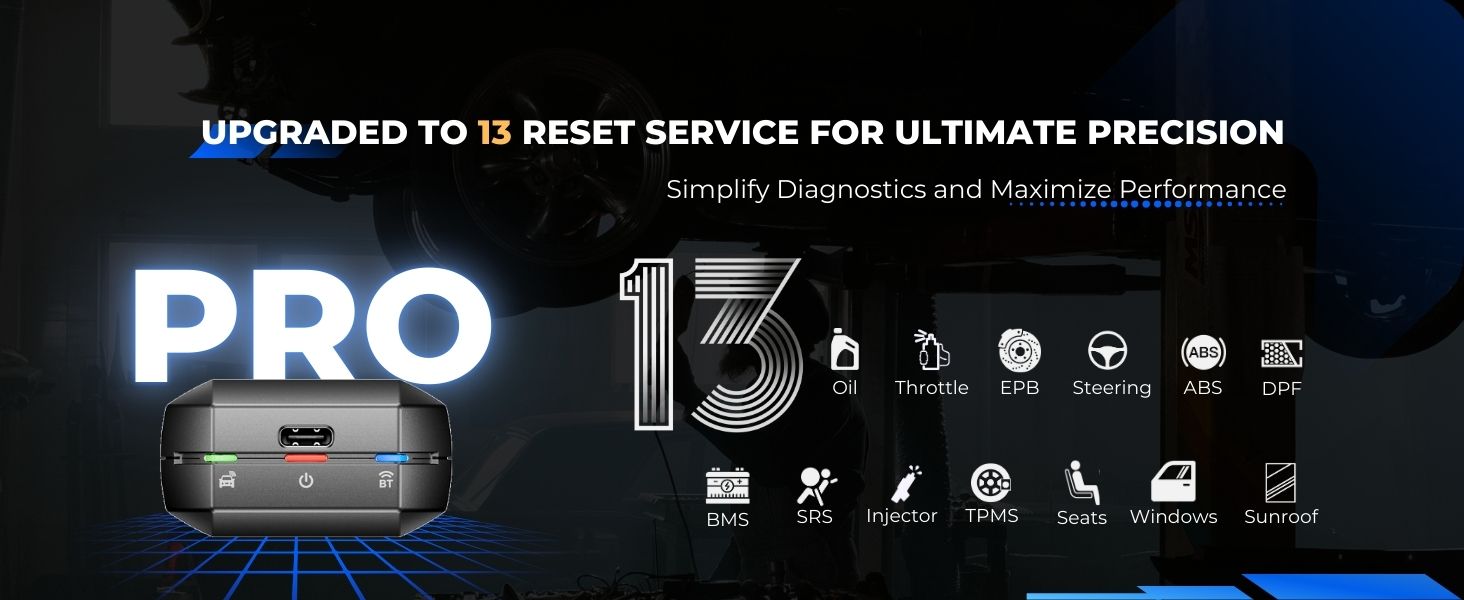
Image: Graphic illustrating secure gateway access for FCA (Chrysler, Jeep, Fiat) and Renault vehicles, emphasizing the need for an FCA account and token purchase for Renault.
4.5 CAN-FD Protocol Support
The device supports the CAN-FD (Flexible Data Rate) protocol, ensuring compatibility with modern vehicles manufactured after 2019. This enables high-speed data transmission for faster and more precise diagnostics, eliminating the need for an external CAN-FD adapter.
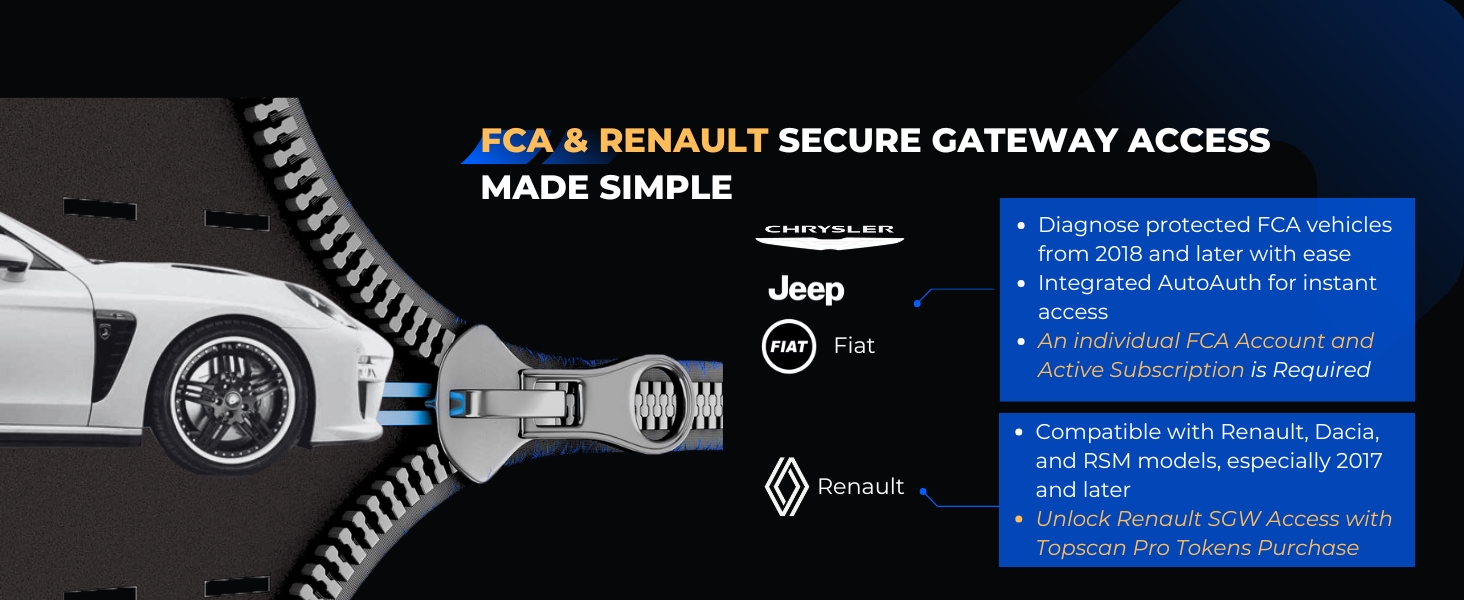
Image: Illustration showing the simplicity of connecting the TopScan Pro to a vehicle's OBD2 port, highlighting its built-in CAN-FD support for modern vehicles.
4.6 Live Data Stream
Monitor real-time vehicle data in various formats, including dial-style gauges, multi-parameter graphs, and numeric displays. This allows for in-depth analysis of sensor readings and system performance.
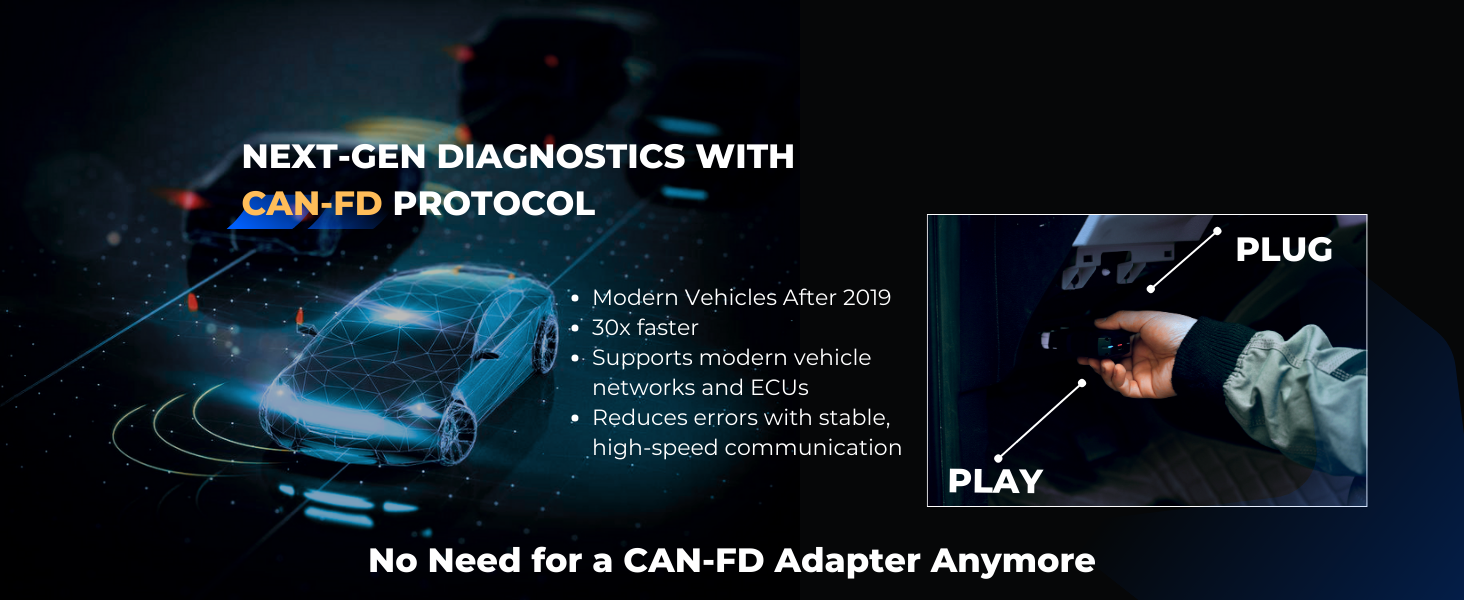
Image: Screenshot of the TopScan Pro app displaying live data in three formats: a dial-style gauge for RPM, a multi-parameter data graph, and a numeric display for various engine parameters.
4.7 AutoVIN & AutoScan
Quickly identify vehicle information and initiate a full system scan with the AutoVIN feature, which automatically detects the vehicle's VIN. This eliminates manual input and streamlines the diagnostic process.
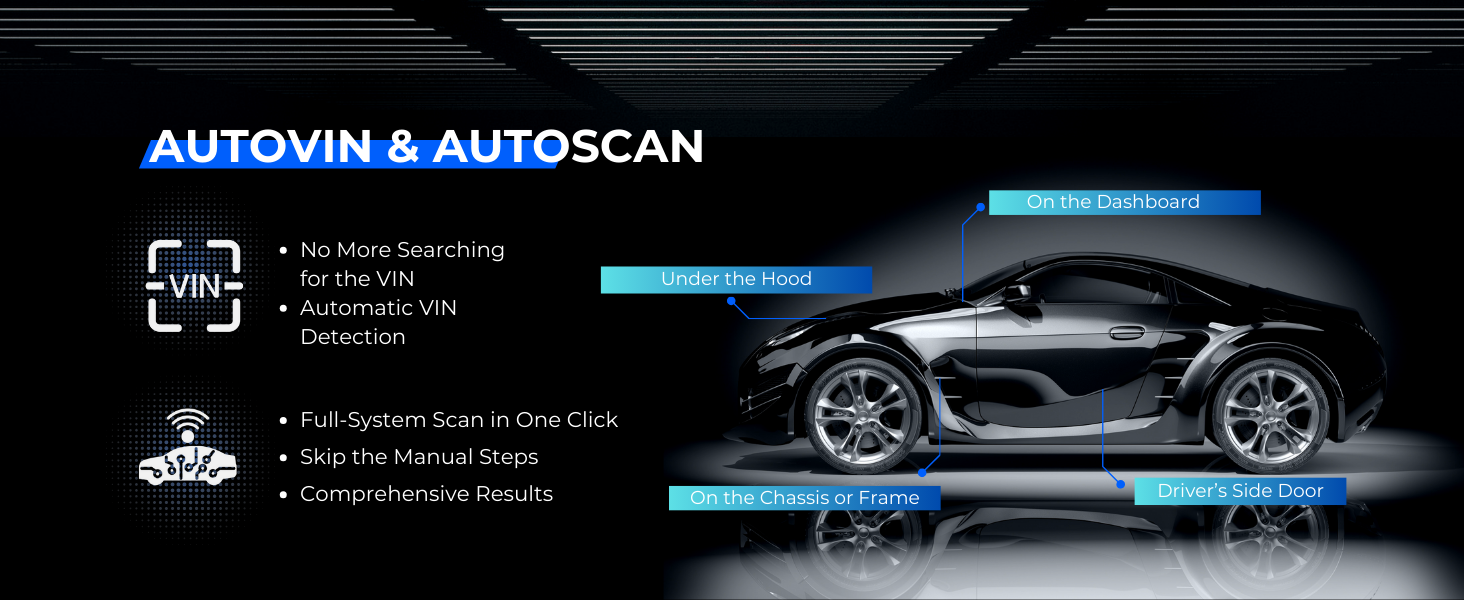
Image: Diagram showing how AutoVIN automatically detects the vehicle identification number (VIN) from various locations on a car, simplifying the diagnostic process.
4.8 Performance Testing
Measure vehicle performance metrics such as 0-60 mph (or km/h) acceleration and top speed testing with real-time precision. This feature provides valuable insights into your vehicle's capabilities.
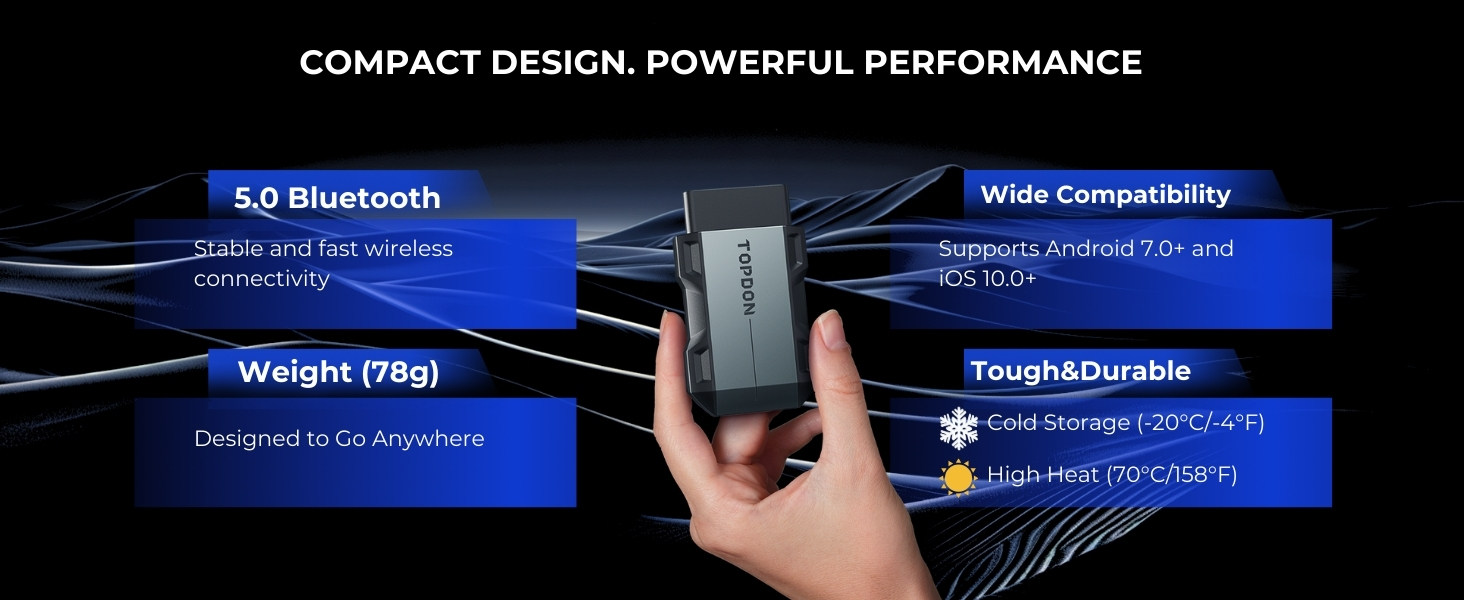
Image: Graphic illustrating the performance testing feature, showing a speedometer and a car on a track, indicating the ability to measure 0-60 mph/km/h acceleration and top speed.
4.9 Emission Checks
Effortlessly check your vehicle's emission system readiness. This feature provides instant results, helps you stay prepared for inspections, monitors emissions for a cleaner ride, and can save time and money by diagnosing issues before an inspection.
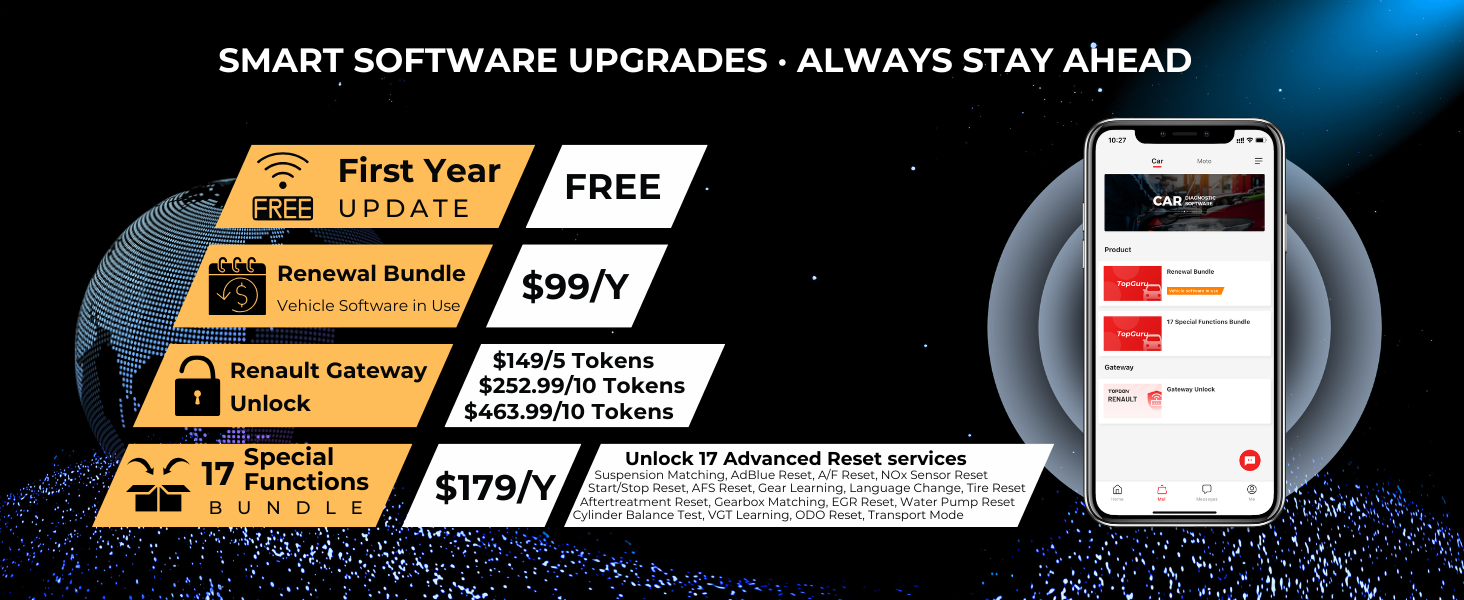
Image: Diagram showing a vehicle's exhaust system and a checklist of benefits for effortless emission checks, including instant results, pre-inspection clarity, sustainable driving, and cost savings.
4.10 Repair Data Library
Access a comprehensive repair data library to assist with DIY repairs. This includes a DTC Repair Guide, Technical Service Bulletins (TSB), DLC (Data Link Connector) Location Guide, and a Warning Light Library.
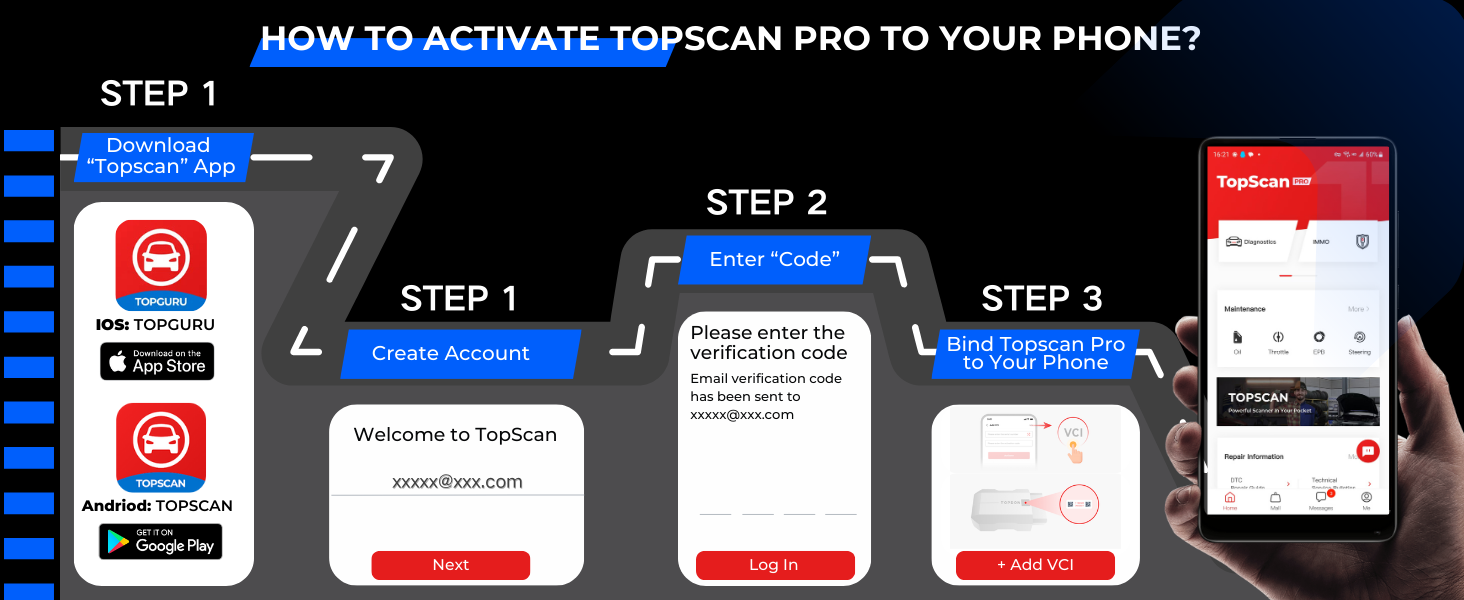
Image: Graphic depicting the Repair Data Library feature, showing a smartphone screen with options for DTC Repair Guide, Technical Service Bulletins, DLC Location Guide, and Warning Light Library.
5. Maintenance and Software Upgrades
To ensure optimal performance and access to the latest features, regular software updates are recommended.
5.1 Software Updates
The TopScan Pro offers a free software update for the first year. After the first year, you can choose from budget-friendly plans to renew premium features or advanced special resets diagnostic functions.
- First Year Update: FREE
- Renewal Bundle (Vehicle Software in Use): $99/Year
- 17 Special Functions Bundle: $179/Year (Includes Suspension Matching, AdBlue Reset, A/F Reset, NOx Sensor Reset, Start/Stop Reset, AFS Reset, Gear Learning, Language Change, Tire Reset, Aftertreatment Reset, Gearbox Matching, EGR Reset, Water Pump Reset, Cylinder Balance Test, VGT Learning, ODO Reset, Transport Mode)
- Renault Gateway Unlock: Available via token purchase ($149/5 Tokens, $252.99/10 Tokens, $463.99/10 Tokens)
- Moto Diag Bundle: $99/Year (1-year subscription)
If you choose not to subscribe for the second year, you can continue to use basic features such as I/M Readiness, Vehicle Performance Test, DTC Repair Guide, Warning Light Library, and VE Calculator functions.
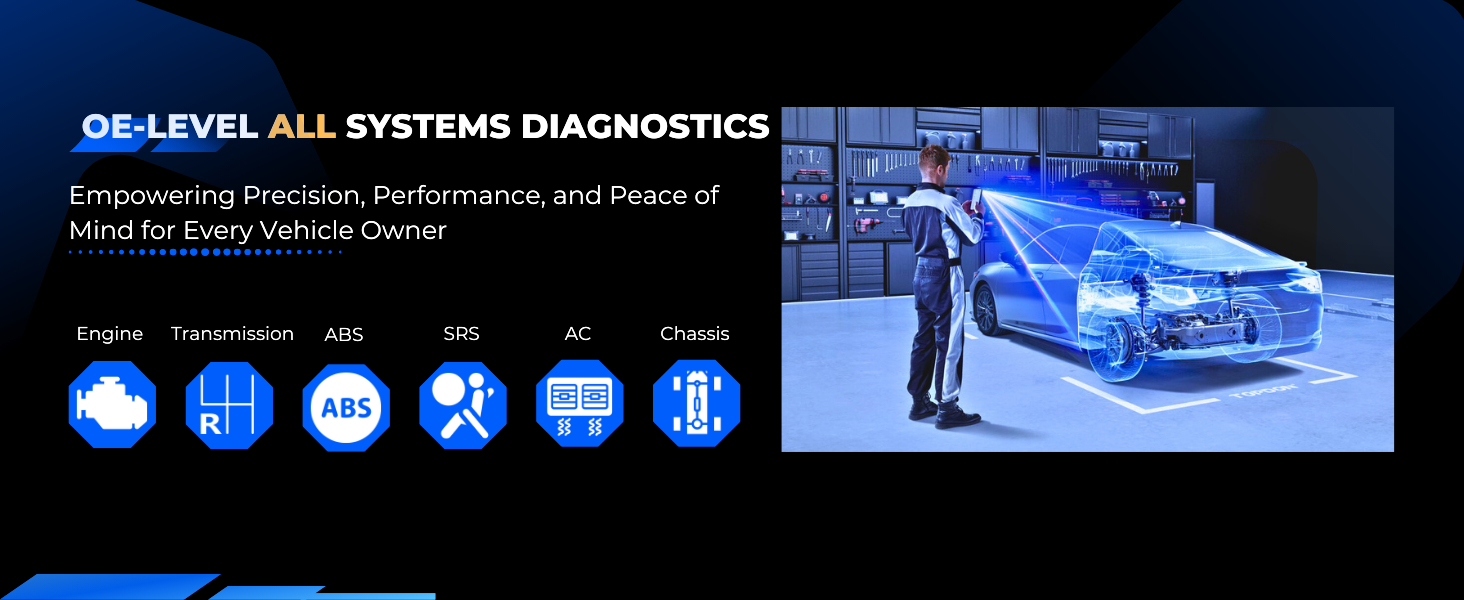
Image: Chart detailing the various software upgrade and subscription options for the TopScan Pro, including free first-year updates and different renewal bundles.
6. Troubleshooting
This section addresses common issues you might encounter with your TopScan Pro.
6.1 Connection Issues
- Device not connecting via Bluetooth: Ensure Bluetooth is enabled on your smartphone and the TopScan Pro dongle is securely plugged into the vehicle's OBD2 port. Confirm the vehicle's ignition is on. Try restarting the app and your phone's Bluetooth.
- App not recognizing the device: Make sure you have downloaded the correct app for your operating system (TOPGURU for iOS, TopScan for Android). Follow the binding steps in Section 3.4 carefully.
6.2 App/Software Issues
- Subscription confusion during setup: Some users may find the initial setup prompts confusing regarding subscriptions. Basic diagnostic features (I/M Readiness, Vehicle Performance Test, DTC Repair Guide, Warning Light Library, VE Calculator) are available without a subscription after the first year. Advanced reset functions and special features require an active subscription after the first free year.
- Features not working: Ensure your software is up to date. Some advanced features may require a current subscription. Check the app's settings or 'About' section for subscription status.
6.3 Diagnostic Inaccuracies
- Incorrect readings or codes: Verify the dongle is firmly seated in the OBD2 port. Ensure your vehicle's battery voltage is stable. If issues persist, try the diagnostic on another compatible vehicle to rule out a device malfunction.
- Vehicle not fully supported: While the TopScan Pro supports a wide range of vehicles, some older or less common models might have limited functionality. Refer to TOPDON's official website for the latest compatibility list.
7. Specifications
| Specification | Detail |
|---|---|
| Manufacturer | TOPDON |
| Brand | TOPDON |
| Model | TopScan Pro |
| Item Weight | 3.52 ounces |
| Product Dimensions | 4.72 x 1.57 x 3.15 inches |
| Item Model Number | Topscan Pro |
| Manufacturer Part Number | TopScan Pro |
| ASIN | B0DSWB8BRJ |
| Date First Available | January 13, 2025 |
| Bluetooth Version | 5.0 (Stable connection up to 33 feet) |
| Supported OS | Android 7.0+ and iOS 10.0+ |
| Operating Temperature | Not explicitly stated, but implied by 'Tough & Durable' image: Cold Storage (-20°C/-4°F), High Heat (70°C/158°F) |

Image: The TopScan Pro device held in hand, highlighting its compact design, 5.0 Bluetooth connectivity, light weight (78g), and tough & durable build for various temperatures.
8. Support
TOPDON is committed to providing excellent customer support. If you encounter any issues or have questions regarding your TopScan Pro, please refer to the following resources:
- Official TOPDON Website: Visit the official TOPDON website for FAQs, product updates, and additional support resources.
- In-App Support: The TopScan Pro application often includes a support or feedback section where you can submit inquiries directly.
- Customer Service: Contact TOPDON customer service for personalized assistance. Refer to the contact information provided on the product packaging or the official website.


