
Synido TempoPAD C16
Synido TempoPAD C16 MIDI Pad Controller User Manual
Brand: Synido | Model: TempoPAD C16
Introduction
The Synido TempoPAD C16 is a portable MIDI pad controller designed for music production, beat making, and live performance. It features velocity-sensitive drum pads, an LED display, and versatile connectivity options including wireless MIDI. This manual provides detailed instructions for setting up, operating, and maintaining your TempoPAD C16 to ensure optimal performance.
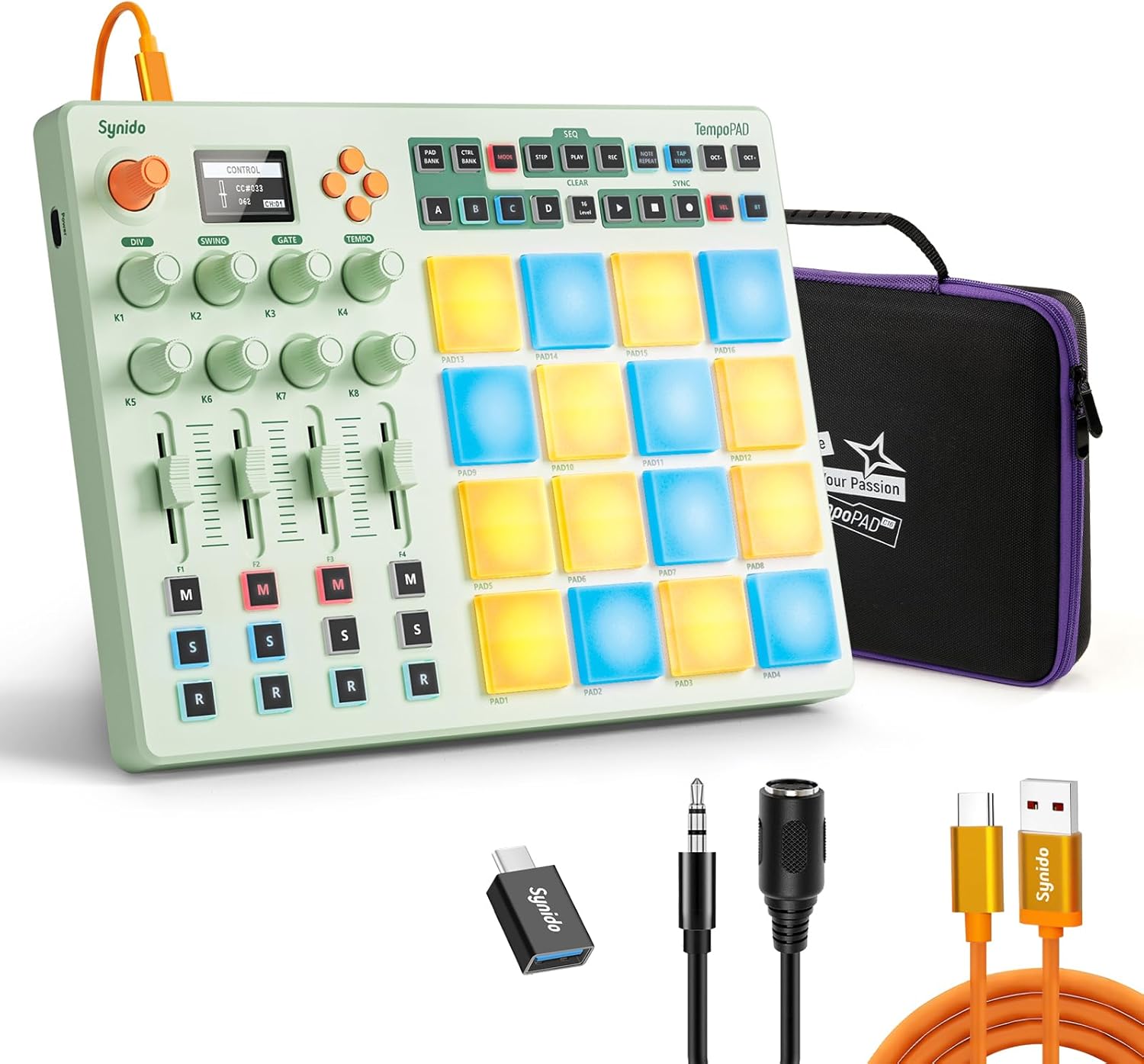
Image: The Synido TempoPAD C16 MIDI Pad Controller shown with its carrying case, USB-C cable, and MIDI adapters.
Key Features
- Wireless MIDI Controller: Features Bluetooth connectivity and three operation modes: Keyboard Mode, Custom Mode, and Dark Mode.
- Music Sync Color Changing: Bright 4x4 RGB Pad Matrix for visual feedback and clip launching in DAWs like Ableton Live.
- Beat Maker Machine: Equipped with 16 MIDI Pad Controller and MPC-style pads for studio production, beat making, and synth tweaking.
- Comprehensive Controls: Includes 4-section control surface with dedicated mixing, muting, and recording controls, 8 knobs, and 4 smooth faders.
- Built-in Parameter Editor: Allows real-time adjustment and feedback directly from the hardware.
- 16-Track Sequencer: For recording, looping, and performing musical sequences.
- Versatile Connectivity: USB-C Connection, MIDI Out, and Sustain Jack for a complete musical setup.
- Durable Build: Skin-friendly polymer construction that is BPA-free, durable, and easy to clean.
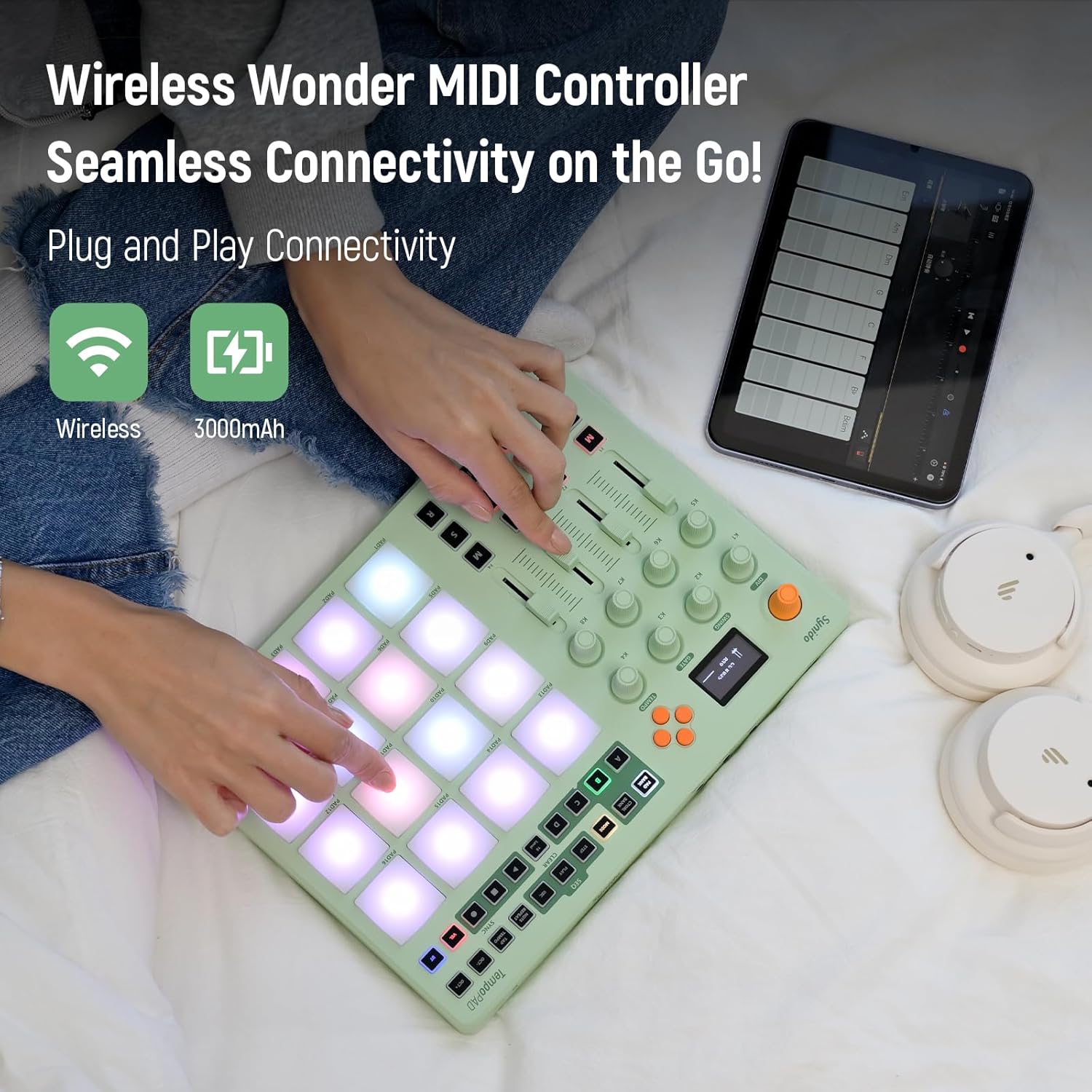
Image: The TempoPAD C16 highlighting its wireless capability and 3000mAh battery for portable use.
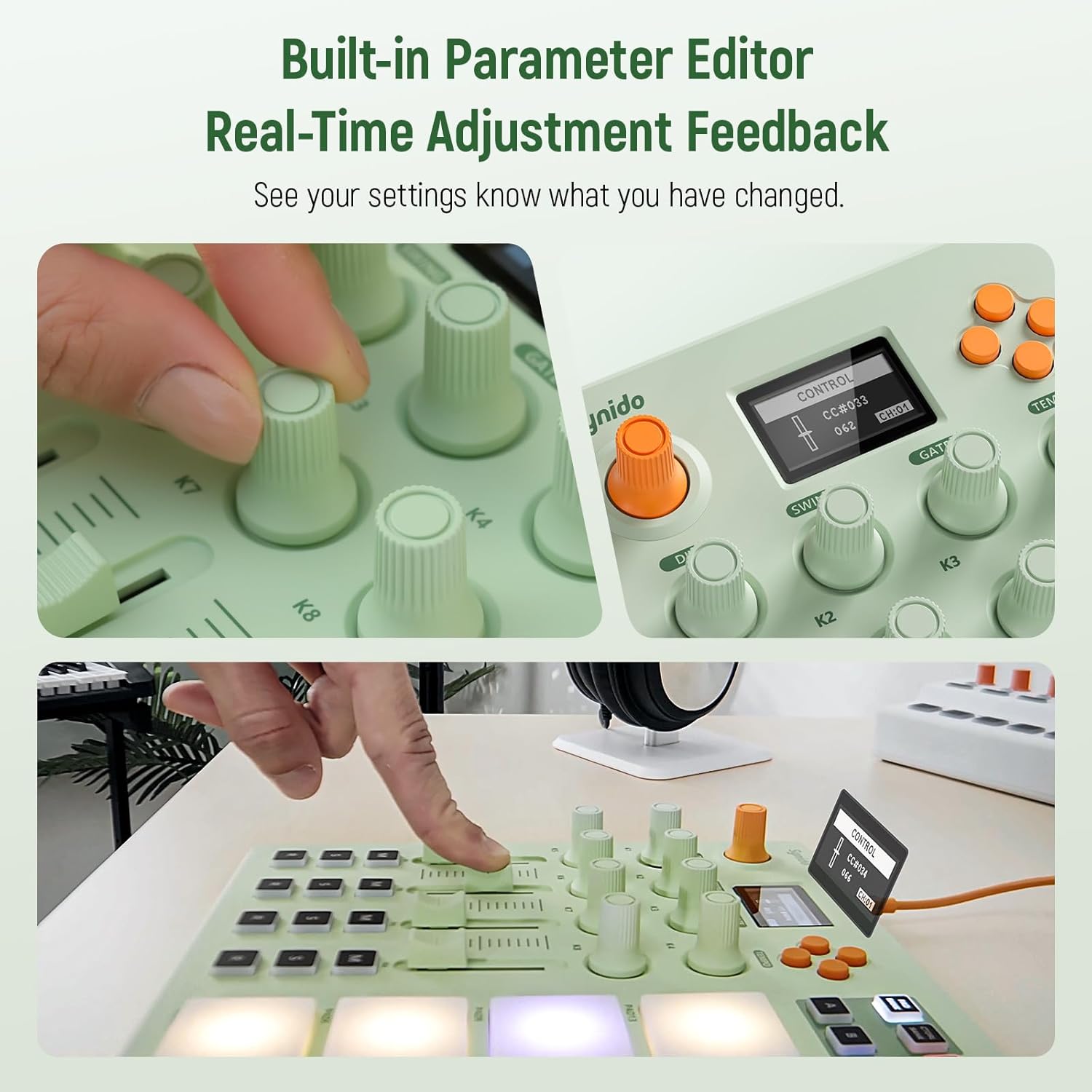
Image: Close-up of the TempoPAD C16's display and knobs, demonstrating the built-in parameter editor for real-time adjustments.

Image: A user interacting with the 16 velocity-sensitive RGB pads and the 16-track sequencer, illustrating creative freedom.

Image: The TempoPAD C16 demonstrating its three distinct operation modes: Key Mode, Custom Mode, and Dark Mode.
Setup Guide
Package Contents
Before you begin, ensure all items are present in the package:
- Synido TempoPAD C16 Unit
- Canvas Zipper Pouch
- USB-A to USB-C Cable
- MIDI 5-Pin DIN to 3.5mm TRS Adapter
- USB-A to USB-C OTG Adapter
- User Manual (this document)

Image: Visual representation of all items included in the TempoPAD C16 package.
Initial Power On
To power on your TempoPAD C16, connect it to a power source using the provided USB-C cable. The device can be powered via a computer's USB port or a standard USB power adapter (not included).
Connecting to Devices
The TempoPAD C16 offers flexible connection options:
- USB-C Connection: Connect the TempoPAD C16 directly to your computer using the USB-C port for MIDI communication and power.
- OTG Adapter for Mobile Devices: Use the included USB-A to USB-C OTG adapter to connect the TempoPAD C16 to compatible phones or tablets for on-the-go music production.
- MIDI In/Out/Thru: Utilize the 3.5mm TRS MIDI adapters to connect to external MIDI hardware for expanded control and synchronization.

Image: Diagrams illustrating how to connect the TempoPAD C16 to a computer via USB-C and to a phone/pad using an OTG adapter.
Operation
Overview of Controls
Familiarize yourself with the various controls on your TempoPAD C16:
- 16 Backlit Beat Pads: Velocity-sensitive and pressure-sensitive with aftertouch for expressive performance.
- Assignable Buttons: Customize functions for efficient workflow.
- Smooth Faders: Four faders with damping for precise adjustments.
- 360-Degree Knobs: Eight infinite rotary knobs for continuous parameter control.
- Main Control Knob: Central knob for primary adjustments.
- LED Display: Provides real-time feedback on settings and parameters.
- Directional Navigation Button: For navigating menus and settings.
- Function Control Buttons: Dedicated buttons for transport controls (Play, Stop, Record), memory banks, octaves, and one-key reset.

Image: A detailed diagram labeling all key controls and ports on the Synido TempoPAD C16.
Modes of Operation
The TempoPAD C16 offers three distinct modes to suit various creative needs:
- Keyboard Mode: Configures the pads to act as a musical keyboard, ideal for playing melodies and chords.
- Custom Mode: Allows users to assign specific MIDI messages and functions to each pad and control, offering maximum flexibility.
- Dark Mode: A visual setting that adjusts the LED display and pad lighting for reduced brightness, suitable for low-light environments.
Using the Pads and Sequencer
The 16 RGB pads are velocity-sensitive, meaning the intensity of your touch affects the sound's volume or other assigned parameters. They also support aftertouch for additional expressive control. The built-in 16-track sequencer allows you to record, loop, and perform complex rhythmic and melodic patterns directly from the device.
Adjusting Parameters
The TempoPAD C16 features a built-in parameter editor accessible via the LED display and control knobs. This allows for real-time adjustment of various settings, including MIDI CC values, note assignments, and velocity curves. The 360° infinite knobs provide smooth and precise control over these parameters.

Image: Close-up of the TempoPAD C16's 360-degree infinite knobs, highlighting their design for precise and effortless tuning.
Software Compatibility
The TempoPAD C16 is designed for seamless integration with a wide range of Digital Audio Workstations (DAWs) and music software. It is compatible with popular applications such as Ableton Live, FL Studio, ReasonStudios, Cubase, Garage Band, Protools, and many others, allowing for plug-and-play functionality.

Image: The TempoPAD C16 shown alongside a laptop displaying various DAW interfaces, indicating broad compatibility.
Maintenance and Care
To ensure the longevity and optimal performance of your Synido TempoPAD C16, follow these maintenance guidelines:
- Cleaning: The TempoPAD C16 features a skin-friendly polymer build that is easy to clean. Use a soft, dry, or slightly damp cloth to wipe down the surface. Avoid abrasive cleaners or solvents that could damage the finish or electronic components.
- Storage: Store the device in a cool, dry place away from direct sunlight, extreme temperatures, and high humidity. Use the provided canvas zipper pouch for protection during transport or storage.
- Handling: Handle the device with care. Avoid dropping it or subjecting it to strong impacts, which could damage internal components or the sensitive pads.
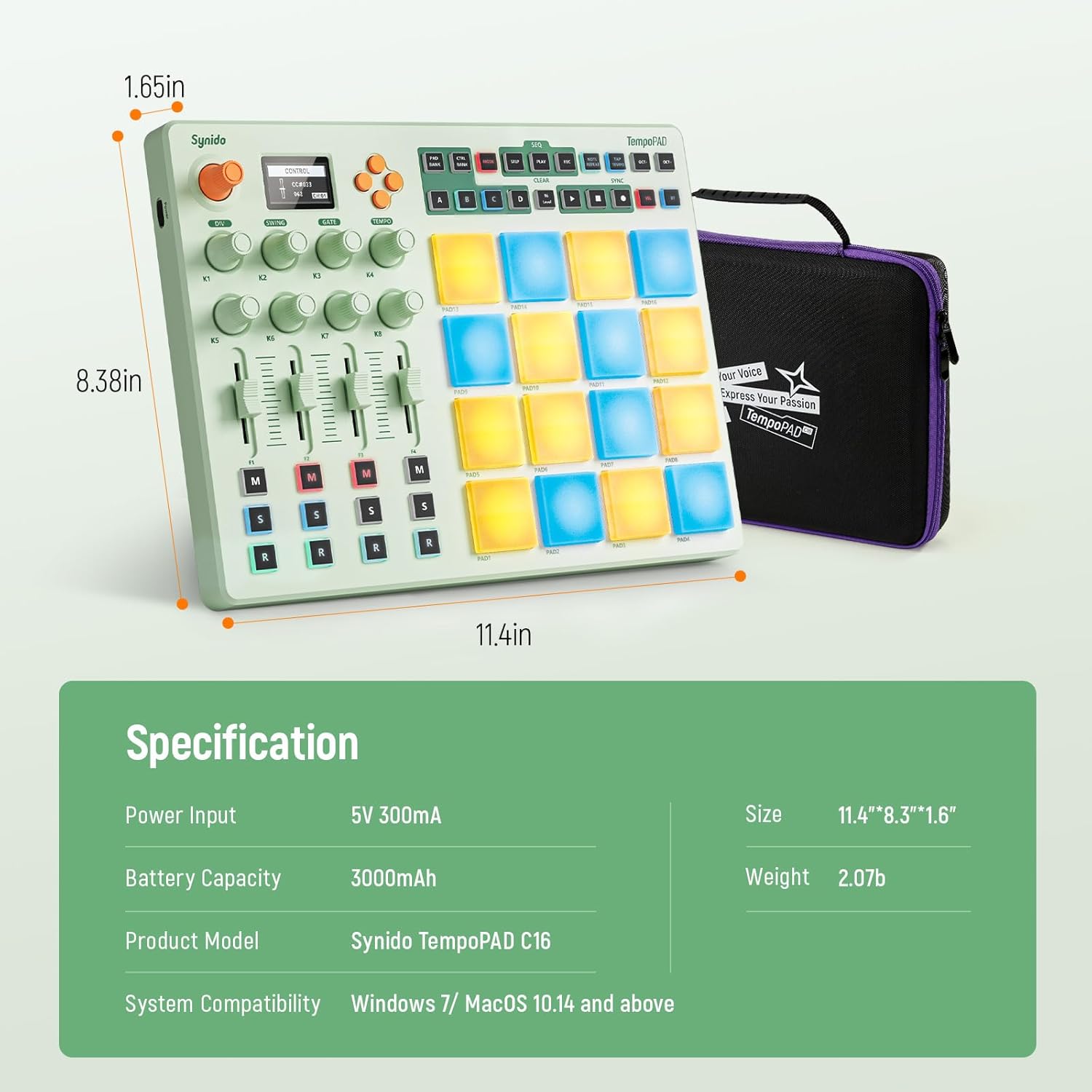
Image: Close-up of the TempoPAD C16's surface, emphasizing its skin-friendly polymer build and features like BPA-free, durability, and ease of cleaning.
Troubleshooting
If you encounter issues with your TempoPAD C16, refer to the following common problems and solutions:
Common Issues
- Device Does Not Power On:
- Ensure the USB-C cable is securely connected to both the TempoPAD C16 and the power source (computer USB port or USB power adapter).
- Try a different USB-C cable or a different USB port/power adapter to rule out cable or power source issues.
- Pads Are Unresponsive or Malfunctioning:
- Check if the device is in the correct operating mode (Keyboard, Custom, Dark).
- Ensure the pads are clean and free from debris.
- If a specific pad consistently triggers incorrectly or gets stuck, this may indicate a hardware issue. Please contact Synido customer support for assistance.
- Sequencer Timing Issues:
- Ensure your DAW or external MIDI clock source is properly synchronized with the TempoPAD C16.
- Check for any available firmware updates for the TempoPAD C16, as software improvements can address timing stability.
- No Sound or MIDI Output:
- Verify that the TempoPAD C16 is recognized by your computer or mobile device. Check your DAW's MIDI input settings.
- Ensure the correct MIDI channel is selected on both the TempoPAD C16 and your receiving software/hardware.
- Check all physical MIDI and USB connections.
General Advice
If the issue persists, try restarting the TempoPAD C16 and your connected device (computer, phone, or tablet). For complex issues or hardware malfunctions, please refer to the Warranty & Support section for contact information.
Technical Specifications
| Specification | Value |
|---|---|
| Product Model | TempoPAD C16 |
| Item Weight | 3.85 pounds (1.75 Kilograms) |
| Package Dimensions | 13.43 x 9.84 x 3.03 inches |
| Unit Size (Approx.) | 11.4 x 8.38 x 1.65 inches |
| Power Input | 5V 300mA |
| Battery Capacity | 3000mAh |
| Connectivity | Wireless MIDI (Bluetooth), USB-C, MIDI In/Out/Thru |
| System Compatibility | Windows 7 / macOS 10.14 and above |
| Pads | 16 Velocity-Sensitive RGB Pads with Aftertouch |
| Sequencer | 16-Track |

Image: Diagram showing the dimensions and key specifications of the TempoPAD C16.
Warranty and Support
Synido is committed to providing high-quality products and customer satisfaction. For any warranty claims, technical support, or product inquiries, please contact Synido customer service through the official Synido website or your point of purchase. Please have your product model number (TempoPAD C16) and purchase details ready when contacting support.
Related documentsTempoPAD C16


Ask a question about this manual
Ask about setup, troubleshooting, compatibility, parts, safety, or missing instructions. Manuals+ will review the question and use this page’s manual context to help answer it.