Introduction
This manual provides detailed instructions for the setup, operation, and maintenance of your VOKSUN S300 Vinyl Turntable. Please read this manual thoroughly before using the product to ensure proper function and longevity.
Product Components
Familiarize yourself with the various parts of your VOKSUN S300 turntable.

Image: Overview of the VOKSUN S300 turntable, highlighting key components such as the RCA out port, Line-in (AUX IN) port, USB port, DC IN jack, speakers, 45RPM adaptor, lift lever, AUTO-STOP ON/OFF switch, PREV/NEXT button/MODE Knob, Speed switch, Power OFF/ON/Volume-/Volume+, Status indicator, Headphone port, Tonearm, Tonearm lock, Cartridge with needle, and Platter.
- RCA Out Port: For connecting to external amplifiers or powered speakers.
- Line-in (AUX IN) Port: For connecting external audio devices via a 3.5mm cable.
- USB Port: For connecting USB flash drives for digital recording or playback.
- DC IN Jack: For connecting the power adapter.
- Speakers: Built-in stereo speakers for direct audio output.
- 45RPM Adaptor: Used for playing 7-inch records with a large center hole.
- Lift Lever: Raises and lowers the tonearm.
- AUTO-STOP ON/OFF Switch: Enables or disables the automatic stop function at the end of a record.
- PREV/NEXT button/MODE Knob: Controls track selection and mode switching (e.g., Bluetooth, AUX, Phono).
- Speed Switch: Selects playback speed (33, 45, or 78 RPM).
- Power OFF/ON/Volume-/Volume+: Multifunction knob for power and volume control.
- Status Indicator: Displays the current operational status or mode.
- Headphone Port: For private listening with headphones.
- Tonearm: Holds the cartridge and needle.
- Tonearm Lock: Secures the tonearm when not in use.
- Cartridge with Needle: Reads the grooves of the vinyl record.
- Platter: The rotating platform where the record is placed.
Setup
1. Unpacking and Placement
- Carefully remove the turntable from its packaging.
- Place the turntable on a stable, level surface away from direct sunlight, heat sources, and excessive dust or vibrations.
- Ensure adequate ventilation around the unit.
2. Power Connection
- Connect the provided power cable to the DC IN jack on the back of the turntable.
- Plug the other end of the power cable into a suitable wall outlet (230 Volts).
3. Initial Preparation
- Unlock the tonearm lock to free the tonearm.
- Remove the protective stylus cover from the needle.
Operating Instructions
1. Playing Vinyl Records
- Open the turntable lid.
- Place a vinyl record on the platter.
- Select the appropriate speed (33, 45, or 78 RPM) using the Speed Switch.
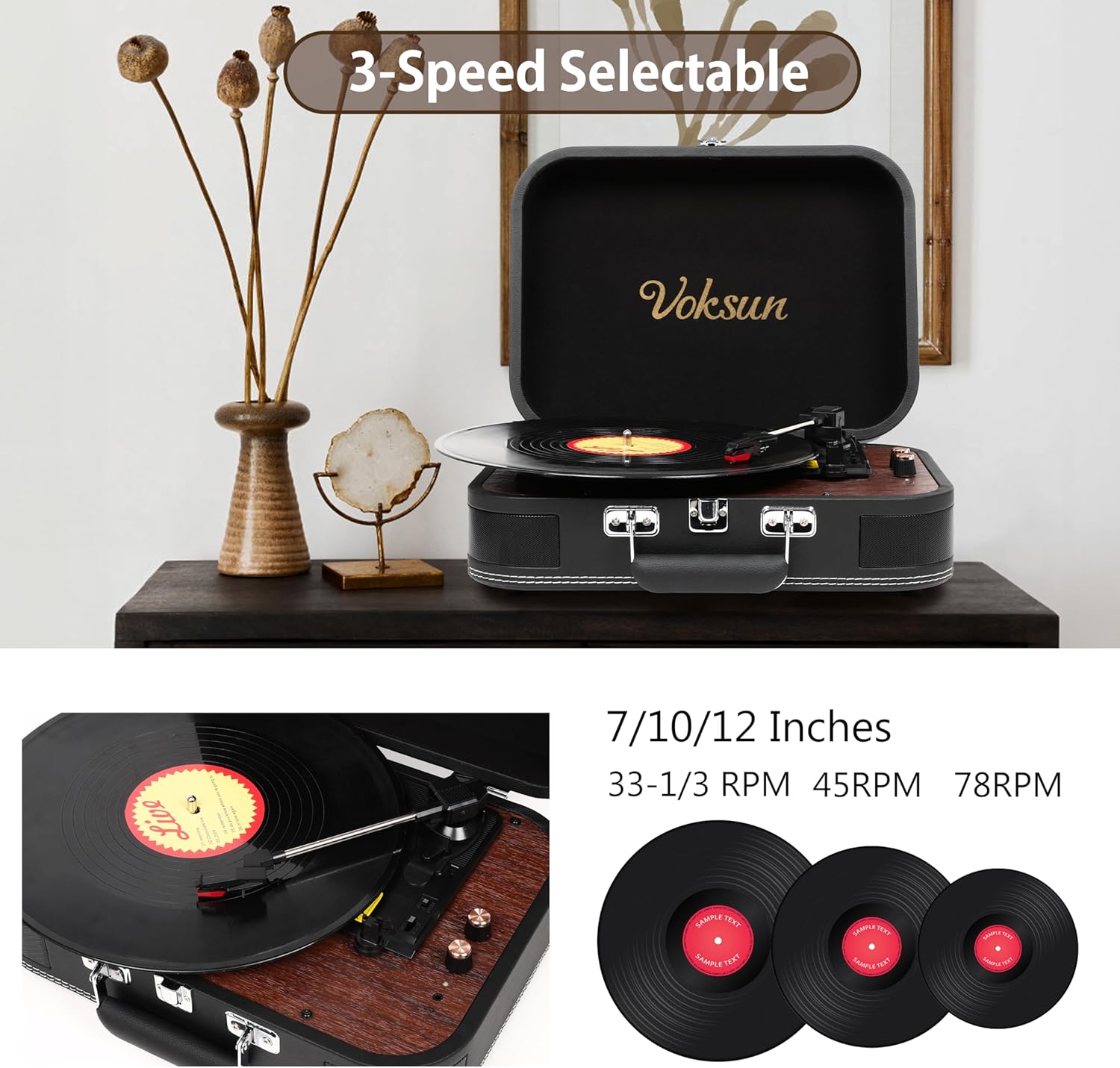
Image: Illustration of the turntable's 3-speed capability (33-1/3 RPM, 45 RPM, 78 RPM) and compatibility with 7, 10, and 12-inch vinyl records.
- For 7-inch records with a large center hole, place the 45RPM adaptor on the spindle before placing the record.
- Turn the Power OFF/ON/Volume knob clockwise to power on the unit and set the desired volume.
- Lift the tonearm using the Lift Lever.
- Carefully position the tonearm over the desired starting groove of the record.
- Gently lower the tonearm onto the record using the Lift Lever. The record will begin to play.
- To enable or disable automatic stopping at the end of a record, use the AUTO-STOP ON/OFF switch.
- When finished, lift the tonearm, return it to its rest, and secure it with the tonearm lock.
2. Bluetooth Input (Streaming to Turntable)
You can stream music wirelessly from your Bluetooth-enabled devices to the turntable's built-in speakers.
- Turn on the turntable.
- Use the MODE Knob to select Bluetooth input mode. The status indicator will typically show a blue light or flash to indicate pairing mode.
- On your external device (smartphone, tablet, PC), enable Bluetooth and search for "VOKSUN" or a similar device name.
- Select the turntable from the list of available devices to pair.
- Once paired, you can play music from your device through the turntable's speakers.

Image: A visual representation of the turntable's Bluetooth wireless capability, showing a smartphone screen with music playing, indicating a successful connection to the turntable for music streaming.
3. Bluetooth Output (Streaming from Turntable)
You can play your vinyl records through an external Bluetooth speaker.
- Ensure your external Bluetooth speaker is in pairing mode.
- Turn on the turntable and select Phono mode (for playing records).
- Activate Bluetooth output on the turntable (refer to the MODE Knob or specific button for Bluetooth Out, if available, otherwise it might automatically search when in Phono mode and a Bluetooth speaker is nearby). The turntable will search for and connect to the nearest available Bluetooth speaker.
- Once connected, audio from your vinyl record will play through the external Bluetooth speaker.
4. Auxiliary Input (AUX IN)
Connect external audio devices (e.g., MP3 players, smartphones) via a 3.5mm audio cable.
- Connect one end of a 3.5mm audio cable to the Line-in (AUX IN) port on the turntable.
- Connect the other end to the headphone jack or audio output of your external device.
- Use the MODE Knob to select AUX IN mode.
- Play audio from your external device. The sound will be output through the turntable's speakers.

Image: A user enjoying music from the turntable with headphones, illustrating the 3.5mm AUX IN and Headphone port functionality for personal listening or connecting external devices.
5. RCA Output
Connect the turntable to an external amplifier or powered speakers for enhanced audio output.
- Connect an RCA cable to the RCA Out ports on the back of the turntable.
- Connect the other end of the RCA cable to the corresponding audio input on your amplifier or powered speakers.
- Ensure your amplifier/speakers are powered on and set to the correct input.

Image: A diagram illustrating the connectivity options on the back of the turntable, including RCA Out jacks for external speakers, AUX IN jack for headphones/MP3/smartphone, and a USB port for flash drives.
6. Vinyl-to-Digital Recording (USB)
Record your vinyl records directly to a USB flash drive in WAV format.
- Insert a USB flash drive into the USB port.
- Place a vinyl record on the platter and set the correct speed.
- Start playing the record.
- Press the REC button (if available, or refer to specific instructions for recording via the MODE Knob). The turntable will begin recording the audio to the USB drive.
- Press the REC button again to stop recording. The recorded WAV file will be saved on the USB drive.

Image: A conceptual diagram illustrating the Vinyl-Digital Recording feature, where audio from a vinyl record is transformed into WAV format files and saved onto a USB flash drive.
Maintenance
1. Cleaning
- Wipe the turntable's exterior with a soft, dry cloth. Do not use abrasive cleaners or solvents.
- Gently clean the stylus with a soft brush designed for turntable needles, brushing from back to front.
- Keep your vinyl records clean to prevent dust buildup on the stylus.
2. Stylus Care
- The stylus (needle) is a delicate component. Avoid touching it with your fingers.
- A worn stylus can damage records and degrade sound quality. Replace the stylus approximately every 200-300 hours of playback, or if you notice a decrease in sound quality.
- Refer to the manufacturer's website or contact support for replacement stylus information.
3. Storage
- When not in use, ensure the tonearm is secured with the tonearm lock and the protective stylus cover is in place.
- Store the turntable in a dry place to prevent damage from moisture.
- Close the lid to protect the platter and tonearm from dust.
Troubleshooting
If you encounter issues with your turntable, refer to the following common problems and solutions:
| Problem | Possible Cause | Solution |
|---|---|---|
| No power | Power cable not connected; outlet not active. | Ensure power cable is securely connected to the turntable and a working power outlet. Check the power switch. |
| No sound from speakers | Volume too low; incorrect mode selected; stylus cover still on; tonearm not lowered. | Increase volume. Select correct input mode (Phono, AUX, Bluetooth). Remove stylus cover. Lower tonearm onto record. |
| Skipping or distorted sound | Dirty record; dirty or worn stylus; turntable not level; excessive vibration. | Clean the record. Clean or replace the stylus. Ensure turntable is on a stable, level surface. Avoid placing near vibrating objects. |
| Bluetooth pairing issues | Device too far; incorrect mode; interference. | Ensure devices are within range. Select correct Bluetooth mode on turntable. Restart both devices. |
| Auto-stop not working | AUTO-STOP switch is OFF. | Ensure the AUTO-STOP switch is set to ON. Note that some records may not trigger auto-stop due to variations in groove run-out. |
Specifications
| Brand | VOKSUN |
| Model | S300 |
| Playback Speeds | 33 1/3, 45, 78 RPM |
| Compatible Record Sizes | 7, 10, 12 inches |
| Connectivity | Bluetooth In, Bluetooth Out, AUX In (3.5mm), USB, RCA Out |
| Built-in Speakers | Yes (Stereo, 5 Watts total) |
| Power Source | Corded Electric |
| Voltage | 230 Volts |
| Motor Type | DC Motor |
| Special Features | Auto-Stop, Vinyl-to-Digital Recording (WAV via USB) |
| Dimensions (Package) | 39.79 x 31.9 x 19.7 cm |
| Weight (Package) | 2.76 kg |
Warranty and Support
Specific warranty information is not provided in this manual. Please refer to the product packaging, the retailer's website, or contact VOKSUN customer support for details regarding warranty coverage and technical assistance.


