
Blütezeit ME-GO-600-CS1
Contents
Blütezeit 1400lb Solar Sliding Gate Opener Instruction Manual
Model: ME-GO-600-CS1
Brand: Blütezeit
1. Introduction
This manual provides detailed instructions for the installation, operation, and maintenance of your Blütezeit 1400lb Solar Sliding Gate Opener. This automatic chain drive gate motor is designed for robust performance, offering convenience and security for your driveway gates. It features WiFi control, a backup battery, and an infrared sensor for enhanced safety.
Please read this manual thoroughly before installation and operation to ensure proper function and safety.
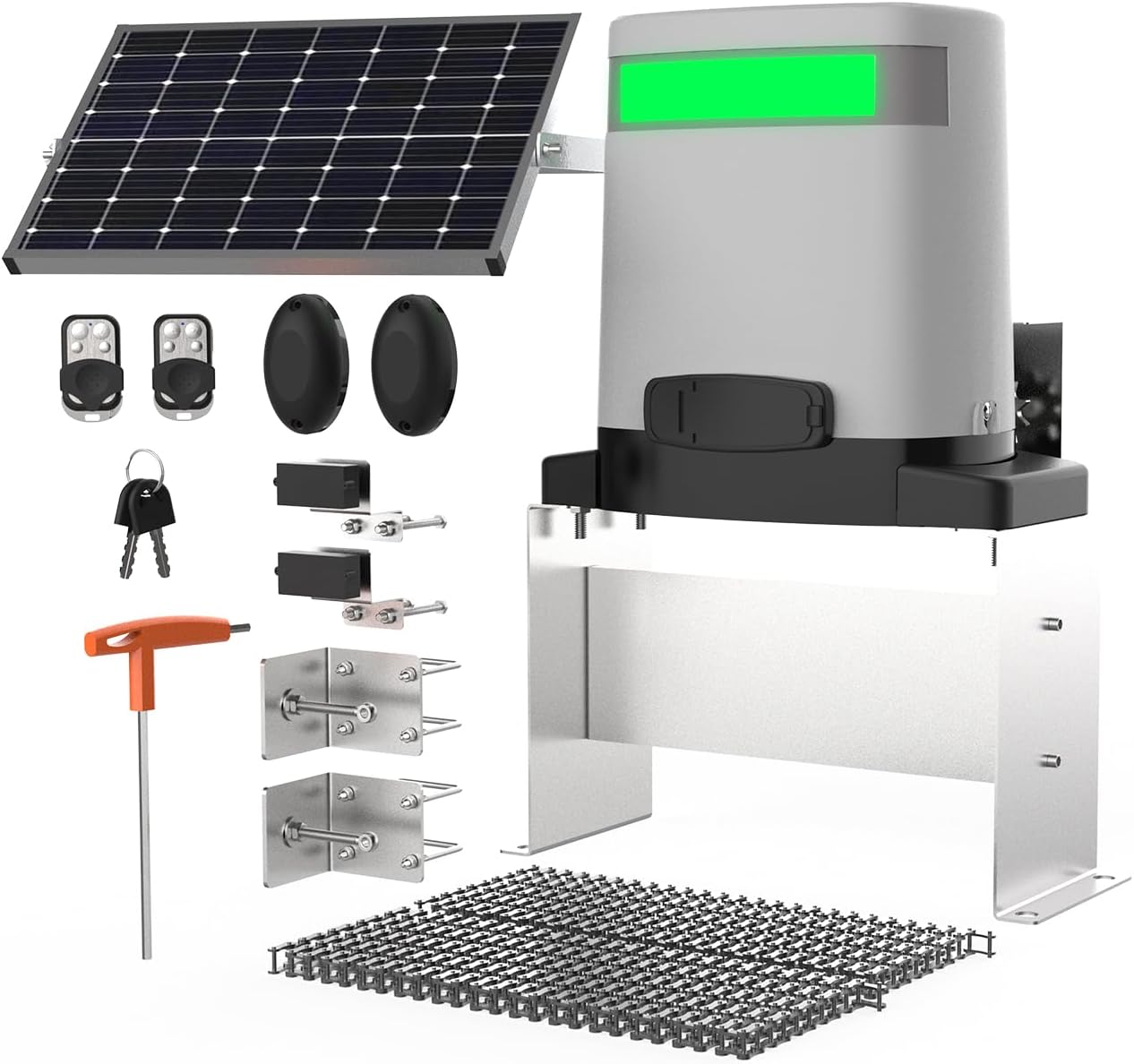
Image 1.1: Blütezeit 1400lb Solar Sliding Gate Opener and included accessories.
2. Included Components
The Blütezeit 1400lb Solar Sliding Gate Opener kit includes the following items:
- 1 x Gate Opener Unit
- 1 x 32V 10W Solar Panel
- 2 x Remote Controls (Batteries Included)
- 2 x Manual Keys
- 1 x Infrared Sensor
- 2 x 9.84ft Chains (total 19.68ft)
- 1 x Installation Kits (including mounting hardware)
3. Setup and Installation
Installation of the Blütezeit gate opener requires careful attention to detail. It is recommended to review the complete installation guide provided in the packaging for step-by-step instructions and safety warnings. Key steps include:
- Site Preparation: Ensure the gate area is clear of obstructions and the ground is level for the motor base.
- Mounting the Motor: Securely attach the gate opener motor to a stable concrete pad or suitable mounting structure.
- Chain Installation: Install the heavy-duty chains along the gate, ensuring proper tension and alignment with the motor's sprocket.
- Solar Panel Placement: Mount the solar panel in a location that receives maximum direct sunlight throughout the day for optimal charging.
- Infrared Sensor Setup: Install the infrared sensor across the gate opening to detect obstacles and ensure safe operation.
- Electrical Connections: Connect the solar panel, battery, and any optional AC power according to the wiring diagram.
- Limit Switch Adjustment: Set the open and close limits for the gate's travel.

Image 3.1: Overview of the gate opener system and its components for easy installation.
4. Operating Instructions
4.1. Remote Control Operation
The gate opener comes with two remote controls for convenient operation. Ensure the remotes have fresh batteries installed. To operate:
- Press the designated button on the remote to open or close the gate.
- The remote offers a reliable control range of up to 165 feet.
4.2. WiFi App Control (eWeLink)
The pre-installed WiFi module allows for smart control via the "eWeLink" App on your smartphone. This feature enables you to open or close your gate from anywhere with an internet connection.
- Download the "eWeLink" App from your device's app store.
- Follow the in-app instructions to connect the gate opener to your home WiFi network.
- Once connected, you can monitor the gate's status (open/closed) and control its operation remotely.

Image 4.1: The eWeLink App provides remote control and status monitoring for your gate opener.
4.3. Automatic Closing Function
The gate opener can be configured to close automatically after a set period. This feature enhances security and convenience.
- Refer to the detailed manual for instructions on setting the auto-close timer (adjustable from 1 to 60 seconds).
- The gate will automatically close after the set time if no obstacles are detected by the infrared sensor.

Image 4.2: The automatic closing feature ensures the gate secures the entrance after a set time.
5. Key Features Explained
5.1. Powerful and Smooth Operation
The Blütezeit gate opener is equipped with a high-torque 280W motor, capable of effortlessly moving sliding gates weighing up to 1400lb. The chain drive system ensures smooth and reliable transmission.

Image 5.1: The robust chain drive system provides powerful and smooth gate movement.
5.2. Solar-Powered Efficiency with Backup Battery
This gate motor supports both AC110V and solar energy (32V 10W panel included), offering an eco-friendly and cost-effective operation. A built-in DC24V 6.0Ah lithium-ion battery provides uninterrupted functionality for up to 5 days during power outages, ensuring continuous access.
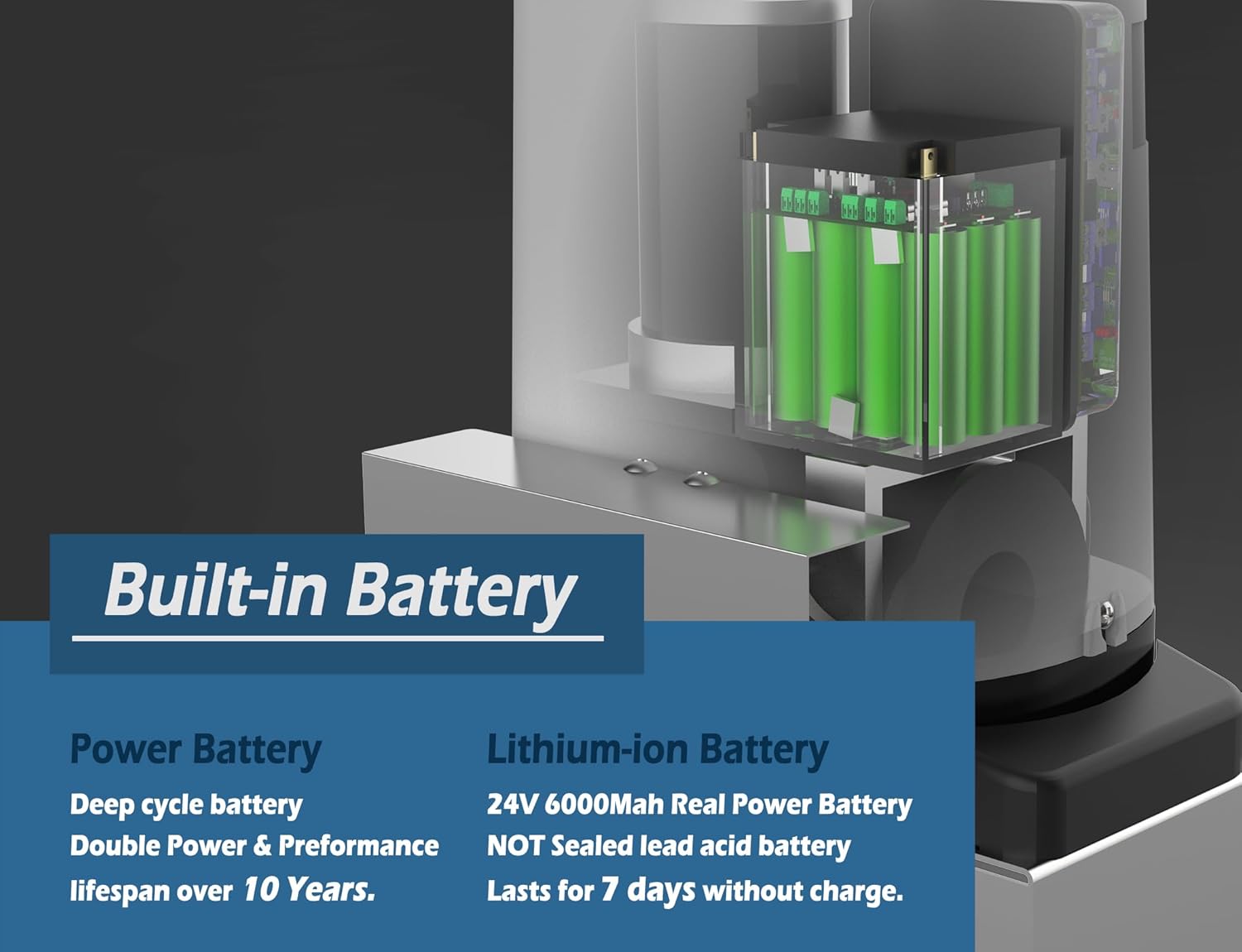
Image 5.2: The integrated lithium-ion battery provides reliable backup power.

Image 5.3: The included solar panel enables off-grid operation and reduces electricity costs.
5.3. Infrared Safety Sensor
For maximum security, the included infrared sensor instantly stops and reverses the gate upon detecting any obstacles in its path. This prevents accidental damage and ensures safe passage.
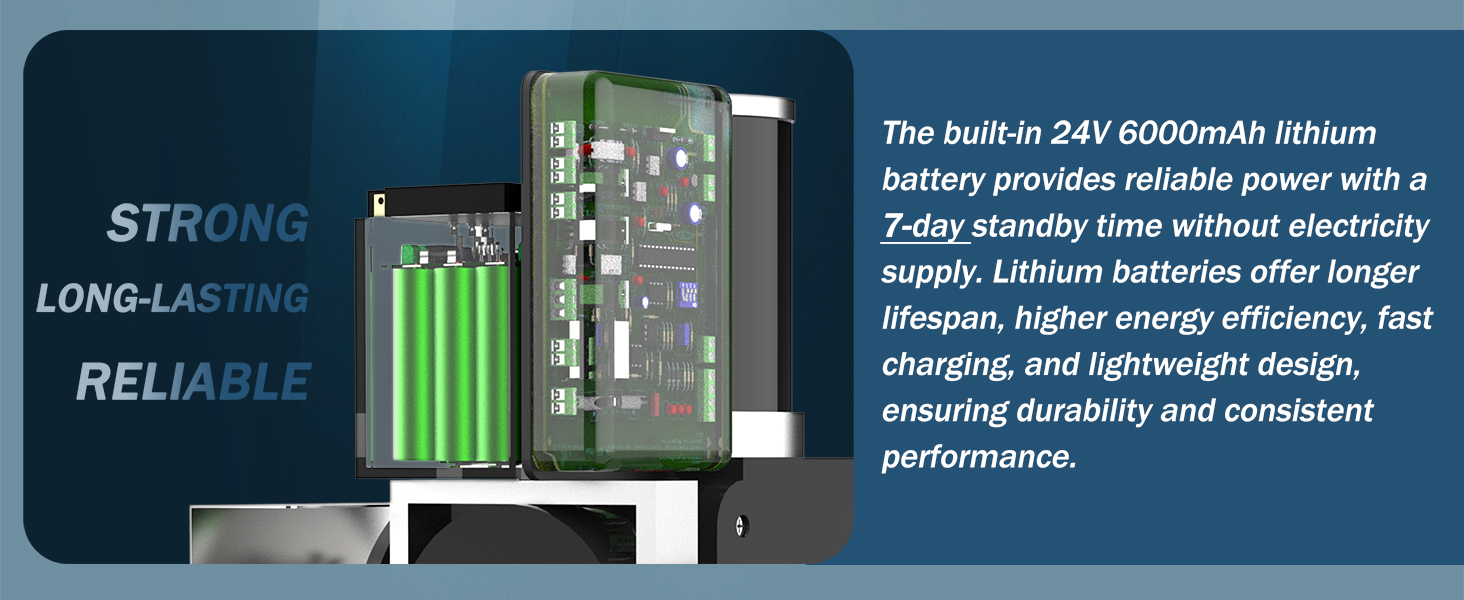
Image 5.4: The infrared sensor provides a crucial safety mechanism.
5.4. LED Status Indicator
The gate opener features a clear LED status indicator on its shell, providing immediate visual feedback on the gate's position. Green indicates the gate is open, and red indicates it is closed.

Image 5.5: The LED indicator provides a quick visual status of the gate.
5.5. Manual Release Function
In case of a power outage or system malfunction, the gate opener includes a manual release function. Using the provided backup key and hex key, the clutch can be disengaged, allowing you to open or close the gate manually.
Image 5.6: The manual release allows for operation during power interruptions.
5.6. All-Weather Durability
Engineered for all-weather durability, the gate opener operates smoothly in extreme conditions ranging from -13℉ to 131℉. Its protective casing features an IP65 rating, shielding it against rain and dust, ensuring year-round reliability.
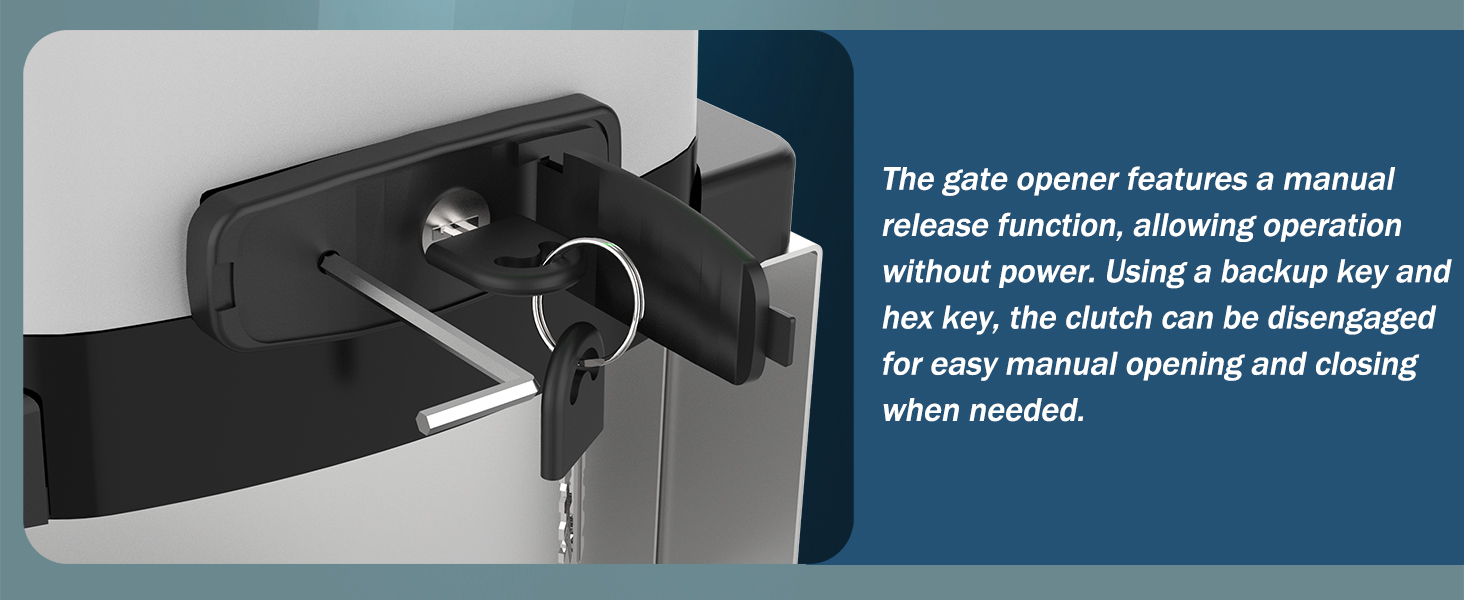
Image 5.7: The IP65-rated casing ensures reliable performance in various weather conditions.
6. Maintenance
Regular maintenance helps ensure the longevity and optimal performance of your gate opener. Perform the following checks periodically:
- Cleanliness: Keep the motor unit and chain free from dirt, debris, and leaves.
- Chain Tension: Periodically check the chain tension and adjust if necessary to prevent slippage or excessive wear.
- Lubrication: Apply appropriate lubricant to the chain and moving parts as recommended in the full manual.
- Battery Check: Monitor the backup battery's performance, especially during prolonged power outages. Ensure the solar panel is clean and unobstructed for efficient charging.
- Sensor Alignment: Verify that the infrared sensors are clean and properly aligned to ensure accurate obstacle detection.
7. Troubleshooting
If you encounter issues with your gate opener, refer to the following common problems and solutions:
| Problem | Possible Cause | Solution |
|---|---|---|
| Gate does not open or close | No power; Remote battery low; Infrared sensor obstructed; Limit switch misaligned. | Check power supply/battery charge; Replace remote batteries; Clear sensor path; Re-adjust limit switches. |
| Gate stops unexpectedly | Obstacle detected by IR sensor; Overload protection activated. | Clear path of obstacles; Check gate for resistance or damage. |
| Remote control not working | Remote battery dead; Remote out of range; Remote not programmed. | Replace battery; Move closer to gate; Re-program remote (refer to manual). |
| WiFi App not connecting | Poor WiFi signal; Incorrect network credentials; App not updated. | Check WiFi signal strength; Re-enter WiFi password; Update eWeLink App. |
For more complex issues or if the problem persists, please contact Blütezeit customer support.
8. Technical Specifications
| Specification | Value |
|---|---|
| Manufacturer | Blütezeit |
| Item Weight | 42 pounds |
| Product Dimensions | 12.2 x 8.46 x 10.83 inches |
| Item Model Number | ME-GO-600-CS1 |
| Batteries | 1 Lithium Ion battery required (included) |
| Size | Motor+Chain+Solar Panel |
| Color | Silver & Black |
| Included Components | 1 x Gate Opener, 1 x 32V 10W Solar Panel, 2 x Remote Controls (Batteries Incl.), 2 x Manual Keys, 1 x Infrared Sensor, 2 x 9.84ft Chains (total 19.68ft), 1 x Installation Kits |
| Battery Cell Type | Lithium Ion |
| Date First Available | January 13, 2025 |
9. Warranty Information
For detailed warranty information regarding your Blütezeit 1400lb Solar Sliding Gate Opener, please refer to the warranty card included in your product packaging or visit the official Blütezeit website. The warranty typically covers manufacturing defects and material flaws under normal use conditions.
10. Customer Support
Blütezeit is committed to providing excellent customer service. If you have any questions, require technical assistance, or encounter any issues during installation or operation, please do not hesitate to contact our dedicated customer support team.
Contact information can be found on the Blütezeit official website or in your product packaging. Our team is ready to assist you with fast responses and expert guidance.

Image 10.1: Blütezeit offers comprehensive technical support for its products.
Documents and downloads
Ask a question about this manual
Ask about setup, troubleshooting, compatibility, parts, safety, or missing instructions. Manuals+ will review the question and use this page’s manual context to help answer it.