
1. Introduction
This manual provides detailed instructions for the safe and effective operation, maintenance, and troubleshooting of your YIYEIE 1/2-inch Digital Torque Adapter. Please read this manual thoroughly before using the product to ensure proper function and to prevent damage or injury. Keep this manual for future reference.
2. Package Contents
- Digital Torque Adapter
- 1/4" Adapter
- 3/8" Adapter
- Instruction Manual
- Hex Key (for battery compartment)
- Batteries (Alkaline)

Figure 2.1: Digital Torque Adapter and included accessories in its portable carrying case.
3. Product Overview and Features
The YIYEIE Digital Torque Adapter is designed for precise torque measurement and application. It features a clear color display and multiple operational modes to enhance accuracy and user experience.
3.1 Key Features
- Intuitive Display with Smart Alerts: A 1.4-inch LCD color screen offers enhanced visibility. The screen color and buzzer alerts change at 80%, 90%, and 100% of the preset torque value to prevent over-torquing.
- Multiple Modes and Units: Supports Peak, Track, and Preset Modes. Offers 5 selectable units: N·m, lb·ft, lb·in, kg·cm, kg·m.
- Data Management: Features 30 preset groups for quick setting changes and stores up to 500 data sets for review and deletion.
- Precision and Durability: Achieves ±1% accuracy clockwise and ±2% counterclockwise. Constructed from Chrome Vanadium Steel for rust and corrosion resistance. Calibrated to ASME & DIN-ISO traceable standards.
- Versatile Compatibility: Equipped with a 1/2" drive head and includes 1/4" and 3/8" adapters for broad tool compatibility.

Figure 3.1: Color LCD Display and Smart Alert System.

Figure 3.2: Overview of display features and capabilities.

Figure 3.3: Detailed button and display area identification.
4. Setup
4.1 Battery Installation
The Digital Torque Adapter requires Alkaline batteries. Locate the battery compartment, typically secured with a small screw. Use the provided hex key to open the compartment, insert the batteries according to the polarity indicators, and securely close the compartment.
4.2 Attaching Adapters
The adapter comes with a 1/2" drive head. For use with 1/4" or 3/8" drive tools, attach the corresponding adapter to the 1/2" drive head. Ensure the adapter is securely seated before use.

Figure 4.1: Attaching drive adapters for versatile use.
5. Operating Instructions
5.1 Power On/Off
Press the 'C' button to power on the device. The device features a 3-minute auto-shutdown to conserve battery power when inactive.
5.2 Selecting Torque Units
Press the 'U' button to cycle through the available torque units: N·m, lb·ft, lb·in, kg·cm, kg·m. Select the unit appropriate for your task.
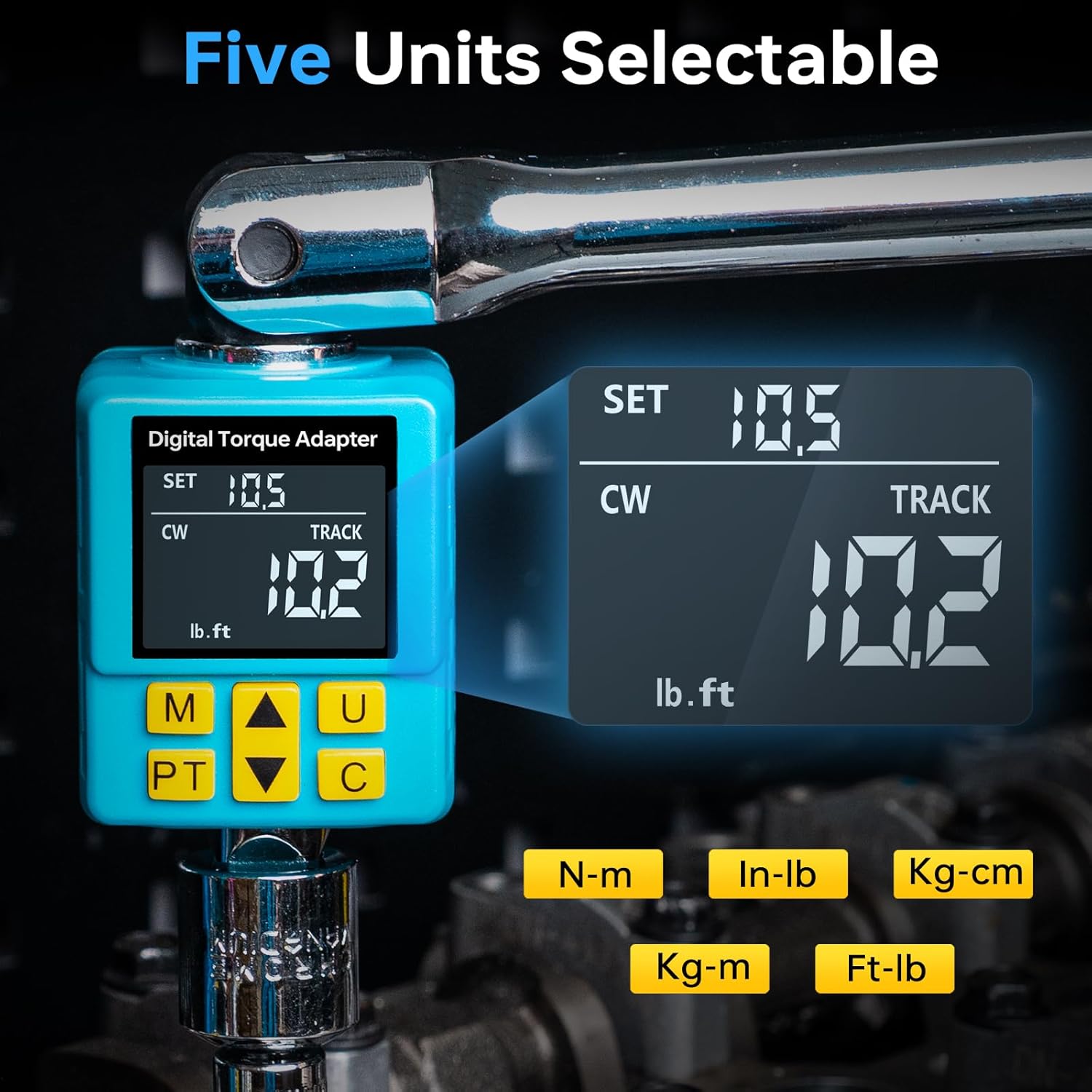
Figure 5.1: Selecting desired torque units.
5.3 Setting Torque Value (Preset Mode)
In Preset Mode, use the up and down arrow buttons to adjust the target torque value. The device allows for 30 preset groups, enabling quick switching between frequently used torque settings. The display and buzzer will provide smart alerts as you approach and reach the target torque.
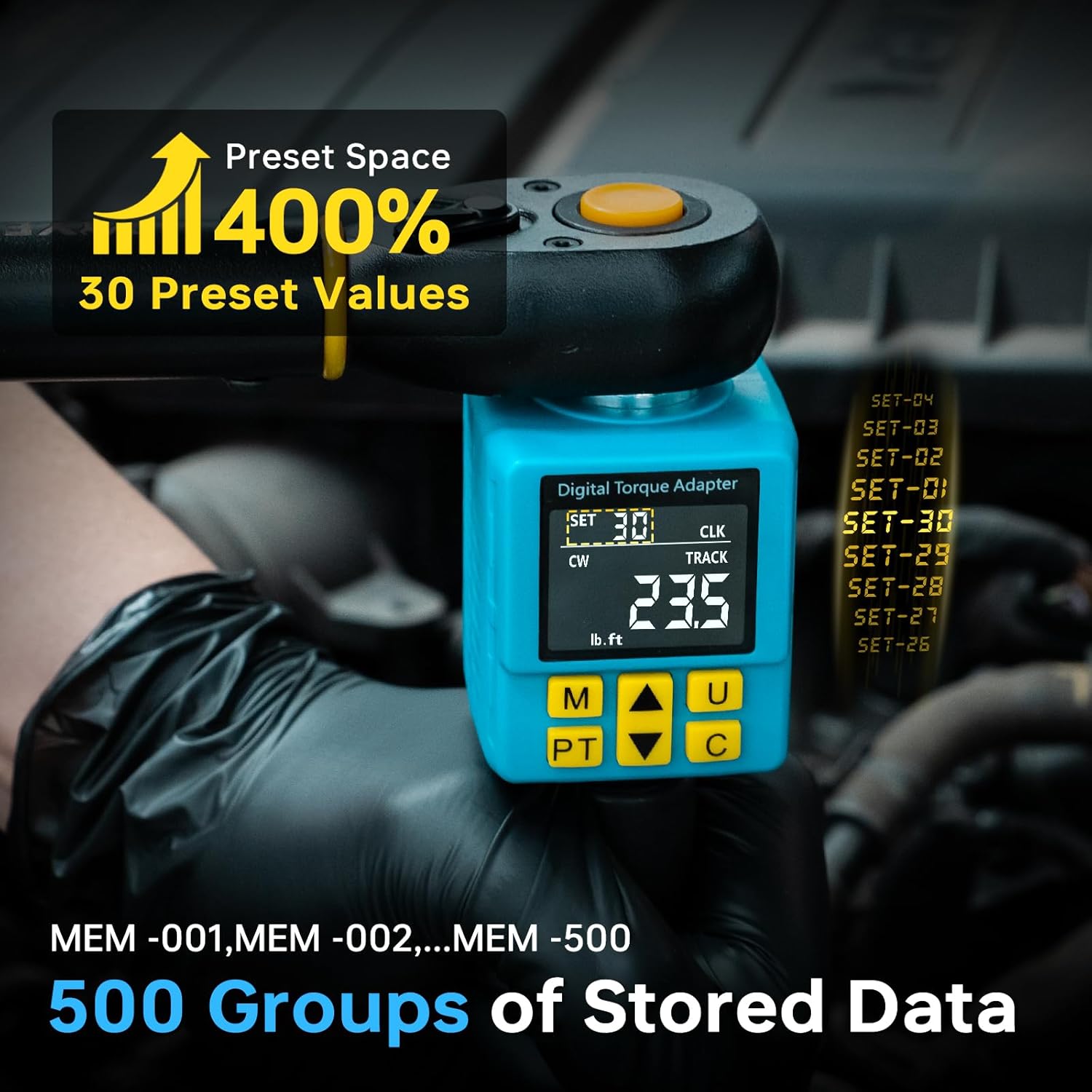
Figure 5.2: Utilizing preset values and data storage.
5.4 Peak and Track Modes
Press the 'PT' button to switch between Peak and Track modes.
- Peak Mode: Displays the maximum torque value applied during the operation.
- Track Mode: Provides real-time display of the applied torque.
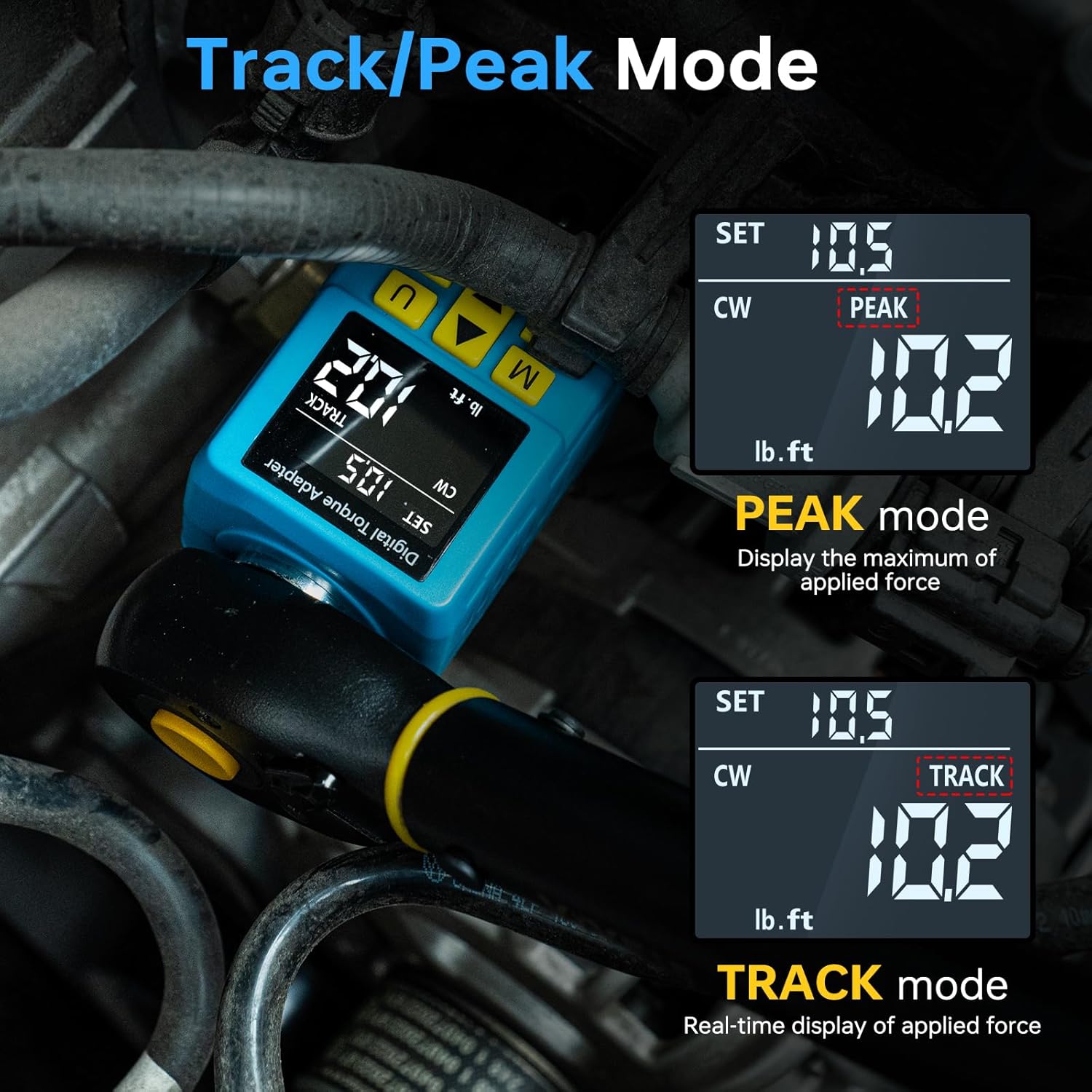
Figure 5.3: Understanding Peak and Track Modes.
5.5 Data Management
The device can store up to 500 data sets. Use the 'M' button to access and manage stored data. Follow the on-screen prompts to view or delete data sets.
6. Maintenance
6.1 Cleaning
Wipe the device with a clean, dry cloth after each use. Avoid using abrasive cleaners or solvents that could damage the display or housing.
6.2 Storage
Store the Digital Torque Adapter in its portable carrying case in a dry, cool place. For prolonged storage, remove the batteries to prevent leakage and potential damage to the device. Storing the adapter at its lowest torque setting is recommended to maintain spring integrity and calibration accuracy over time.
7. Troubleshooting
7.1 Common Issues
- Device not powering on: Check battery installation and ensure batteries are not depleted. Replace if necessary.
- Inaccurate readings: Ensure the adapter is properly calibrated. Refer to the calibration certificate. Avoid holding the machine directly during use, as this can affect accuracy.
- Buzzer sound low: The buzzer operates within a 30-45dB range. Ensure you are in a reasonably quiet environment to hear the alerts.
- Display confusion: Refer to Figure 3.3 for a detailed overview of button functions and display indicators.
8. Specifications
| Feature | Detail |
|---|---|
| Manufacturer | YIYEIE |
| Model Number | Y0077 |
| Size | 10-203Nm/7.5-150Ft-lb |
| Accuracy | ±1% Clockwise, ±2% Counterclockwise |
| Material | Chrome Vanadium Steel, Plastic |
| Drive Head Style | Fixed Square (1/2-Inch) |
| Color | Blue |
| Item Weight | 499 g (0.5 Kilograms) |
| Batteries | Alkaline (Included & Required) |
| Auto-Shutdown | 3 minutes |
| Preset Groups | 30 |
| Data Storage | Up to 500 data sets |
9. Warranty and Support
For warranty information and customer support, please refer to the product packaging or contact YIYEIE directly through their official website or the retailer where the product was purchased. A calibration certificate is included with each digital torque adapter, traceable to ASME & DIN-ISO standards.