1. Introduction
This manual provides essential information for the proper use and maintenance of your Ecshock I25 Ultra 5G Smartphone. Please read this manual thoroughly before operating your device to ensure optimal performance and longevity.
The Ecshock I25 Ultra 5G is an unlocked smartphone featuring Android 14, a 6.99-inch HD screen, a powerful 7000mAh battery, and a versatile dual-camera system. It supports dual SIM functionality and 5G connectivity for enhanced mobile experience.
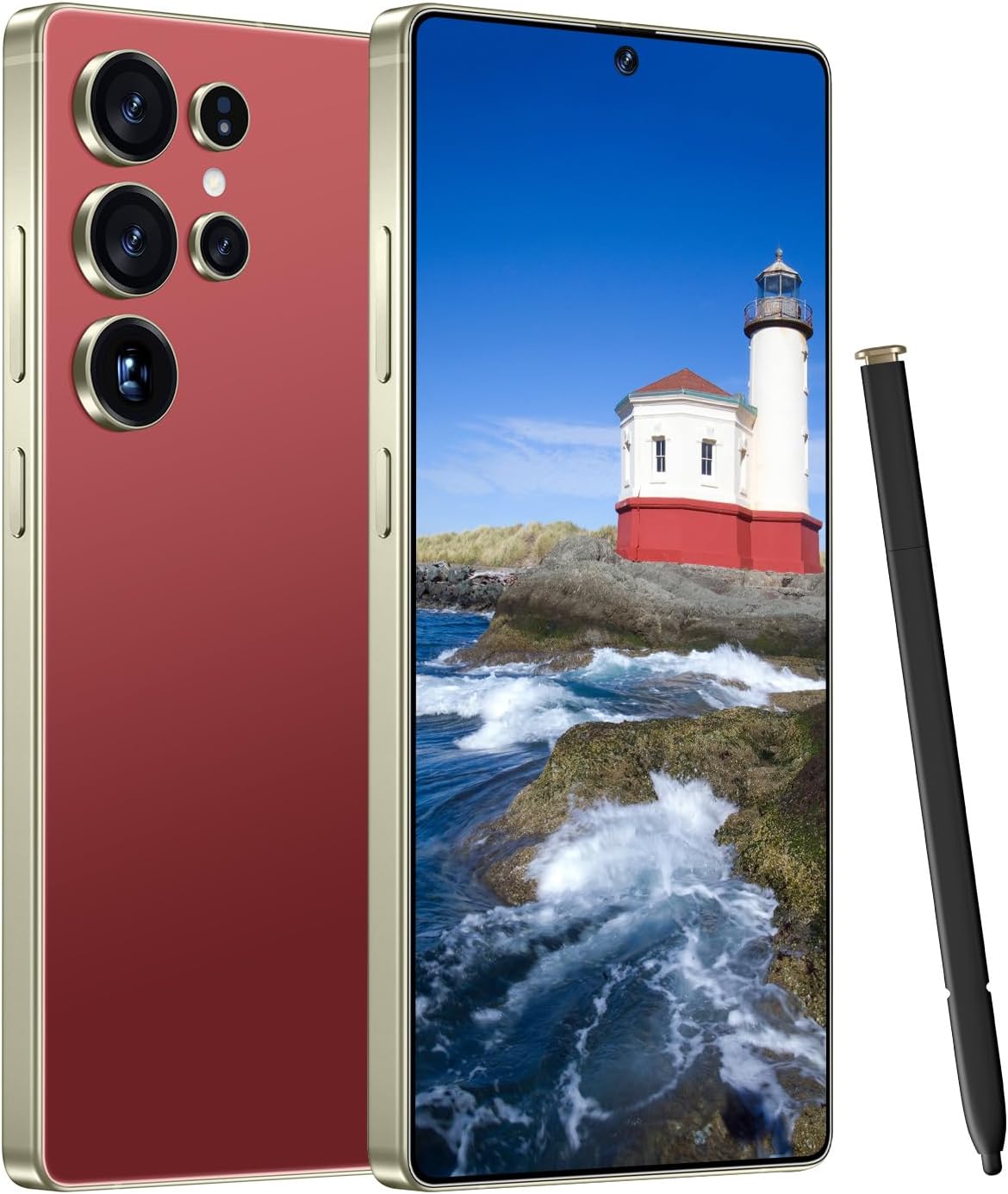
Figure 1: Ecshock I25 Ultra 5G Smartphone with included stylus.
2. Setup
2.1. What's in the Box
- Phone
- Phone Case
- Screen Protector
- SIM Tray Ejector
- USB OTG Adapter
2.2. SIM Card Installation
- Locate the SIM tray on the side of your device.
- Insert the SIM tray ejector tool into the small hole next to the tray and push gently until the tray pops out.
- Place your 5G SIM cards (up to two) into the designated slots on the tray. Ensure they are correctly oriented.
- Carefully reinsert the SIM tray back into the device until it clicks into place.
2.3. Power On/Off & Initial Configuration
- To power on, press and hold the Power button until the Ecshock logo appears.
- Follow the on-screen prompts to complete the initial setup, including language selection, Wi-Fi connection, Google account setup, and security settings (facial recognition, fingerprint unlock).
- To power off, press and hold the Power button, then select 'Power off' from the options.
3. Operating the Device
3.1. Display & Navigation
The I25 Ultra 5G features a large 6.99-inch HD screen with a resolution of 3040x1440 pixels, providing vibrant colors and strong contrasts. The device supports facial recognition and on-screen fingerprint unlocking for secure and convenient access.

Figure 2: The 6.99-inch HD screen offers a high-definition visual experience.
3.2. Camera Features
Capture high-quality photos and videos with the advanced camera system. The rear setup includes a 108MP main camera and a 68MP secondary camera, complemented by a 68MP front-facing camera for clear selfies and video calls.

Figure 3: The smartphone's camera interface highlighting various modes and resolutions.
3.3. Performance
Powered by Android 14, the I25 Ultra 5G is equipped with 8GB of RAM and 256GB of internal storage, ensuring smooth multitasking, efficient app performance, and ample space for your files. The device is designed for responsive operation and a wide range of applications.

Figure 4: The Android 14 operating system provides a smart and personalized user experience.
3.4. Battery Management
The smartphone features a large 7000mAh battery, providing extended usage time. Intelligent AI battery management helps optimize power consumption for longer standby. The device supports efficient charging to keep you connected throughout the day.

Figure 5: The 7000mAh high-capacity battery ensures long-lasting power.
3.5. Stylus Functionality
The I25 Ultra 5G is equipped with a responsive stylus, allowing for precise input, note-taking, and creative tasks directly on the screen. The stylus enhances productivity and offers a natural writing and sketching experience.

Figure 6: The integrated stylus provides enhanced interaction for writing and drawing.
3.6. Connectivity
The device supports 5G/4G connectivity for fast internet speeds and reliable network access. It also includes GPS functionality for accurate positioning and navigation, useful for travel and location-based services.

Figure 7: GPS navigation capabilities for precise location tracking and route guidance.
3.7. Product Overview Video
Video 1: An overview of the I25 Ultra Phone, demonstrating its features and design, including stylus interaction.
4. Maintenance
4.1. Cleaning
- Use a soft, lint-free cloth to clean the screen and body of the device.
- Avoid using harsh chemicals or abrasive materials that could damage the screen or finish.
- Gently clean ports with a soft brush to remove dust and debris.
4.2. Software Updates
Regularly check for and install software updates to ensure your device has the latest features, security patches, and performance improvements. You can usually find update options in the device's settings menu under 'System' or 'Software Update'.
4.3. Battery Care
- Avoid exposing the device to extreme temperatures.
- For optimal battery longevity, try to keep the charge level between 20% and 80%.
- Use the provided charger or a certified compatible charger.
5. Troubleshooting
5.1. Device Not Powering On
- Ensure the battery is charged. Connect the device to a charger and wait a few minutes before attempting to power on.
- Press and hold the Power button for at least 10-15 seconds to perform a forced restart.
5.2. Network Connectivity Issues
- Check if your SIM card is properly inserted.
- Toggle Airplane Mode on and off.
- Restart your device.
- Verify your network settings and ensure mobile data is enabled.
5.3. Apps Crashing or Freezing
- Close and reopen the app.
- Clear the app's cache and data in Settings > Apps.
- Ensure the app is updated to its latest version.
- Restart your device.
6. Specifications
| Feature | Detail |
|---|---|
| Model Name | I25 Ultra 5G |
| Brand | Ecshock |
| Operating System | Android 14 |
| Screen Size | 6.99 Inches |
| Resolution | 3040 x 1440 |
| Refresh Rate | 60 Hz |
| CPU Model | Mediatek Dimensity 1100 |
| RAM Memory Installed Size | 512 GB (Note: Product title states 8GB+256GB, specifications list 512GB RAM/Storage. Using 512GB as per specifications table.) |
| Memory Storage Capacity | 512 GB |
| Battery Capacity | 7000 Milliamp Hours |
| Connectivity Technologies | 5G/4G |
| Wireless Carrier | Unlocked for All Carriers |
| Item Weight | 14.9 ounces |
| Audio Jack | No headphone jack |
7. Warranty & Support
For warranty information and customer support, please refer to the documentation included in your product packaging or contact Ecshock customer service directly. Keep your proof of purchase for any warranty claims.