
Introduction
The ARGIGU BL-YD01 Star Projector Lights combine multiple functions into one device, serving as an ambient starry lamp, night light, white noise machine, Bluetooth speaker, and alarm clock. This manual provides detailed instructions for setup, operation, and maintenance to ensure optimal performance and user experience.
Safety Information
- Read all instructions before using the device.
- Keep the device away from water and moisture.
- Do not disassemble or attempt to repair the device yourself. Contact qualified service personnel for repairs.
- Use only the provided power adapter or a compatible one with the correct voltage.
- Avoid direct eye exposure to the laser projection.
- Keep out of reach of small children to prevent choking hazards from small parts.
Package Contents
Please check the package for the following items:
- ARGIGU BL-YD01 Star Projector Lights Unit
- Remote Control
- USB Charging Cable
- User Manual (this document)
Product Overview
The ARGIGU BL-YD01 features an intuitive control panel on the front, including a digital display for time and temperature, and various buttons for function control. The top houses the star projection lens, and the base contains the speaker and power input.

Setup
- Unpack: Carefully remove all components from the packaging.
- Power Connection: Connect the provided USB charging cable to the power input port on the device and plug the other end into a compatible USB power adapter (not included) or a USB port.
- Initial Power On: Press the power button on the device or remote control to turn it on. The digital display will illuminate.
Operating Instructions
1. Power On/Off
Press the Power button ( ) on the device or remote control to turn the unit on or off.
2. Light Projection Modes & Colors
The projector offers various ambient light colors and a star projection feature. Use the dedicated light buttons on the device or remote to cycle through different color modes and activate/deactivate the star projection.

3. Brightness Adjustment
The device features 4 adjustable brightness levels. Use the Brightness Up/Down buttons on the remote or device to select your desired light intensity.

4. Timer Function
Set an automatic shutdown timer for 1, 2, 4, or 6 hours. Press the Timer button on the device or remote to cycle through the available options. The device will automatically turn off after the selected duration.

5. White Noise & Sound Modes
The projector includes 16 built-in white noise sounds to create a peaceful atmosphere. Use the Sound Mode button on the device or remote to cycle through options like Ocean Wave, Summer Night, Wind Chimes, Thunderstorm, Bubbling Brook, and Baby Lullaby.

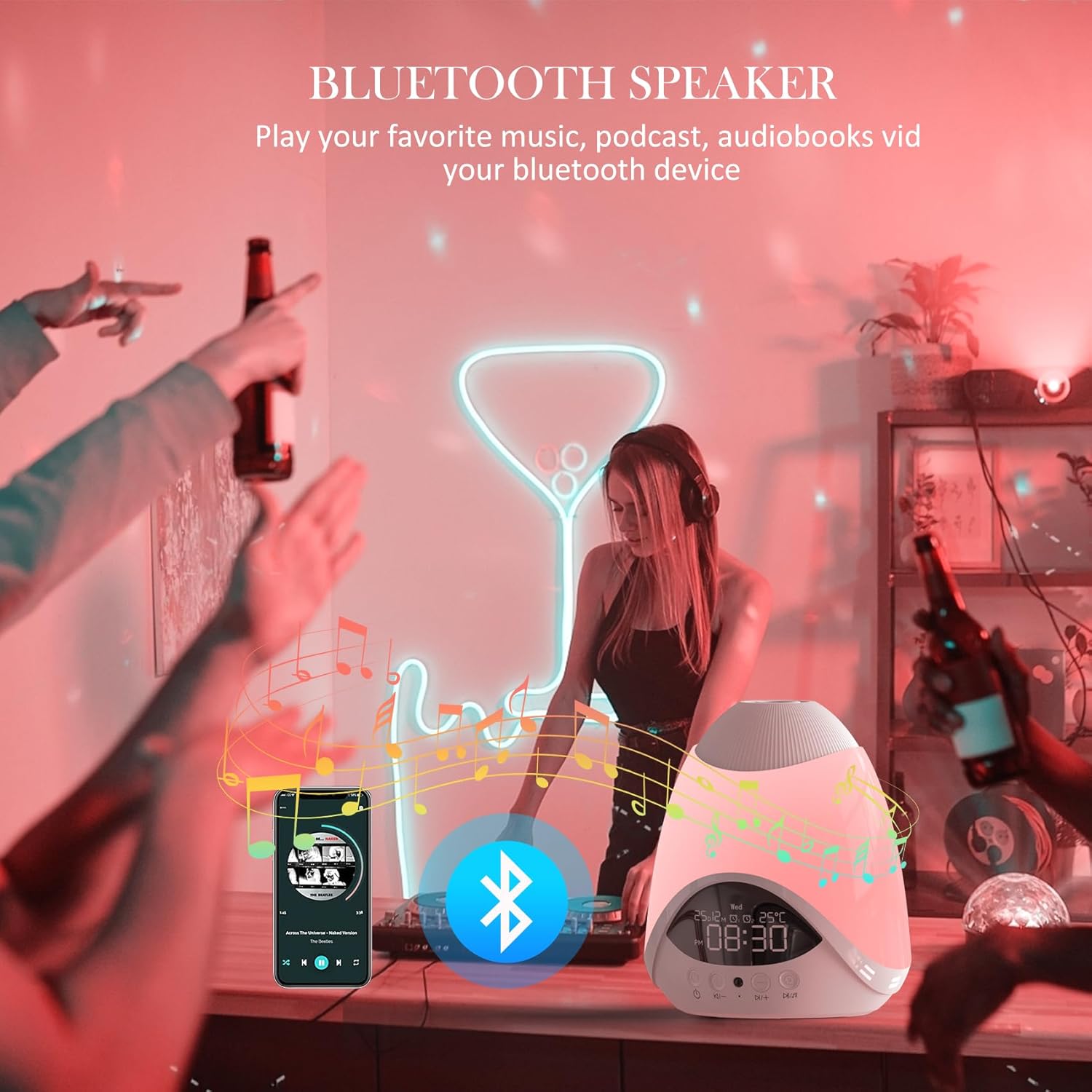
6. Bluetooth Speaker Pairing
The device can function as a Bluetooth speaker. To pair:
- Ensure the projector is powered on.
- Activate Bluetooth on your mobile device or computer.
- Search for "BL-YD01" (or similar name) in your device's Bluetooth settings.
- Select and connect to the projector. A confirmation sound will indicate successful pairing.
- You can now play audio from your connected device through the projector's speaker.
7. Alarm Clock & Time Setting
The digital display shows the current time and can be set as an alarm clock. Refer to the remote control or device buttons for specific time and alarm setting procedures. Typically, a 'Set' or 'Clock' button is used to enter time setting mode, followed by '+' and '-' buttons to adjust hours and minutes.
8. Remote Control Usage
The included remote control provides convenient access to all functions from a distance. Ensure the remote has working batteries and is pointed towards the front of the projector for optimal response.
Maintenance
- Cleaning: Wipe the device with a soft, dry cloth. Do not use abrasive cleaners or solvents.
- Storage: When not in use for extended periods, store the device in a cool, dry place, away from direct sunlight.
- Battery Replacement (Remote): If the remote control becomes unresponsive, replace its batteries with new ones of the correct type (usually AAA, check remote compartment for specifics).
Troubleshooting
| Problem | Possible Cause | Solution |
|---|---|---|
| Device does not power on. | No power connection or faulty cable. | Ensure the USB cable is securely connected and the power source is active. Try a different cable or power adapter. |
| Remote control is not working. | Dead batteries or obstruction. | Replace remote batteries. Ensure there is no obstruction between the remote and the projector. |
| Bluetooth pairing fails. | Bluetooth not enabled or device too far. | Ensure Bluetooth is enabled on your device and the projector is in pairing mode. Move closer to the projector. |
| Star projection is dim or unclear. | Lens obstruction or ambient light too bright. | Clean the projection lens. Reduce ambient light in the room for better visibility. |
| Night light turns off too soon. | Timer function is active. | Check the timer setting. The maximum timer duration is 6 hours. If continuous operation is desired, ensure the timer is off. |
Specifications
| Feature | Detail |
|---|---|
| Model Number | BL-YD01 |
| Brand | ARGIGU |
| Manufacturer | Shenzhen Bolong Technology Co., Ltd. |
| Product Dimensions | 16.76 x 16.76 x 14.99 cm |
| Item Weight | 0.78 Kilograms |
| Lamp Type | Night Light / Star Projector |
| Base Material | Plastic |
| Shade Material | Plastic |
| Color | White |
| Switch Type | Push Button |
| Brightness Levels | 4 adjustable levels |
| Timer Function | 1 / 2 / 4 / 6 hours |
| Connectivity | Bluetooth Speaker |
| Additional Features | White Noise Machine, Alarm Clock |
Warranty and Support
For warranty information or technical support, please refer to the contact details provided with your purchase or visit the official ARGIGU website. Keep your proof of purchase for any warranty claims.