
Introduction
Thank you for choosing the Socool K100 Portable Waist Clip Fan. This versatile device is designed to provide personal cooling in various environments, functioning as a waist clip fan, desk fan, handheld fan, and neck fan. It features a powerful motor, multiple speed settings, and a rechargeable battery with emergency power bank capabilities. Please read this manual thoroughly before use to ensure proper operation and maintenance.
Product Features
- 5-in-1 Multifunctionality: Can be used as a waist clip fan, desk table fan, handheld fan, and neck fan.
- Powerful Airflow: High-speed turbo motor with up to 13000 RPM, delivering strong airflow up to 19.69 ft/s.
- Adjustable Speeds: Four distinct wind speed levels to suit various cooling needs.
- Long Battery Life: Equipped with a 5000mAh rechargeable battery, providing up to 25 hours of continuous operation at low speed.
- Emergency Power Bank: Features a 5V-2A USB output to charge mobile devices in emergencies.
- Portable and Lightweight: Weighs only 0.53 lbs, making it easy to carry and comfortable to wear.
- Durable Design: Includes two manganese steel clamps for secure attachment and a high-quality silicone protective cover for drop resistance.
- Dust Plug: Charging port is protected by a dust plug to prevent dust and water ingress.
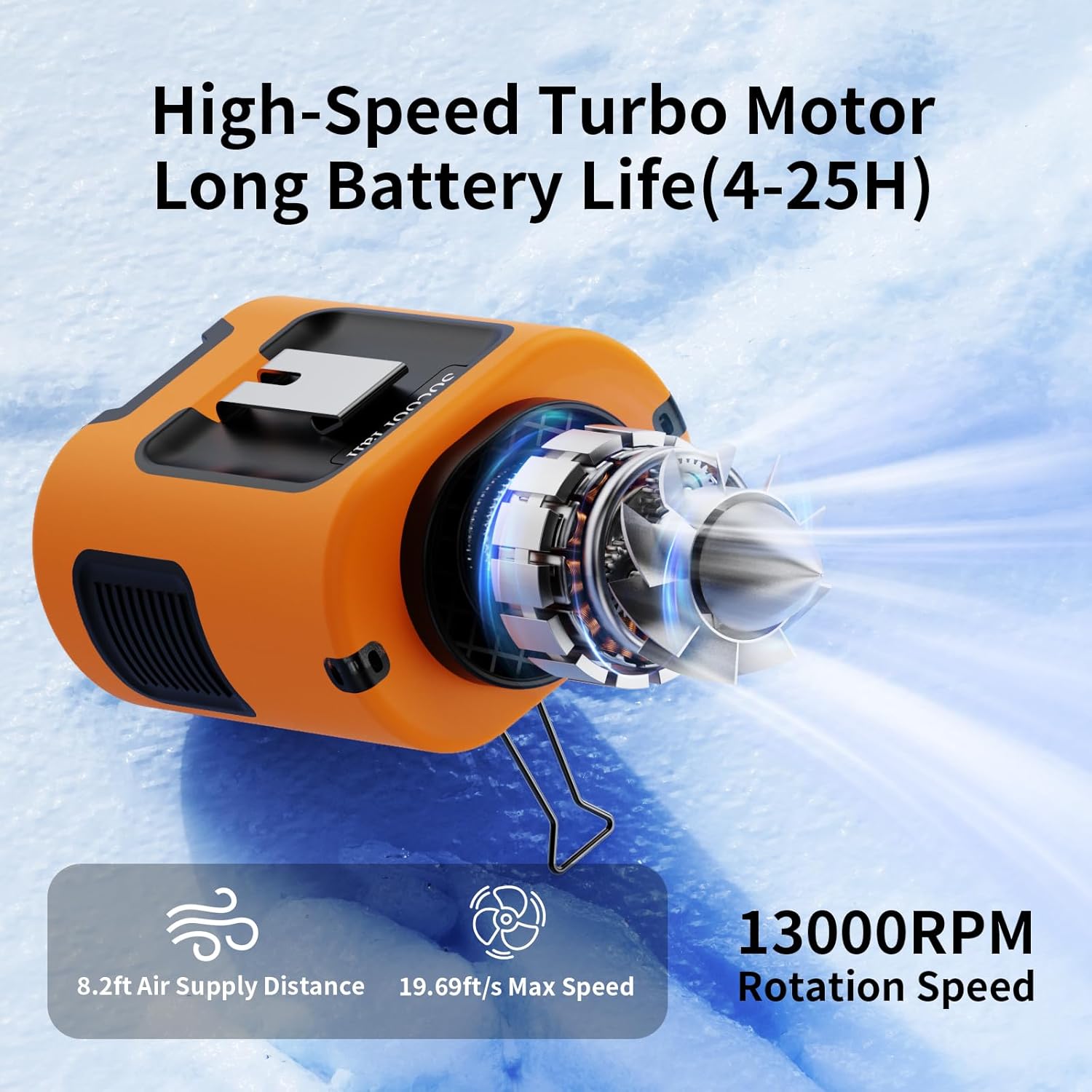
Image: The Socool K100 fan highlighting its high-speed turbo motor, 8.2ft air supply distance, 19.69ft/s max speed, and 13000 RPM rotation speed.
Package Contents
Please check the package for the following items:
- K100 Shirt Clip Fan
- Adjustable Neck Strap
- USB-C Cable
- User Manual
Safety Information
To ensure safe operation and prevent damage, please observe the following precautions:
- Do not insert fingers or foreign objects into the fan blades.
- Keep the fan away from water or excessive moisture.
- Do not disassemble, repair, or modify the fan yourself. Contact customer support if service is required.
- Avoid exposing the fan to extreme temperatures or direct sunlight for prolonged periods.
- Use only the provided USB-C cable or a certified equivalent for charging.
- Keep out of reach of children.
- Ensure proper ventilation when charging or operating the fan.
Setup
Initial Charging
Before first use, fully charge the fan. Connect the provided USB-C cable to the fan's Type-C input port and the other end to a 5V-2A USB power adapter (not included) or a computer USB port. The LED display will indicate charging status and battery level. A full charge typically takes several hours.

Image: The Socool K100 fan connected to a power source via its USB-C port for charging. The LED display shows battery percentage.
Attaching the Neck Strap
If you intend to use the fan as a neck fan, attach the adjustable neck strap to the designated loops on the fan. Ensure it is securely fastened before wearing.
Operating Instructions
Power On/Off
Press and hold the power button (usually located near the LED display) for a few seconds to turn the fan on or off.
Adjusting Fan Speed
Once the fan is on, press the power button briefly to cycle through the four available wind speeds. The LED display will show the current speed setting (1, 2, 3, or 4).

Image: A man wearing the fan on his waist, illustrating the four adjustable wind speeds and their corresponding airflow rates.
Checking Battery Level
The LED display shows the remaining battery percentage. Recharge the fan when the battery level is low.
Charging and Power Bank Function
Charging the Fan
Connect the USB-C cable to the fan's Type-C input port (5V-2A) and a power source. The LED display will show the charging progress.
Using as an Emergency Power Bank
To use the fan as an emergency power bank, connect your mobile device's charging cable to the fan's USB-A output port (5V-2A). This feature is intended for emergency use to provide a temporary charge to your devices.

Image: The fan connected to a smartphone via its USB output port, demonstrating its emergency power bank capability in an outdoor setting.
Wearing Styles
The Socool K100 fan offers multiple ways to wear and use it for hands-free cooling:
- Waist Clip: Use the two manganese steel clamps to securely attach the fan to your belt or waistband. The long clamp clips onto the belt, while the short clip prevents your shirt from blocking the air intake. This directs airflow under your shirt for effective body cooling.
- Neck Fan: Attach the adjustable neck strap and wear the fan around your neck for direct facial and upper body cooling.
- Desk Fan: Utilize the integrated kickstand to prop the fan on a flat surface, converting it into a personal desk fan.
- Handheld Fan: Simply hold the fan in your hand for direct, portable cooling.

Image: Illustrations of the fan being used in four different configurations: clipped to the outside of clothing, clipped to the inside, standing on a desk, and worn around the neck.
Video: An official demonstration of the Socool K100 portable waist clip fan's various functions and wearing methods.
Maintenance
- Cleaning: Use a soft, dry cloth to wipe the exterior of the fan. Do not use harsh chemicals or abrasive cleaners.
- Storage: When not in use for extended periods, store the fan in a cool, dry place, away from direct sunlight and extreme temperatures.
- Battery Care: To prolong battery life, avoid fully discharging the battery frequently. Charge the fan at least once every three months if not used regularly.
Troubleshooting
| Problem | Possible Cause | Solution |
|---|---|---|
| Fan does not turn on. | Battery is depleted. | Charge the fan using the USB-C cable. |
| Fan stops working unexpectedly. | Low battery. | Recharge the fan. |
| Weak airflow. | Fan speed is set too low; air intake/outlet blocked. | Increase fan speed; ensure air intake and outlet are clear. |
| Cannot charge external device. | Fan battery is too low; incorrect cable/port used. | Ensure fan is sufficiently charged; use the USB-A output port for charging external devices. |
Specifications
| Brand | Socool fan |
| Model Name | K100 Portable Waist Clip Fan |
| Model Number | K100 Waist Fan |
| Power Source | Battery Powered |
| Battery Capacity | 5000mAh |
| Number of Speeds | 4 |
| Max Rotation Speed | 13000 RPM |
| Max Airflow Distance | 8.2 ft |
| Max Airflow Speed | 19.69 ft/s |
| Input | Type-C 5V-2A |
| Output | USB-A 5V-2A |
| Product Dimensions | 3.26"D x 2.48"W x 3.74"H |
| Item Weight | 0.53 lbs (8.48 ounces) |
| Noise Level | 37.6 dB |
| Material | Acrylonitrile Butadiene Styrene |
| Included Components | Adjustable Neck Strap, K100 Shirt Clip Fan, Manual, USB-C Cable |
Warranty and Support
The Socool K100 Portable Waist Clip Fan comes with a standard manufacturer's warranty. For detailed warranty information, please refer to the warranty card included in your package or contact Socool fan customer support. If you encounter any issues or have questions regarding your product, please reach out to our customer service team for assistance.
Customer Support: Please refer to the contact information provided on the product packaging or the official Socool fan website.
