
LITTOAK GM03
LITTOAK GM03 Bluetooth Computer Speakers
Instruction Manual
Introduction
This manual provides detailed instructions for the setup, operation, and maintenance of your LITTOAK GM03 Bluetooth Computer Speakers. Please read this manual thoroughly before using the product to ensure proper function and to maximize your audio experience.
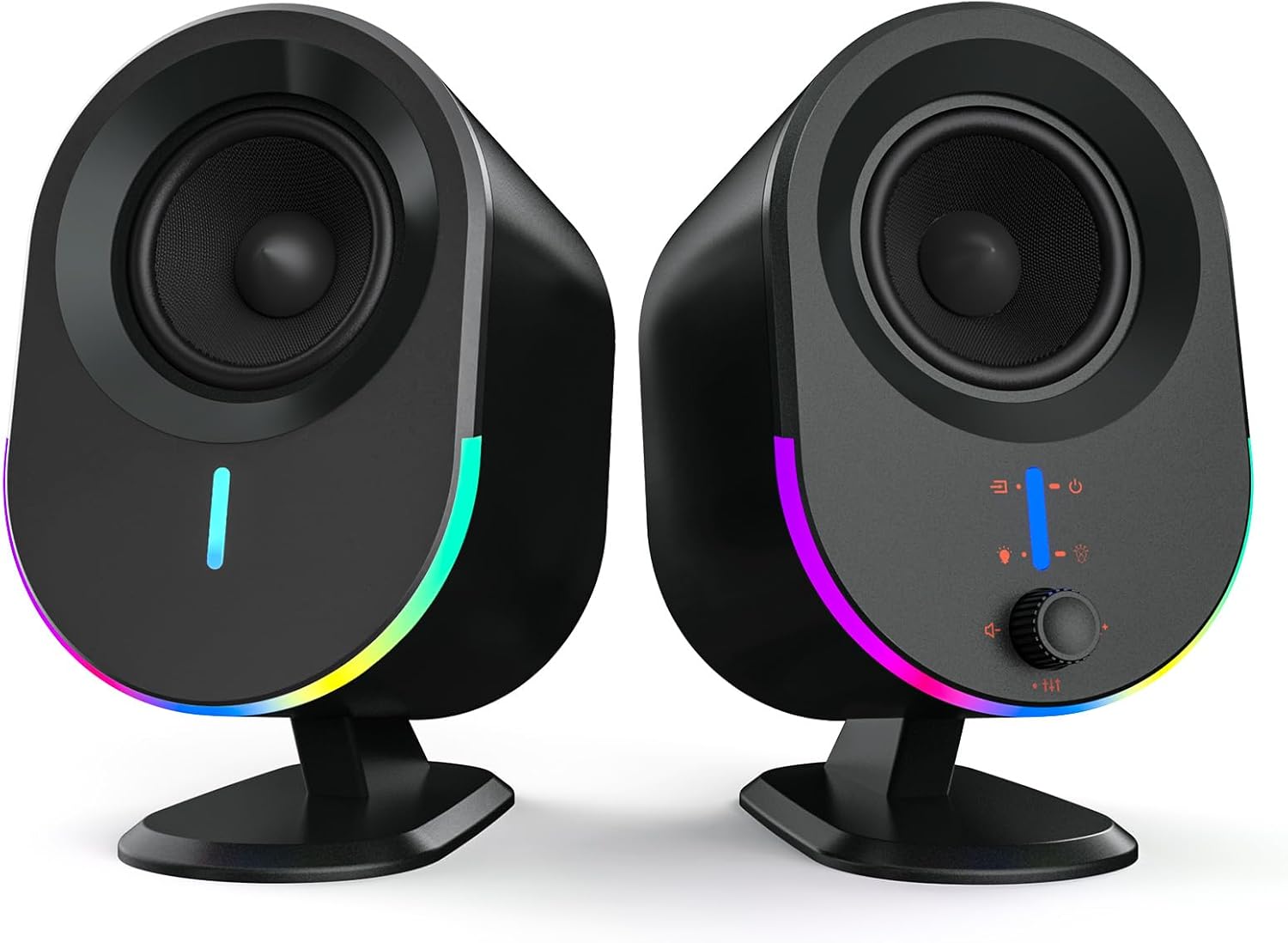
Image: Front view of the LITTOAK GM03 Bluetooth Computer Speakers, showcasing their design and RGB lighting.
Package Contents
Verify that all items listed below are included in your package:
- 2 x LITTOAK GM03 Computer Speakers
- 1 x User Manual
- 1 x 3.5mm to 3.5mm Audio Cable
- 1 x Speaker Interconnect Cable
- 1 x Power Adapter

Image: Diagram illustrating the package contents, including two speakers, quick start guide, audio cables, and power adapter.
Product Features
- Elite Sound Performance: Equipped with 2*2.75-inch full-range drivers, delivering 15W*2 output for robust and clear stereo audio. Ideal for desktop computers, gaming setups, monitors, and laptops.

Image: Diagram showing the internal components of a speaker, highlighting the 2.75-inch full-range driver for elite sound performance.
- Customizable Sound with 3 EQ Modes: Instantly switch between dedicated sound presets for Music, Movie, and Gaming to optimize audio for different content. Compatible with PC, record players, and smartphones.

Image: Speakers positioned next to a TV screen displaying different visual content corresponding to Movie, Game, and Music equalizer modes.
- Vibrant RGB Ambiance Lighting: Enhance your desktop or gaming environment with 6 customizable RGB lighting modes, adding dynamic visual effects to your audio experience.

Image: A desktop setup with a monitor and speakers, illustrating the 6 different RGB lighting modes available on the speakers.
- Effortless Connectivity & Universal Compatibility: Supports plug-and-play setup via 3.5mm audio cable and USB, along with Bluetooth for wireless audio streaming. Connects seamlessly to desktops, laptops, tablets, monitors, and smartphones.

Image: Close-up of the speaker's rear panel, showing the DC power input, AUX OUT, AUX IN, USB port, and SPK OUT connections.
- Intuitive Front Panel Controls: All essential controls, including power, volume, EQ mode, and RGB lighting, are conveniently located on the front panel for easy access and adjustment.
Setup Instructions
- Connect the Speakers: Use the provided speaker interconnect cable to connect the left and right speakers. The main speaker (with controls) typically connects to the power and audio sources.
- Power Connection: Plug the power adapter into the DC input port on the main speaker, then connect the adapter to a power outlet.
- Audio Source Connection: Choose one of the following methods:
- 3.5mm AUX Input: Connect one end of the 3.5mm audio cable to the AUX IN port on the speaker and the other end to the headphone jack or audio output of your device (e.g., computer, laptop, smartphone).
- USB Input: Connect a USB cable from the speaker's USB port to a USB port on your computer. The speaker will be recognized as an audio output device.
- Bluetooth Pairing: (See Operating Instructions for detailed pairing steps)
- Positioning: Place the speakers on either side of your monitor or listening area for optimal stereo separation.
Operating Instructions

Image: Close-up of the speaker's front panel controls, indicating the functions of long press and short press actions for buttons.
- Power On/Off: Long-press the power button (usually integrated with the volume knob or a dedicated button) to turn the speakers on or off.
- Volume Control: Rotate the volume knob clockwise to increase volume and counter-clockwise to decrease volume.
- EQ Mode Selection: Short-press the EQ button (often labeled with a musical note or 'EQ' symbol) to cycle through the 3 equalizer modes: Music, Movie, and Gaming.
- RGB Lighting Control: Short-press the light button (often labeled with a light bulb symbol) to cycle through the 6 available RGB lighting modes.
- Bluetooth Pairing:
- Ensure the speakers are powered on.
- Activate Bluetooth on your device (smartphone, tablet, computer).
- Select "LITTOAK GM03" from the list of available Bluetooth devices.
- A confirmation sound will indicate successful pairing.
Maintenance
- Cleaning: Use a soft, dry cloth to clean the speaker surfaces. Do not use liquid cleaners or abrasive materials, as they may damage the finish or internal components.
- Storage: When not in use for extended periods, store the speakers in a cool, dry place away from direct sunlight and extreme temperatures.
- Avoid Moisture: Do not expose the speakers to water or excessive humidity. The product is not waterproof.
Troubleshooting
| Problem | Possible Solution |
|---|---|
| No sound from speakers. |
|
| Bluetooth device not pairing. |
|
| RGB lights not working or stuck. |
|
Specifications
| Feature | Detail |
|---|---|
| Model Name | GM03 |
| Speaker Type | Bookshelf |
| Speaker Size | 2.75 Inches |
| Speaker Maximum Output Power | 30 Watts (2*15W) |
| Surround Sound Channel Configuration | 2.0 |
| Connectivity Technology | Auxiliary, Bluetooth, USB |
| Wireless Communication Technology | Bluetooth |
| Input Voltage | 19 Volts (DC) |
| Impedance | 6 Ohm |
| Frequency Response | 20 KHz |
| Signal-to-Noise Ratio | 80 dB |
| Control Method | Touch |
| Product Dimensions | 5.8"D x 12"W x 8.3"H |
| Item Weight | 4.2 pounds |
| Material | Acrylonitrile Butadiene Styrene (ABS) |
| Color | Black |
| Is Waterproof | False |
Warranty and Support
LITTOAK products come with a limited warranty. For specific warranty details, claims, or technical support, please refer to the warranty information provided with your purchase or contact LITTOAK customer service through their official channels. Please retain your proof of purchase for warranty validation.
Ask a question about this manual
Ask about setup, troubleshooting, compatibility, parts, safety, or missing instructions. Manuals+ will review the question and use this page’s manual context to help answer it.