
1. Introduction
The KBOD Magnetic Stick It Mobile Phone Holder is an innovative solution designed for capturing unique moments on the go. Featuring a powerful magnetic attachment and 23 suction cups, it provides exceptional stability for your mobile phone on smooth surfaces. Its versatile design allows for hands-free use in various settings, from creating content to everyday tasks.
This manual provides detailed instructions on how to set up, operate, and maintain your KBOD Magnetic Stick It Mobile Phone Holder to ensure optimal performance and longevity.
2. Key Features
- Magnetic Attachment: Strong integrated magnets ensure secure phone attachment.
- Powerful Suction Cups: Equipped with 23 high-adhesion suction cups for firm grip on smooth, flat surfaces like glass, mirrors, and smooth plastic.
- Universal Compatibility: Designed for cell phones, including iPhone, Galaxy, and other devices.
- Hands-Free Operation: Ideal for selfies, video recording, live streaming, and hands-free viewing.
- Versatile Mounting: Can be mounted on windshields, windows, mirrors, and other smooth, non-textured surfaces.
- Durable Material: Made from high-quality silicone for long-lasting use.
- Includes Magnetic Ring: Comes with a magnetic ring for use with non-magnetic phone cases.
3. What's in the Box
Your KBOD Magnetic Stick It Mobile Phone Holder package should contain the following items:
- 1 x KBOD Magnetic Stick It Mobile Phone Holder (Pink)
- 1 x Magnetic Ring (for non-magnetic phone cases)

Image: KBOD Magnetic Stick It Mobile Phone Holder in its retail packaging.
4. Setup Instructions
- Prepare the Surface: Ensure the surface where you intend to attach the holder is clean, dry, and smooth. Wipe it with a damp cloth and dry thoroughly. The holder is not recommended for textured or porous surfaces like unpainted walls.
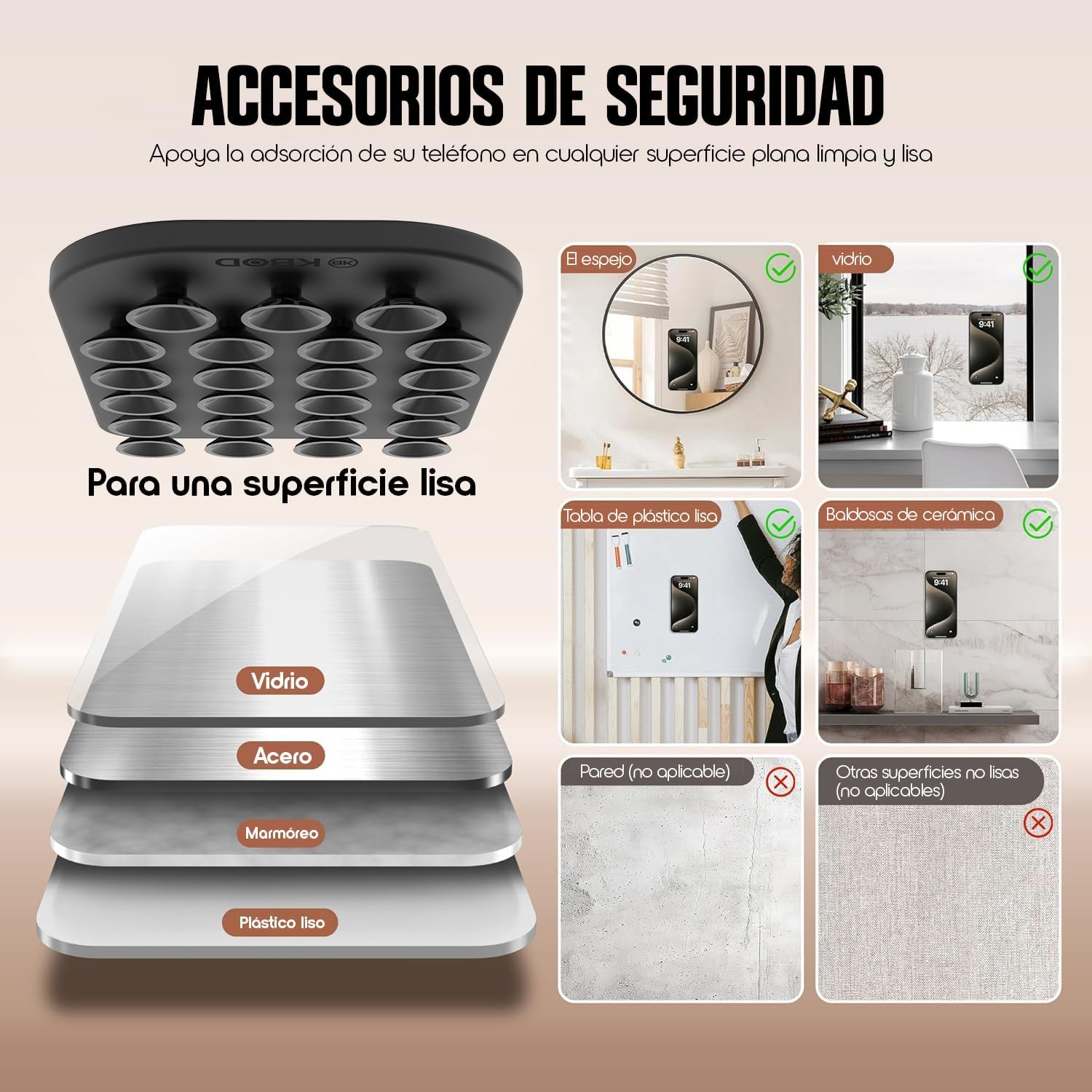
Image: Illustration of compatible smooth surfaces for attachment.
- Attach the Holder: Press the suction cup side of the KBOD holder firmly against the prepared smooth surface. Ensure all 23 suction cups make full contact for maximum adhesion.

Image: Front and back view of the KBOD holder, highlighting the suction cups.
- Attach Your Phone:
- For MagSafe Compatible Phones/Cases: Simply align your phone or MagSafe-compatible case with the magnetic side of the holder. The magnets will snap it into place.
- For Non-Magnetic Phones/Cases: If your phone or case is not magnetic, use the included magnetic ring. Peel off the adhesive backing from the magnetic ring and firmly attach it to the back of your phone or phone case. Once the ring is securely attached, you can then magnetically connect your phone to the holder.

Image: KBOD holder magnetically attached to a smartphone.
5. Operating Instructions
Once the KBOD Magnetic Stick It Mobile Phone Holder is securely attached to a surface and your phone is magnetically connected, you can enjoy hands-free operation for various activities:
- Selfies and Photos: Position the holder on a mirror or window to capture perfect selfies or group photos without needing a tripod or another person.
- Video Recording & Live Streaming: Mount your phone on a smooth surface to record stable videos or conduct live streams, ideal for content creation, tutorials, or virtual meetings.
- Hands-Free Viewing: Attach your phone to a convenient surface in the kitchen, bathroom, or gym for easy viewing of recipes, makeup tutorials, or workout videos.
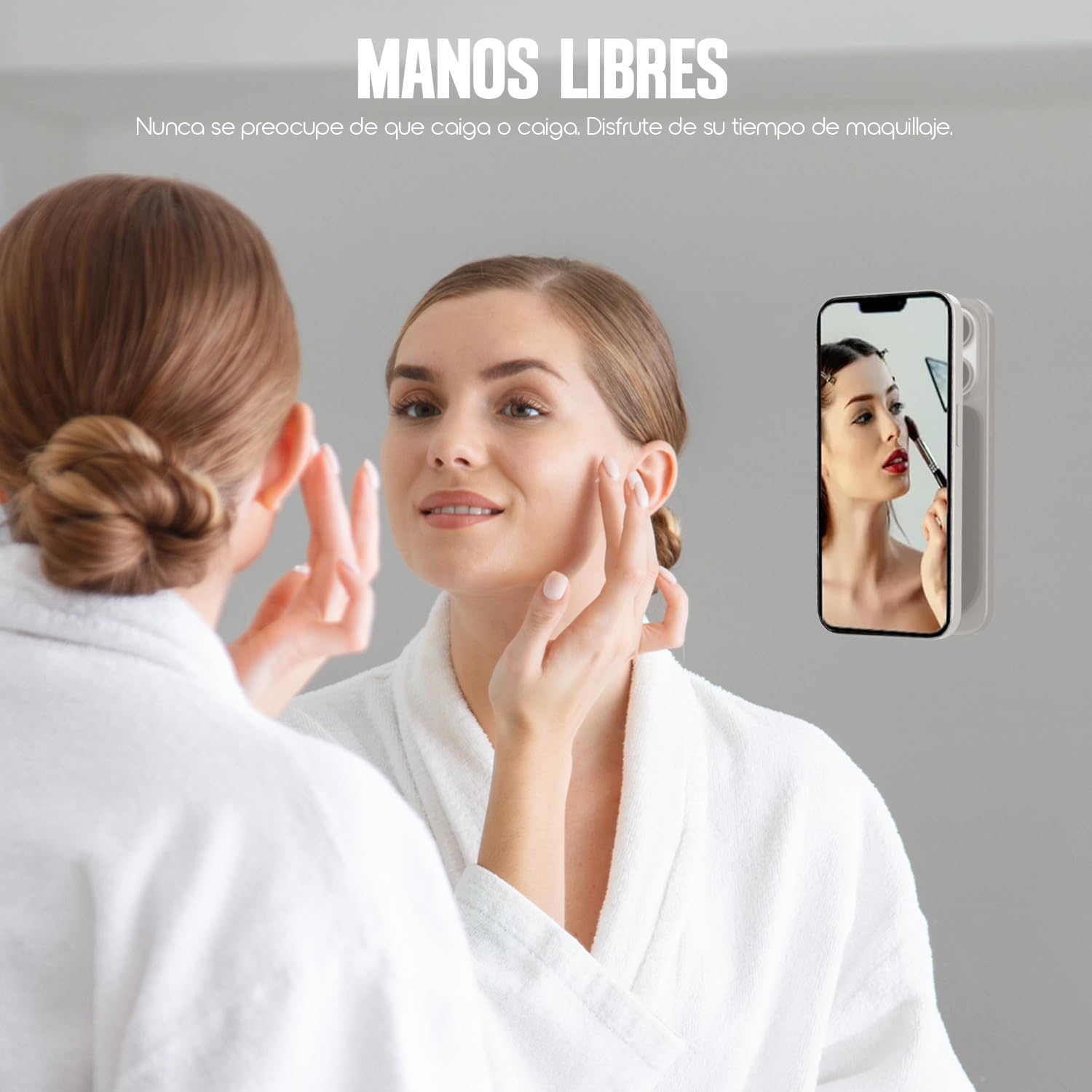
Image: Hands-free use for makeup application.

Image: Diverse usage scenarios for the KBOD holder.
6. Maintenance
To ensure the longevity and optimal performance of your KBOD Magnetic Stick It Mobile Phone Holder, follow these maintenance tips:
- Clean the Suction Cups: If the suction cups lose their grip, gently wipe them with a damp, lint-free cloth to remove any dust or debris. Allow them to air dry completely before re-attaching.
- Clean the Holder: Wipe the entire holder with a soft, dry cloth. Avoid using harsh chemicals or abrasive cleaners, as they may damage the silicone material.
- Storage: When not in use, store the holder in a clean, dry place away from direct sunlight and extreme temperatures.
7. Troubleshooting
| Problem | Possible Cause | Solution |
|---|---|---|
| Holder not sticking to surface. | Surface is dirty, wet, textured, or porous. Suction cups are dirty. | Ensure the surface is clean, dry, and smooth. Clean the suction cups with a damp cloth and let them air dry. Avoid textured walls. |
| Phone not attaching magnetically. | Phone/case is not MagSafe compatible or magnetic ring is not used/attached correctly. | Ensure your phone or case is MagSafe compatible. If not, attach the provided magnetic ring securely to your phone or case. |
| Phone feels unstable. | Incomplete suction cup contact or phone not centered on magnet. | Press the holder firmly against the surface to ensure all suction cups are engaged. Re-center your phone on the magnetic area. |
8. Specifications
- Brand: KBOD
- Model Number: STICK
- Color: Pink
- Material: Silicone
- Product Dimensions: 2 x 6.5 x 9.5 inches
- Item Weight: 7.1 ounces
- Compatible Devices: Cellphone
- Manufacturer: KBOD
- Country of Origin: Mexico
9. Warranty and Support
The KBOD Magnetic Stick It Mobile Phone Holder comes with a 30-day seller warranty from the date of purchase. This warranty covers manufacturing defects and issues arising from normal use.
For warranty claims, technical support, or any questions regarding your product, please contact the seller directly through the platform where you made your purchase. Please have your order number and product details ready when contacting support.