
Product Overview
The Spinbrush PRO Clean Battery Powered Electric Toothbrush is designed for adults to provide a deeper, more effective clean. This new and improved model features a brush head that spins 50% faster than previous models and is engineered to remove 70% more plaque in hard-to-reach places compared to a manual toothbrush. It boasts a thinner handle for improved grip and a quieter operation. The Color-Wear soft bristles fade over time, indicating when it's time to replace the brush head. The toothbrush operates on two replaceable AA batteries, which are included.
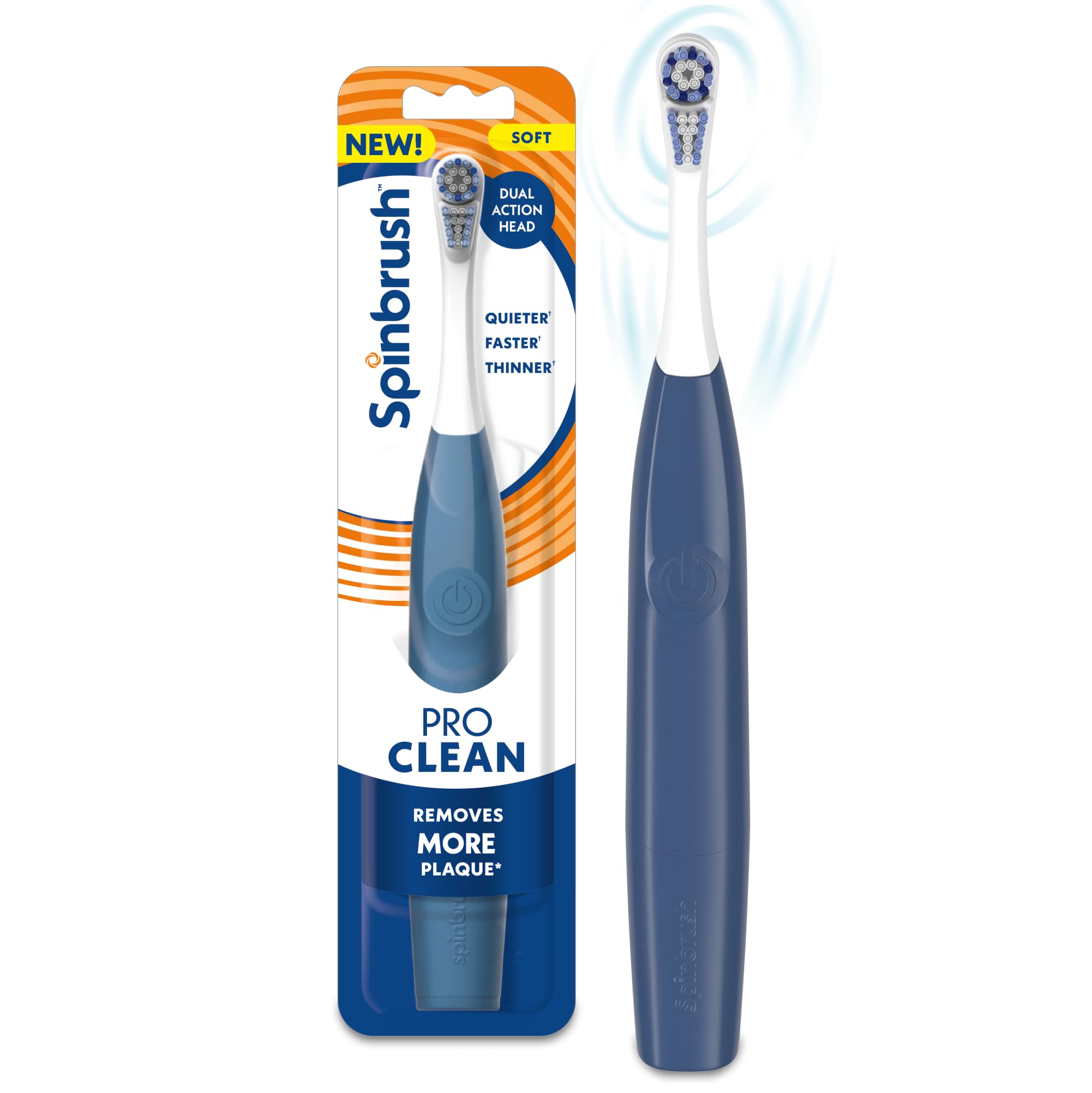
Image: The Spinbrush PRO Clean Electric Toothbrush, highlighting its sleek design.

Image: Visual representation of the improved design, emphasizing faster, quieter, and thinner features compared to previous models.
Setup
Battery Installation
- Twist the bottom cap of the toothbrush handle counter-clockwise to open the battery compartment.
- Insert two fresh AA batteries, ensuring correct polarity (+/-) as indicated inside the compartment.
- Replace the bottom cap by twisting it clockwise until securely closed.

Image: The Spinbrush PRO Clean toothbrush alongside two AA batteries, illustrating the power source.
Attaching the Brush Head
- Align the new brush head with the top of the toothbrush handle.
- Push the brush head down onto the handle and twist clockwise until it locks into place.
Operating Instructions
Brushing Your Teeth
- Wet the bristles and apply a small amount of toothpaste.
- Press the power button to turn on the toothbrush.
- Guide the brush head slowly from tooth to tooth, allowing the bristles to clean each surface. Do not scrub.
- Brush for at least two minutes, as recommended by dentists.
- Press the power button again to turn off the toothbrush.

Image: A close-up of the Spinbrush head, illustrating its 50% faster spinning action for enhanced cleaning.

Image: The micro-cleaning bristles of the Spinbrush, designed to remove 70% more plaque.
Dual Action Brush Head
The Spinbrush PRO Clean features a dual-action brush head. The top bristles spin to break up plaque, while the bottom section moves side-to-side to sweep it away, providing a comprehensive cleaning action.
Video: An official video demonstrating the Spinbrush Smart Clean's features and operation.
Video: An official video showcasing the Spinbrush New Pro Series, highlighting its design and cleaning capabilities.
Maintenance
Replacing the Brush Head
It is recommended to replace your brush head every 3 months, or sooner if the bristles are worn or parts are loose. The Color-Wear bristles will fade over time to remind you when a replacement is needed.
- Twist the brush head counter-clockwise 90 degrees and pull it away from the handle.
- Slide on a new Spinbrush replacement head and turn it clockwise 90 degrees until the arrows align and it clicks into place.

Image: Illustration of Color-Wear bristles fading, signaling the need for a brush head replacement.

Image: A hand demonstrating how to detach a brush head from the Spinbrush handle, promoting replacement for sustainability.
Cleaning the Toothbrush
After each use, rinse the brush head thoroughly under running water. Wipe the handle with a damp cloth. Do not submerge the entire handle in water.

Image: Packaging for Spinbrush PRO Clean replacement brush heads.

Image: A guide showing compatibility of new style brush heads with new style handles, and incompatibility with old style heads.
Troubleshooting
- Brush not turning on: Ensure batteries are correctly inserted and are not depleted. Replace batteries if necessary.
- Reduced brush performance: Bristles may be worn. Replace the brush head. Check battery level and replace if low.
- Water leakage: Ensure the battery compartment cap is securely twisted closed.
Specifications
- Product Dimensions: 2.5 x 1.25 x 10.2 inches
- Item Weight: 4.59 ounces
- Model Number: 766878400006
- Batteries: 2 AA batteries (included)
- Manufacturer: Church & Dwight
- Age Range: Adult
- Special Feature: Sonic
- Power Source: Battery Powered
- Bristle Firmness: Soft
Safety Information
- For external use only.
- If irritation occurs, discontinue use.
- Keep out of reach of children.
- Change brush head every 3 months or sooner if worn or parts are loose. Failure to do so could lead to brush head breakage, generation of small parts, and possible injury.
- Do not use brush with damaged or loose parts.
Support
For further assistance or product inquiries, please refer to the manufacturer's official website or contact their customer support. Specific warranty details may be available on the product packaging or the manufacturer's website.