Introduction
The PlayStation Pulse Elite Wireless Headset offers an immersive audio experience for gaming. Featuring planar magnetic drivers, it delivers lifelike sound with a lossless and lightning-fast PlayStation Link wireless connection. The headset includes a fully retractable microphone with AI-enhanced noise rejection for clear communication. With up to 30 hours of battery life and quick charging capabilities, it is designed for extended gaming sessions.
Key Features:
- Next Generation Gaming Audio with Planar Magnetic Drivers
- Multi-Device Connectivity (PlayStation Link and Bluetooth)
- Command and Control with Retractable Microphone and AI-enhanced Noise Rejection
- Long Battery Life (Up to 30 hours) and Quick Charging
What's in the Box
Verify that all items are present in the package:
- PlayStation Pulse Elite Wireless Headset
- PlayStation Link USB Adapter
- Charging Station
- USB Charging Cable
- User Manual

Image: PlayStation Pulse Elite Wireless Headset shown with its retail packaging.
Setup
Initial Charging:
Before first use, fully charge the headset using the included USB charging cable and charging station. Connect the USB cable to the charging station and a compatible USB power source (e.g., PS5 console, USB wall adapter).

Image: The dedicated charging station for the headset.
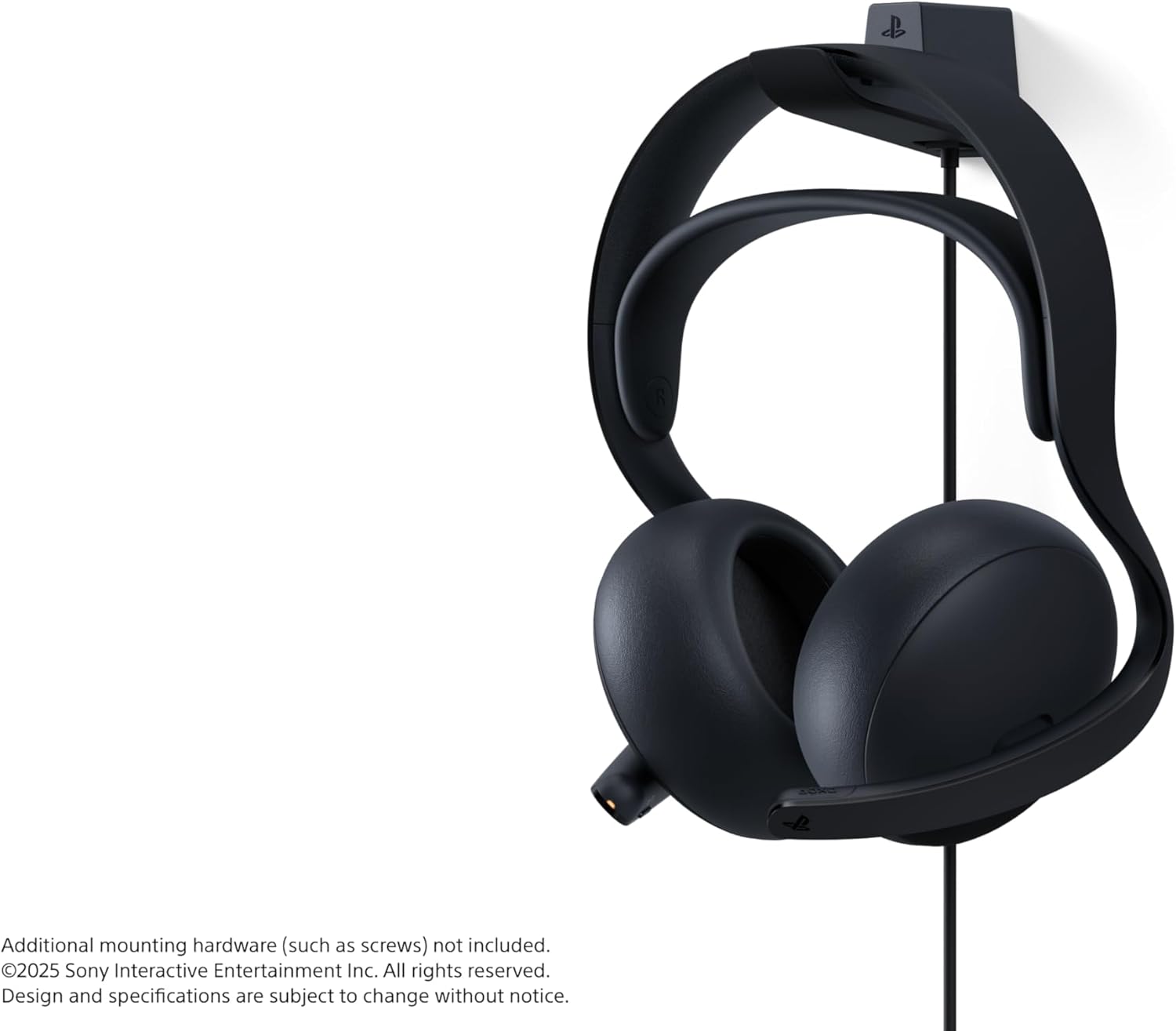
Image: The headset securely placed on its charging station.
Connecting to PlayStation 5 (PS Link):
- Insert the PlayStation Link USB adapter into a USB-A port on your PlayStation 5 console.
- Turn on the Pulse Elite headset. It should automatically pair with the USB adapter.
- Confirm connection on your PS5 screen.
Connecting via Bluetooth:
- Ensure the headset is powered on.
- Activate Bluetooth pairing mode on the headset (refer to the headset's specific button combination in the included user manual).
- On your device (e.g., smartphone, PC), go to Bluetooth settings and select "PULSE Elite" from the list of available devices.
- The headset supports simultaneous connection to a PS Link device and a Bluetooth device.
Operating Instructions
Wearing the Headset:
Place the headset over your ears, ensuring the earcups fully cover your ears for optimal sound isolation and comfort. Adjust the headband for a secure yet comfortable fit.

Image: Front view of the headset, showing the earcups and headband.

Image: Side view of the headset, highlighting its profile.
Microphone Usage:
The microphone is fully retractable. Extend the microphone boom when you need to communicate. The AI-enhanced noise rejection technology will help filter out background sounds for clear voice capture.

Image: The headset with its retractable microphone extended for use.
Controls:
The headset features intuitive controls for volume adjustment and microphone muting. Refer to the detailed diagram in the included user manual for exact button locations and functions.
Maintenance
Cleaning:
Wipe the headset and charging station with a soft, dry cloth. Do not use abrasive cleaners or solvents. Keep the charging contacts clean and free of debris.
Storage:
When not in use, store the headset on its charging station or in a protective case to prevent damage. Avoid exposing the headset to extreme temperatures or direct sunlight.
Battery Care:
To prolong battery life, avoid fully discharging the headset frequently. Charge the headset regularly, even if not in constant use.
Troubleshooting
No Audio:
- Ensure the headset is powered on and fully charged.
- Verify the PlayStation Link USB adapter is securely connected to the PS5.
- Check the volume levels on both the headset and the connected device (PS5/PC/mobile).
- If using Bluetooth, ensure the headset is paired and connected to the correct device.
Microphone Not Working:
- Ensure the microphone is extended and not muted.
- Check microphone settings on your connected device (PS5/PC/mobile) to ensure the Pulse Elite is selected as the input device.
Connection Issues:
- Ensure the headset and USB adapter are within range.
- Try re-pairing the headset with the PS Link adapter or re-connecting via Bluetooth.
- Avoid interference from other wireless devices.
Specifications
| Feature | Detail |
|---|---|
| Model Name | PULSE Elite |
| Model Number | CFI-ZWH2 |
| Connectivity Technology | Wireless (PlayStation Link, Bluetooth) |
| Bluetooth Version | 4.0 |
| Audio Driver Type | Planar Magnetic Driver |
| Battery Life | Up to 30 Hours |
| Compatible Devices | Cellphones, Desktops, Gaming Consoles (PS5, PS Portal), Laptops |
| Item Weight | 2.28 pounds |
| Product Dimensions | 8.5 x 5.75 x 10 inches |
| Manufacturer | Sony Interactive Entertainment |
Warranty and Support
For warranty information and technical support, please refer to the official PlayStation support website or contact PlayStation customer service. Keep your proof of purchase for warranty claims.
Online Support: www.playstation.com/support


