
1. Introduction and Overview
This manual provides essential information for the proper installation, operation, and maintenance of your JVC KW-M690BW 6.8-inch Capacitive Touchscreen Car Stereo. Please read this manual thoroughly before using the product to ensure correct usage and to prevent damage.
Key Features:
- 6.8-inch Capacitive Touchscreen: Offers a responsive and intuitive user interface.
- Wireless Apple CarPlay & Android Auto: Seamless smartphone integration for navigation, music, and hands-free communication.
- Bluetooth Connectivity: For audio streaming and hands-free calling.
- USB Mirroring for Android Devices: Display your Android smartphone's screen directly on the receiver.
- 13-Band Graphic Equalizer: Advanced audio customization for optimal sound quality.
- Short Chassis Design: Facilitates versatile installation in various vehicle types.
2. Setup and Installation
Proper installation is crucial for the performance and longevity of your car stereo. It is recommended that installation be performed by a qualified professional.
2.1 Wiring and Connections
Ensure all wiring connections are secure and correctly matched to your vehicle's electrical system. Refer to your vehicle's wiring diagram and the KW-M690BW's wiring diagram for precise connections. The unit features various inputs and outputs for comprehensive system integration.
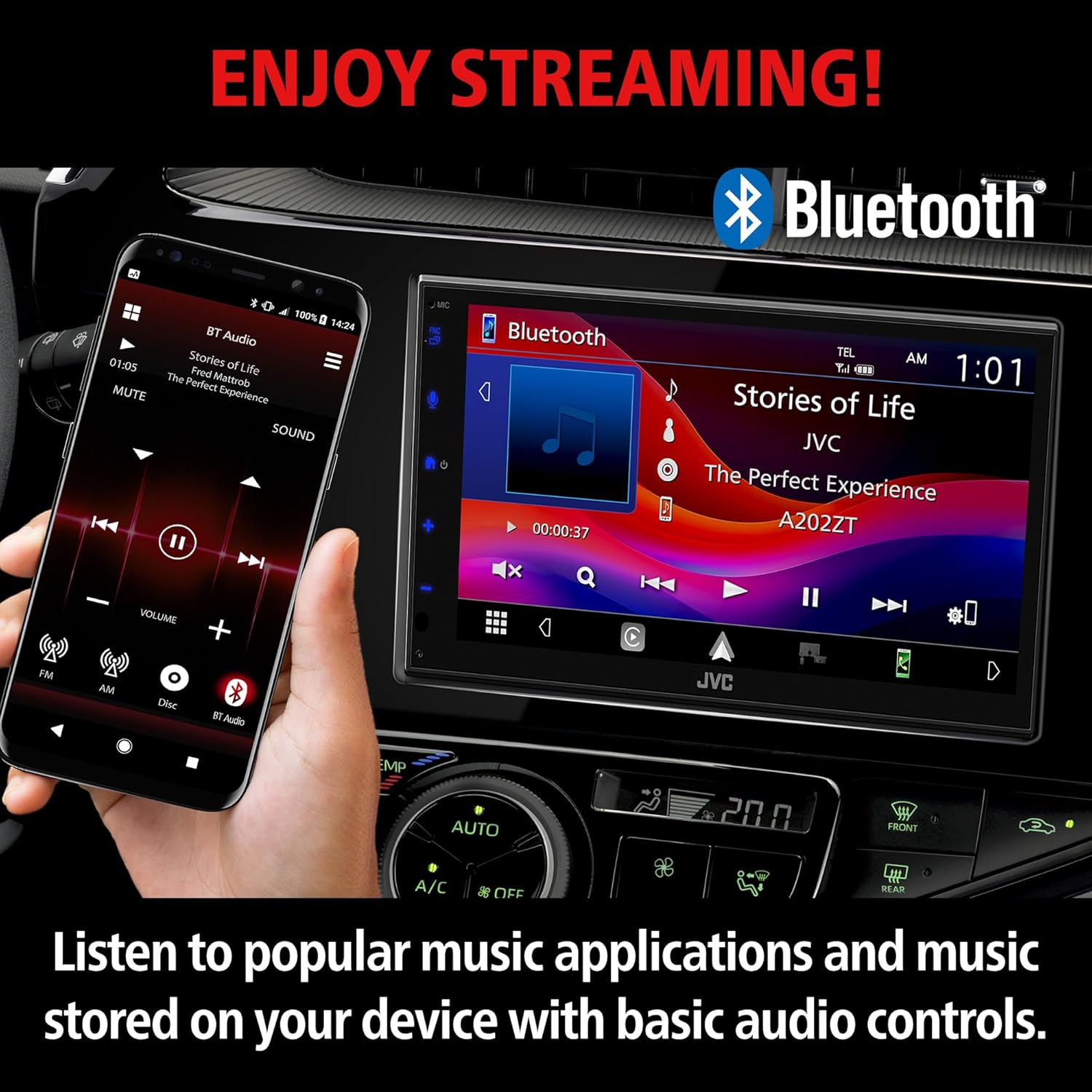
Image 2.1: Rear Panel Connections. This image illustrates the various input and output ports on the rear of the JVC KW-M690BW unit. Key connections include the FM/AM antenna input, USB terminal, audio/video inputs, video output, HDMI terminal, GPS antenna input, iDatalink connector, rear view camera input, front view camera input, Bluetooth microphone input, and output terminals for front, rear, and subwoofer preouts.
2.2 Dimensions and Mounting
The short chassis design of the KW-M690BW allows for flexible installation. Verify the dimensions against your vehicle's dashboard opening to ensure a proper fit.
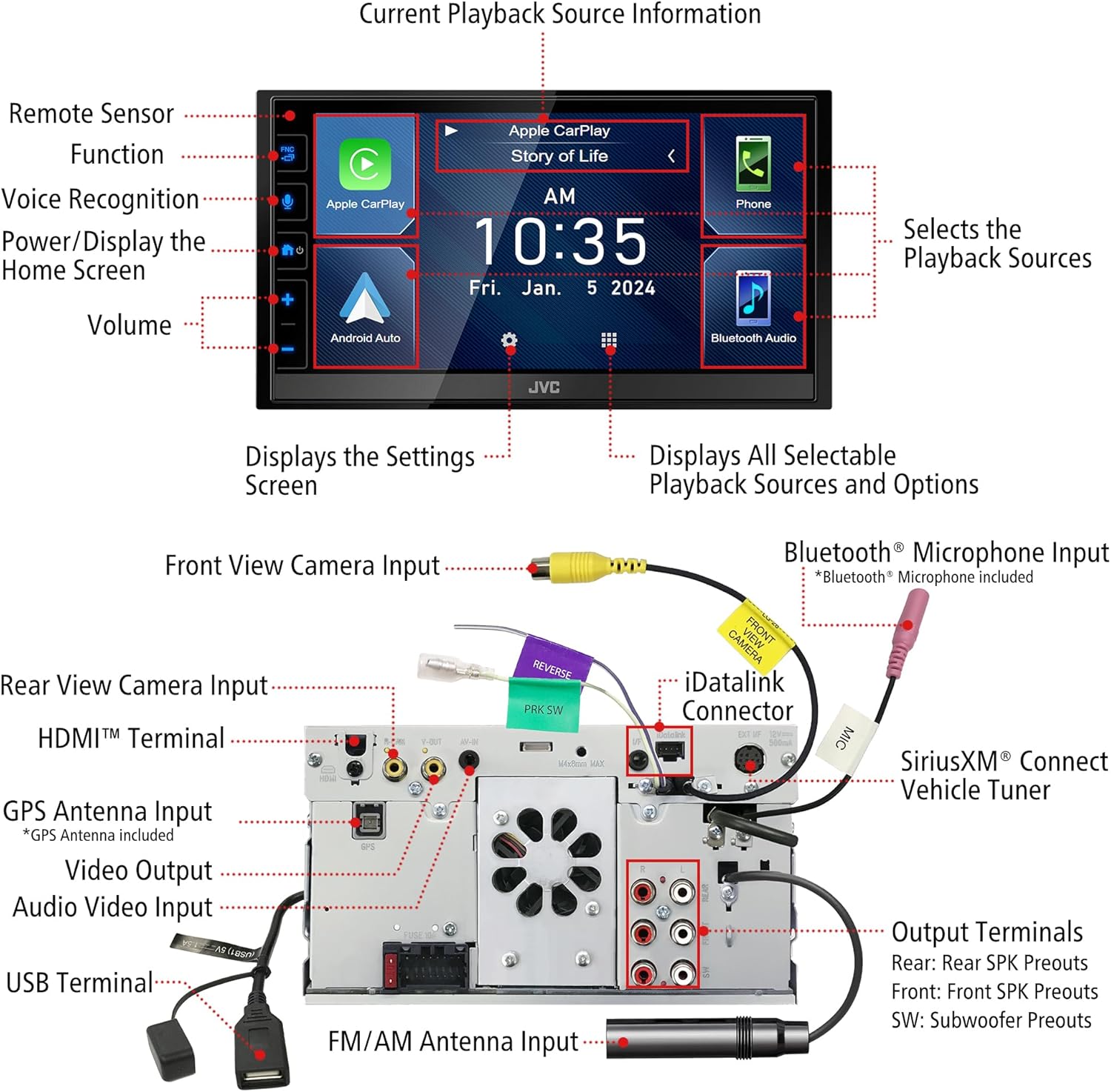
Image 2.2: Unit Dimensions. This diagram provides the width (W 7-1/16" / 178mm), height (H 1-31/32" / 50mm for chassis, H 3-15/16" / 100mm for faceplate), and depth (D 3-3/8" / 86mm) of the JVC KW-M690BW unit, essential for installation planning.
3. Operating Instructions
Familiarize yourself with the touchscreen interface and various functions of your JVC KW-M690BW car stereo.
3.1 Main Interface
The 6.8-inch capacitive touchscreen provides access to all functions and settings. The main screen typically displays time, date, and quick access icons for primary features.

Image 3.1: Main Display Screen. This image shows the primary interface of the JVC KW-M690BW, featuring large icons for Phone, Music, Maps, Messages, Now Playing, JVC Home, Podcasts, and Audiobooks, similar to a smartphone interface.
3.2 Wireless Apple CarPlay
Connect your iPhone wirelessly to access Apple CarPlay features directly on the stereo's display. This allows for navigation, music playback, and communication via a familiar interface.

Image 3.2: Wireless Apple CarPlay. The image depicts the JVC KW-M690BW unit integrated into a car dashboard, displaying the Apple CarPlay interface with various app icons, alongside an iPhone showing the CarPlay connection.
3.3 Wireless Android Auto
Connect your Android smartphone wirelessly to utilize Android Auto. This provides access to maps, media, and messaging applications optimized for in-car use.
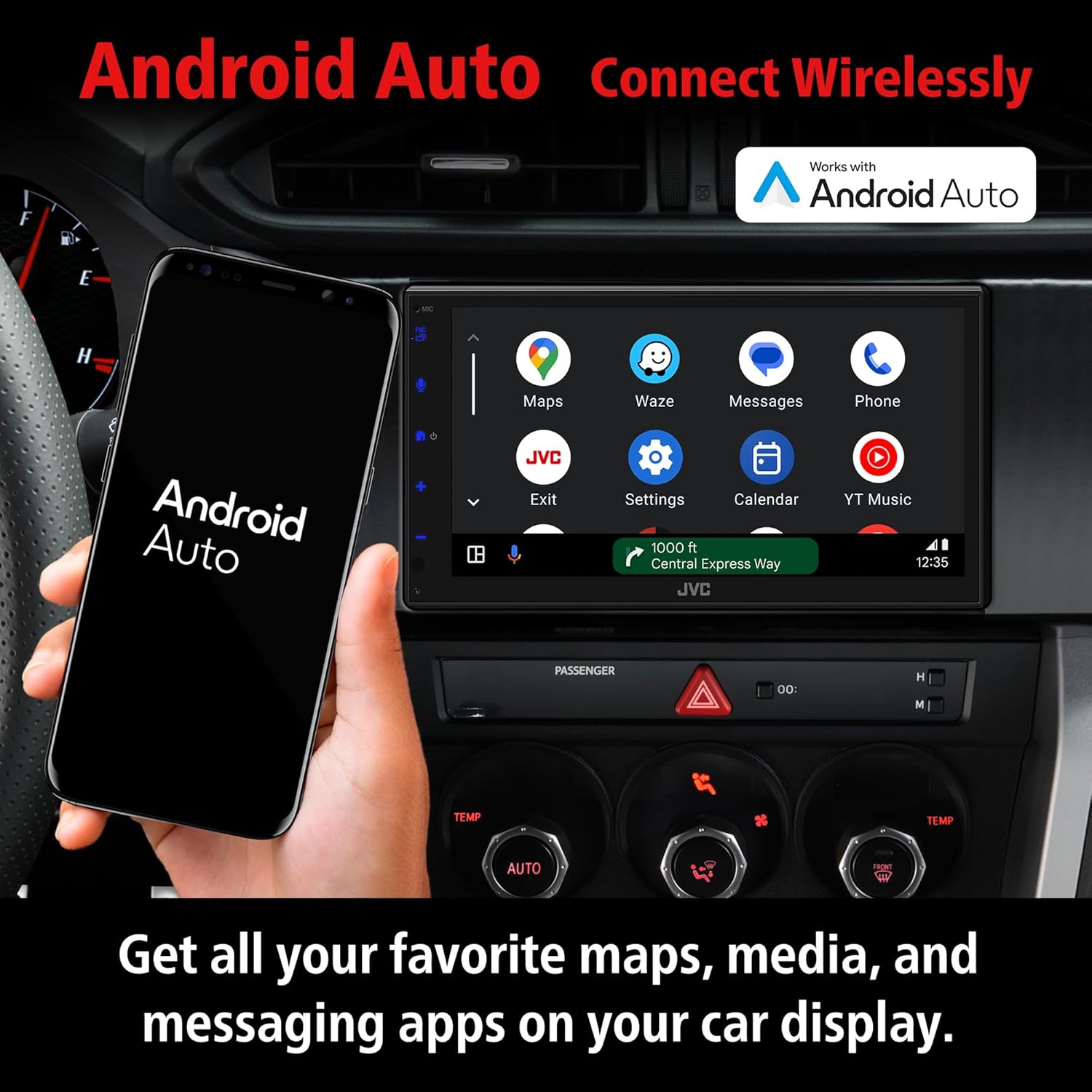
Image 3.3: Wireless Android Auto. This image shows the JVC KW-M690BW unit in a car, displaying the Android Auto interface with app icons like Maps, Waze, Messages, and Phone, next to an Android phone.
3.4 Bluetooth Audio Streaming
Pair your Bluetooth-enabled device to stream music and make hands-free calls. Control playback directly from the stereo's touchscreen.

Image 3.4: Bluetooth Audio Streaming. The image shows the JVC KW-M690BW screen displaying a music playback interface via Bluetooth, with track information and controls, alongside a smartphone also showing music playback.
3.5 USB Mirroring (for Android)
Connect your Android smartphone via USB to mirror its display onto the KW-M690BW screen. This allows access to compatible apps and content.

Image 3.5: Wireless Mirroring for Compatible Smartphones. This image illustrates the JVC KW-M690BW screen mirroring a smartphone's display, showing a navigation app, with icons for various other apps below.
3.6 SiriusXM Ready
The unit is compatible with SiriusXM satellite radio. An optional SiriusXM Connect Vehicle Tuner (sold separately) is required to access SiriusXM channels.

Image 3.6: SiriusXM Ready. This image shows the JVC KW-M690BW screen displaying the SiriusXM interface, with a separate SiriusXM Connect Vehicle Tuner module shown next to it, indicating it is sold separately.
3.7 Audio Customization
Utilize the built-in 13-band graphic equalizer to fine-tune your audio output. Adjust frequency bands to match your preferences and vehicle acoustics.
4. Maintenance
Regular maintenance helps ensure the optimal performance and appearance of your JVC KW-M690BW car stereo.
4.1 Cleaning the Screen
To clean the capacitive touchscreen, gently wipe it with a soft, dry, lint-free cloth. For stubborn smudges, slightly dampen the cloth with water or a screen-safe cleaning solution. Avoid harsh chemicals, abrasive materials, or excessive pressure, as these can damage the screen.
4.2 General Care
Keep the unit free from dust and debris. Ensure proper ventilation around the unit to prevent overheating. Avoid exposing the unit to extreme temperatures or direct sunlight for extended periods.
5. Troubleshooting
If you encounter issues with your JVC KW-M690BW, refer to the following common troubleshooting steps. For more complex problems, contact JVC customer support.
5.1 No Power / Unit Not Turning On
- Check all power connections, including the main power wire, ground wire, and accessory wire, to ensure they are securely connected.
- Verify the vehicle's fuse for the stereo and the fuse on the back of the unit. Replace if blown.
- Ensure the vehicle's ignition is on.
5.2 No Sound
- Check speaker wire connections for proper polarity and secure contact.
- Ensure the volume is not muted or set to a very low level.
- Verify that the correct audio source is selected.
- If using external amplifiers, check their power and signal connections.
5.3 Apple CarPlay / Android Auto Not Connecting
- Ensure your smartphone's Wi-Fi and Bluetooth are enabled.
- Confirm that your phone is compatible with wireless CarPlay/Android Auto.
- Try restarting both the stereo and your smartphone.
- For Android Auto, ensure the Android Auto app is installed and updated on your phone.
5.4 Touchscreen Unresponsive
- Perform a soft reset of the unit (refer to the full user manual for specific instructions, usually involves pressing a small reset button).
- Ensure the screen is clean and free of debris or moisture.
6. Specifications
The following table outlines the technical specifications for the JVC KW-M690BW car stereo.
| Feature | Specification |
|---|---|
| Model Number | KW-M690BW |
| Display Size | 6.8 inches |
| Display Type | Capacitive Touchscreen |
| Connectivity Technology | Auxiliary, Bluetooth, USB, Wi-Fi |
| Controller Type | Android (compatible) |
| Special Features | Bass Boost, Display, USB Port |
| Compatible Devices | Smartphone, Tablet |
| Audio Output Mode | Stereo |
| Surround Sound Channel Configuration | 5.1 |
| Video Encoding | H.264, H.265/HEVC |
| Product Dimensions | 18 x 8 x 14 inches (45.72 x 20.32 x 35.56 cm) |
| Item Weight | 3.43 pounds (1.55 kg) |
7. Warranty and Support
7.1 Product Warranty
JVC provides a standard manufacturer's warranty for the KW-M690BW car stereo. The specific terms and duration of the warranty may vary by region and retailer. Please retain your proof of purchase for warranty claims. For detailed warranty information, refer to the warranty card included with your product or visit the official JVC website.
7.2 Customer Support
For technical assistance, troubleshooting beyond this manual, or warranty inquiries, please contact JVC customer support. Contact information can typically be found on the official JVC website or in the documentation provided with your product.


