
Introduction
Thank you for choosing the LAMAX W9.2 Action Camera. This manual provides essential information for the proper setup, operation, and maintenance of your device. Please read it thoroughly before use to ensure optimal performance and longevity of your camera.
Product Overview
The LAMAX W9.2 is a versatile action camera designed to capture high-quality videos and photos in various environments. It features dual displays, advanced stabilization, and a robust waterproof design.
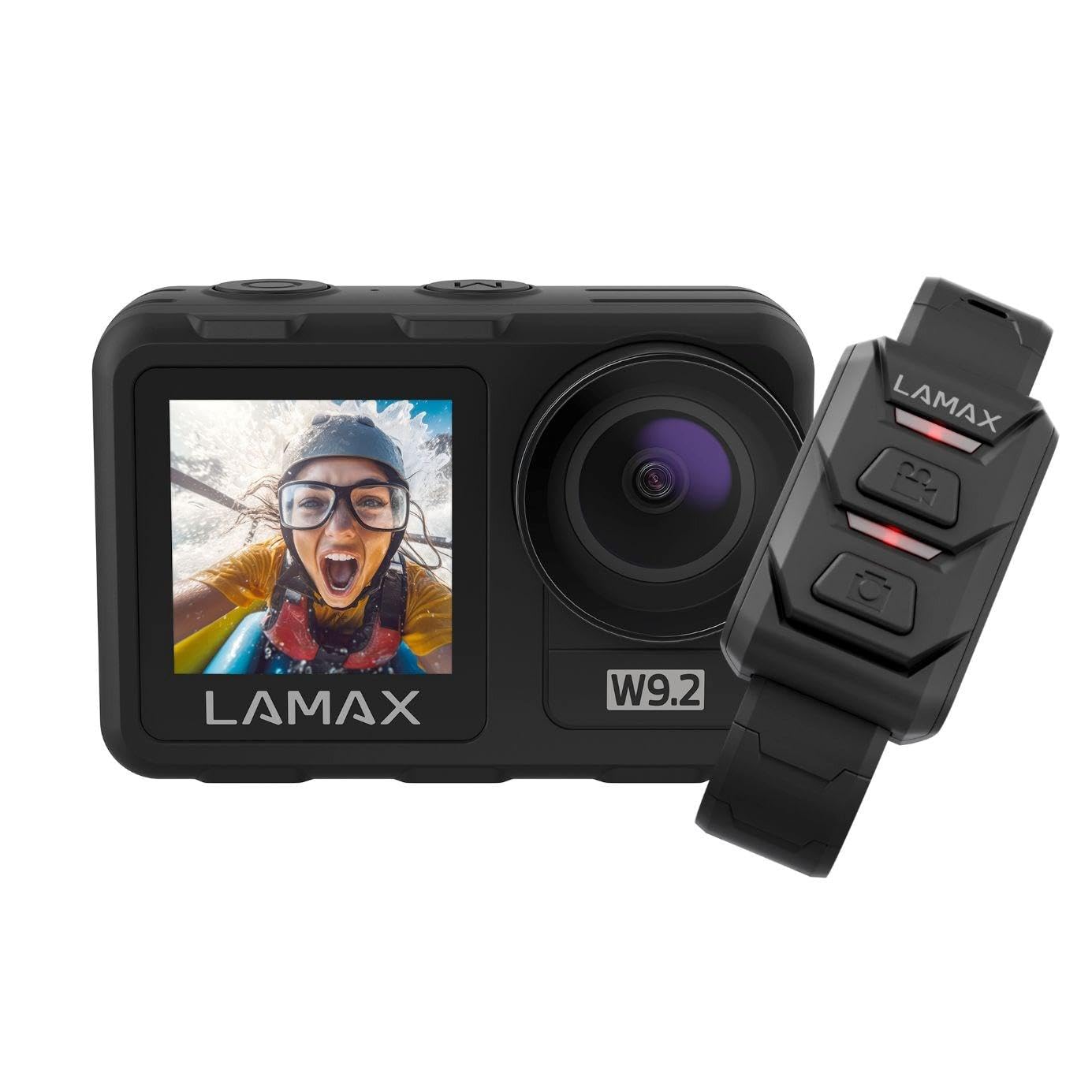
Image: Front view of the LAMAX W9.2 Action Camera, showcasing its compact design and dual display feature.
Key Features:
- Dual Display: A 2-inch rear touchscreen for settings and playback, and a 1.4-inch front screen for selfie framing.
- High Resolution Video: Up to 5K at 60 frames per second (FPS) and 1080p at 120 FPS.
- Waterproof Design: Waterproof up to 12 meters (40 feet) without an additional case. With a waterproof case, it can be used up to 40 meters (130 feet).
- MAXSmooth Stabilization: Advanced electronic image stabilization for smooth footage.
- 20 Megapixel Photos: Capture high-resolution still images.
- Integrated Wi-Fi: For quick transfer and sharing of content to your mobile device.
- Creative Modes: Includes slow motion, timelapse, accelerated video, and long exposure.
- Flexible Control: Touchscreen operation, physical buttons, and remote control compatibility.
Setup
1. Battery Installation
- Locate the battery compartment on the camera.
- Open the compartment cover.
- Insert the provided battery, ensuring the correct orientation of the contacts.
- Close the battery compartment cover securely.
- Charge the battery fully before first use using the supplied USB cable.
2. Memory Card Insertion
- The camera requires a microSD card (not included) for storing photos and videos.
- Insert the microSD card into the designated slot until it clicks into place.
- Ensure the card is formatted in the camera's settings menu for optimal performance.
- Use a high-speed microSD card (Class 10 or UHS-I/UHS-3 recommended) for 4K/5K recording.
3. Initial Power On
- Press and hold the Power/Mode button to turn on the camera.
- Follow the on-screen prompts to set the language, date, and time.
Operating the Camera
Basic Controls:
- Power/Mode Button: Press and hold to power on/off. Press briefly to switch between video, photo, and playback modes.
- Shutter/Select Button: Press to start/stop recording video or take a photo. In menu, use to confirm selection.
- Up/Down Buttons: Navigate menu options or zoom (if applicable).
- Rear Touchscreen: Swipe and tap to access settings and modes.
- Front Display: Primarily for framing selfies or monitoring camera status.
Video Recording:
- Switch to video mode using the Power/Mode button or touchscreen.
- Adjust video resolution and other settings via the touchscreen menu.
- Press the Shutter/Select button to begin recording. A red indicator light will flash.
- Press the Shutter/Select button again to stop recording.
Taking Photos:
- Switch to photo mode.
- Adjust photo settings (e.g., resolution, exposure) via the touchscreen menu.
- Press the Shutter/Select button to take a photo.
Wi-Fi Connectivity:
- Enable Wi-Fi in the camera settings.
- Download the official LAMAX app on your smartphone.
- Connect your phone to the camera's Wi-Fi network (SSID and password displayed on camera screen).
- Use the app to control the camera, view live footage, and transfer files.
Creative Modes:
- Slow Motion: Records video at a higher frame rate for slow-motion playback.
- Timelapse: Captures a series of photos at set intervals and stitches them into a video.
- Accelerated Video: Records video at a lower frame rate for fast-motion playback.
- Long Exposure: Allows for longer shutter speeds to capture more light in low-light conditions.
- Access these modes through the camera's menu and adjust settings as desired.
Waterproofing Guidelines
The LAMAX W9.2 is designed to be waterproof up to 12 meters (40 feet) without an external housing. For deeper dives, an additional waterproof case is required, extending its capability to 40 meters (130 feet).
- Before submerging the camera, ensure all port covers (battery, USB, HDMI) are securely closed.
- Regularly inspect the seals for any dirt, debris, or damage. Clean and replace if necessary.
- After use in saltwater, rinse the camera with fresh water and dry thoroughly.
- Do not open the battery or memory card compartment while the camera is wet or submerged.
Maintenance
- Cleaning: Use a soft, lint-free cloth to clean the camera body and lenses. For stubborn dirt, slightly dampen the cloth with water. Avoid harsh chemicals.
- Storage: Store the camera in a cool, dry place away from direct sunlight and extreme temperatures. Remove the battery if storing for extended periods.
- Battery Care: Do not expose batteries to high temperatures or dispose of them in fire. Recycle used batteries responsibly.
- Firmware Updates: Check the official LAMAX website periodically for firmware updates to ensure optimal performance and access to new features.
Troubleshooting
Camera Not Turning On:
- Ensure the battery is fully charged and correctly inserted.
- Try a different battery if available.
- Press and hold the Power/Mode button for at least 5 seconds.
Recording Stops Unexpectedly:
- Check if the memory card is full.
- Ensure you are using a high-speed memory card (Class 10 or higher).
- Format the memory card in the camera.
- The camera might be overheating in extreme conditions; allow it to cool down.
Wi-Fi Connection Issues:
- Ensure Wi-Fi is enabled on the camera and your smartphone.
- Restart both the camera and your smartphone.
- Make sure you are within the Wi-Fi range.
- Verify the correct Wi-Fi password.
Poor Image/Video Quality:
- Clean the camera lens.
- Check resolution settings.
- Ensure sufficient lighting.
- Verify MAXSmooth stabilization is enabled for video.
Specifications
| Model Name | W9.2 |
| Video Resolution | Up to 5K/60FPS, 4K, 1080p/120FPS |
| Photo Resolution | 20 Megapixels |
| Waterproof Depth | 12m (without case), 40m (with waterproof case) |
| Stabilization | MAXSmooth (Anti-shake) |
| Displays | Rear: 2-inch Touchscreen; Front: 1.4-inch |
| Connectivity | Wi-Fi, HDMI |
| Photo Sensor Technology | CMOS |
| Video Recording Format | MOV |
| Special Features | Slow motion, Timer, Wind noise reduction |
| Dimensions | 3.2 x 6.4 x 4.2 cm |
| Weight | 127 g |
| Battery | C batteries (included) |
Warranty and Support
For warranty information and technical support, please refer to the official LAMAX website or contact your local distributor. Keep your proof of purchase for warranty claims.
Online Resources: For the latest information, FAQs, and firmware updates, visit the official LAMAX support page: www.lamax.eu


