
1. Introduction
Thank you for choosing the UGREEN Nexode Power Bank. This portable charger is designed to provide fast and efficient power to your electronic devices, featuring a high capacity, multiple output ports, and a convenient built-in cable. Please read this manual carefully before use to ensure optimal performance and safety.
2. Safety Information
- Do not expose the power bank to extreme temperatures (hot or cold), direct sunlight, or humid environments.
- Avoid dropping, hitting, or disassembling the device.
- Keep away from water and flammable liquids.
- Do not use if the power bank is damaged, swollen, or leaking.
- Keep out of reach of children.
- Dispose of the power bank responsibly according to local regulations.
3. Package Contents
- UGREEN Nexode Power Bank (Model: PB536)
- User Manual
- Charging cable for power bank (USB-C to USB-C)
4. Product Overview
The UGREEN Nexode Power Bank features a compact design with multiple charging options and a clear digital display.
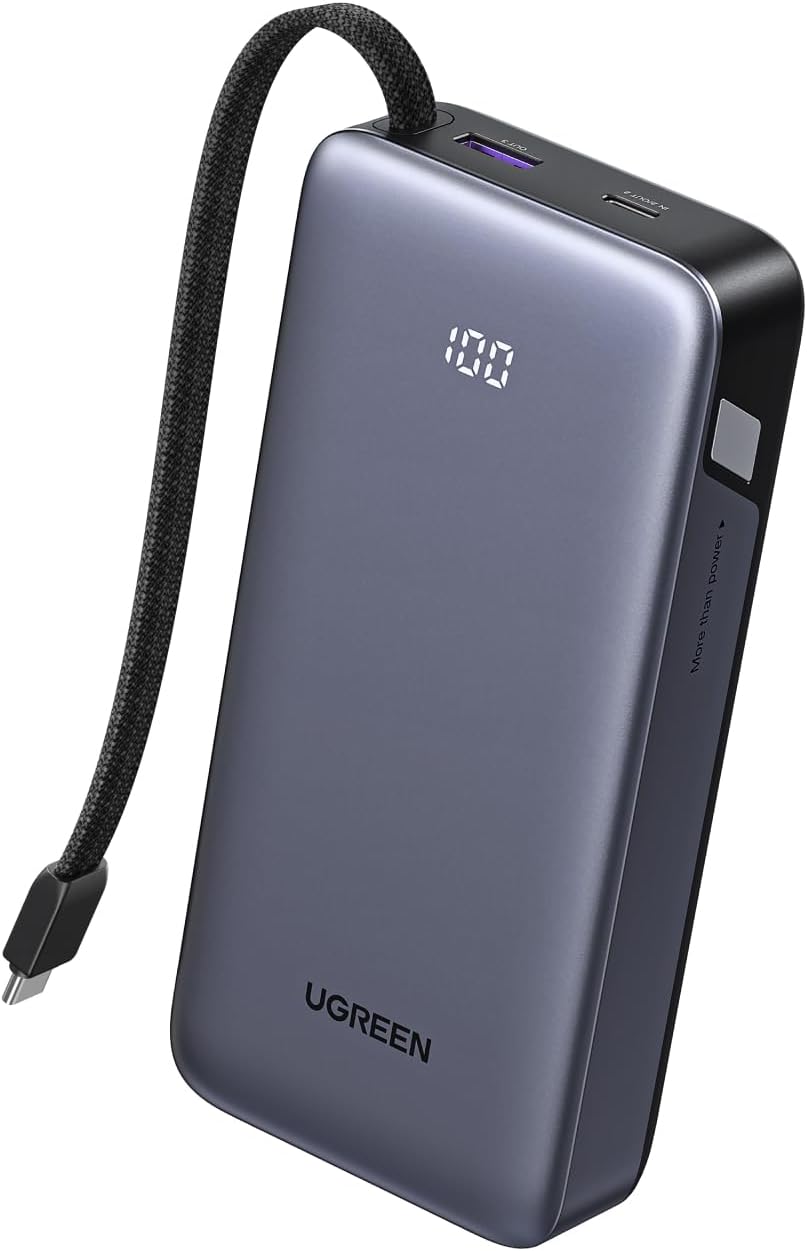
Image: Front view of the UGREEN Nexode Power Bank, highlighting its sleek design, built-in braided USB-C cable, and digital percentage display.
Key Features:
- Built-in USB-C Cable: A durable, braided USB-C cable is integrated into the power bank for convenient charging and recharging.
- Multiple Output Ports: Includes one built-in USB-C cable, one additional USB-C port, and one USB-A port for versatile device compatibility.
- 45W Fast Charging: Supports up to 45W power delivery for rapid charging of compatible smartphones, tablets, and even some laptops.
- 20,000mAh High Capacity: Provides multiple charges for most smartphones and tablets, ensuring power throughout long trips or busy days.
- Digital Display: An LED screen clearly shows the remaining battery percentage, allowing for precise power management.

Image: The power bank demonstrating its ability to charge three devices concurrently: a smartphone via the built-in USB-C cable, a tablet via the USB-C port, and wireless earbuds via the USB-A port.
5. Setup
5.1 Initial Charging of the Power Bank
Before first use, fully charge your UGREEN Nexode Power Bank. For optimal battery level accuracy, it is recommended to fully discharge the power bank first, then charge it to 100% without interruption.
- Connect the built-in USB-C cable or a USB-C to USB-C cable to the power bank's input/output USB-C port.
- Connect the other end of the cable to a compatible USB-C wall charger (45W recommended for fastest recharge, not included).
- The digital display will show the charging percentage. The power bank will be fully charged in approximately 4 hours with a 45W charger.
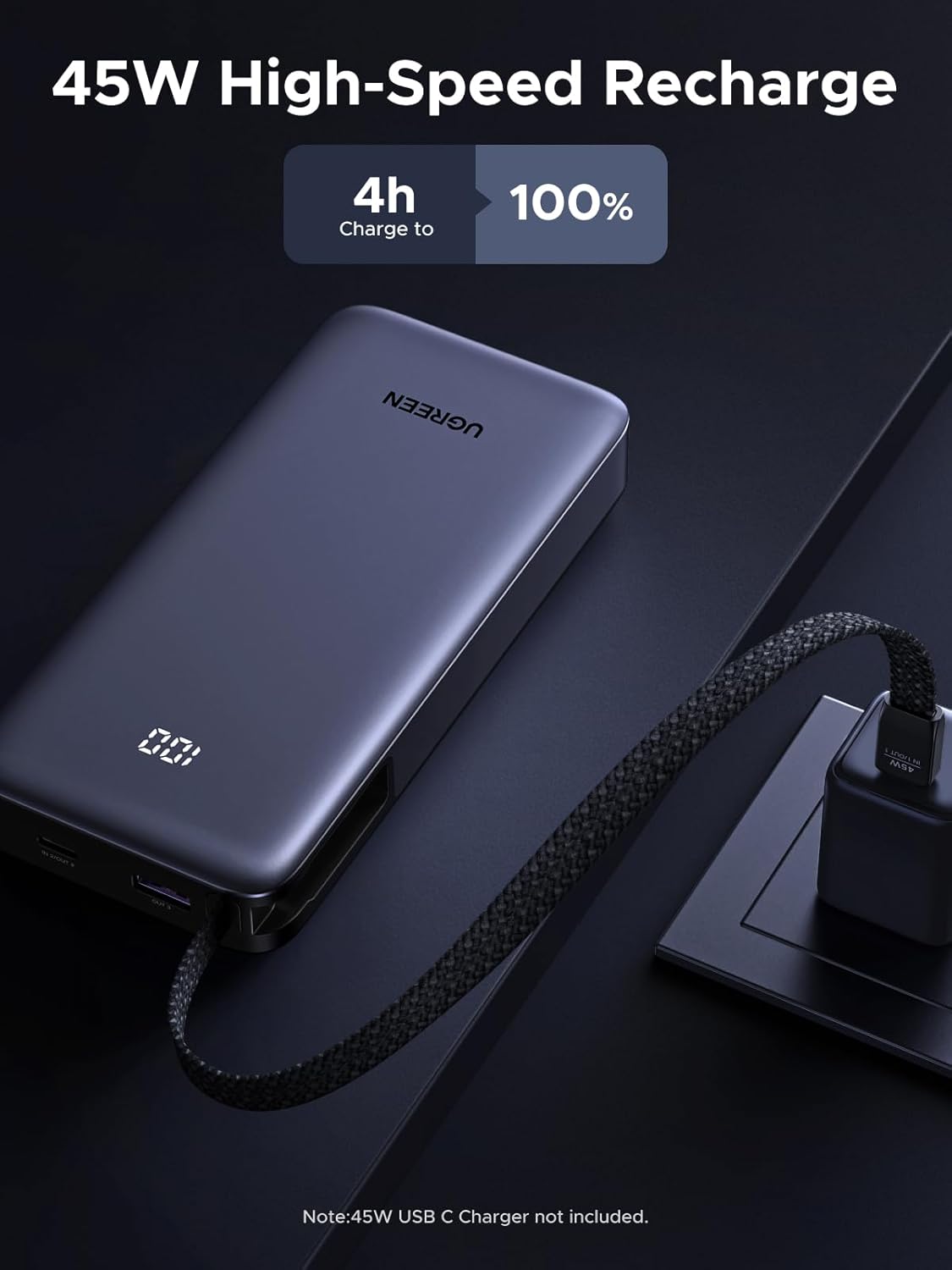
Image: The power bank connected to a wall charger, illustrating the 45W high-speed recharge capability, showing it can reach 100% in 4 hours.
5.2 Activating Trickle Charging Mode
For low-power devices such as wireless earbuds or smartwatches, activate trickle charging mode to ensure safe and optimized charging.
- Press and hold the power button for 3 seconds to activate or deactivate trickle charge mode.
- The digital display may indicate a change in charging status or a specific icon when in trickle charge mode.

Image: The power bank with a digital display showing 100%, positioned near wireless earbuds and a smartwatch, indicating its suitability for trickle charging small devices.
6. Operating Instructions
6.1 Charging Your Devices
The power bank offers three output options to charge your devices:
- Using the Built-in USB-C Cable: Unwind the integrated USB-C cable and connect it directly to your USB-C compatible device.
- Using the USB-C Port: Connect your device using a separate USB-C to USB-C cable to the power bank's USB-C port.
- Using the USB-A Port: Connect your device using a USB-A to compatible cable (e.g., USB-A to Lightning, USB-A to Micro USB) to the power bank's USB-A port.
The power bank will automatically detect the connected device and begin charging. You can charge up to three devices simultaneously.

Image: The power bank connected to a Samsung S25 Ultra, demonstrating 45W Super Fast Charging 2.0, showing 61% charge in 30 minutes.
6.2 Checking Battery Status
The digital LED display on the power bank shows the remaining battery percentage. Simply press the power button once to activate the display and check the current charge level.
7. Maintenance
- Clean the power bank with a dry, soft cloth. Do not use abrasive cleaners or solvents.
- Store the power bank in a cool, dry place when not in use.
- For optimal battery health, recharge the power bank at least once every three months if not used regularly.
- The power bank is designed for long-term durability, maintaining approximately 80% capacity after 300 charge cycles (equivalent to about 5 years of typical use).

Image: A visual comparison highlighting the UGREEN power bank's superior battery longevity, retaining 80% capacity after 300 charge cycles, compared to other brands that may drop to 50% after 5 years.
8. Troubleshooting
- Q1: Why does my power bank provide less power than expected?
- During use, some energy is lost due to voltage conversion (3.7V > 5V) and internal heat—typically 30-45%. For example, a 20,000mAh power bank usually delivers 11,000-13,000mAh, which is standard across the industry.
- Q2: Can I take this power bank on a plane?
- Yes. This power bank has passed the UN38.3 test, the safety standard required by ICAO and IATA for lithium batteries in air transport.
- Q3: What are the instructions before use for better battery accuracy?
- For better battery level accuracy, we suggest fully discharging to 0% and then charging to 100% without stopping.
9. Specifications
| Feature | Detail |
|---|---|
| Model Number | PB536 |
| Battery Capacity | 20000 Milliamp Hours (mAh) |
| Product Dimensions | 5.98 x 2.8 x 1.14 inches (152 x 71 x 30 mm) |
| Item Weight | 1.03 pounds |
| Color | Black |
| Connector Type | USB Type C + USB Type A |
| Special Features | Fast Charging, Digital Display, Built-in Cable |
| Manufacturer | Ugreen Group Limited |
10. Warranty and Support
UGREEN products come with a standard warranty. For detailed warranty information, technical support, or customer service, please visit the official UGREEN website or contact their customer support team directly. Please retain your proof of purchase for warranty claims.


