
ULTIMEA U2500
Contents
ULTIMEA 5.1 Sound Bar Poseidon D50 U2500 User Manual
Model: U2500
1. Introduction
This manual provides essential information for the safe and efficient operation of your ULTIMEA 5.1 Sound Bar Poseidon D50 U2500. Please read these instructions carefully before using the product and retain them for future reference.
Safety Information
- Do not expose the device to rain, moisture, or extreme temperatures.
- Ensure proper ventilation around the soundbar and subwoofer.
- Use only the power adapter supplied with the unit.
- Do not attempt to disassemble or modify the unit. Refer all servicing to qualified personnel.
- Keep the product away from strong magnetic fields.
2. Package Contents
Verify that all items listed below are included in your package:
- Soundbar
- 1x Wireless Subwoofer
- 2x Wired Surround Speakers
- Power Adaptor
- Subwoofer Power Cable
- Stereo 3.5mm to RCA Audio Cable
- Stereo RCA to RCA Cable (20 feet) for surround speakers
- HDMI Cable
- Digital Optical Cable
- Wall Mounted Kit (Wall Bracket, Mounting Screws)
- Remote Control
- User Manual (this document)

Figure 2.1: Included components and accessories with approximate dimensions.
3. Product Overview
The ULTIMEA Poseidon D50 U2500 is a 5.1 channel virtual surround sound system designed to enhance your audio experience. It consists of a main soundbar, a wireless subwoofer, and two wired surround speakers.

Figure 3.1: ULTIMEA Poseidon D50 U2500 System Components.
Key Features:
- 5.1 Channel Surround Sound: Delivers immersive audio for movies and games.
- Wireless Subwoofer: Provides deep bass with flexible placement.
- Multiple Connectivity Options: HDMI ARC, Optical, AUX, and Bluetooth.
- App Control: Offers advanced equalization and sound customization.
- 320W Peak Power: Ensures powerful audio output.

Figure 3.2: Internal Digital Signal Processor (DSP) for enhanced audio.
4. Setup Guide
4.1 Physical Placement
Optimal placement of your sound system components is crucial for the best audio experience.
- Soundbar: Place the soundbar centrally below your TV, ensuring it is unobstructed.
- Subwoofer: Position the wireless subwoofer on the floor, preferably in a corner or near a wall for enhanced bass response.
- Surround Speakers: Place the two wired surround speakers behind your listening position, to the left and right. The included 20-foot RCA cables allow for flexible placement. Speaker stands (not included) can be used for optimal height.
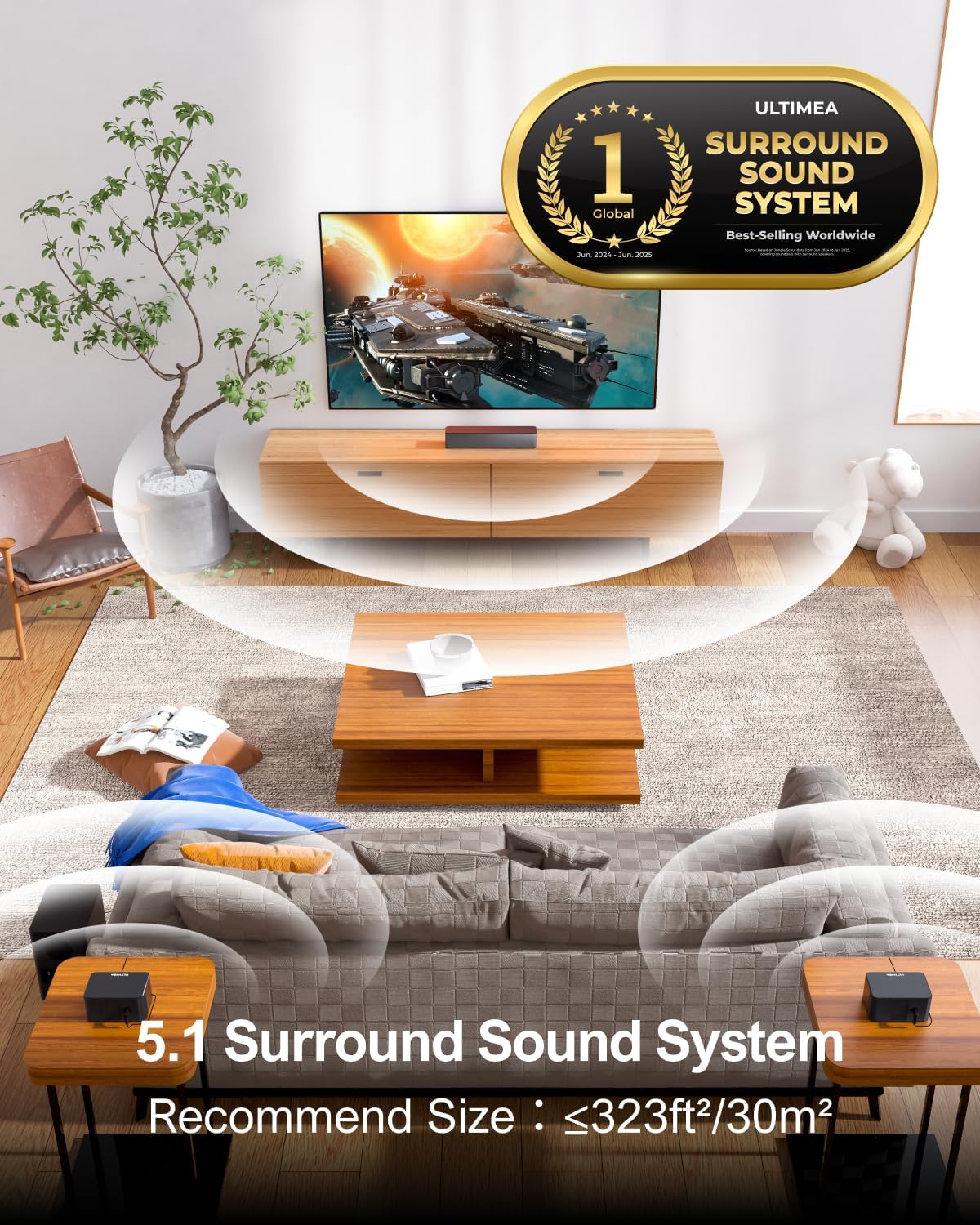
Figure 4.1: Recommended 5.1 system placement for optimal surround sound.

Figure 4.2: Example of surround speaker placement (speaker stands not included).
4.2 Connecting Your System
Choose the appropriate connection method for your TV or audio source.
- HDMI ARC (Recommended): Connect one end of the HDMI cable to the HDMI ARC port on your soundbar and the other end to the HDMI ARC port on your TV. This allows for high-quality audio transmission and TV remote control of the soundbar volume.

Figure 4.3: HDMI ARC connection for optimal audio and control.
- Optical: Connect the Digital Optical Cable from the soundbar's OPTICAL IN port to your TV's optical output.
- AUX: Use the Stereo 3.5mm to RCA Audio Cable to connect the soundbar's AUX IN port to the audio output of your device.
- Bluetooth: For wireless connection, select Bluetooth input on the soundbar and pair with your device (e.g., smartphone, tablet).
- Surround Speakers: Connect the two wired surround speakers to the subwoofer using the provided Stereo RCA to RCA Cable (20 feet). The subwoofer will wirelessly connect to the soundbar automatically.
4.3 Power On
- Connect the power adaptor to the soundbar and a power outlet.
- Connect the subwoofer power cable to the subwoofer and a power outlet.
- Press the power button on the soundbar or remote control to turn on the system.
5. Operating Instructions
5.1 Basic Controls
The soundbar can be controlled using the included remote control or the buttons on the top panel of the soundbar. The ULTIMEA app also provides comprehensive control.
5.2 Input Selection
Use the 'Source' button on the remote or soundbar to cycle through available input modes: HDMI ARC, Optical, AUX, and Bluetooth.
5.3 Sound Modes and Equalizer
The Poseidon D50 U2500 offers various sound customization options to optimize your listening experience.
- Preset EQ Modes: Select from six optimized EQ modes: Movie, Music, Voice, Sport, Game, and Night.
- App Control: The ULTIMEA App provides advanced control, including 121 meticulously crafted preset equalizer matrices across four styles (Bass, Pop, Classical, Rock) and a 10-band customizable equalizer with a 'Customize' mode.

Figure 5.1: Optimized sound modes for different content types.

Figure 5.2: ULTIMEA App control interface for sound customization.
5.4 Bass Adjustment
The wireless subwoofer features BASSMX Technology for powerful bass. Adjust bass levels using the remote control or the ULTIMEA app to suit your preference.
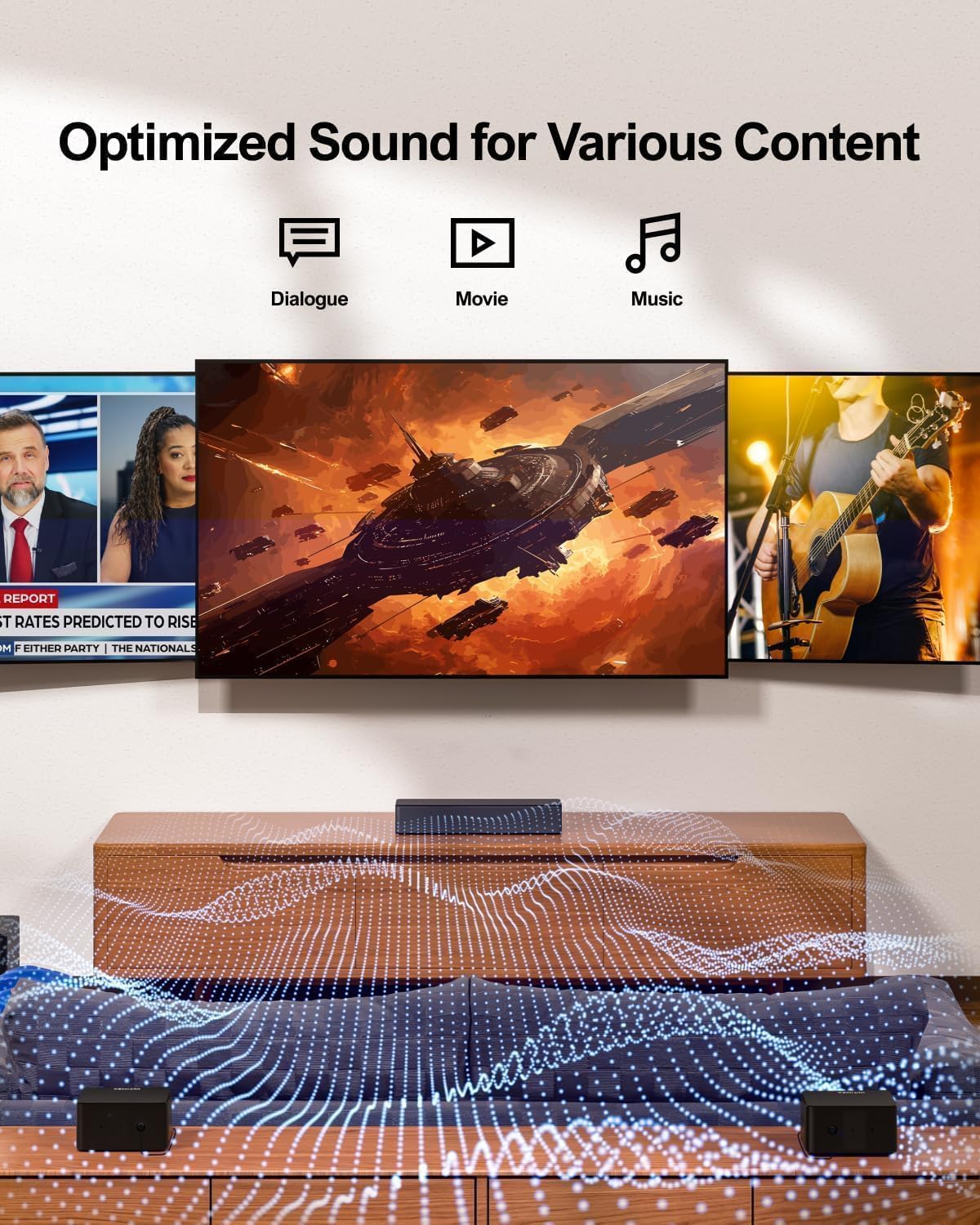
Figure 5.3: Wireless subwoofer with BASSMX Technology.
6. Maintenance
To ensure the longevity and optimal performance of your ULTIMEA sound system, follow these maintenance guidelines:
- Cleaning: Use a soft, dry cloth to clean the surfaces of the soundbar, subwoofer, and speakers. Do not use liquid cleaners or abrasive materials.
- Ventilation: Ensure that the ventilation openings on all components are not blocked.
- Storage: If storing the unit for an extended period, disconnect it from power and store it in a cool, dry place.
7. Troubleshooting
If you encounter issues with your ULTIMEA sound system, refer to the following common problems and solutions:
| Problem | Possible Cause | Solution |
|---|---|---|
| No power | Power cable not connected; Power outlet not active | Ensure all power cables are securely connected and the power outlet is functional. |
| No sound | Incorrect input selected; Volume too low; Cables loose | Select the correct input source. Increase volume. Check all audio cables for secure connection. |
| Subwoofer not pairing | Out of range; Interference | Ensure subwoofer is within range of the soundbar. Reduce interference from other wireless devices. |
| Remote control not working | Batteries depleted; Obstruction | Replace remote batteries. Ensure no obstructions between remote and soundbar. |
| Bluetooth connection issues | Device not in pairing mode; Already connected to another device | Ensure soundbar is in Bluetooth pairing mode. Disconnect from other devices. |
8. Specifications
| Feature | Detail |
|---|---|
| Model Name | Poseidon D50 (U2500) |
| Speaker Type | 5.1 Channel Soundbar System |
| Speaker Maximum Output Power | 320 Watts (Peak) |
| Connectivity Technology | HDMI ARC, Optical, Auxiliary (3.5mm), Bluetooth |
| Wireless Communication Technology | Bluetooth |
| Subwoofer Connectivity | Wireless |
| Control Method | App, Remote Control |
| Soundbar Dimensions (D x W x H) | 15.75" x 3.54" x 2.76" (Approximate) |
| Subwoofer Diameter | 5.25 Inches |
| Speaker Size (Surround) | 2.25 Inches |
| Frequency Response | 18 KHz |
| Mounting Type | Wall Mount (Kit Included) |
| Color | Black |
| Item Weight (Total System) | 11.68 Pounds |
9. Warranty and Support
9.1 Warranty Information
Your ULTIMEA Poseidon D50 U2500 comes with an extended warranty. Please refer to the warranty card included in your package or visit the official ULTIMEA website for detailed terms and conditions.
9.2 Customer Support
For technical assistance, troubleshooting, or any inquiries regarding your product, please contact ULTIMEA customer support. Lifetime customer support is available to assist you.
- Website: www.ultimea.com
- Email: Refer to your warranty card or product packaging for specific contact email.
Ask a question about this manual
Ask about setup, troubleshooting, compatibility, parts, safety, or missing instructions. Manuals+ will review the question and use this page’s manual context to help answer it.