
1. Introduction
Thank you for choosing the Pamray 32 Inch Small Computer Desk. This manual provides detailed instructions for assembly, usage, and maintenance to ensure safe and optimal performance of your desk. Please read all instructions carefully before beginning assembly and retain this manual for future reference.
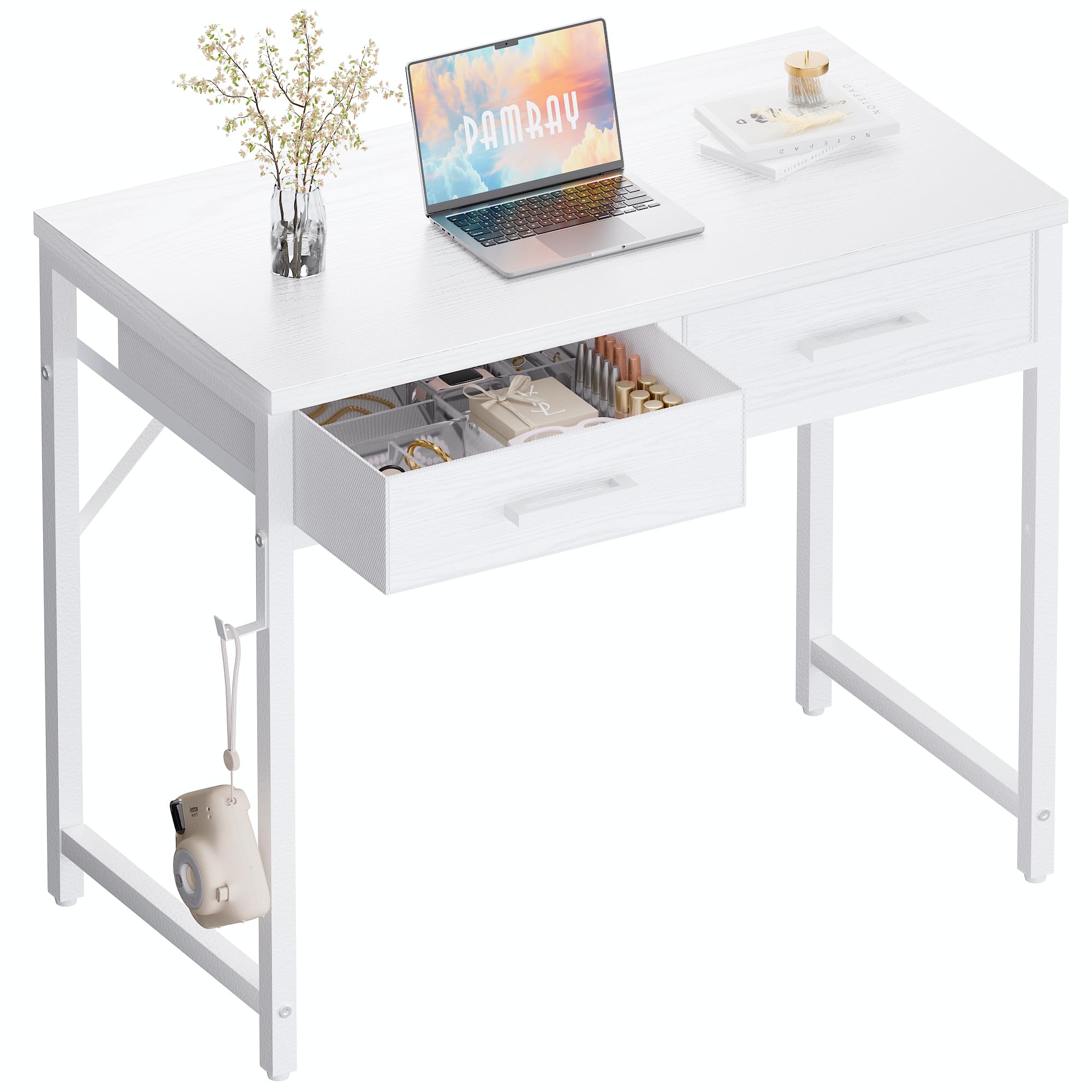
Image 1.1: The Pamray 32 Inch Small Computer Desk in white, showcasing its compact design and versatility as a vanity table.
2. Safety Information
To prevent injury or damage to the product, please observe the following safety guidelines:
- Always read and understand all instructions before assembly and use.
- Keep all small parts and packaging materials away from children during assembly.
- Assemble the desk on a soft, clean surface to prevent scratches.
- Ensure all screws and bolts are securely tightened before using the desk. Periodically check and re-tighten as needed.
- Do not overload the desk or drawers. Refer to the specifications for maximum weight recommendations.
- Use the desk on a level and stable surface to prevent wobbling or tipping.
- Avoid placing hot items directly on the desk surface without protection.
3. Package Contents
Please verify that all components are present before beginning assembly:
- Desktop Panel
- Desk Legs (Metal Frame)
- Crossbars for Stability
- 2 Fabric Drawers
- Hardware Kit (Screws, Bolts, Allen Key)
- Adjustable Leg Pads
4. Assembly Instructions
Follow these steps for quick and efficient assembly:
- Prepare Components: Unpack all parts and lay them out on a clean, soft surface. Identify each component using the provided diagram (if available).
- Attach Legs: Securely attach the desk legs to the desktop panel using the provided screws. Ensure the orientation is correct.
- Install Crossbars: Connect the crossbars between the legs to enhance stability. Tighten all screws using the included Allen key.
- Insert Drawer Slides: Carefully insert the drawer slides into the designated slots on the side panels of the desk frame.
- Assemble Fabric Drawers: Fold and assemble the fabric drawers according to their individual instructions. Insert the assembled drawers into the desk frame.
- Adjust Leg Pads: Once the desk is upright, adjust the leg pads at the bottom of each leg to ensure the desk is level and stable on your floor.
- Final Check: Verify that all components are securely fastened and the desk is stable before placing any items on it.

Image 4.1: Desk dimensions and drawer measurements for assembly reference.

Image 4.2: Detail of the fixed steel brackets providing enhanced stability.

Image 4.3: Adjustable leg pads for leveling the desk on uneven surfaces.
5. Operating Instructions
The Pamray 32 Inch Small Computer Desk is designed for versatile use in various small spaces.
- Desktop Usage: Use the desk surface for your computer, laptop, books, writing materials, or as a vanity area. The desktop can support up to 150 lbs.
- Drawer Functionality: Utilize the two pull-out fabric drawers for organized storage of stationery, documents, small electronics, or personal essentials. Each drawer can support up to 10 lbs.
- Space Optimization: Its compact design makes it suitable for bedrooms, children's rooms, dormitories, or small home office setups.

Image 5.1: The desk's fabric drawers provide flexible and practical storage for various items.

Image 5.2: The fabric drawers offer easy storage solutions to maintain a neat living or working space.
6. Maintenance
Proper care will extend the life and appearance of your Pamray desk:
- Cleaning: Wipe the desk surface with a soft, damp cloth. Avoid using abrasive cleaners, harsh chemicals, or solvents, as these can damage the finish.
- Spills: Promptly clean up any spills to prevent staining or damage to the tabletop. The desk surface is designed to be water-resistant.
- Hardware Check: Periodically inspect all screws and bolts to ensure they remain tight. Re-tighten if necessary to maintain structural integrity.
- Environmental Factors: Keep the desk away from direct sunlight, extreme temperatures, and high humidity to prevent warping or discoloration.

Image 6.1: The desk surface is water-resistant, making it easy to clean spills.
7. Troubleshooting
If you encounter any issues with your desk, refer to the following common solutions:
- Desk Wobbles:
- Ensure all assembly screws and bolts are fully tightened.
- Adjust the leg pads on the bottom of each leg to compensate for uneven flooring.
- Drawers Not Sliding Smoothly:
- Check for any obstructions in the drawer slides or within the drawer itself.
- Ensure the fabric drawers are correctly inserted and aligned within their compartments.
- Verify that the desk frame is not warped or damaged, which could affect drawer movement.
- Missing Parts or Damaged Components:
- Refer to the "Package Contents" section and contact customer service immediately for assistance.
8. Specifications
| Feature | Detail |
|---|---|
| Brand | Pamray |
| Model Number | S11 |
| Product Dimensions (D x W x H) | 15.75" x 31.5" x 30" |
| Item Weight | 7.17 kg (approximately 15.8 lbs) |
| Color | White |
| Top Material Type | FSC-Certified Wood |
| Base Material | Metal |
| Number of Drawers | 2 |
| Drawer Type | Fabric Drawer |
| Maximum Weight Recommendation (Desktop) | 150 pounds |
| Maximum Weight Recommendation (Each Drawer) | 10 pounds |
| Special Feature | Compact, Adjustable Leg Pads, Fixed Steel Brackets |
9. Warranty and Customer Support
Pamray is committed to your satisfaction. For any issues regarding the quality of your desk or any problems encountered during use, please do not hesitate to contact our customer service team. We are dedicated to providing prompt and effective solutions.
Please refer to your purchase documentation or the Pamray official website for specific warranty details and contact information.


