
1. Introduction
Thank you for purchasing the KEGIAN JH-400Y 3-IN-1 Portable Evaporative Air Cooler. This appliance is designed to provide cooling, fan, and humidification functions for indoor and outdoor use. Please read this manual thoroughly before operation to ensure proper use, maintenance, and safety.
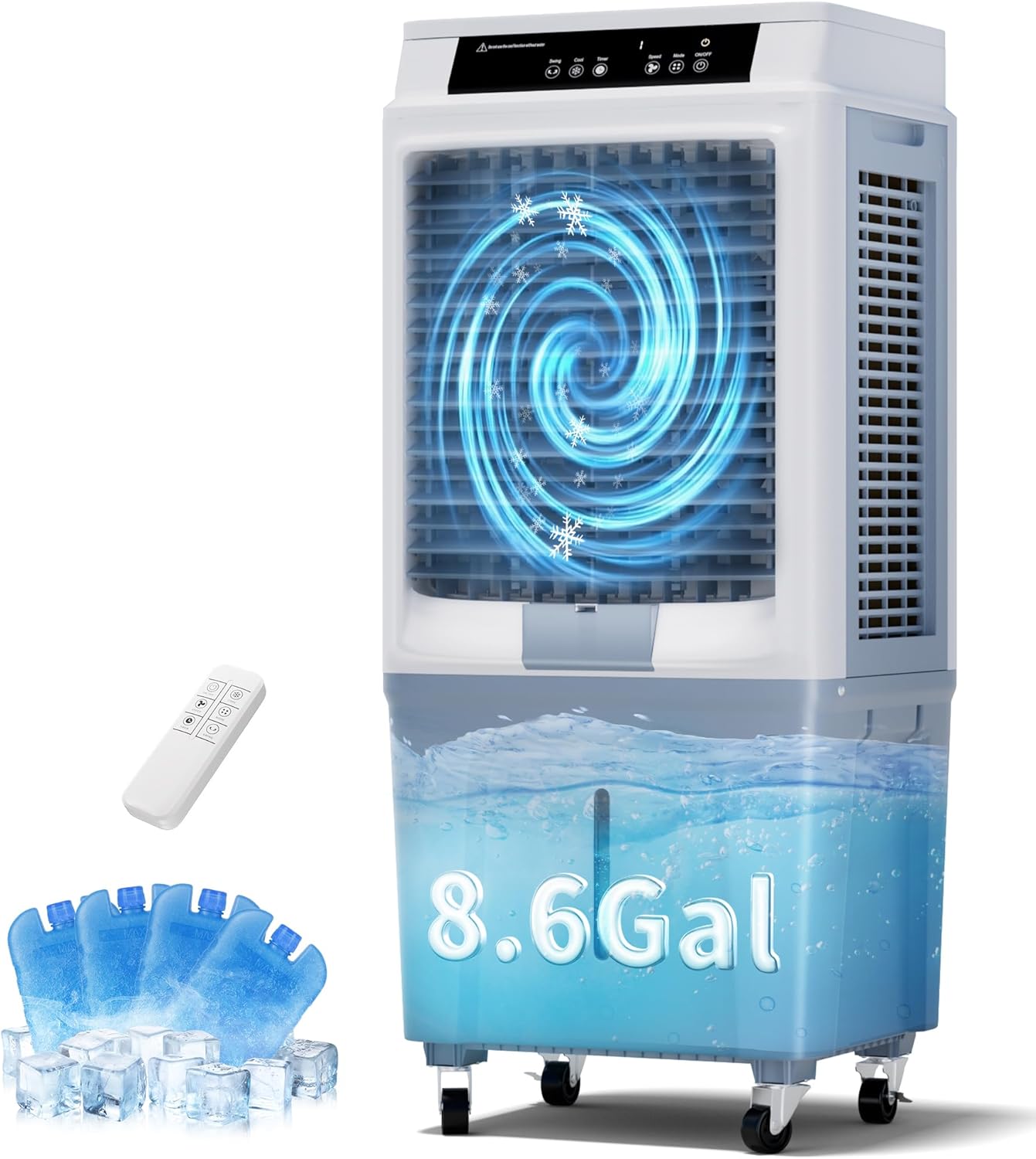
Image 1.1: KEGIAN JH-400Y Evaporative Air Cooler with included remote control and ice packs.
2. Safety Instructions
To reduce the risk of fire, electric shock, or injury, always follow these basic safety precautions:
- Read all instructions before using this appliance.
- Ensure the power supply matches the voltage specified on the appliance's rating label.
- Do not operate the cooler without water in the tank when using the cooling or humidifying function.
- Always unplug the appliance from the power outlet before cleaning, servicing, or moving it.
- Do not insert fingers or foreign objects into the air inlet or outlet.
- Keep the appliance away from heat sources, direct sunlight, and flammable materials.
- This appliance is not intended for use by persons (including children) with reduced physical, sensory, or mental capabilities, or lack of experience and knowledge, unless they have been given supervision or instruction concerning use of the appliance by a person responsible for their safety.
- Do not use the appliance if the power cord or plug is damaged. Contact customer service for repair.
- Place the appliance on a stable, level surface to prevent tipping.
3. Package Contents
Verify that all items are present in the package:
- 1 x KEGIAN JH-400Y Evaporative Air Cooler
- 1 x Remote Control
- 4 x Ice Packs
- 1 x User Manual (this document)
4. Product Overview
The KEGIAN JH-400Y combines three functions: fan, cooler, and humidifier. It features a user-friendly control panel and remote for convenient operation.

Image 4.1: The 3-in-1 functionality of the evaporative air cooler.
Key Components:
- Control Panel: LED display with touch buttons for various settings.
- Air Outlet: Adjustable louvers for airflow direction.
- Water Tank: 8.6-gallon (33-liter) capacity with top-fill design and water level alarm.
- Cooling Pads: Three high-density cooling pads for efficient evaporation.
- Casters: Four 360° casters for easy mobility.
- Remote Control: For convenient operation from a distance.
5. Setup
5.1 Unpacking
- Carefully remove the cooler from its packaging.
- Remove all packing materials and ensure no components are left inside the unit.
- The unit comes fully assembled.
5.2 Placement
Place the cooler on a firm, level surface. Ensure there is adequate space around the unit for proper airflow. The unit is designed for both indoor and outdoor use.
5.3 Filling the Water Tank

Image 5.1: Water tank filling options and ice pack placement.
- Ensure the cooler is unplugged from the power outlet.
- Open the top water fill cover.
- Pour clean water into the tank. Observe the water level indicator on the front of the unit. Do not exceed the 'MAX' line.
- For enhanced cooling, place the provided ice packs (after freezing them) into the designated compartments within the water tank or directly into the water.
- Close the water fill cover securely.
Important: Do not use the cooling or humidifying function without sufficient water in the tank. The unit is equipped with a water level alarm.
6. Operation
6.1 Control Panel and Remote Control

Image 6.1: The digital touch panel and remote control facilitate easy operation.
The cooler can be operated using the touch control panel on the unit or the included remote control. The remote control has a range of up to 28 feet.
6.2 Power ON/OFF
- Plug the power cord into a standard 120V AC outlet.
- Press the ON/OFF button on the control panel or remote to turn the unit on or off.
6.3 Fan Speed Adjustment
Press the Speed button repeatedly to cycle through the three fan speeds:
- Low
- Medium
- High
6.4 Mode Selection
Press the Mode button repeatedly to select from three operating modes:
- Normal: Constant airflow at the selected speed.
- Natural: Simulates natural breeze with varying fan speeds.
- Cooling: Activates the evaporative cooling function, requiring water in the tank. This mode also functions as a humidifier.
6.5 Oscillation Function
Press the Swing button to activate the automatic horizontal oscillation (40°). The vertical airflow can be manually adjusted up to 100°.
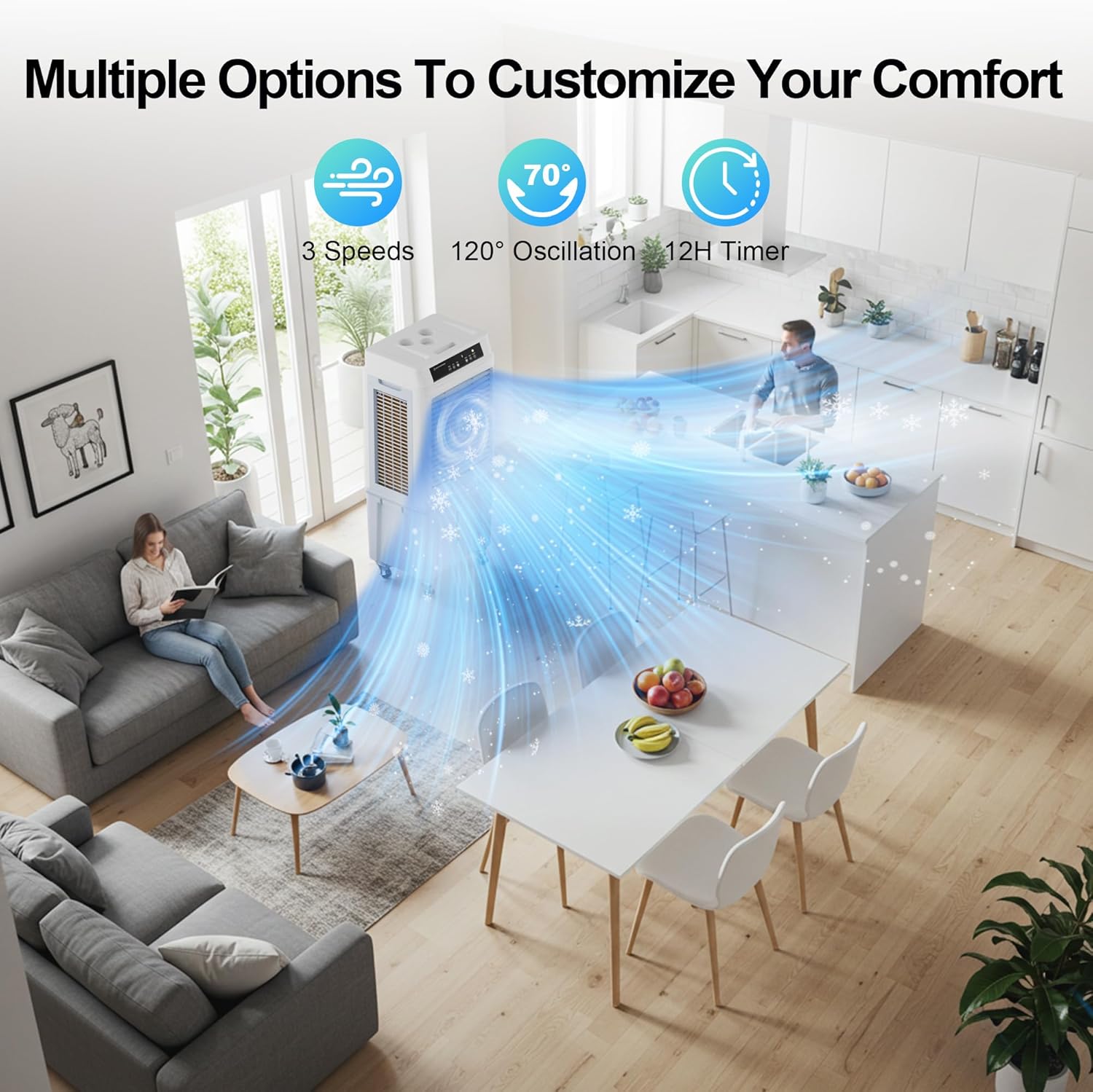
Image 6.2: The cooler offers multiple options for customized comfort, including oscillation.
6.6 Timer Function
Press the Timer button to set the automatic shut-off timer. The timer can be set from 1 to 12 hours. Each press increases the timer by one hour.
7. Maintenance
Regular maintenance ensures optimal performance and extends the lifespan of your evaporative air cooler.
7.1 Cleaning the Exterior
- Always unplug the unit before cleaning.
- Wipe the exterior surfaces with a soft, damp cloth. Do not use abrasive cleaners or solvents.
7.2 Cleaning the Water Tank
- Drain any remaining water from the tank.
- The water tank is seamless for easier cleaning. Wipe the inside of the tank with a damp cloth and mild detergent if necessary. Rinse thoroughly.
- Refill with fresh water before next use.
7.3 Cleaning the Cooling Pads and Grills
- The grills and cooling pads are designed to be easily removable for cleaning.
- Carefully remove the back grill and then the cooling pads.
- Rinse the cooling pads under running water to remove dust and mineral deposits. Do not use harsh chemicals.
- Allow the cooling pads to air dry completely before reinserting them.
- Clean the air inlet and outlet grills with a soft brush or vacuum cleaner.
7.4 Storage
If the cooler will not be used for an extended period:
- Drain and clean the water tank and cooling pads thoroughly.
- Ensure all parts are dry.
- Store the unit in a cool, dry place, away from direct sunlight and extreme temperatures.
8. Troubleshooting
If you encounter issues with your KEGIAN JH-400Y, refer to the following table:
| Problem | Possible Cause | Solution |
|---|---|---|
| Unit does not turn on | No power supply; Power cord not properly plugged in; Power outlet malfunction. | Check power cord connection; Try a different outlet; Ensure power is on. |
| No cool air / Weak cooling effect | Water tank is empty; Cooling pads are dirty or dry; Room humidity is too high; Air inlet/outlet blocked. | Fill water tank; Clean cooling pads; Add ice packs for enhanced cooling; Ensure proper ventilation; Clear any obstructions. |
| Unusual noise | Unit not on a level surface; Foreign object in fan; Water pump issue. | Place on a level surface; Unplug and check for obstructions (contact support if unable to remove); Contact customer service. |
| Water leakage | Water tank overfilled; Drain plug not secured; Unit tilted. | Do not exceed 'MAX' water level; Ensure drain plug is tightly closed; Place on a level surface. |
| Remote control not working | Batteries are dead or incorrectly inserted; Obstruction between remote and unit. | Replace batteries (not included); Ensure clear line of sight to the unit's receiver. |
If the problem persists after attempting these solutions, please contact KEGIAN customer support.
9. Specifications
| Feature | Specification |
|---|---|
| Model Number | JH-400Y |
| Airflow | Up to 3600 CFM |
| Coverage Area | Up to 800 sq. ft. |
| Water Tank Capacity | 8.6 Gallons (33 Liters) |
| Operating Modes | Normal, Natural, Cooling |
| Fan Speeds | 3 (Low, Medium, High) |
| Oscillation | 40° Horizontal Auto-Oscillation, 100° Vertical Manual Adjustment |
| Timer | 1-12 Hours |
| Noise Level | Minimum 58 dB |
| Voltage | 120 Volts (AC) |
| Wattage | 120 Watts |
| Dimensions (L x W x H) | 30.48 x 43.18 x 96.52 cm (12 x 17 x 38 inches) |
| Weight | 12.7 kg (28 lbs) |
| Color | White |
10. Warranty and Support
10.1 Product Warranty
The KEGIAN JH-400Y Evaporative Air Cooler comes with a free one-year product warranty service from the date of purchase. This warranty covers manufacturing defects and malfunctions under normal use.
The warranty does not cover:
- Damage caused by improper use, negligence, or accident.
- Damage from unauthorized repairs or modifications.
- Normal wear and tear.
10.2 Customer Support
For warranty claims, technical assistance, or any questions regarding your KEGIAN product, please contact our customer support team. Contact information can typically be found on the product packaging or the official KEGIAN website.