
1. Product Overview
The AIMAPOW Portable Car Battery Jump Starter is a versatile and powerful device designed to jump-start vehicles with dead batteries, charge electronic devices, and provide illumination in emergency situations. Its compact design and robust features make it an essential tool for any vehicle owner.
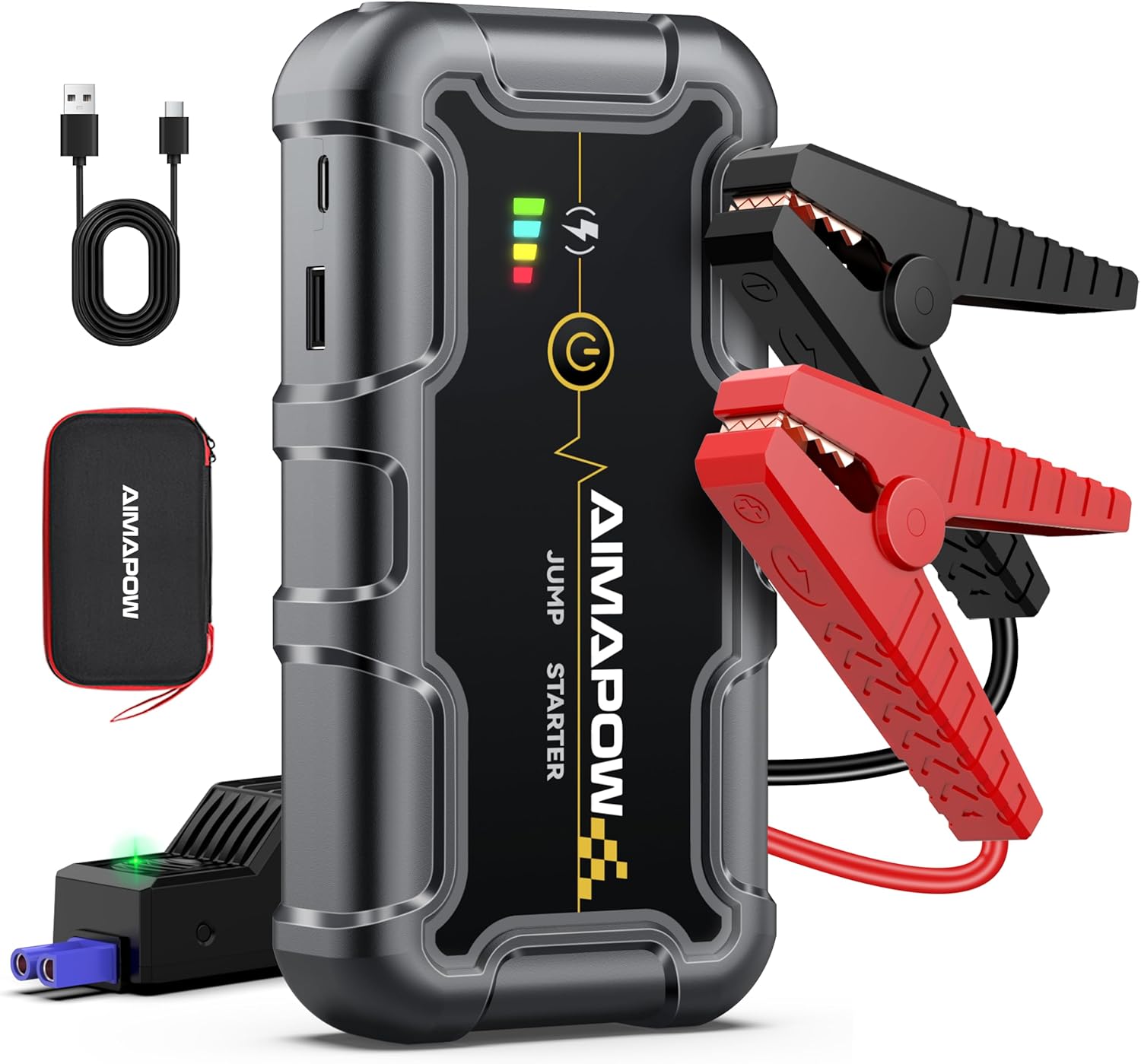
Figure 1: AIMAPOW Portable Car Battery Jump Starter and accessories.
This jump starter is capable of starting all gas engines and diesel engines up to 10.0L. It operates effectively in extreme temperatures, ranging from -20°C (-4°F) to 60°C (140°F).

Figure 2: Engine compatibility for various vehicle types.
2. Package Contents
Verify that all items are present in your package:
- AIMAPOW A20 Car Jump Starter
- Extended Jumper Cables
- USB-C Charging Cable
- User Manual
- Storage Box

Figure 3: All components included in the AIMAPOW A20 package.
3. Specifications
| Feature | Specification |
|---|---|
| Brand | AIMAPOW |
| Model Number | A20 |
| Peak Amperage | 6000 Amps |
| Battery Capacity | 20000 Milliamp Hours |
| Battery Cell Composition | Lithium Ion |
| Vehicle Service Type | Automotive |
| Product Dimensions | 3.9 x 5.2 x 8.8 inches |
| Item Weight | 2 pounds |
4. Safety Information
Always follow these safety guidelines to prevent injury or damage:
- Ensure correct polarity when connecting the jumper cables to the vehicle battery.
- Do not allow the red and black clamps to touch each other once connected to the jump starter.
- Use the jump starter in well-ventilated areas.
- Keep the device away from children.
- Do not expose the device to extreme heat or fire.
- If the device shows any alarm indicators (e.g., reversed polarity, low voltage, high temperature), consult the troubleshooting section before proceeding.

Figure 4: The smart clamp offers multiple safety protections.
5. Charging the Jump Starter
To ensure optimal performance, fully charge the jump starter before first use and after each jump-start. The device features a power level indicator to help you monitor its charge status.
- Connect the USB-C charging cable to the jump starter's input port.
- Plug the other end of the cable into a suitable USB power adapter (not included).
- The power level indicator on the device will show charging progress.
- Once fully charged, disconnect the charging cable.

Figure 5: Power level indicators for the jump starter.
6. Setup: Connecting to Vehicle Battery
Follow these steps to safely connect the jump starter to your vehicle's battery:
- Ensure the jump starter is adequately charged.
- Insert the jumper cable plug completely into the jump starter's port.
- Connect the red (+) clamp to the positive (+) terminal of the vehicle battery.
- Connect the black (-) clamp to the negative (-) terminal of the vehicle battery.

Figure 6: Visual guide for connecting the jump starter to a car battery.
7. Operating: Jump Starting Your Vehicle
Once the cables are securely connected, proceed with starting your vehicle:
- Check the indicator light on the jumper cable. If the light is solid green, the device is ready.
- If the light does not come on or the vehicle does not start, press and hold the clamp force start button for approximately 3 seconds until it activates.
- Start your vehicle engine.
- Once the engine starts, immediately disconnect the jumper cables from the vehicle battery, then from the jump starter.
Warning: When using the force start button, all protection features are temporarily disabled.

Figure 7: Detailed steps for jump starting a vehicle.
Video 1: Official guide on how to use the Jump Starter for vehicle starting.
8. Operating: Using as a Power Bank
The AIMAPOW A20 can also serve as a portable power bank to charge your electronic devices.
- Locate the USB output ports on the jump starter.
- Connect your device's charging cable to one of the USB output ports.
- The jump starter will automatically begin charging your device.
9. Operating: Using the Flashlight
The built-in LED flashlight offers multiple modes for various situations:
- To turn on the flashlight, press and hold the flashlight button.
- Press the flashlight button repeatedly to cycle through the modes: Bright, SOS, and Strobe.
- To turn off the flashlight, press and hold the flashlight button again.
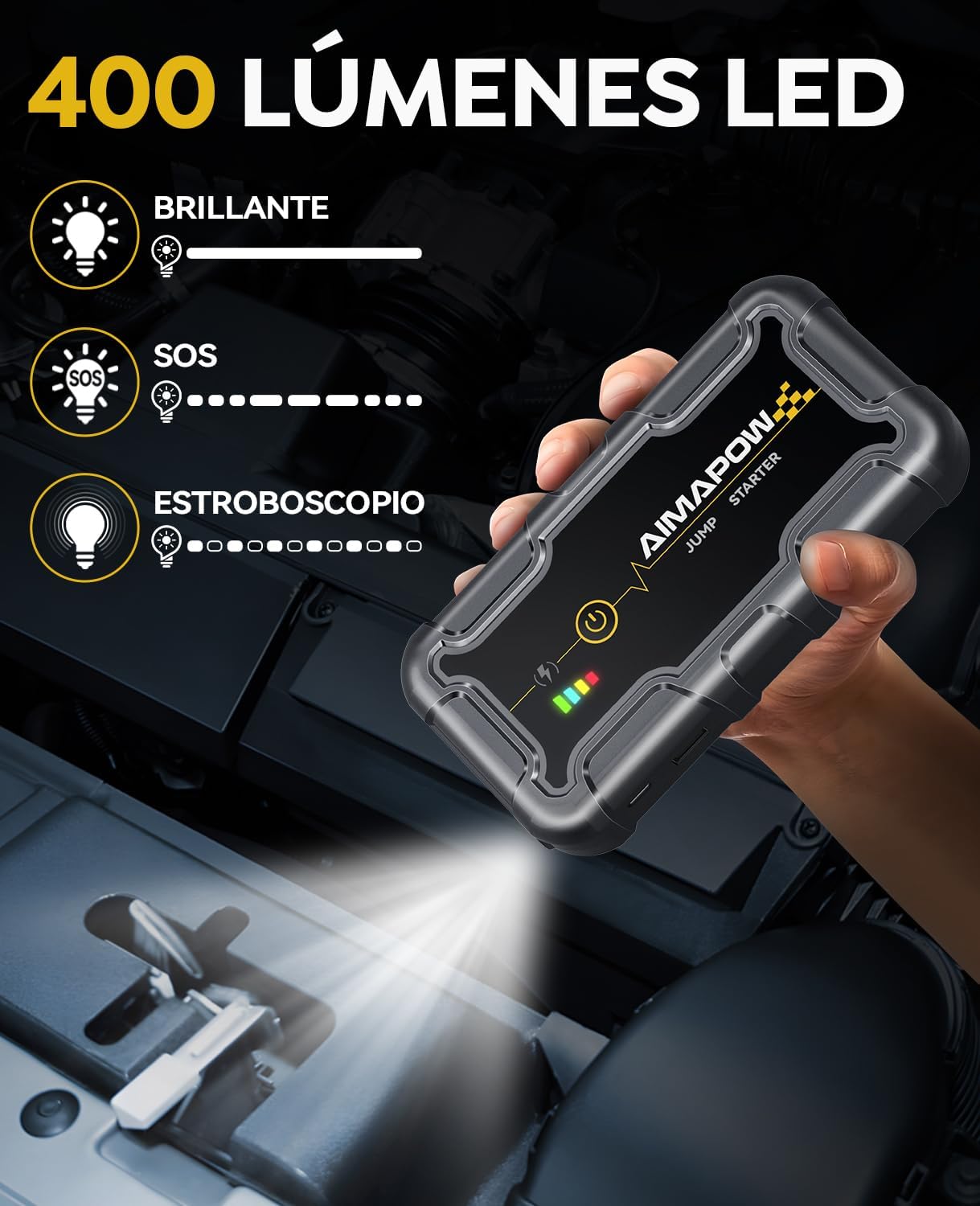
Figure 8: Flashlight modes available on the jump starter.


