
Product Overview
The johgee 4-Zone Watering Timer is a programmable garden hose faucet timer designed for efficient and automated irrigation. It features four independent outlets, a durable brass inlet, and various watering modes to suit different gardening needs.
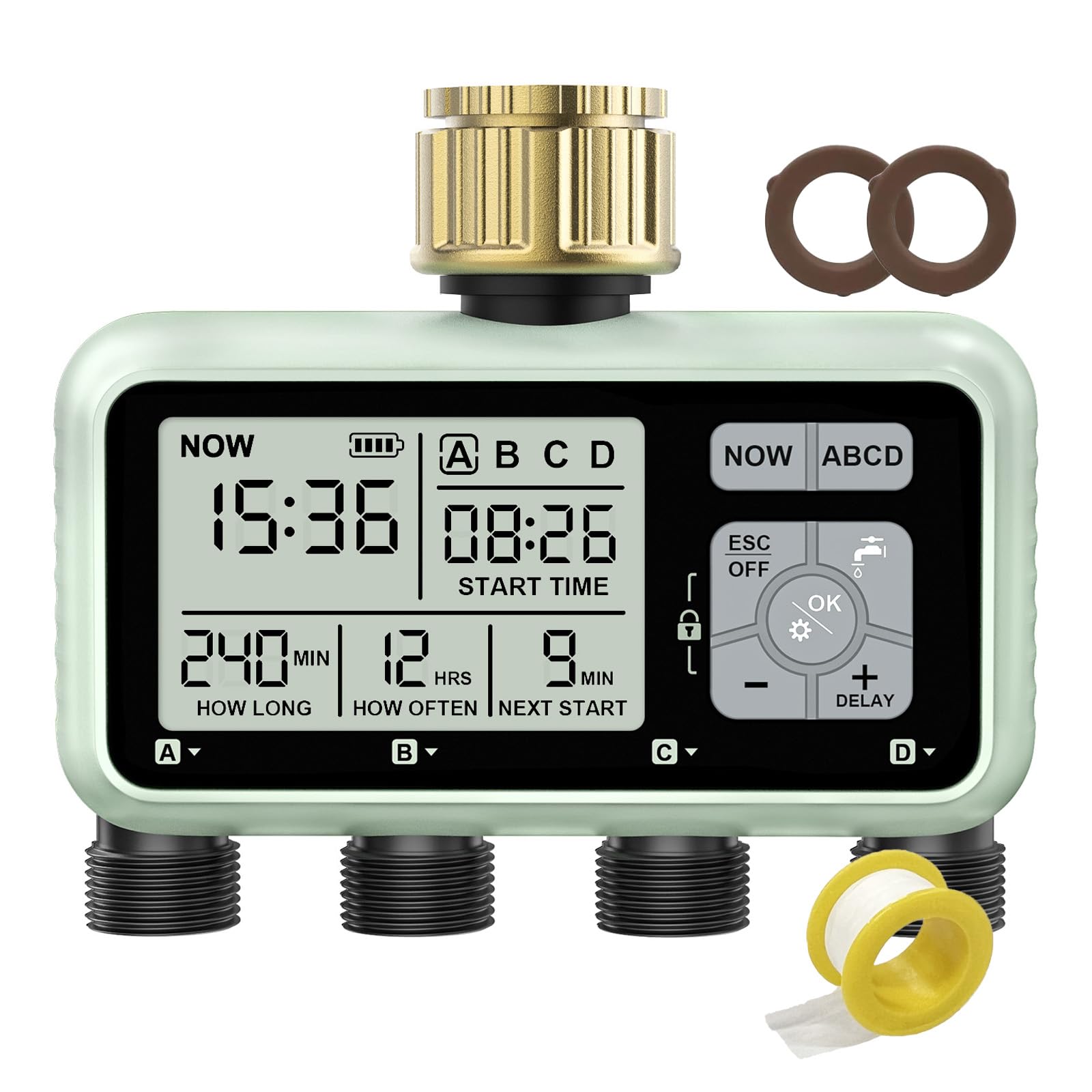
Image: Front view of the johgee 4-Zone Watering Timer, showing the display and four outlets.
Setup Instructions
- Install Batteries: Open the battery compartment and insert two 1.5V AA alkaline batteries. Ensure correct polarity. Lithium batteries are not supported.
- Connect to Faucet: Attach the brass swivel inlet of the watering timer securely to your outdoor hose faucet. The brass thread design ensures a leak-proof connection.
- Connect Hoses: Attach your garden hoses or irrigation lines to the four individual outlets at the bottom of the timer.

Image: Close-up of the battery compartment with two AA batteries being inserted.

Image: The watering timer connected to an outdoor hose faucet, with hoses attached to its outlets.
Operating Instructions
Programming Individual Zones
The timer allows for independent programming of each of its four zones (A, B, C, D). You can customize the start time, watering duration, and frequency for each zone.
- Set Current Time: Use the control panel to set the current time on the device.
- Select Zone: Use the 'ABCD' button to select the zone you wish to program.
- Set Start Time: Adjust the desired start time for irrigation for the selected zone.
- Set Watering Duration: Specify how long the watering will last (from 1 second to 360 minutes).
- Set Watering Frequency: Determine how often the watering cycle repeats (from 1 hour to 15 days).

Image: The timer's display showing current time, start time, irrigation duration, and frequency settings for multiple zones.
Manual Watering Mode
To water manually without interrupting your programmed schedule, use the manual mode function. This allows for flexible, on-demand watering.

Image: A hand interacting with the timer's control panel, highlighting the manual watering button.
Rain Delay Function
Activate the rain delay function to temporarily pause your watering schedule during rainy periods. This prevents overwatering and conserves water. The 'DELAY' icon will appear on the screen, and the next start time will update accordingly.

Image: The watering timer installed outdoors with rain falling, showing the 'DELAY' icon on its display.
Child-Lock Mode
Engage the child-lock mode to prevent accidental changes to your programming by children or pets, avoiding unintended water wastage.
Intelligent Power Supply System
The timer displays the remaining battery power. A powerful chip detects low battery levels and will automatically shut off the timer before the batteries are completely depleted, protecting your device and ensuring proper operation.
Maintenance
- Waterproof Design: The timer features an IPX5 waterproof rating, protecting it from water splashes and rain.
- Durable Materials: The brass material interface is designed for strength and corrosion resistance, surpassing plastic and ABS materials. The connector is made of reinforced nylon for enhanced durability and leak prevention.
- Battery Replacement: Replace the two 1.5V AA alkaline batteries when the low battery indicator appears on the display. Ensure the battery cover is securely sealed after replacement to maintain waterproofing.

Image: The watering timer with callouts for its durable brass inlet, IPX5 waterproofing, clear key panel, and sealed battery cover.
Troubleshooting
- Screen Protective Film: If the screen appears scratched upon unboxing, check for a protective film that can be removed.
- Zone Not Closing/Opening: If a specific zone is not closing or opening as expected, manually operate that zone to check its functionality. If manual operation works normally, the product is functioning correctly. If it fails to open or close manually, please contact customer support.
- Leakage: Ensure all connections, especially the brass inlet to the faucet and hoses to the outlets, are tightened securely. Check the rubber washers for proper seating and wear.
Specifications
| Brand | johgee |
| Model | 4 Outlets with Brass Inlet |
| Color | Green |
| Material | Brass (Inlet), Reinforced Nylon (Connectors) |
| Product Dimensions | 6.5"D x 5.2"W x 2.6"H |
| Item Weight | 0.93 Kilograms |
| Number of Settings | 6 |
| Screen Size | 2 Inches |
| Battery Type | 2 x 1.5V AA Alkaline Batteries (not included) |
| Waterproof Rating | IPX5 |
Warranty and Support
For warranty information or technical support, please refer to the product packaging or contact johgee customer service directly. Contact details are typically provided with your purchase documentation or on the manufacturer's official website.


