
1. Introduction
The aowoka Bluetooth Item Tracker is designed to help you locate your valuable items using the Apple Find My app on iOS devices. This compact and lightweight tracker is ideal for keys, luggage, backpacks, and other personal belongings. It features a replaceable battery and is IP67 waterproof, ensuring durability and long-term use.
This manual provides detailed instructions for setting up, operating, maintaining, and troubleshooting your aowoka Bluetooth Item Tracker.

Image 1.1: The aowoka Bluetooth Item Tracker, a compact device for tracking personal items.
2. Setup
To begin using your aowoka Bluetooth Item Tracker, follow these steps to pair it with your iOS device:
- Ensure your iOS device is updated to iOS 18 or a later version.
- Activate Bluetooth on your iOS device.
- Open the Find My app on your iOS device.
- Navigate to the Items tab.
- Tap on Add Item, then select Other Supported Item.
- Follow the on-screen instructions within the Find My app to complete the pairing process. The tracker will be detected automatically.

Image 2.1: The Apple Find My app displaying the location of a paired item tracker.
3. Operating the Item Tracker
3.1 Locating Your Items
Once paired, you can locate your items using the Find My app. The app leverages the global Find My network, consisting of billions of iOS devices, to help you track your item's location even when it's far away.
- Map Tracking: View your item's last known location on a map within the Find My app.
- Play Sound: If your item is within Bluetooth range (up to 60 meters/200 feet), you can trigger the built-in speaker on the tracker to emit a loud buzzing sound, helping you pinpoint its exact location.

Image 3.1: Using the 'Play Sound' feature in the Find My app to locate nearby items.

Image 3.2: The Find My app displaying worldwide tracking capabilities for your item.
3.2 Left Behind Remind and Lost Mode
- Left Behind Remind: If you leave an item with the tracker behind and the Bluetooth connection to your iOS device is lost, the Find My app will send an immediate notification to your device, alerting you that the item is missing.
- Lost Mode: In the event of a lost item, you can activate Lost Mode in the Find My app. You can include your contact information. If another Apple device user comes within range of your lost tracker, they will be able to see your contact information and help return your item. The Find My network will also remotely provide you with the tag's location.

Image 3.3: An example of a 'Left Behind Remind' notification from the Find My app.
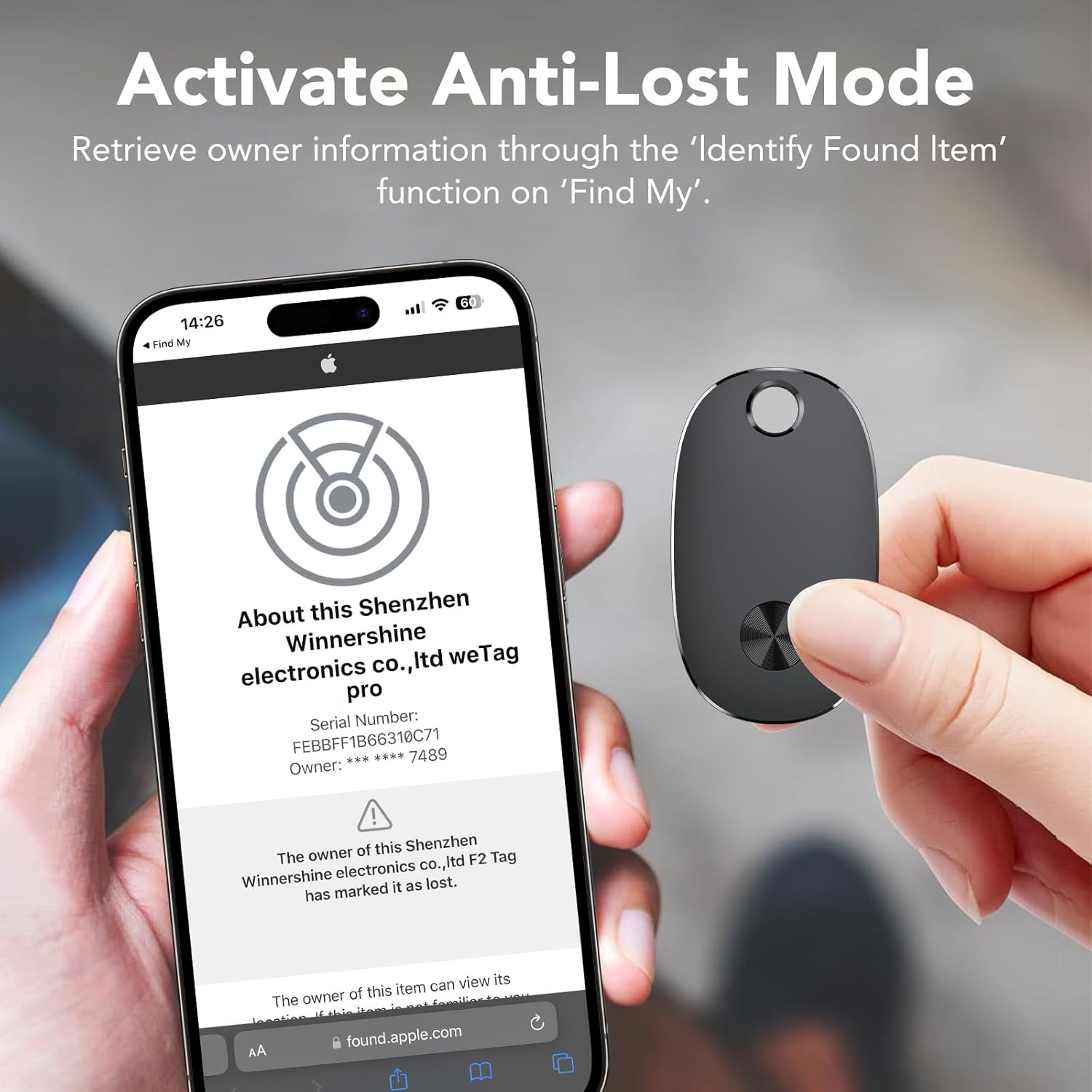
Image 3.4: Activating Anti-Lost Mode to retrieve owner information via the 'Identify Found Item' function.
3.3 Sharing Your Tracker
You can share access to your item tracker with up to 5 other people through the Find My app, allowing friends and family to also track your items.

Image 3.5: Sharing the item tracker's location with up to five individuals.
3.4 Privacy Protection
The aowoka Bluetooth Item Tracker prioritizes your privacy. All communication within the Find My network is anonymous and encrypted. Location data and history are not stored on the tracker itself.
3.5 Product Overview Video
Video 3.1: An official product video demonstrating the features and usage of the aowoka Bluetooth Item Tracker, including its tracking capabilities, sound alerts, and design.
4. Maintenance
4.1 Battery Replacement
The aowoka Bluetooth Item Tracker uses a replaceable CR2032 coin cell battery, which can last up to 2 years under normal usage conditions. When the battery is low, the Find My app will notify you. To replace the battery:
- Carefully open the tracker casing.
- Remove the old CR2032 battery.
- Insert a new CR2032 battery with the positive (+) side facing up.
- Close the casing securely, ensuring it is properly sealed to maintain its waterproof rating.
4.2 Water and Dust Resistance
The tracker is rated IP67 for water and dust resistance, meaning it can withstand immersion in up to 1 meter of water for 30 minutes. It is designed to be rainproof and suitable for outdoor use. However, it is not recommended for prolonged submersion or use in extreme water pressure environments.
5. Troubleshooting
- Tracker not connecting or appearing in Find My app:
- Ensure Bluetooth is enabled on your iOS device.
- Make sure the tracker's battery is not depleted. Replace if necessary.
- Bring the tracker closer to your iOS device during the pairing process.
- Restart your iOS device and try pairing again. - Sound alert not working:
- Check if the tracker is within Bluetooth range of your iOS device.
- Ensure the volume on your iOS device is turned up.
- Verify the tracker's battery level. - Inaccurate location or infrequent updates:
- The accuracy of location tracking depends on the density of the Apple Find My network in the area. In areas with fewer iOS devices, location updates may be less frequent or less precise.
- Ensure your iOS device has a stable internet connection (Wi-Fi or cellular data) for optimal location updates. - Left Behind Remind not triggering:
- Check the settings in the Find My app to ensure 'Notify When Left Behind' is enabled for the specific tracker.
- Ensure your iOS device has a stable connection to the tracker when you leave it behind.
6. Specifications
| Feature | Detail |
|---|---|
| Model Number | F6-DH6-4White |
| Connectivity | Bluetooth |
| Compatibility | iOS devices (Apple Find My app) |
| Battery Type | CR2032 (replaceable) |
| Battery Life | Up to 2 years |
| Water Resistance | IP67 |
| Material | Plastic |
| Item Weight | 4.2 ounces (approx. 119 grams) |
| Package Dimensions | 4.96 x 4.49 x 0.63 inches |
7. Warranty Information
Warranty information for the aowoka Bluetooth Item Tracker is not available in the provided product data. Please refer to the product packaging or contact the manufacturer directly for warranty details.
8. Customer Support
Customer support contact information for the aowoka Bluetooth Item Tracker is not available in the provided product data. For assistance, please refer to the manufacturer's official website or contact the seller through your purchase platform.