
Second Chance Slx Hybrid Mini
Swing Logic SLX Hybrid Mini Portable Golf Launch Monitor User Manual
Enhance Your Golf Game with Precision Data and Analysis
1. Product Overview
The SLX Hybrid Mini is a cutting-edge portable golf launch monitor designed to provide golfers with accurate, real-time data to improve their performance. This compact device measures key metrics such as ball distance, ball speed, club head speed, and smash factor. It integrates seamlessly with a dedicated app, offering features like swing video capture, GPS course mapping, and a virtual driving range.

Image: The SLX Hybrid Mini device shown alongside its companion app interface on a tablet and smartphone, displaying various golf metrics and analysis tools.
2. Package Contents
Upon unboxing your SLX Hybrid Mini, please ensure all the following components are present:
- SLX Hybrid Mini Launch Monitor
- Charger Cable (USB-C)
- Quick Manual
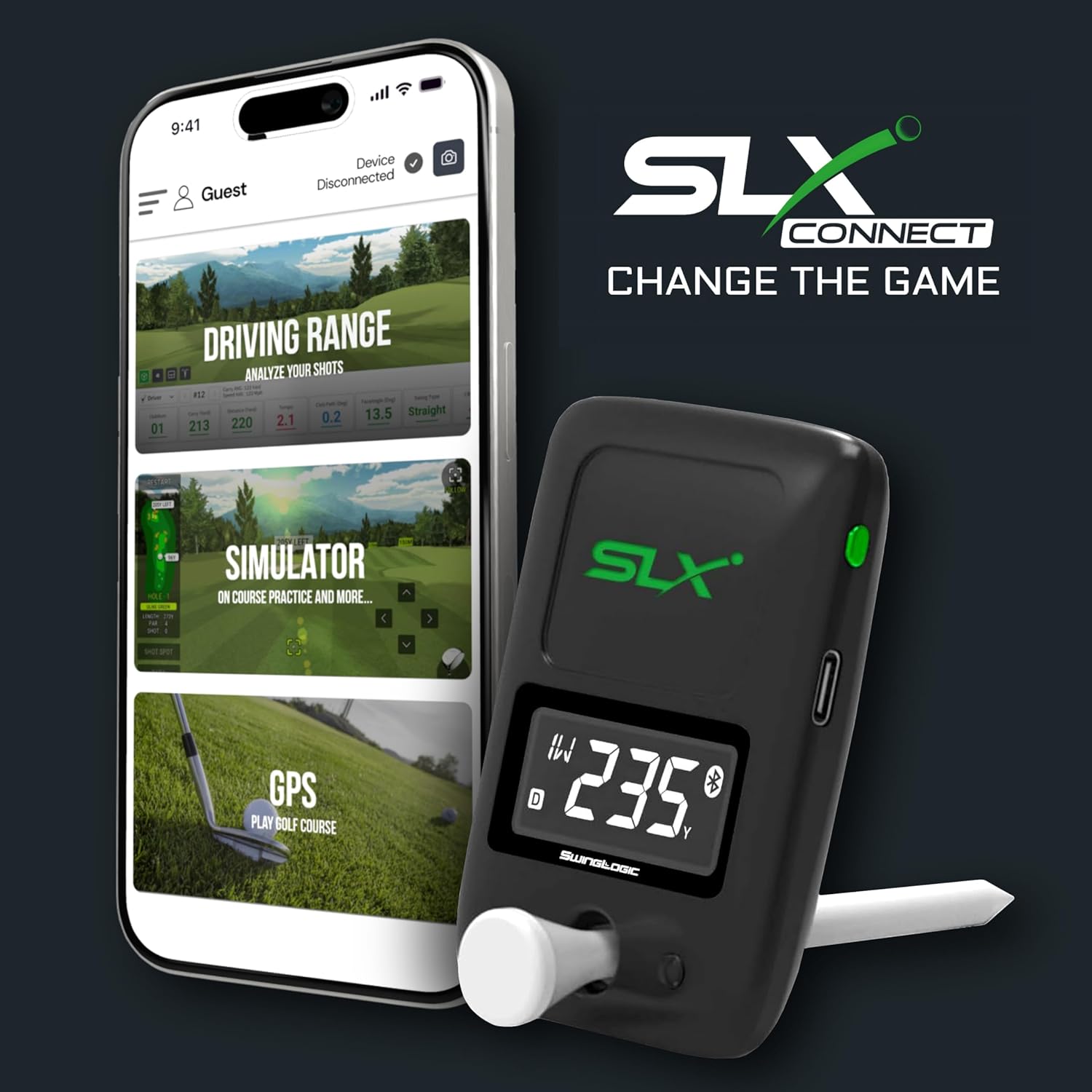
Image: The SLX Hybrid Mini device displayed with a golf tee and a smartphone running the SLX Connect app, illustrating the core components.
3. Setup Guide
3.1. Charging the Device
Before first use, fully charge your SLX Hybrid Mini. Connect the provided USB-C charger cable to the device and a suitable power source. The LED indicator on the device will show charging status.
3.2. App Installation and Connection
- Download the 'SLX Connect' app from your device's app store (iOS or Android).
- Ensure Bluetooth is enabled on your smartphone or tablet.
- Turn on the SLX Hybrid Mini.
- Open the SLX Connect app and follow the on-screen instructions to pair your device via Bluetooth.

Image: The SLX Hybrid Mini device positioned next to a smartphone displaying the SLX Connect app, indicating a successful Bluetooth connection.
4. Operating Instructions
4.1. Device Placement for Use
For accurate readings, place the SLX Hybrid Mini on a flat surface approximately 1-2 feet behind the golf ball, aligned with your target line. The device features a built-in kickstand for easy positioning. It also includes a powerful magnetic mount for attaching to metal surfaces, such as a golf cart frame, for convenient access and stability.

Image: The SLX Hybrid Mini device securely attached to the metal frame of a golf cart using its magnetic holder, demonstrating its versatile placement options.

Image: A hand placing the compact SLX Hybrid Mini device into a pocket, highlighting its portable and pocket-sized design.
4.2. Understanding Metrics
The SLX Hybrid Mini provides instant feedback on crucial golf metrics:
- Total Distance (Yds): The total estimated distance the ball travels.
- Carry (Yds): The distance the ball travels in the air.
- Club Speed (MPH): The speed of your club head at impact.
- Ball Speed (MPH): The speed of the golf ball immediately after impact.
- Smash Factor: Efficiency of energy transfer from club to ball (Ball Speed / Club Speed).
- Launch Angle (°): The angle at which the ball leaves the clubface.
- Launch Direction (°): The horizontal angle of the ball's initial flight.
- Back Spin (rpm): The rate of backspin on the ball.
- Side Spin (rpm): The rate of sidespin on the ball, influencing hooks or slices.

Image: A smartphone screen showing the SLX Connect app interface with detailed golf metrics such as total distance, carry, club speed, ball speed, smash factor, and launch angle.
4.3. Video Capture Feature
Utilize the integrated video capture feature within the SLX Connect app to record and analyze your swing. The app can automatically capture video when a swing is detected, allowing for detailed visual review alongside your performance data.
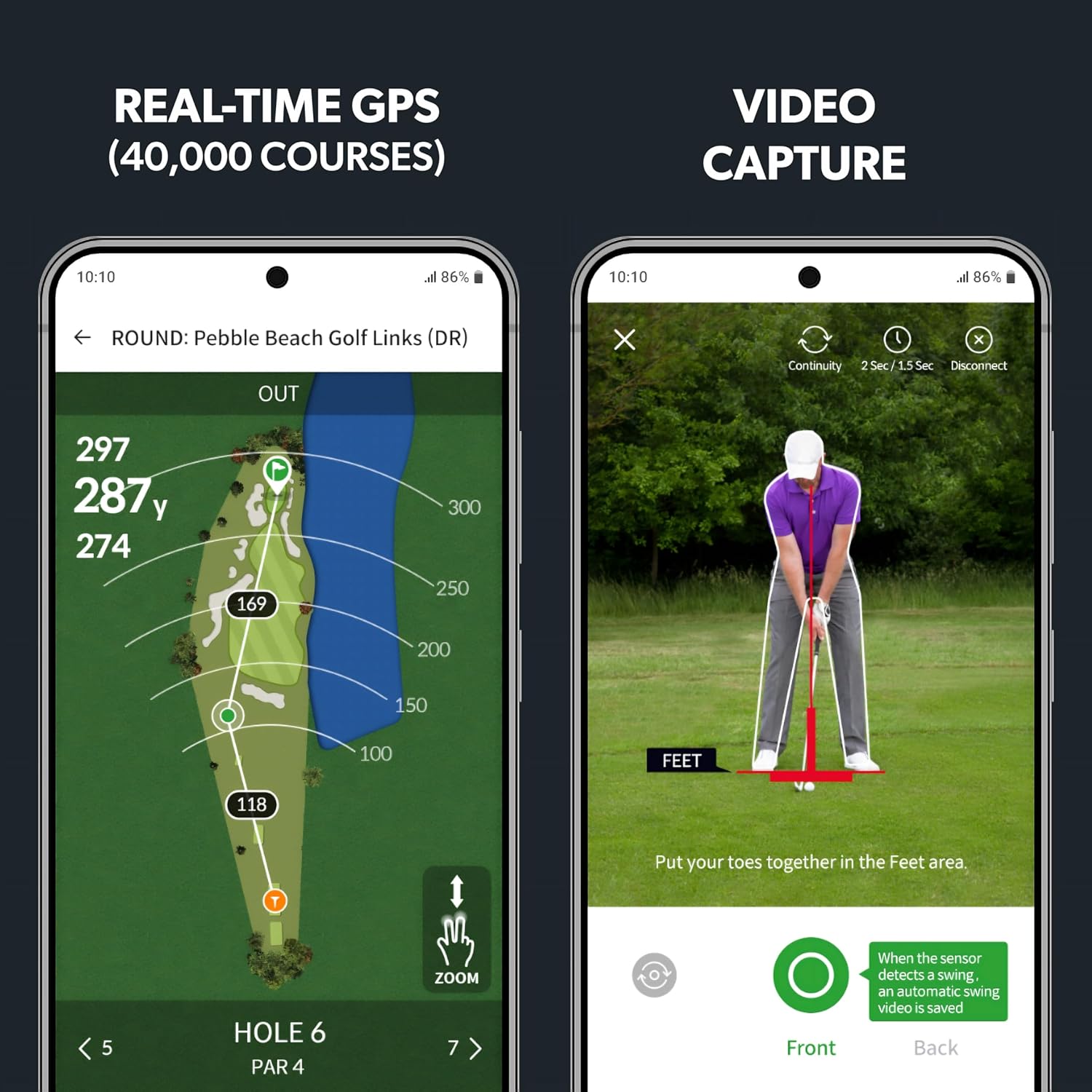
Image: The SLX Connect app displaying a video capture screen, showing a golfer in mid-swing with an overlay indicating the 'Feet area' for proper positioning.
4.4. GPS Functionality
The SLX Hybrid Mini includes a compact golf GPS device that offers real-time course mapping for over 40,000 golf courses. This feature provides accurate distances to greens, hazards, and other key points on the course, enhancing your on-course strategy.
Image: A smartphone screen showing the SLX Connect app's real-time GPS feature, displaying a detailed golf course map with distances to various points on a hole.
4.5. Product Video Overview
Watch this official product video for a visual guide on the features and operation of the SLX Hybrid Mini Portable Golf Launch Monitor:
Video: An official overview of the Swing Logic SLX Hybrid Mini Portable Golf Launch Monitor, demonstrating its use on the driving range and golf course, highlighting its data tracking and app integration.
5. Maintenance and Care
To ensure the longevity and optimal performance of your SLX Hybrid Mini, follow these maintenance guidelines:
- Cleaning: Wipe the device with a soft, dry cloth after each use to remove dirt and debris. Avoid using abrasive cleaners or solvents.
- Storage: Store the device in a cool, dry place away from direct sunlight and extreme temperatures.
- Battery Care: The device uses a Lithium Polymer battery. For best battery life, avoid fully discharging the battery frequently. Charge it regularly, even if not in use for extended periods.
6. Troubleshooting Common Issues
If you encounter any issues with your SLX Hybrid Mini, refer to the table below for common problems and their solutions:
| Problem | Possible Cause | Solution |
|---|---|---|
| Device not connecting via Bluetooth | Bluetooth off, device out of range, low battery, app issue. | Ensure Bluetooth is on, device is charged, and within 10 feet. Restart app and device. |
| Inaccurate readings | Improper device placement, obstruction, dirty sensor. | Verify device placement (1-2 ft behind ball, aligned). Ensure clear line of sight. Clean sensor window. |
| Battery not holding charge | Faulty charger, worn battery. | Use the original USB-C charger cable. If issue persists, contact customer support. |
| App crashing or freezing | Outdated app version, device memory issues. | Update the app to the latest version. Close other apps running in the background. Restart your smartphone/tablet. |
7. Technical Specifications
- Model Name: SLX Hybrid Mini
- Color: Black
- Size: One Size (Package Dimensions: 11.4 x 7.4 x 4.9 cm)
- Weight: 130 g
- Display Type: LED
- Material Type: Plastic
- Connectivity Technology: Bluetooth
- Features: Integrated Swing Analysis, Video Capture, Real-time Golf Tracking
- Map Type: Street, Satellite/aerial (for GPS functionality)
- Batteries: 1 Lithium Polymer battery (included)
- Control Method: App
8. Warranty Information
The SLX Hybrid Mini Portable Golf Launch Monitor is covered by a manufacturer's warranty against defects in materials and workmanship. Please refer to the warranty card included in your package or visit the official Swing Logic website for detailed terms and conditions regarding warranty claims and duration.
9. Customer Support
For further assistance, technical support, or inquiries regarding your SLX Hybrid Mini, please contact our customer support team. You can find contact information and additional resources by visiting the Second Chance Store on Amazon or the official Swing Logic website.
Related Documents - Slx Hybrid Mini
 |
SwingLogic SLX MicroSim Golf Swing Sensor - Quick Start Guide & Manual Learn how to set up and use your SwingLogic SLX MicroSim Golf Swing Sensor with this comprehensive quick start guide. Analyze your swing, improve your game, and register your device. |
 |
SLX NANO 2.0 User Manual: Dual Motion Sensor for Golf Gloves Comprehensive user manual for the SLX NANO 2.0 dual motion sensor for golf gloves. Learn about setup, charging, E6 Connect integration, troubleshooting, and specifications. |
 |
UNEEKOR EYE MINI CORE Product Guide - Elevate Your Golf Game Official product guide for the UNEEKOR EYE MINI CORE golf launch monitor. Learn about its features, setup, technical specifications, and safety guidelines to enhance your golf simulation experience. |
 |
Voice Caddie G3 User Manual - Golf and Fitness Watch Comprehensive user manual for the Voice Caddie G3 GPS golf and fitness watch, covering setup, modes, features, and warranty information. |
 |
SLX-MICROSIM 2.0 Dual Motion Sensor User Manual User manual for the SLX-MICROSIM 2.0 dual motion sensor for golf clubs. Covers setup, registration with E6 Connect, usage, charging, firmware updates, troubleshooting, and specifications. |
 |
Voice Caddie T1 Hybrid Golf Watch User Manual Comprehensive user manual for the Voice Caddie T1 Hybrid Golf Watch, covering setup, fitness modes (Walk/Run, Cycle, Stopwatch), golf features (Play Golf, Shot Distance, Swing Tempo), settings, and warranty information. |
Ask a question about this manual
Ask about setup, troubleshooting, compatibility, parts, safety, or missing instructions. Manuals+ will review the question and use this page’s manual context to help answer it.