
1. Introduction
Thank you for choosing the Shinmax Bike Helmet. This helmet is designed to provide safety and comfort for adult cyclists, including urban commuters, mountain bikers, and road cyclists. It features integrated USB rechargeable LED lights for enhanced visibility, an adjustable fit system, and a detachable visor. Please read this manual thoroughly before using your helmet to ensure proper fit, operation, and maintenance.

The Shinmax Bike Helmet features integrated front and rear LED lights for enhanced visibility.
2. Safety Information
- This helmet is designed for cycling and similar activities. It is not intended for motor sports or other activities where a different type of helmet is required.
- Always ensure the helmet fits snugly and securely on your head. An improperly fitted helmet may not provide adequate protection.
- Inspect the helmet for any damage before each use. Do not use a damaged helmet.
- The helmet is designed to absorb impact by partial destruction of the shell and liner. Even if no damage is visible, a helmet that has sustained an impact should be replaced.
- Do not modify or attach accessories to the helmet that are not approved by the manufacturer, as this may compromise its protective capabilities.
- Clean the helmet only with mild soap and water. Solvents and petroleum-based products can damage the helmet's materials.
3. Package Contents
Your Shinmax Bike Helmet package should include the following items:
- Shinmax Bike Helmet with integrated LED lights
- Detachable Visor
- USB Charging Cable
- User Manual (this document)
4. Setup
4.1. Adjusting the Fit
For optimal protection, your helmet must fit correctly. Use the adjustable system at the back of the helmet to achieve a secure and comfortable fit.
- Measure Your Head: Use a flexible tape measure to find the circumference of your head, placing it just above your eyebrows and ears. Refer to the size chart below.
- Place the Helmet: Position the helmet squarely on your head, ensuring it covers your forehead. It should not be tilted back or forward.
- Adjust the Dial: Locate the twist knob at the back of the helmet. Turn the knob clockwise to tighten the fit or counter-clockwise to loosen it until the helmet feels snug but comfortable.
- Adjust Straps: Fasten the chin strap buckle. Adjust the straps so they form a 'V' shape under your ears. The buckle should be centered under your chin. Ensure there is enough room to open your mouth wide, but not so much that the helmet can move freely.
- Check Fit: Shake your head gently. The helmet should not shift significantly. If it does, readjust the dial and straps.

To ensure a proper fit, measure your head circumference. Available sizes include M (55-59cm), L (59-61cm), and XL (60-63cm). An adjustable knob allows for fine-tuning the fit.
4.2. Attaching the Detachable Visor
The helmet comes with a detachable visor that can be easily attached or removed based on your preference and riding conditions.
- To attach, align the two clips on the visor with the corresponding slots on the front of the helmet. Press firmly until they click into place.
- To detach, gently pull the visor away from the helmet at the clip points.

This image highlights the helmet's removable visor, multiple ventilation ports for airflow, and the internal adjustable fit system.
5. Operating the LED Lights
The Shinmax Bike Helmet is equipped with USB rechargeable LED lights at both the front and rear for increased visibility and safety, especially during low-light conditions.
5.1. Charging the Lights
- Locate the USB charging port on the rear light unit.
- Connect the provided USB charging cable to the helmet and to a standard USB power source (e.g., computer, wall adapter).
- The indicator light will show charging status (e.g., red for charging, green for fully charged).
- A full charge typically takes approximately 2-3 hours.
5.2. Turning On/Off and Changing Modes
- Front Light: Press the button on the front light to cycle through its modes (e.g., steady, flashing) or to turn it off.
- Rear Light: Press and hold the button on the rear light for 5 seconds to turn it on or off. Short presses will cycle through the 5 different lighting modes (e.g., constant, flashing, gentle flashing, continuous flashing, fluctuating flashing).

The rear LED light offers 5 different lighting modes and is rechargeable via USB-C. The image illustrates the various flashing patterns.
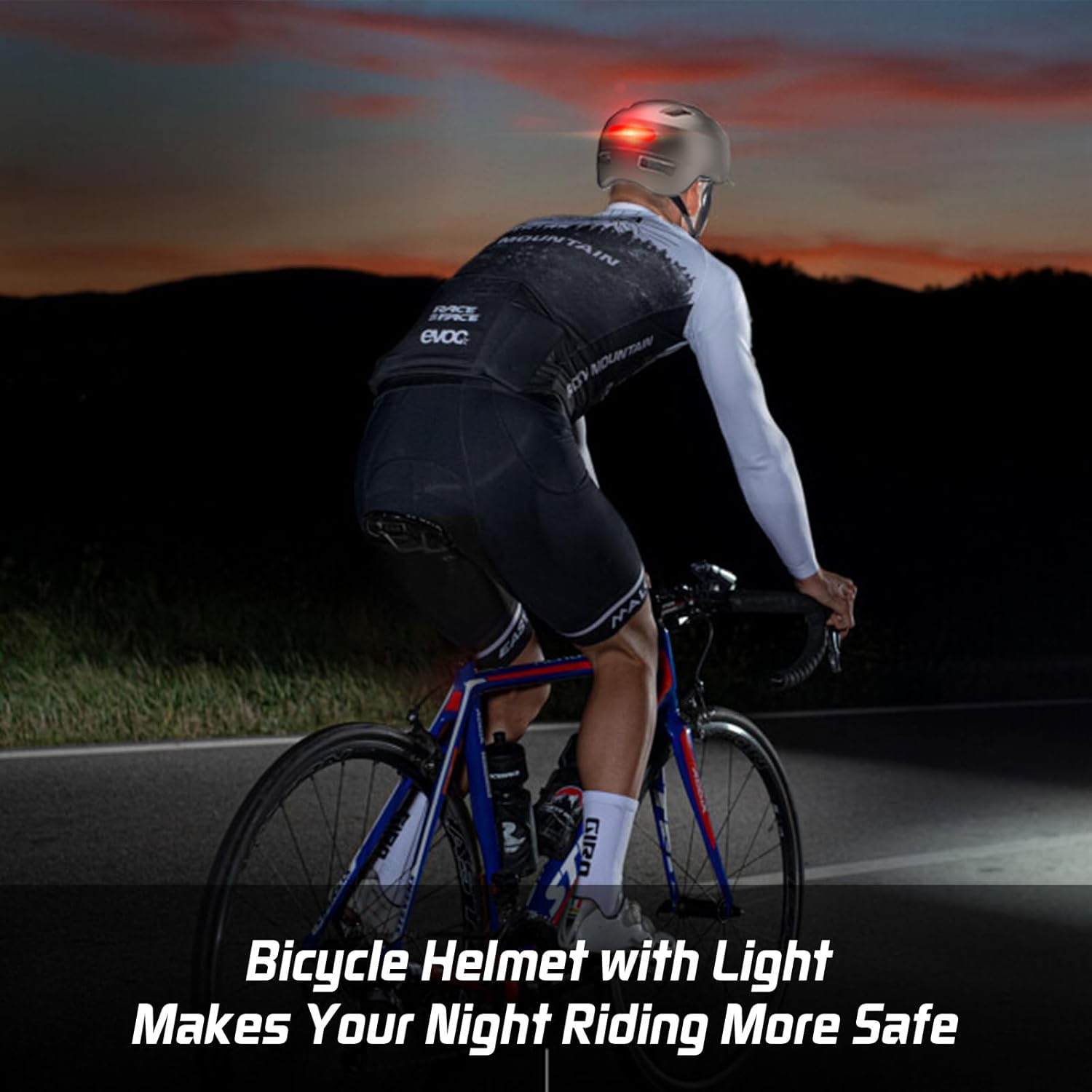
The integrated LED lights significantly improve rider visibility during low-light conditions and night rides.
6. Maintenance
6.1. Cleaning the Helmet
Regular cleaning helps maintain the helmet's hygiene and extends its lifespan.
- Outer Shell: Wipe the outer shell with a soft cloth dampened with mild soap and water. Avoid abrasive cleaners or solvents.
- Inner Lining and Pads: The internal lining and chin pads are removable for easy cleaning. Detach them from the helmet (they are typically secured with Velcro). Hand wash them with mild soap and water, then air dry completely before reattaching.
- Straps: Clean straps with mild soap and water.
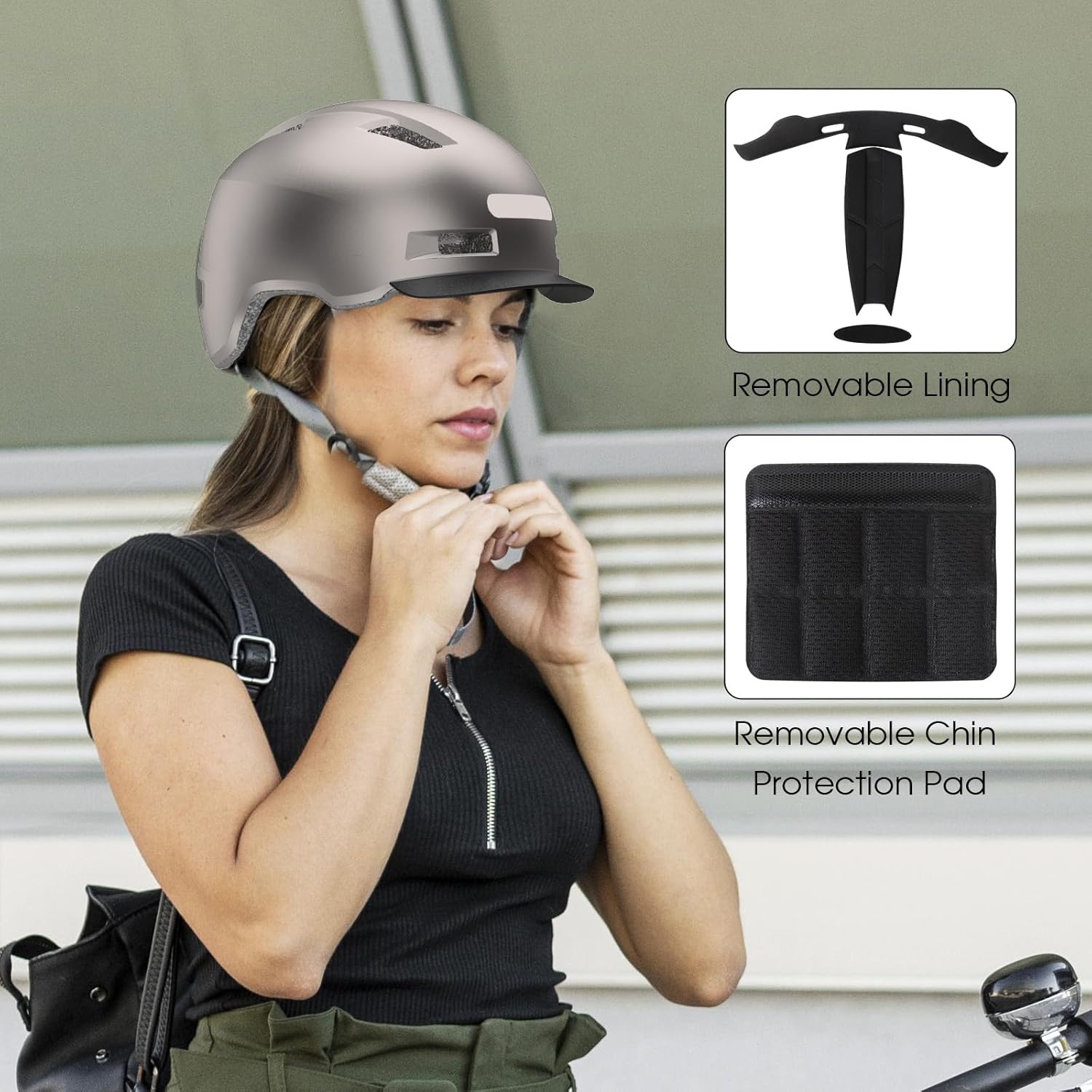
The helmet includes removable and washable internal lining and a chin protection pad for hygiene and comfort.
6.2. Storage
Store your helmet in a cool, dry place away from direct sunlight and extreme temperatures. Do not store it near heat sources or chemicals.
7. Troubleshooting
- LED Lights Not Working: Ensure the lights are fully charged. If they still don't work, try charging them again or contact customer support.
- Helmet Feels Loose/Uncomfortable: Re-adjust the rear dial and chin straps as described in Section 4.1. Ensure you have selected the correct helmet size for your head circumference.
- Visor Detaches Easily: Ensure the visor clips are properly aligned and fully engaged in the helmet slots.
8. Specifications
| Brand | Shinmax |
| Model Name | GH-36 |
| Age Range | Adult |
| Outer Material | Polycarbonate (PC) |
| Inner Material | Expanded Polystyrene (EPS) |
| Special Feature | USB Rechargeable LED Lights (Front & Rear) |
| Included Components | Helmet, Detachable Visor, USB Charging Cable |
| Item Weight | 350 Grams |
| Item Dimensions | 10.63 x 7.09 x 6.3 inches |
| Available Sizes | M (55-59 cm), L (59-61 cm), XL (60-63 cm) |
9. Warranty
The Shinmax Bike Helmet comes with a limited 1-year warranty from the date of purchase. This warranty covers manufacturing defects. It does not cover damage resulting from improper use, accidents, modifications, or normal wear and tear. For detailed warranty information and claims, please refer to the manufacturer's official website or contact their customer support.
10. Support
If you have any questions, concerns, or require assistance with your Shinmax Bike Helmet, please visit the official Shinmax website for support resources, FAQs, and contact information. You may also refer to your retailer for assistance.
