
Introduction
Thank you for choosing the MalTec DH-20330A Electric Dehumidifier. This manual provides essential information for the safe and efficient operation, maintenance, and troubleshooting of your device. Please read it thoroughly before first use and keep it for future reference.
This dehumidifier is designed to remove excess moisture from the air, helping to prevent mold, mildew, and other humidity-related issues in spaces up to 45 square meters. It features a 20 liters/day dehumidification capacity, a 4.5-liter water tank, and convenient WiFi control via the Smart Life application.
Safety Instructions
To reduce the risk of fire, electric shock, or injury, always follow these basic safety precautions:
- Ensure the power supply matches the voltage specified on the rating label.
- Do not operate the dehumidifier with a damaged cord or plug.
- Always unplug the unit before cleaning, servicing, or moving it.
- Do not block air inlets or outlets. Maintain at least 20 cm clearance around the unit.
- Do not use the appliance in wet rooms such as bathrooms or laundries where it may come into contact with water.
- Keep children and pets away from the appliance.
- Do not insert objects into the air vents.
- Use the appliance on a stable, level surface to prevent tipping.
- This appliance uses R290 refrigerant. Handle with care and ensure proper ventilation.
Product Overview and Components
Familiarize yourself with the main parts of your MalTec DH-20330A dehumidifier.

Image: Front view of the MalTec DH-20330A dehumidifier showing its dimensions: 52 cm height, 31 cm width, and 22 cm depth. The unit is white with a perforated front panel and handles on the sides.

Image: Rear view of the MalTec DH-20330A dehumidifier, highlighting the air intake grille and the removable nylon filter. Icons next to it represent air circulation, anti-bacterial function, humidity control, and the filter system.
Key Components:
- Control Panel: Located on the top for manual operation.
- Air Inlet/Filter: Located at the rear, equipped with a reusable nylon filter.
- Air Outlet: Located at the top.
- Water Tank: Removable tank with a 4.5-liter capacity, located at the bottom front.
- Continuous Drainage Port: For connecting a hose for continuous water removal.
- Casters: For easy mobility.
Setup
- Unpacking: Carefully remove the dehumidifier from its packaging. Retain packaging for future storage or transport.
- Placement: Place the unit on a firm, level surface. Ensure there is at least 20 cm of clear space around all sides for proper airflow. Do not place it near heat sources or in direct sunlight.
- Power Connection: Plug the power cord into a grounded electrical outlet. Ensure the voltage matches the unit's requirements.
- Initial Use: Allow the unit to stand upright for at least 2 hours before plugging it in and turning it on, especially if it was transported horizontally.
Operating Instructions
Control Panel
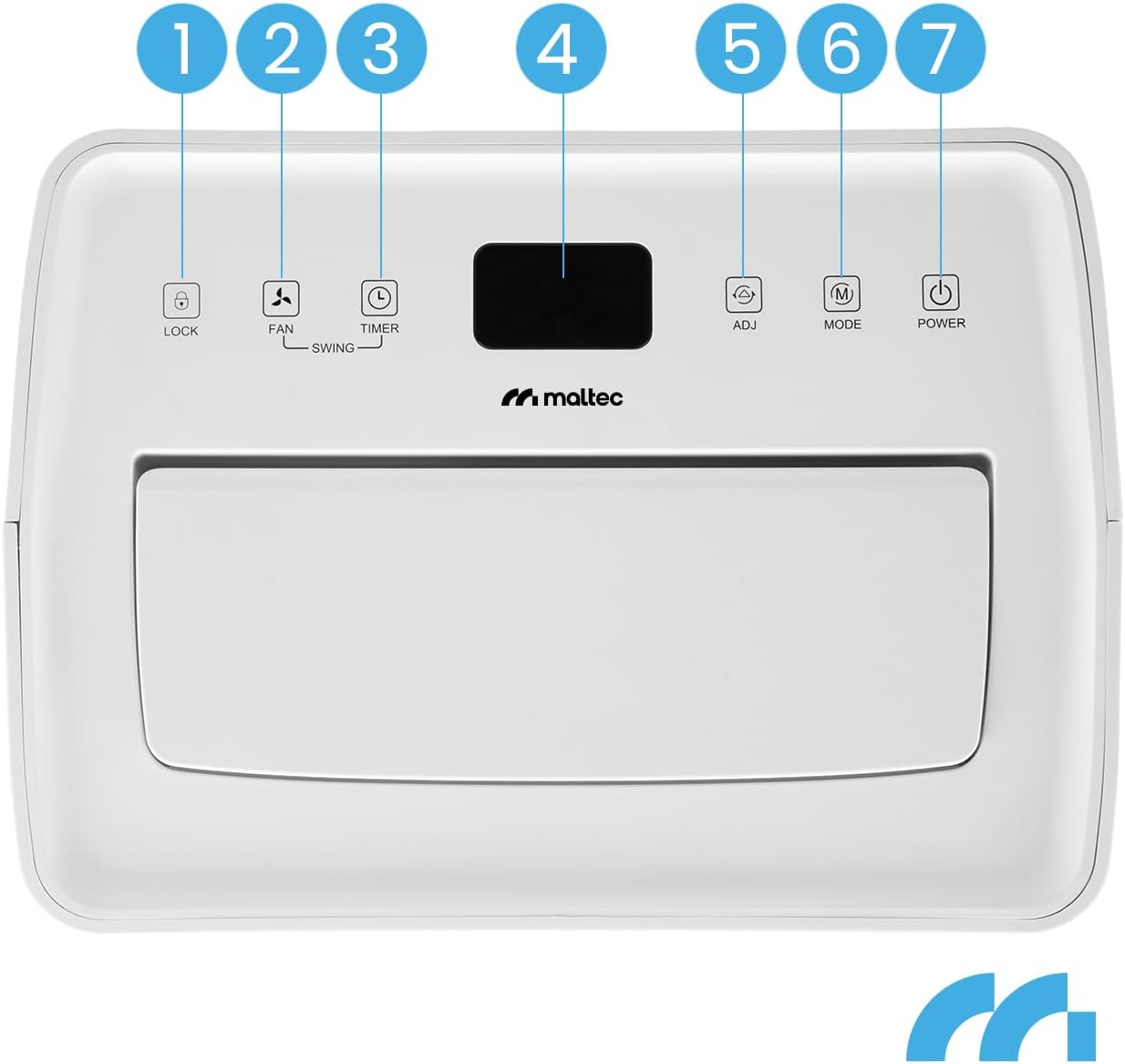
Image: Close-up of the MalTec DH-20330A dehumidifier's control panel. Buttons are numbered 1 to 7: 1. LOCK, 2. FAN/SWING, 3. TIMER, 4. Display, 5. ADJ (Adjust Humidity), 6. MODE, 7. POWER.
- POWER Button: Press to turn the unit ON or OFF.
- MODE Button: Cycles through operating modes:
- Auto Mode: The unit automatically adjusts dehumidification based on the ambient humidity to maintain a comfortable level (e.g., 50-55% RH).
- Continuous Dehumidification: The unit runs continuously regardless of humidity levels.
- Laundry Drying Mode: Operates at high fan speed to assist in drying clothes.
- ADJ (Adjust) Button: In Auto mode, press to set your desired humidity level (typically between 30% and 80% in 5% increments).
- FAN/SWING Button:
- Press once to adjust fan speed (High/Low).
- Press and hold to activate or deactivate the swing function for the air outlet louvers.
- TIMER Button: Press to set the auto-on or auto-off timer (1-24 hours).
- LOCK Button: Press and hold to activate/deactivate the child lock function, preventing accidental changes to settings.
- Display: Shows current humidity, set humidity, or timer settings.
WiFi Smart Control (Smart Life App)
The MalTec DH-20330A can be controlled remotely using the Smart Life application on your smartphone or tablet.
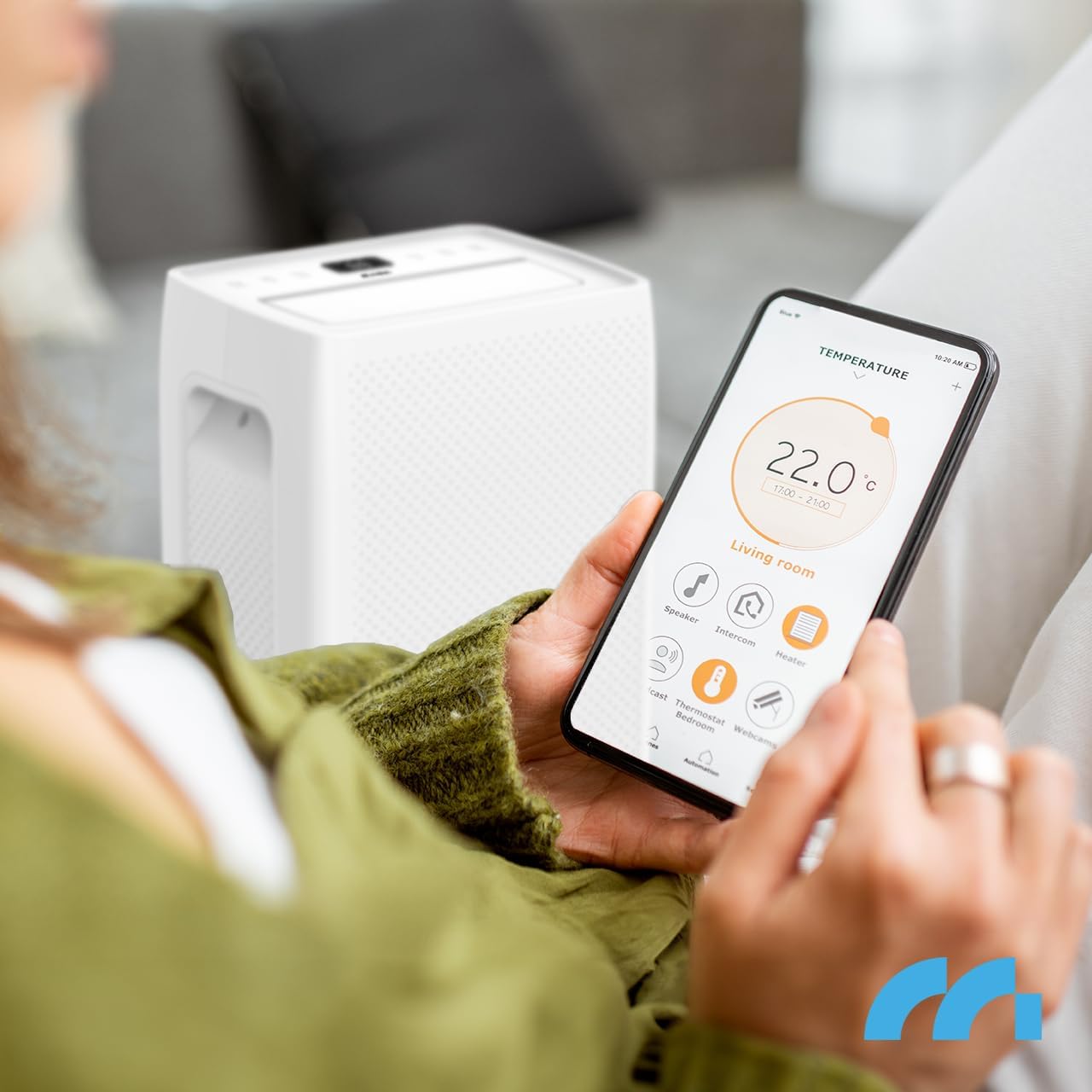
Image: A person holding a smartphone displaying the Smart Life application interface, showing temperature and various smart home device controls, including a dehumidifier. This illustrates remote control capability.
- Download App: Download the "Smart Life" app from your device's app store (iOS or Android).
- Register/Login: Create an account or log in to your existing Smart Life account.
- Add Device: Follow the in-app instructions to add your dehumidifier. This typically involves putting the dehumidifier into pairing mode (refer to the app or device manual for specific pairing steps) and connecting it to your home WiFi network.
- Remote Control: Once connected, you can control power, mode, humidity settings, fan speed, and timer functions from anywhere with an internet connection.
Water Drainage

Image: Close-up of the MalTec DH-20330A dehumidifier's water tank, clearly showing a water level indicator and a "4.5 L" label, indicating its capacity.
- Manual Drainage (Water Tank): When the 4.5-liter water tank is full, the unit will automatically stop operating and an indicator light will illuminate. Carefully pull out the water tank, empty it, and reinsert it firmly until it clicks into place. The unit will resume operation.
- Continuous Drainage: For extended operation without manual emptying, connect the included drainage hose to the continuous drainage port at the back of the unit. Route the hose to a suitable drain or container, ensuring it is sloped downwards for gravity drainage.
Maintenance
Regular maintenance ensures optimal performance and longevity of your dehumidifier.
- Cleaning the Air Filter:
- Unplug the dehumidifier from the power outlet.
- Remove the air filter from the rear of the unit.
- Clean the filter using a vacuum cleaner to remove dust and debris. For heavy dirt, wash it gently with warm, soapy water.
- Rinse thoroughly and allow the filter to air dry completely before reinserting it.
- Clean the filter every two weeks or more frequently depending on usage and air quality.
- Cleaning the Unit Exterior:
- Wipe the exterior with a soft, damp cloth. Do not use harsh chemicals, abrasives, or solvents.
- Ensure no water enters the control panel or other electrical components.
- Storage: If storing the unit for an extended period, ensure the water tank is empty and clean, and the filter is clean and dry. Store in an upright position in a cool, dry place.
Troubleshooting
Before contacting customer support, please refer to the following common issues and solutions:
| Problem | Possible Cause | Solution |
|---|---|---|
| Dehumidifier does not turn on. | No power, power cord loose, water tank full. | Check power connection, ensure tank is empty and correctly inserted. |
| No water collected. | Humidity too low, temperature too low, air filter blocked, unit too small for room. | Check ambient humidity/temperature, clean air filter, ensure unit is suitable for room size. |
| Unit is noisy. | Unit not on a level surface, air filter blocked. | Place on a level surface, clean air filter. |
| WiFi connection issues. | Incorrect WiFi password, router too far, app not updated. | Verify WiFi password, move unit closer to router, update Smart Life app, re-pair device. |
Specifications
| Brand: | MalTec |
| Model Name: | DH-20330A |
| Model Number: | 111784 |
| Dehumidification Capacity: | 20 Liters/day |
| Water Tank Capacity: | 4.5 Liters |
| Recommended Room Size: | Up to 45 m² |
| Noise Level: | 41 dB |
| Control Type: | Control Panel, WiFi (Smart Life App) |
| Dimensions (D x W x H): | 31 cm x 22 cm x 52 cm |
| Weight: | 12.5 kg |
| Refrigerant: | R290 |
| Special Features: | Portable, Automatic Humidity Control, Timer (1-24h), Laundry Drying Function, Defrost Function |
Warranty and Support
For warranty information and technical support, please refer to the warranty card included with your product or visit the official MalTec website. Keep your proof of purchase for any warranty claims.
If you encounter issues not covered in the troubleshooting section, please contact MalTec customer service for assistance.