
DOOGEE Note 58
DOOGEE Note 58 Android 15 Unlocked Cellphone User Manual
Model: Note 58
1. Introduction
This manual provides essential information for setting up, operating, and maintaining your DOOGEE Note 58 Android 15 Unlocked Cellphone. Please read this guide thoroughly to ensure proper usage and to maximize your device's capabilities.

Figure 1.1: Front and rear view of the DOOGEE Note 58 cellphone.
2. Package Contents
Verify that all items are present in your product package:
- DOOGEE Note 58 Cellphone
- Power Adapter
- USB Cable
- User Manual
- Screen Protector Accessories

Figure 2.1: Included accessories with the DOOGEE Note 58 cellphone.
3. Device Overview
3.1 Physical Design
The DOOGEE Note 58 features a slim design, measuring approximately 8.66mm in thickness, making it lightweight and comfortable to hold.

Figure 3.1: Side view illustrating the slim profile of the device.

Figure 3.2: Visual representation of the phone's 8.6mm ultra-thin body.
3.2 Ports and Buttons
The device includes standard ports and buttons for connectivity and control:
- USB-C Port: For charging and data transfer.
- SIM/TF Card Slot: Supports dual SIM cards and expandable storage.
- Power Button: To turn the device on/off and lock/unlock the screen.
- Volume Buttons: To adjust audio levels.

Figure 3.3: Bottom view of the device, detailing the USB-C port and speaker grille.
4. Initial Setup
4.1 Inserting SIM and TF Cards
The DOOGEE Note 58 supports two Nano-SIM cards and one TF (microSD) card for expanded storage. Use the provided SIM ejector tool to open the card tray.

Figure 4.1: The SIM card tray, designed for dual SIM and TF card expansion.
4.2 Powering On and Basic Configuration
Press and hold the power button to turn on your device. Follow the on-screen prompts to select your language, connect to a Wi-Fi network, and complete the initial setup process.
Video 4.1: An overview of the DOOGEE Note 58, including initial boot-up and setup screens.
5. Operating Your Device
5.1 Android 15 System
The DOOGEE Note 58 operates on the Android 15 system, offering enhanced security, privacy controls, and a user-friendly interface. Key features include:
- Super Clipboard: Advanced clipboard functionalities.
- Split-screen Mode: Multitask efficiently by running two apps simultaneously.
- Dual System Mode: Provides separate environments for different uses.

Figure 5.1: Examples of Android 15 system features on the DOOGEE Note 58.
5.2 Display
The device features a 6.75-inch HD+ IPS Waterdrop display with a 90Hz refresh rate for smooth visuals. The 720 x 1600 resolution and in-cell technology provide clear and vibrant images.
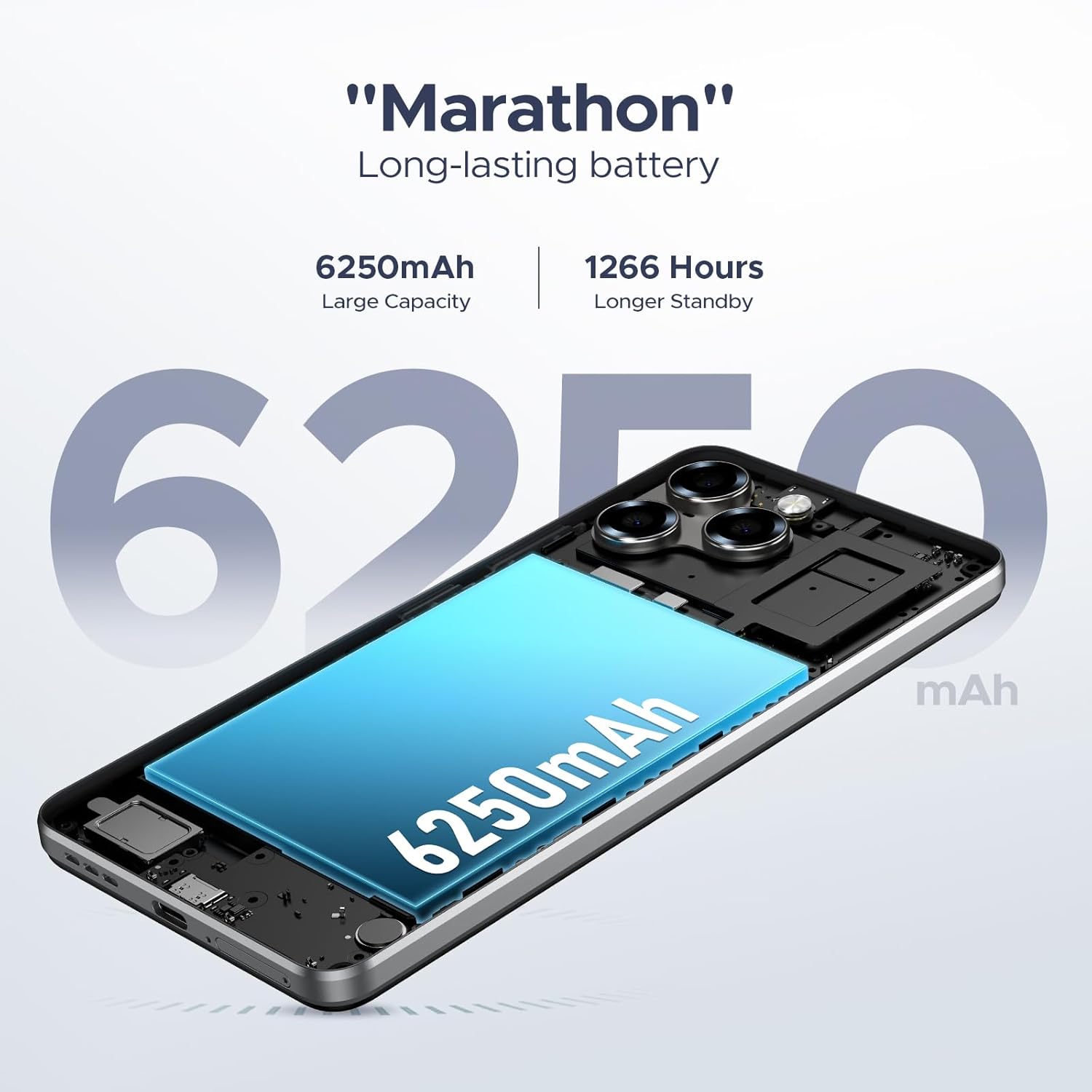
Figure 5.2: The 6.75-inch HD+ display in use.

Figure 5.3: Detailed specifications of the device's display.
5.3 Performance and Storage
Powered by the UNISOC T7250 octa-core processor, the device ensures efficient performance. It comes with 32GB RAM (8GB physical + 24GB expandable) and 128GB of internal storage, expandable up to 2TB via a TF card.

Figure 5.4: The UNISOC T7250 Octa-core processor, central to the phone's performance.

Figure 5.5: Illustration of the 32GB RAM configuration, including extended RAM.

Figure 5.6: Storage options, including 128GB internal and up to 2TB expandable storage.
6. Camera Features
The DOOGEE Note 58 is equipped with a 16MP AI main camera and an 8MP front camera, supporting various photography modes for diverse shooting conditions.
- Main Camera: 16MP with AI enhancements, supporting autofocus and rear flashes.
- Front Camera: 8MP for selfies and video calls.
- Shooting Modes: HDR, Night Mode, Time-Lapse, Portrait, Panorama, Pro Mode, Beauty Mode, Filters, Smile Shutter, Audio Note.
- Video Recording: Supports 1080p video capture.

Figure 6.1: The rear camera module of the DOOGEE Note 58.

Figure 6.2: Specifications of the 16MP main camera.

Figure 6.3: Specifications of the 8MP front-mounted camera.
Video 6.1: Demonstration of the 16MP AI main camera and its versatile photography modes.
7. Connectivity and Security
7.1 Network and Wireless
The DOOGEE Note 58 supports 4G dual SIM functionality, allowing for two SIM cards to be active simultaneously. It is compatible with GSM carriers like T-Mobile and supports various network bands (GSM:B2/3/5/8, WCDMA: B1/2/4/5/8, TDD: B38/40/41, EDGE/GPRS, FDD: B1/2/3/4/5/7/8/18/19/20/25/26/28A/28B/6). Wi-Fi connectivity is also available.
7.2 Navigation and NFC
The device includes GPS, GLONASS, Galileo, and Beidou for precise navigation. NFC with Google Pay enables convenient contactless payments.

Figure 7.1: Using NFC for mobile payments.

Figure 7.2: The device's navigation capabilities.
7.3 Security Features
The device supports Face Unlock for quick and secure access. It also features Widevine L1 support, enabling high-quality 1080P streaming for various content platforms.

Figure 7.3: Face Unlock in action.
8. Battery Management
The DOOGEE Note 58 is equipped with a 6250mAh long-lasting battery. It also supports OTG reverse charging, allowing you to use your phone to power other compatible devices.

Figure 8.1: Estimated battery life for various activities.

Figure 8.2: The OTG reverse charging feature.
9. Maintenance
To ensure the longevity and optimal performance of your DOOGEE Note 58, follow these maintenance guidelines:
- Cleaning: Use a soft, lint-free cloth to clean the screen and body. Avoid harsh chemicals.
- Software Updates: Regularly check for and install system updates to benefit from the latest features, security patches, and performance improvements.
- Storage Management: Periodically review and manage your device's storage. Delete unnecessary files and apps, or utilize the expandable TF card slot for additional space.
- Temperature: Avoid exposing the device to extreme temperatures, direct sunlight, or very humid conditions.
10. Troubleshooting
If you encounter issues with your DOOGEE Note 58, refer to the following common solutions:
- Device Not Turning On: Ensure the battery is charged. Connect the device to its charger for at least 30 minutes before attempting to power it on again.
- Screen Unresponsive: Try restarting the device by holding down the power button for approximately 10-15 seconds until it reboots.
- App Crashes: Clear the cache and data for the problematic app in the device settings, or uninstall and reinstall the app.
- Poor Network Connectivity: Check if your SIM card is properly inserted. Ensure you are within network coverage. Try toggling Airplane Mode on and off.
- Battery Draining Quickly: Reduce screen brightness, close unused apps running in the background, and disable unnecessary features like GPS or Wi-Fi when not in use.
For more complex issues, please contact customer support.
11. Specifications
| Feature | Specification |
|---|---|
| Model Name | DOOGEE Note 58 Phone |
| Operating System | Android 15 |
| Processor | UNISOC T7250 Octa-core |
| RAM | 32GB (8GB + 24GB expandable) |
| Internal Storage | 128GB |
| Expandable Storage | Up to 2TB via TF card |
| Screen Size | 6.75 Inches |
| Display Type | HD+ IPS Waterdrop Display |
| Refresh Rate | 90Hz |
| Main Camera | 16MP AI |
| Front Camera | 8MP |
| Battery Capacity | 6250mAh |
| Connectivity | 4G Dual SIM, Wi-Fi, NFC, GPS, GLONASS, Galileo, Beidou |
| Special Features | Face Unlock, OTG Reverse Charging, Widevine L1 |
| Dimensions (Package) | 7.6 x 4.06 x 2.13 inches |
| Item Weight | 14.9 ounces |
12. Warranty and Support
Your DOOGEE Note 58 comes with a limited warranty. Please refer to the warranty card included in your package for specific terms and conditions. For technical support, service inquiries, or further assistance, please visit the official DOOGEE website or contact their customer service.
Online Resources:
- Official DOOGEE Store: DOOGEE Store on Amazon
Related documentsNote 58


Ask a question about this manual
Ask about setup, troubleshooting, compatibility, parts, safety, or missing instructions. Manuals+ will review the question and use this page’s manual context to help answer it.