Introduction
This manual provides comprehensive instructions for the setup, operation, and maintenance of your DOOGEE Note 58 Unlocked Cell Phone. Please read this manual thoroughly before using your device to ensure proper functionality and to maximize your user experience. The DOOGEE Note 58 features the latest Android 15 system, a large 6250mAh battery, a 6.75-inch HD+ 90Hz display, 32GB RAM (8GB + 24GB expandable) and 128GB ROM (expandable up to 2TB), a 16MP AI main camera, and an 8MP front camera. It also supports 4G Dual SIM, NFC, OTG, and Face Unlock.

Image: Front and back view of the DOOGEE Note 58 smartphone, highlighting its sleek design and camera module.
What's in the Box
Upon opening the package, verify that all the following items are included:
- 1X DOOGEE Note 58 Cellphone (Unlocked Android 15)
- 1X Protective case
- 1X Packing box
- 1X User manual and warranty card
- 1X Anti-explosion film (pre-applied or included)
- 1X SIM card pin
- 1X Type-C USB Cable
- 1X Charger

Image: The DOOGEE Note 58 smartphone and its included accessories laid out, such as the charger, USB-C cable, and user manual.
Setup
1. SIM Card and TF Card Installation
The DOOGEE Note 58 supports dual SIM cards and a TF (microSD) card for expanded storage. Use the provided SIM card pin to open the SIM tray located on the side of the device. Carefully place your Nano-SIM cards and/or TF card into the designated slots. Ensure the cards are correctly oriented as indicated on the tray. Gently push the tray back into the phone until it clicks into place.
2. Initial Power On and Basic Setup
Press and hold the Power button (located on the right side of the phone) until the DOOGEE logo appears. Follow the on-screen prompts to complete the initial setup process. This includes selecting your language, connecting to a Wi-Fi network, setting up your Google account, and configuring security features like Face Unlock.

Image: A side profile view of the DOOGEE Note 58, illustrating its 8.6mm ultra-slim design.
Operating Instructions
Display and User Interface
The DOOGEE Note 58 features a 6.75-inch HD+ IPS Waterdrop Display with a 90Hz refresh rate, providing a smooth and immersive visual experience. Navigate the Android 15 interface using touch gestures. Swipe down from the top for notifications and quick settings, swipe up from the bottom for the app drawer, and use the navigation buttons or gestures for home, back, and recent apps.

Image: The 6.75-inch HD+ Waterdrop Display of the DOOGEE Note 58, showcasing its vibrant visuals and minimal bezels.
Performance and Storage
Powered by the UNISOC T7250 Octa-core Processor, the Note 58 delivers efficient performance for daily tasks and multitasking. It comes with 8GB of basic RAM, expandable up to 32GB with virtual RAM extension, and 128GB of internal storage. The storage can be further expanded up to 2TB using a TF card.

Image: A close-up of the UNISOC T7250 Octa-core Processor chip, emphasizing its role in the phone's performance.

Image: Visual representation of the phone's memory configuration, showing 8GB Basic RAM, 128GB ROM, and support for up to 2TB expandable storage.
Battery Management
The DOOGEE Note 58 is equipped with a large 6250mAh battery, designed for extended usage. It also supports OTG (On-The-Go) reverse charging, allowing you to use your phone to charge other compatible devices.
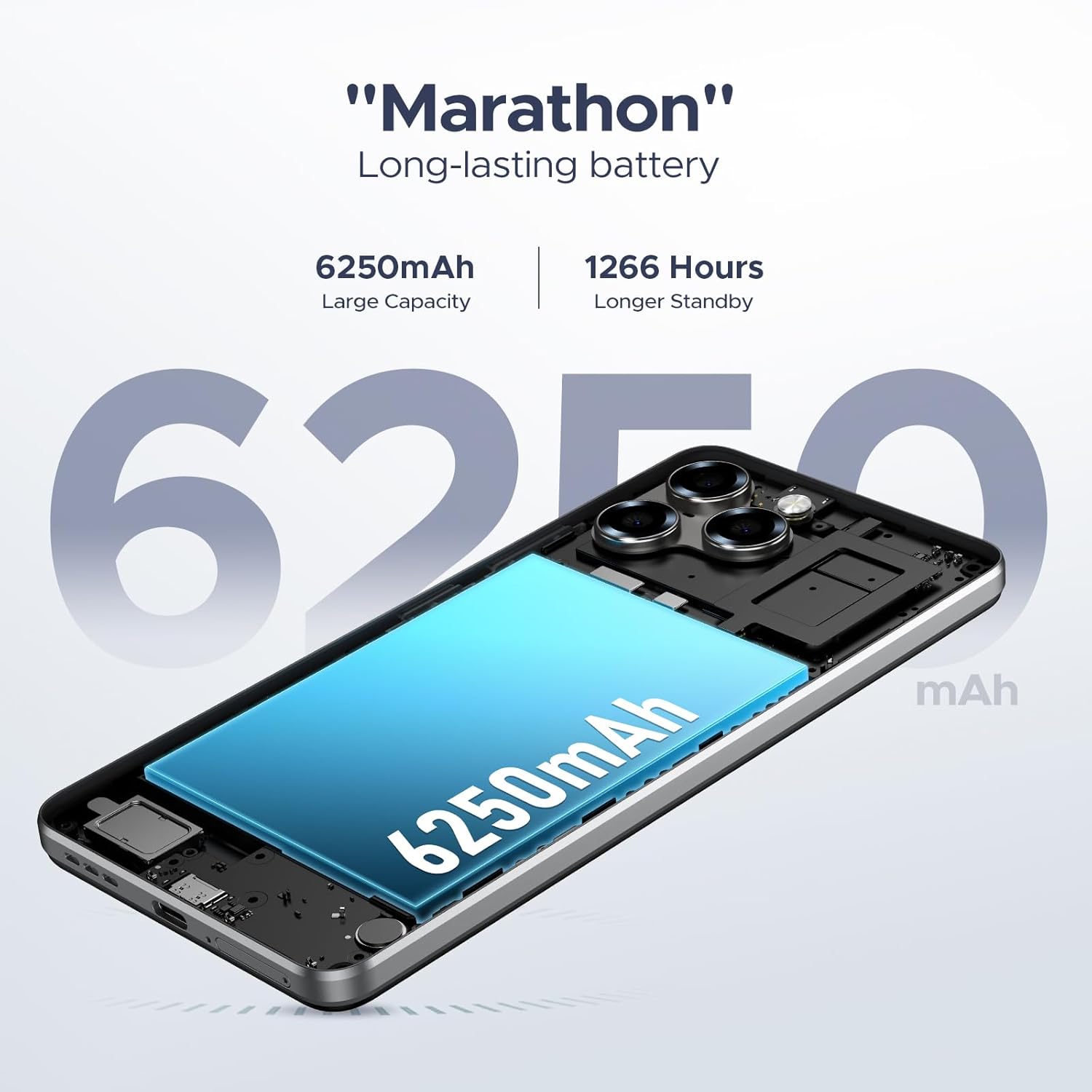
Image: An X-ray style view of the DOOGEE Note 58, emphasizing the large 6250mAh battery component.
Camera Features
Capture high-quality photos and videos with the 16MP AI Main Camera and the 8MP Front Camera. The camera app offers various modes including HDR, Night Mode, Time-Lapse, Portrait, Panorama, and Pro Mode, along with Beauty Mode, Filters, Smile Shutter, and Audio Note. Video recording is supported at 1080p resolution.

Image: The DOOGEE Note 58's camera setup, showing the 16MP main camera and 8MP front camera, with an example of a group photo taken with the device.
Video: Demonstration of the DOOGEE Note 58's 16MP AI Main Camera capabilities, showcasing various photography modes and features.
Connectivity and Security
The phone supports 4G dual SIM functionality, allowing you to manage two mobile networks simultaneously. It includes NFC for contactless payments via Google Pay, and Face Unlock for convenient and secure access. GPS, GLONASS, Galileo, and Beidou provide precise navigation. Widevine L1 support ensures high-quality 1080P streaming from compatible services.

Image: The DOOGEE Note 58 displaying the Android 15 logo and highlighting its NFC capability for mobile payments.
Video: An overview of the DOOGEE Note 58, highlighting its Android 15 operating system, memory configuration, and overall features.
Maintenance
Cleaning Your Device
To clean your DOOGEE Note 58, use a soft, lint-free cloth. For stubborn smudges, slightly dampen the cloth with water or a screen cleaner specifically designed for electronics. Avoid using harsh chemicals, abrasive materials, or aerosol sprays directly on the device.
Software Updates
Regularly check for system updates to ensure your phone has the latest features, security patches, and performance improvements. Go to Settings > System > System update to check for and install available updates. Ensure your device is connected to Wi-Fi and has sufficient battery charge before initiating an update.
Battery Care
To prolong the lifespan of your 6250mAh battery, avoid extreme temperatures. Do not fully discharge the battery frequently, and try to keep the charge level between 20% and 80% for optimal health. Use only the provided charger and Type-C USB cable.
Troubleshooting
| Problem | Possible Solution |
|---|---|
| Phone won't turn on | Ensure the battery is charged. Connect the charger and wait a few minutes before attempting to power on. If unresponsive, press and hold the Power button for 10-15 seconds to force a restart. |
| Poor network signal | Check if your SIM card is properly inserted. Move to an area with better network coverage. Restart the phone. Verify your carrier's compatibility with the phone's frequency bands (GSM:B2/3/5/8, WCDMA: B1/2/4/5/8, TDD: B38/40/41, FDD: B1/2/3/4/5/7/8/18/19/20/25/26/28A/28B/6). |
| Apps are crashing or freezing | Clear the cache of the problematic app (Settings > Apps > [App Name] > Storage & cache > Clear cache). Update the app from the Google Play Store. If the issue persists, uninstall and reinstall the app. |
| Battery drains quickly | Reduce screen brightness, disable unused features like Wi-Fi, Bluetooth, and GPS when not needed. Close background apps. Check battery usage in settings (Settings > Battery) to identify power-hungry apps. |
| Face Unlock not working | Ensure you are in a well-lit environment. Clean the front camera lens. Re-register your face data in Settings > Security & privacy > Face unlock. |
Specifications
| Feature | Detail |
|---|---|
| Model Name | NOTE58-NATURAL |
| Operating System | Android 15 |
| Processor | UNISOC T7250 Octa-core (1.8GHz Max Main Frequency) |
| RAM | 8GB (expandable up to 32GB) |
| Internal Storage (ROM) | 128GB |
| Expandable Storage | Up to 2TB via TF card |
| Display Size | 6.75 inches |
| Display Type | HD+ IPS Waterdrop Screen |
| Resolution | 720 x 1600 pixels |
| Refresh Rate | 90Hz |
| Main Camera | 16MP AI Camera |
| Front Camera | 8MP |
| Battery Capacity | 6250mAh |
| Charging Port | Type-C |
| SIM Card Support | Dual SIM (4G) |
| Connectivity | Wi-Fi, Bluetooth, NFC, GPS, GLONASS, Galileo, Beidou |
| Security Features | Face Unlock |
| Dimensions | 6.6 x 3 x 0.33 inches (approx.) |
| Weight | 0.43 lbs (approx.) |
Warranty and Support
Your DOOGEE Note 58 comes with a warranty card included in the box. Please refer to this card for detailed information regarding warranty coverage, terms, and conditions. For technical support, troubleshooting assistance beyond this manual, or warranty claims, please contact DOOGEE customer service through their official website or the contact information provided on your warranty card. Keep your purchase receipt as proof of purchase for warranty purposes.
For additional resources and frequently asked questions, you may visit the official DOOGEE store on Amazon: DOOGEE Store.


