
1. Introduction
Thank you for choosing the Retevis RT668B PMR446 Walkie Talkie. This device is designed for reliable and clear communication, suitable for various environments. This manual provides essential information for the safe and efficient use of your walkie talkie. Please read it thoroughly before operation.
2. Package Contents
Upon unpacking, please ensure all items listed below are present and in good condition:
- 2 x Retevis RT668B Walkie Talkies
- 2 x 1200mAh Lithium-ion Batteries
- 2 x Original Earpieces
- 2 x Belt Clips
- 2 x Hand Straps
- 2 x Desktop Charging Bases
- 1 x User Manual

Image 2.1: Included components of the Retevis RT668B package.
3. Product Overview
The Retevis RT668B walkie talkie features a robust design and user-friendly controls for efficient communication.
3.1 Key Features
- PMR446 License-Free Operation: Ready to use without requiring a license.
- 16 Channels: Provides multiple communication options.
- VOX Function: Hands-free voice-activated transmission with 0-7 adjustable levels.
- CTCSS/DCS Codes: 260 privacy codes to minimize interference.
- Durable Construction: Made from ABS material, designed to withstand drops up to 1 meter.
- Long Battery Life: Equipped with a 1200mAh Li-ion battery for extended use.
- Multiple Charging Options: Supports Type-C direct charging and desktop charging.
- Emergency Alarm: Local and remote alarm functions for safety.
- Squelch Function: 9-level adjustable squelch to reduce background noise.

Image 3.1: Front view of two Retevis RT668B walkie talkies with accessories.

Image 3.2: The RT668B's durable ABS construction.
4. Setup
4.1 Battery Installation
- Ensure the walkie talkie is powered off.
- Locate the battery compartment cover on the back of the unit.
- Slide the cover down or unlatch it to open.
- Insert the 1200mAh Lithium-ion battery, ensuring the contacts align correctly.
- Replace the battery compartment cover and secure it.
4.2 Charging the Battery
Before initial use, fully charge the battery. The RT668B offers two charging methods:
- Desktop Charging Base: Place the walkie talkie into the desktop charging base. Ensure the charging contacts on the radio align with those on the base. The indicator light on the base will show charging status (typically red for charging, green for fully charged).
- Type-C Direct Charging: Connect a standard Type-C USB cable (not included) to the Type-C port on the side of the walkie talkie and to a compatible USB power source.
A full charge typically takes several hours. The 1200mAh battery provides approximately 14.5 hours of operational use and over 30 hours of standby time.
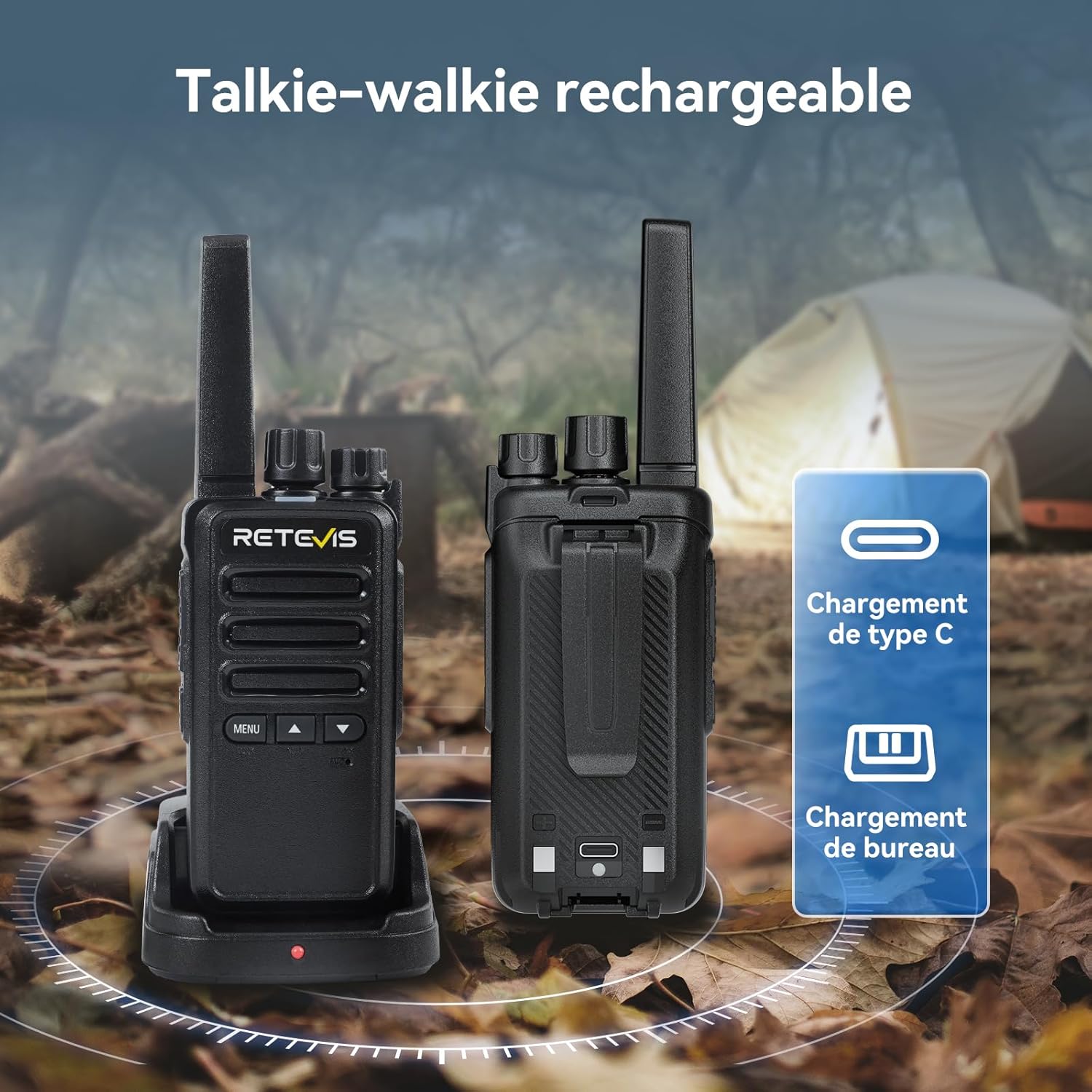
Image 4.1: Charging options for the RT668B walkie talkie.

Image 4.2: Battery capacity and usage duration.
4.3 Attaching Accessories
- Belt Clip: Attach the belt clip to the designated slot on the back of the walkie talkie.
- Hand Strap: Thread the hand strap through the loop on the top or side of the walkie talkie.
- Earpiece: Plug the earpiece into the audio jack located on the side of the walkie talkie.
5. Operating Instructions
5.1 Power On/Off and Volume Adjustment
- Power On: Rotate the Power/Volume knob clockwise until you hear a click.
- Power Off: Rotate the Power/Volume knob counter-clockwise until you hear a click.
- Volume Adjustment: Rotate the Power/Volume knob clockwise to increase volume and counter-clockwise to decrease volume.
5.2 Channel Selection
Rotate the Channel Selector knob on the top of the walkie talkie to choose one of the 16 available channels. Ensure all radios in your group are set to the same channel for communication.
5.3 Transmitting and Receiving
- To Transmit: Press and hold the Push-To-Talk (PTT) button on the side of the walkie talkie. Speak clearly into the microphone, holding the radio approximately 2-5 cm from your mouth. Release the PTT button to stop transmitting.
- To Receive: Ensure the PTT button is not pressed. The radio will automatically receive signals on the selected channel.
5.4 VOX Function (Voice Operated Exchange)
The VOX function allows for hands-free transmission. When activated, the radio will transmit automatically when it detects your voice, without needing to press the PTT button. The RT668B offers 0-7 adjustable VOX levels.
- Activation/Adjustment: The VOX function and its level can be adjusted directly using the front buttons. Refer to the on-screen menu or specific button combinations for your model.
- Usage: Speak normally into the microphone. The radio will transmit as long as your voice is detected.

Image 5.1: Hands-free communication using the VOX function.
5.5 Key Lock Function
The key lock function prevents accidental button presses, which is useful during travel or outdoor activities.
- Activation/Deactivation: The key lock function can be activated or deactivated by pressing the designated front button (often labeled 'MENU' or a specific icon).

Image 5.2: Activating the Key Lock function.
5.6 Squelch Function
The 9-level squelch function helps to suppress weak background noise and static when no signal is being received, ensuring clearer audio.
- Adjustment: The squelch level can be adjusted via the radio's menu or specific button combinations. A higher squelch level filters out more noise but may also block very weak signals.
5.7 CTCSS/DCS Codes
The RT668B supports 260 CTCSS (Continuous Tone-Coded Squelch System) and DCS (Digitally Coded Squelch) codes. These codes allow you to filter out unwanted conversations from other users on the same channel who are not using the same code. This enhances communication privacy.
- Setting Codes: CTCSS/DCS codes are typically set through the radio's menu. All radios in your group must use the same channel and the same CTCSS/DCS code to communicate.
5.8 Emergency Alarm
The emergency alarm function is designed to alert others in urgent situations. It includes both local and remote alarm capabilities.
- Activation: Long-press the designated side key to activate the emergency alarm. The radio will emit an alarm sound and/or transmit an alarm signal to other radios.

Image 5.3: Emergency alarm activation.
5.9 Battery Save Function and Low Battery Alert
The RT668B includes features to optimize battery usage:
- Battery Save: This function automatically reduces power consumption when no activity is detected, extending battery life.
- Low Battery Alert: The radio will provide an audible or visual alert when the battery level is low, indicating that charging is required.
6. Maintenance
6.1 Cleaning
- Wipe the radio's surface with a soft, damp cloth.
- Do not use harsh chemicals, solvents, or abrasive cleaners.
- Ensure the radio is dry before use or charging.
6.2 Storage
- Store the walkie talkie in a cool, dry place away from direct sunlight and extreme temperatures.
- For long-term storage, remove the battery to prevent leakage.
7. Troubleshooting
| Problem | Possible Cause | Solution |
|---|---|---|
| No power | Battery not installed correctly; Battery discharged; Battery faulty | Reinstall battery; Charge battery; Replace battery |
| Cannot transmit or receive | Different channels; VOX activated; Squelch level too high; CTCSS/DCS mismatch | Set to same channel; Deactivate VOX or adjust level; Lower squelch level; Ensure matching CTCSS/DCS codes |
| Poor audio quality | Low battery; Obstructions; Squelch level too low | Charge battery; Move to open area; Increase squelch level |
| Keys unresponsive | Key lock function activated | Deactivate key lock function |
8. Specifications
| Feature | Specification |
|---|---|
| Model Number | RT668B |
| Brand | Retevis |
| Color | Black |
| Number of Channels | 16 |
| Frequency Range | PMR446 |
| Maximum Range | 2 Kilometers (under optimal conditions) |
| Voltage | 3.7 Volts |
| Battery Type | 1200mAh Lithium-ion (Rechargeable) |
| Water Resistance Level | Not waterproof |
| Product Dimensions (D x W x H) | 3.3 cm x 5.5 cm x 16.5 cm |
| Compatible Devices | Earpieces, desktop charging base, other PMR446 devices |
9. Warranty and Support
Retevis offers the following warranty for the RT668B Walkie Talkie:
- Radio Body: 2-year warranty.
- Accessories: 1-year warranty.
- Returns: 30-day no-reason return policy.
Beyond the warranty period, maintenance services are still available, with buyers responsible for associated costs.
For any support inquiries, please contact Retevis customer service through the platform where you purchased the product. We aim to respond within 12 hours.


