
Pak PAK544585
Pak RGB+IC LED Strip Lights User Manual
Model: PAK544585
Brand: Pak
1. Introduction
The Pak RGB+IC LED Strip Lights offer advanced lighting solutions for various indoor environments. Featuring independent IC control, these lights can display multiple colors simultaneously on a single strip, providing a dynamic and vibrant lighting experience. This manual provides comprehensive instructions for the setup, operation, and maintenance of your LED strip lights.
Designed for ease of use and versatility, these lights are ideal for enhancing the ambiance of bedrooms, gaming rooms, and for special occasions like parties and holidays. The protective PU coating ensures durability and water resistance for indoor applications.
2. What's in the Box
Please verify that all components are present in your package:
- RGB Light Strip X 1
- Power Adaptor X 1
- Controller Cable X 1
- Accessory Kit X 1
- Manual X 1

Image: Overview of the Pak RGB+IC LED Strip Lights and included accessories.
3. Setup Instructions
Follow these steps to set up your Pak RGB+IC LED Strip Lights:
- Prepare the Surface: Ensure the installation surface is clean, dry, and smooth. This will ensure optimal adhesion of the strip lights.
- Attach the Strip Lights: Carefully peel off the adhesive tape paper from the back of the LED strip. Press the strip firmly onto the desired surface. The strip is flexible and can be shaped to fit various contours.
- Connect the Controller: Connect the LED strip to the controller cable. Ensure the connection is secure.
- Connect Power: Plug the power adaptor into the controller cable, and then plug the power adaptor into a standard electrical outlet.
- Download the App: For full control features, download the "Smart Life" app from your device's app store (available for iOS and Android).
- Pair with App: Open the Smart Life app and follow the on-screen instructions to pair your LED strip lights. The lights support both Bluetooth and Wi-Fi connectivity for seamless control.
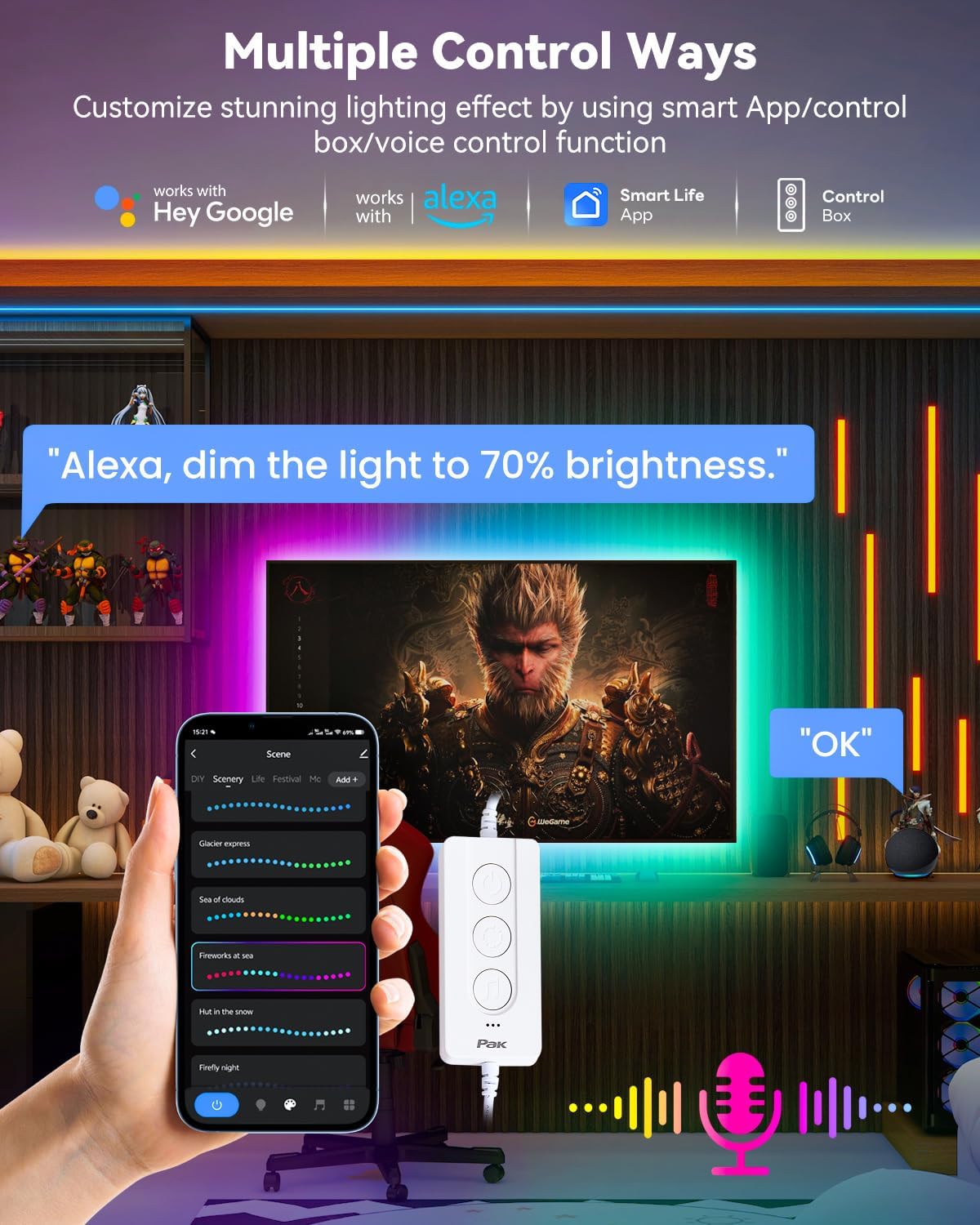
Image: Illustration of the multiple control options, including the Smart Life App and control box.
4. Operating Instructions
Your Pak RGB+IC LED Strip Lights offer multiple ways to control and customize your lighting experience:
4.1. Control Box Operation
The inline control box on the USB cable provides basic control:
- Power Button: Press to turn the lights On/Off.
- Mode Button: Cycle through various preset scene modes.
- Music Sync Button: Activate or deactivate the music sync mode.
4.2. Smart Life App Control
The "Smart Life" app unlocks the full potential of your LED strip lights:
- Color Selection: Choose from 16 million colors, 55 specified color card options, and 22 color combinations.
- Brightness Adjustment: Adjust the light intensity to your preference.
- Scene Modes: Access 44 preset scene modes for various dynamic lighting effects, suitable for different moods and occasions.
- Music Sync Mode: Utilize the built-in high-sensitivity microphone to synchronize the lights with music or ambient sounds.
- Timer Function: Set schedules for the lights to automatically turn on or off at specific times.
- DIY Function: Customize up to 20 segments to display different colors on each segment, allowing for unique lighting designs.
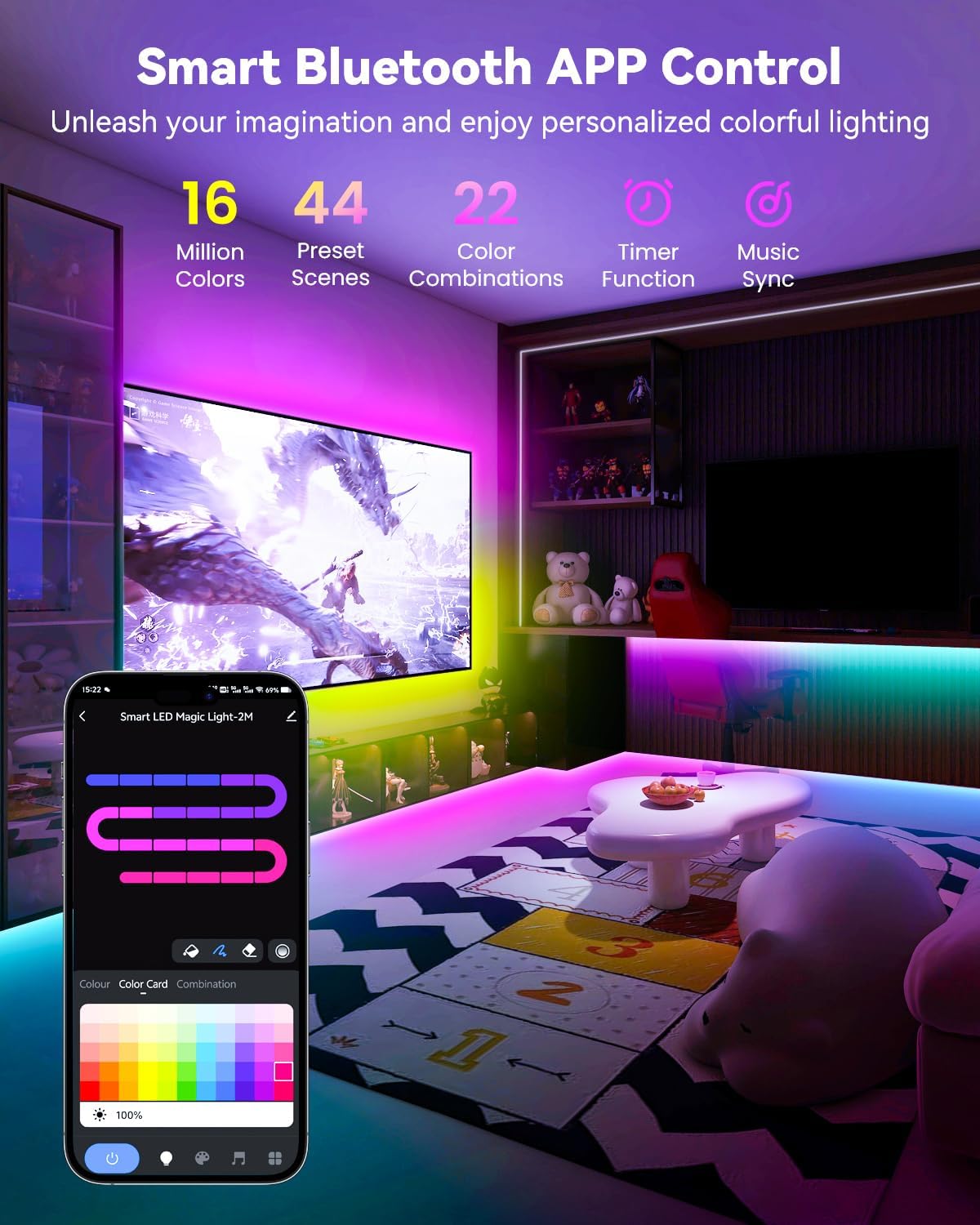
Image: Screenshot illustrating the Smart Life App interface with options for colors, scenes, timer, and music sync.
4.3. Voice Control
Integrate your LED strip lights with smart home assistants for hands-free control:
- Compatibility: Compatible with Alexa and Google Assistant.
- Commands: Use voice commands to change colors, adjust brightness, and switch modes (e.g., "Alexa, dim the light to 70% brightness," "Hey Google, turn on the background light").

Image: Depiction of voice control functionality with smart assistants like Alexa and Google Assistant.
5. Maintenance
To ensure the longevity and optimal performance of your Pak RGB+IC LED Strip Lights, follow these maintenance guidelines:
- Cleaning: Gently wipe the LED strip with a soft, dry cloth to remove dust. Avoid using harsh chemicals or abrasive materials.
- Water Resistance: The strip light features a protective PU coating for water resistance (IP44 rating for the strip itself). However, the connection points and power adapter are not waterproof. This product is for indoor use only and not recommended for outdoor use.
- Handling: Avoid excessive bending or twisting of the LED strip, especially at the connection points, to prevent damage to the internal wiring.
- Storage: If storing the lights for an extended period, ensure they are clean and dry, and store them in a cool, dry place away from direct sunlight.

Image: Close-up of the LED strip highlighting its water-resistant PU coating.
6. Troubleshooting
If you encounter issues with your Pak RGB+IC LED Strip Lights, please refer to the following common solutions:
| Problem | Possible Cause | Solution |
|---|---|---|
| Lights do not turn on. | No power, loose connection, faulty adapter. | Check if the power adapter is securely plugged into the outlet and the controller. Ensure the outlet has power. Try a different outlet. |
| Lights are dim or flickering. | Low power, loose connection, app brightness setting. | Ensure the power adapter is providing sufficient power. Check all connections. Adjust brightness settings in the Smart Life app. |
| Cannot connect to the app. | Bluetooth/Wi-Fi issues, incorrect pairing mode. | Ensure Bluetooth/Wi-Fi is enabled on your device. Restart the app and the lights (unplug and replug). Follow the app's pairing instructions carefully. Ensure you are connecting to the correct device. |
| Colors are incorrect or inconsistent. | App settings, damaged segment. | Verify color settings in the Smart Life app. If a segment is consistently displaying the wrong color, it may be damaged. |
If the problem persists after trying these solutions, please contact customer support for further assistance.
7. Specifications
| Feature | Detail |
|---|---|
| Model Number | PAK544585 |
| Color | Multicolor |
| Indoor/Outdoor Usage | Indoor |
| Light Source Type | LED |
| Power Source | DC |
| Voltage | 24 Volts (DC) |
| Wattage | 3 watts |
| Control Method | App (Smart Life), Control Box, Voice (Alexa, Google Assistant) |
| Material | Silicone Rubber |
| Connectivity Protocol | Bluetooth, Wi-Fi |
| Special Features | RGB+IC (Independent IC Control), Customizable Segments, 16 Million Colors, 44 Preset Scenes, Music Sync, Timer Function, DIY Cuttable Design, Water Resistant (strip only) |
| Item Weight | 8 ounces |
| Package Dimensions | 4.49 x 4.25 x 2.2 inches |
8. Warranty and Support
Pak products are manufactured with high-quality standards. For specific warranty details and customer support, please refer to the warranty card included in your package or visit the official Pak website. You may also contact the seller directly through the platform where the product was purchased.
For technical assistance or inquiries, please have your model number (PAK544585) and purchase information ready.
Ask a question about this manual
Ask about setup, troubleshooting, compatibility, parts, safety, or missing instructions. Manuals+ will review the question and use this page’s manual context to help answer it.