
johgee de626
johgee WiFi 2-Way Smart Irrigation Programmer User Manual
Model: de626
Introduction
Thank you for choosing the johgee WiFi 2-Way Smart Irrigation Programmer. This device combines advanced RF technology with smart home integration to provide a convenient and efficient solution for your garden watering needs. With independent control over two water outlets, rain delay functionality, and compatibility with Alexa and Google Assistant, managing your irrigation has never been easier. Please read this manual carefully to ensure proper installation and operation.
Package Contents
Before you begin, please verify that all items are present in your package:
- 1 x johgee Wireless Water Timer (2-Outlet)
- 1 x Sub-GHz Gateway
- 1 x 1/2" Adapter
- 2 x Quick Connectors
- 1 x Raw Tape
- 2 x O-Rings
- 1 x User Manual

Key Features
- 300M RF Technology: The gateway utilizes RF technology, allowing a connection distance of up to 300 meters (984 feet) in open environments between the irrigation timer and the gateway. This provides a more stable and extended connection range compared to standard Bluetooth gateways.
- 2 Independent Programmable Water Outlets: The device features two independent watering valves. Each valve can be programmed separately, allowing for customized watering schedules for different areas without interference.
- Rain Delay Function: The smart irrigation system can automatically detect weather conditions and delay watering during rainfall. You can also manually set a rain delay for 24, 48, or 72 hours via the APP to prevent overwatering.
- Smart Irrigation System: Equipped with a Wi-Fi hub, simply connect the hub to your 2.4 GHz Wi-Fi network and pair it with the timer. Control your irrigation system anytime, anywhere via the Smart Life APP. Compatible with Alexa and Google Assistant for voice control.
- Timed Watering: Offers both single watering mode and cyclic watering mode. Customize start times, duration (1 second to 11 hours, 59 minutes, 59 seconds), and frequency (Monday to Sunday).
- Flexible Irrigation Modes: Choose between "irrigation" or "spray" modes based on your needs. Up to 5 irrigation plans and 1 spray plan can be set, ideal for garden watering, greenhouse spraying, and pool filling.
- Manual Watering & Records: Initiate manual watering directly from the app. Monitor and review past irrigation records for better management.
Setup Guide
- Install the Smart Life App: Download the "Smart Life" app from your smartphone's app store (iOS or Android).
- Connect the Gateway: Plug the Sub-GHz Gateway into a power outlet within range of your 2.4 GHz Wi-Fi network. The gateway will initially connect via Bluetooth for setup, then transition to Wi-Fi.

Figure 2: Wi-Fi App Remote Control. This image illustrates the setup with the water timer, gateway, and the Smart Life app on a smartphone, highlighting the remote control capability. - Add Gateway to App: Open the Smart Life app, register or log in. Follow the in-app instructions to add the gateway. Ensure your phone's Bluetooth is enabled during this step. Once added, the app will prompt you to connect the gateway to your 2.4 GHz Wi-Fi network.
- Install Water Timer: Screw the johgee water timer onto your outdoor faucet. Ensure a tight fit to prevent leaks. If necessary, use the provided raw tape and O-rings for a secure seal. Connect your garden hoses to the independent outlets (Zone A and Zone B) using the quick connectors.
- Pair Water Timer with Gateway: Within the Smart Life app, navigate to the gateway's settings or device list. Follow the instructions to add the water timer. The timer and gateway communicate via RF (Radio Frequency) for optimal range.
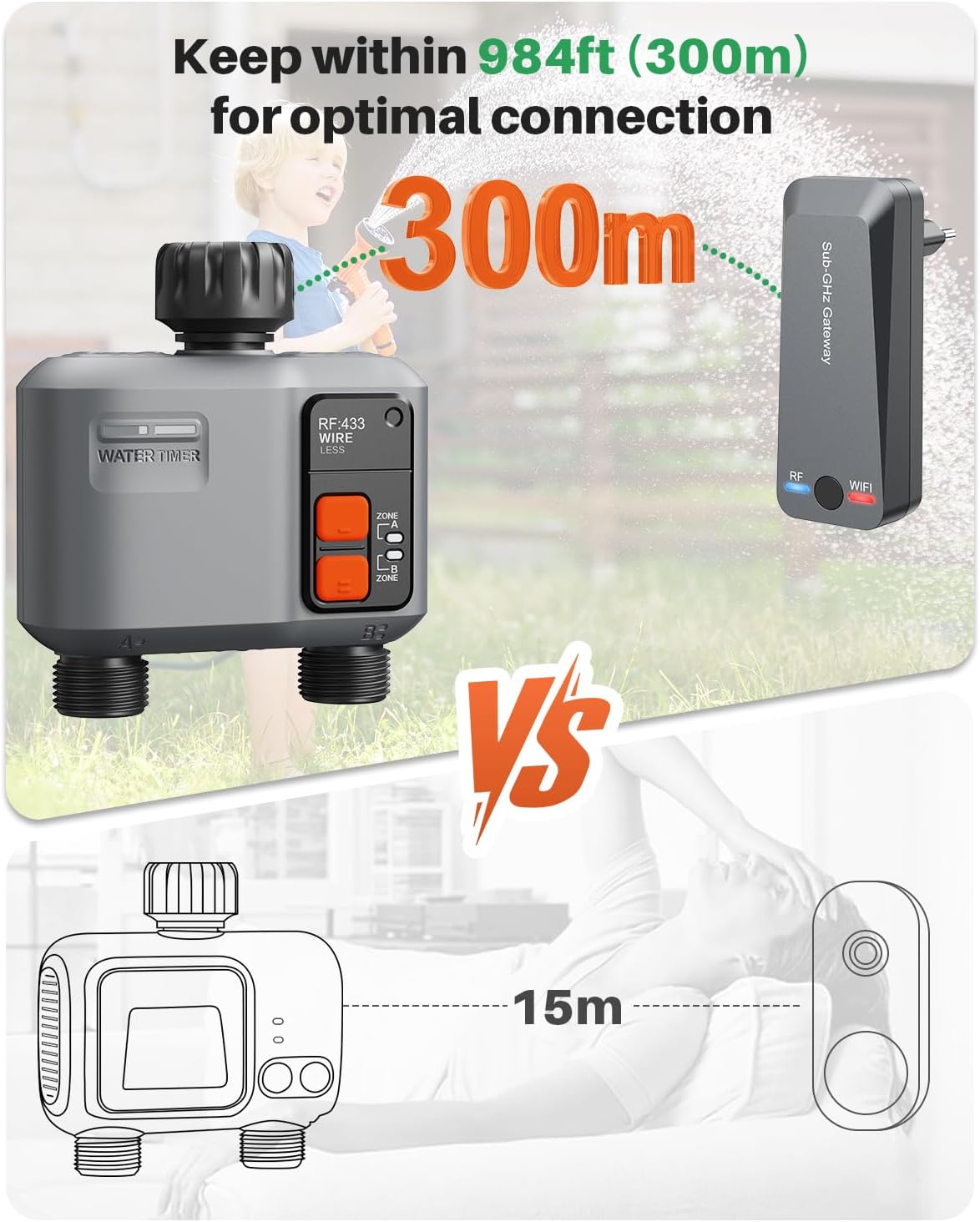
Figure 3: Optimal Connection Range. This diagram visually explains the extended 300m RF range between the water timer and its gateway, emphasizing the stable connection.
Operating Instructions
App Control and Scheduling
The Smart Life app is your primary interface for controlling and programming the johgee irrigation programmer.
- Independent Zone Control:
Each of the two outlets (Zone A and Zone B) can be programmed independently. You can set up to 5 customizable programs per zone.

Figure 4: Smart Control with 2 Independent Zones. This image demonstrates how to set distinct watering schedules for Zone A and Zone B via the app, allowing for tailored irrigation. - Rain Delay Function:
Access the "Weather Delay" option in the app. You can manually set a delay for 1, 2, 3, 4, 5, 6, or 7 days. The system also supports intelligent delay, automatically stopping watering when rain is detected.
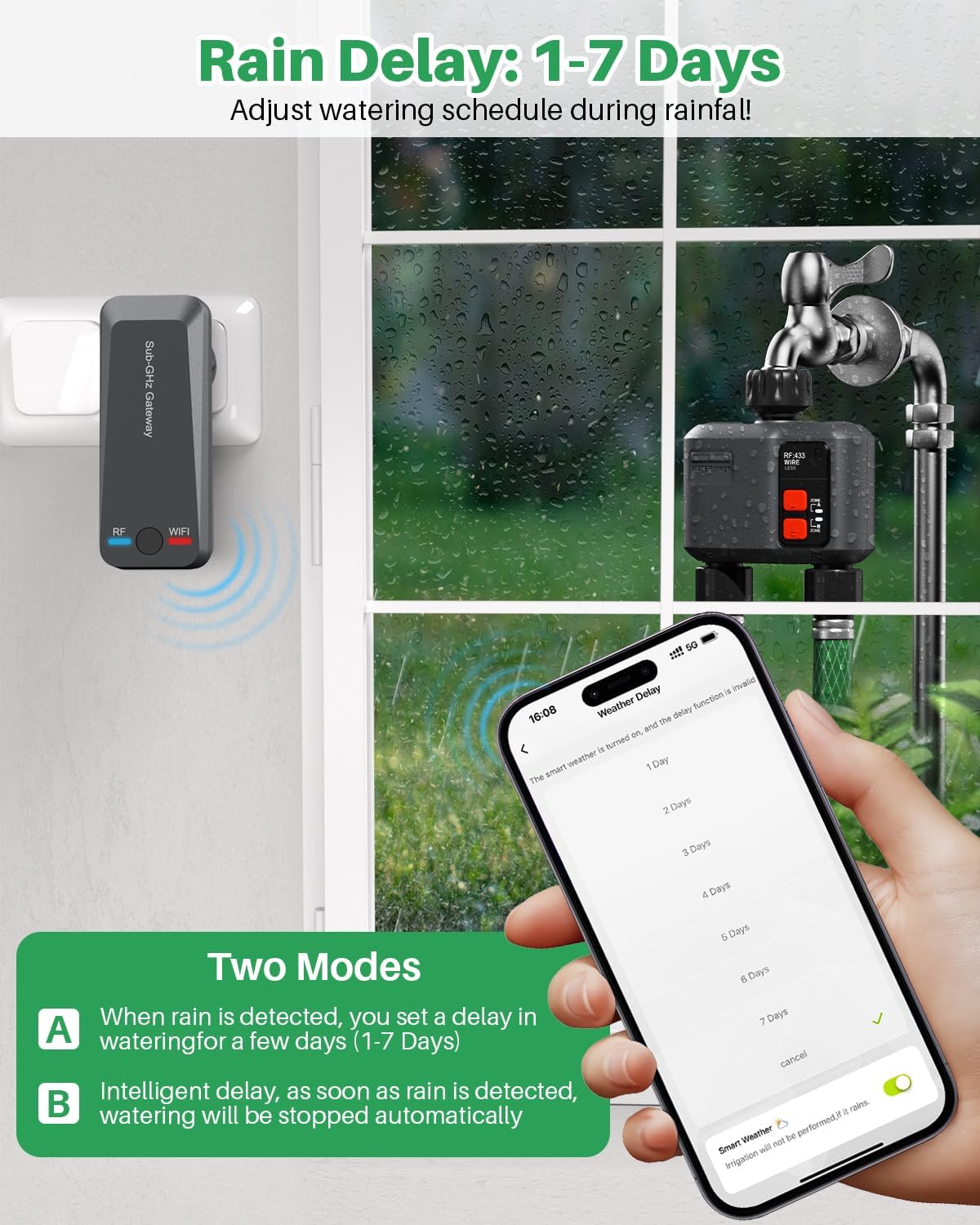
Figure 5: Rain Delay Function. This image illustrates how the rain delay feature works, allowing users to pause watering schedules during rainy periods to conserve water. - Timed Watering (Schedule Irrigation):
In the app, select "Schedule Irrigation". You can set a specific start time, duration, and frequency (e.g., every 2 days, specific days of the week). This mode is ideal for regular, consistent watering.

Figure 6: Schedule Irrigation. This image demonstrates how to set up a timed watering schedule, providing flexibility for daily, every-other-day, or weekly irrigation. - Spray Irrigation Mode:
For specific spraying needs, activate the "Spray Irrigation Mode". You can set start and end times, spray duration, and interval duration. This is useful for misting or short, frequent bursts.
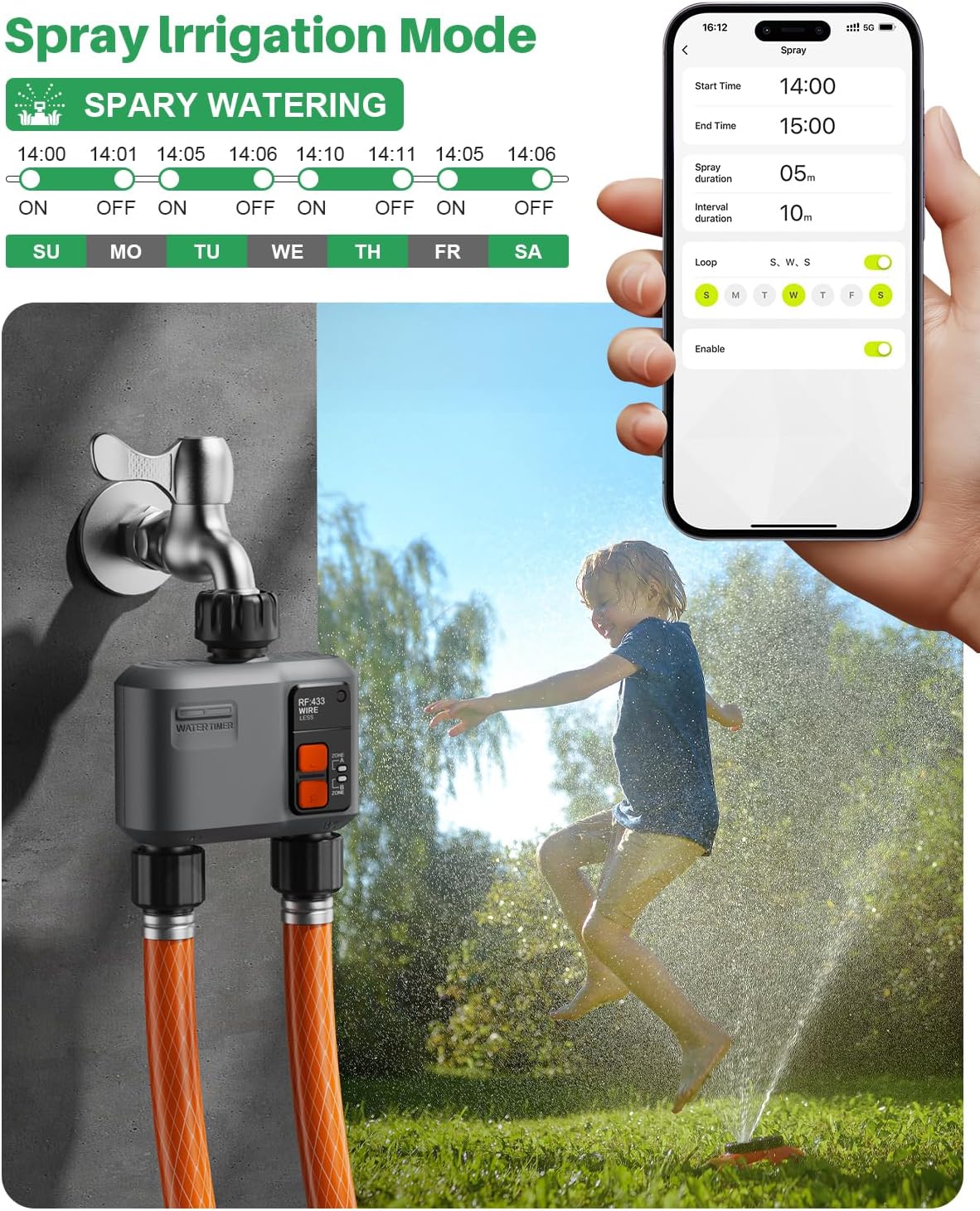
Figure 7: Spray Irrigation Mode. This image illustrates the spray mode functionality, allowing for precise control over short, intermittent watering cycles. - Manual Watering:
To initiate watering immediately, use the manual watering option in the app. You can set a duration for manual watering up to 11 hours and 59 minutes and 59 seconds.

Figure 8: Manual Watering and Irrigation Records. This image shows the manual watering feature in action and the app's ability to monitor and display past irrigation activities. - Voice Control:
Integrate your johgee irrigation programmer with Amazon Alexa or Google Assistant for convenient voice commands. Follow the instructions in the Smart Life app to link your accounts. Example commands: "Alexa, turn on the smart water timer," or "Hey Google, start watering Zone A."
- Family Sharing:
Share control of your irrigation system with family members through the Smart Life app's family sharing feature.
Maintenance
- Cleaning: Periodically clean the exterior of the water timer and gateway with a soft, damp cloth. Do not use harsh chemicals or abrasive cleaners.
- Filter Cleaning: Check the filter washer located at the inlet of the water timer regularly for debris. Clean it as needed to ensure optimal water flow and prevent blockages.
- Winterization: Before the first frost, disconnect the water timer from the faucet and drain any remaining water. Store the timer and gateway indoors in a dry, protected area to prevent damage from freezing temperatures.
- Battery Replacement: (If applicable, check product for battery type) If the device uses batteries, replace them as indicated by the low battery indicator in the app or on the device. Use the recommended battery type.
Troubleshooting
| Problem | Possible Cause | Solution |
|---|---|---|
| Water timer not connecting to gateway. | Out of RF range; interference; gateway not powered or connected to Wi-Fi. | Move gateway closer to the water timer. Ensure gateway is powered and connected to 2.4 GHz Wi-Fi. Check for obstructions. Re-pair the devices in the app. |
| No water flow or low pressure. | Faucet off; clogged filter; low water pressure from source; timer valve stuck. | Ensure faucet is fully open. Clean the filter washer. Check household water pressure. Contact support if valve is stuck. |
| Schedules not running. | Incorrect programming; rain delay active; timer not paired or offline. | Verify schedules in the app. Check if rain delay is enabled. Ensure timer is online and paired with the gateway. |
| Voice control not working. | Incorrect linking; device name not recognized; internet connectivity issues. | Ensure Smart Life account is correctly linked to Alexa/Google Assistant. Use the exact device name. Check your home internet connection. |
Specifications
- Brand: johgee
- Model Number: de626
- Product Dimensions (L x W x H): 14.22 x 12.45 x 5.33 cm (5.6 x 4.9 x 2.1 inches)
- Weight: 560 grams (1.23 lbs)
- Material: Plastic
- Color: Black
- Number of Settings: 7 (referring to programmable options)
- Connectivity: Wi-Fi (2.4 GHz only for Gateway), RF (for Timer-Gateway communication)
- RF Range: Up to 300 meters (984 feet) in open environments
- Outlets: 2 Independent
Warranty and Support
For warranty information and technical support, please refer to the warranty card included with your product or contact johgee customer service directly. You can typically find contact details on the manufacturer's official website or through your point of purchase.
Please note that information regarding spare parts availability is not provided at this time.
Ask a question about this manual
Ask about setup, troubleshooting, compatibility, parts, safety, or missing instructions. Manuals+ will review the question and use this page’s manual context to help answer it.