
1. Important Safety Information
Please read all instructions carefully before using your Haocrown Smart Bathroom Mirror TV. Retain this manual for future reference.
- Waterproof Rating: This device is IP66 waterproof rated, making it suitable for high-humidity environments like bathrooms. However, it is not designed for complete submersion.
- Power Supply: Use only the provided DC12V adapter and plug. Ensure the power outlet is easily accessible.
- Installation: Professional installation is recommended. Ensure the wall mount is securely fastened to a structurally sound surface.
- Ventilation: Do not block ventilation openings. Ensure adequate airflow around the unit.
- Cleaning: Disconnect power before cleaning. Use a soft, damp cloth. Avoid harsh chemicals or abrasive cleaners.
- Temperature: Avoid exposing the unit to extreme temperatures or direct sunlight.
2. Package Contents
Verify that all items are included in your package:
- Haocrown 32" 4K Ultra HD Smart Bathroom Mirror TV
- IP68 Waterproof Remote Control
- Bluetooth Voice Remote Control
- DC12V Power Adapter & Plug
- Wall Mount Kit
- Instruction Manual
3. Product Overview
The Haocrown 32" 4K Ultra HD Smart Bathroom Mirror TV combines a high-definition display with a functional mirror, designed for safe use in wet environments. It features an Android 13 operating system, offering access to various streaming applications and smart functionalities.
Key Features:
- IP66 Waterproof Rating: Fully sealed design protects against moisture, dust, fog, and water splashes.
- 4K UHD Display: Delivers ultra-clear resolution with vibrant colors and sharp details.
- Mirror Vanishing Effect: The screen seamlessly integrates into a luxury mirror when turned off.
- Android 13 Smart TV System: Equipped with 2GB RAM and 32GB storage for smooth operation and app installation.
- Built-in Streaming Apps: Pre-installed with popular apps like Netflix, YouTube, and Prime Video. Supports Google Play Store for additional applications.
- Voice Remote Control: Includes a waterproof IP68 remote and a Bluetooth voice remote with Google Assistant for hands-free control.
- Connectivity: Features built-in Bluetooth, Wi-Fi, and an ATSC tuner for digital HDTV programs.

Image: The Haocrown Smart Bathroom Mirror TV demonstrating its IP66 waterproof capability with water splashing on the screen while displaying a video.

Image: The Haocrown Smart Bathroom Mirror TV illustrating its dual functionality, appearing as a mirror when powered off and transforming into a vibrant 4K UHD TV when powered on.
4. Setup and Installation
Follow these steps for proper installation and initial setup of your Haocrown Smart Bathroom Mirror TV.
4.1 Wall Mounting
The TV comes with a wall mount kit. The VESA mount standard is 200 x 100 mm. Ensure the mounting surface is capable of supporting the TV's weight.
- Carefully unpack the TV and all accessories.
- Determine the desired mounting location, ensuring it is within reach of a power outlet and network connection if using wired Ethernet.
- Attach the wall mount bracket to the wall using appropriate hardware for your wall type. Refer to the wall mount kit instructions for detailed steps.
- Securely attach the TV to the installed wall mount bracket.

Image: A detailed view of the various connectivity ports on the rear of the Haocrown TV, including HDMI, USB, LAN, TV antenna, and SPDIF, for connecting external devices.
4.2 Initial Power On
- Connect the DC12V power adapter to the TV and then plug it into a power outlet.
- Press the power button on the TV or the remote control to turn on the unit.
- Follow the on-screen prompts to complete the initial setup, including language selection, network connection, and time zone settings.
Video: A comprehensive overview of the Haocrown 32 Inch 4K Ultra HD Smart Mirror Bathroom TV, demonstrating its features, installation process, and smart functionalities. This video provides a detailed guide for new users.
5. Operating Instructions
5.1 Remote Controls
Your Haocrown TV comes with two remote controls:
- IP68 Waterproof Remote: Designed for use in wet conditions, ideal for controlling the TV while in the shower or bath.
- Bluetooth Voice Remote: Features Google Assistant for voice commands, allowing you to search for content, control volume, and check information hands-free.
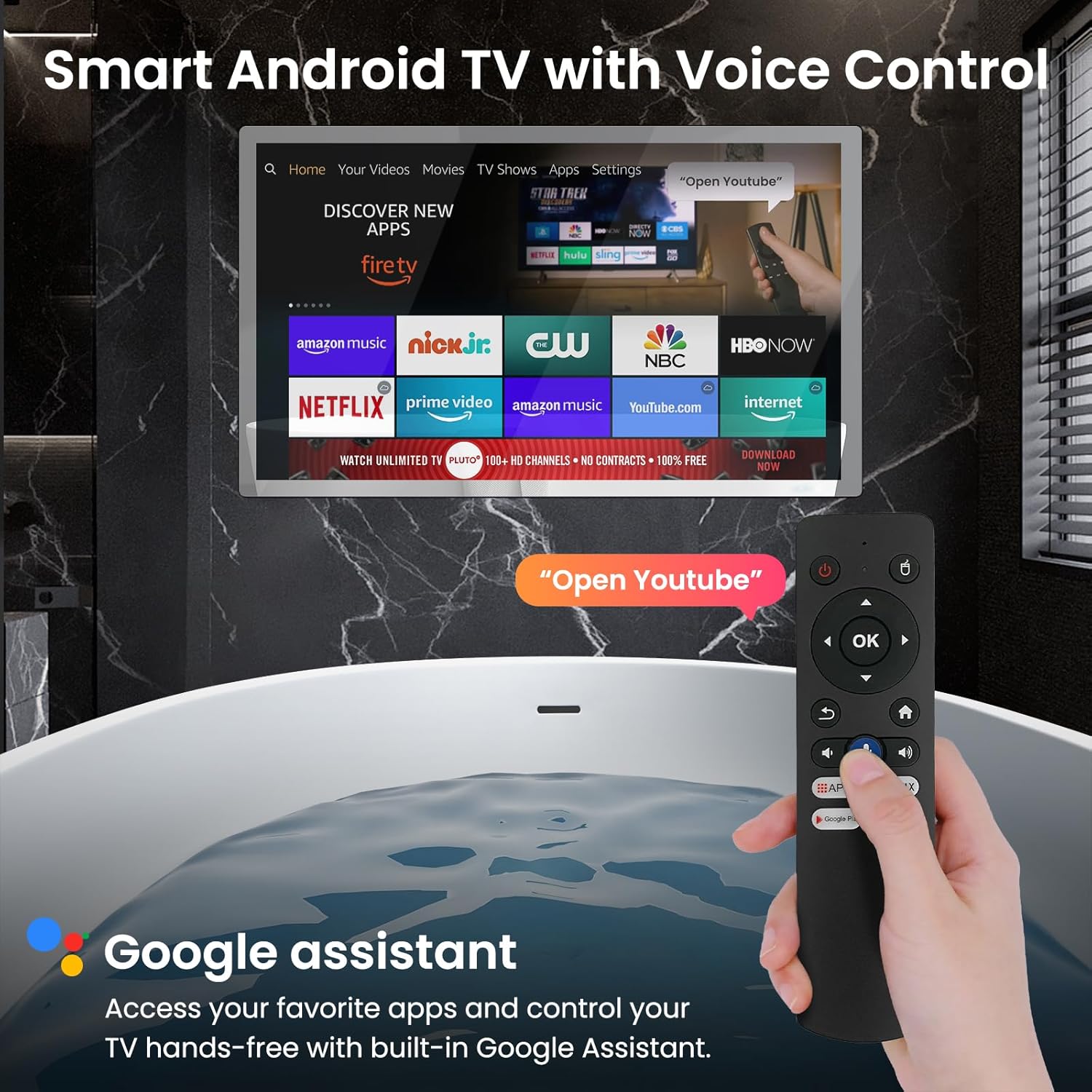
Image: A user operating the Haocrown Smart Bathroom Mirror TV with a voice-activated remote control, showcasing the Google Assistant feature for convenient content access while relaxing in a bathtub.
5.2 Navigation and Apps
The TV runs on Android 13 OS, providing a user-friendly interface:
- Use the directional buttons on the remote to navigate through the home screen and app menus.
- Select pre-installed applications like Netflix, YouTube, and Prime Video directly from the home screen.
- Access the Google Play Store to download and install additional compatible apps.
- Utilize the voice assistant button on the Bluetooth remote for quick searches and commands.
Video: A short preview demonstrating the mirror TV turning on and displaying the smart TV interface with various streaming apps. This highlights the transition from mirror to TV mode.
5.3 Connectivity
- Wi-Fi: Connect to your home Wi-Fi network via the settings menu for internet access.
- Bluetooth: Pair Bluetooth devices such as headphones or external speakers through the settings.
- HDMI: Use the two HDMI ports to connect external devices like gaming consoles or media players.
- USB: The USB 2.0 port allows for media playback from USB drives.
- ATSC Tuner: Connect a TV antenna to receive digital HDTV broadcast channels.
6. Maintenance and Care
Proper maintenance ensures the longevity and optimal performance of your Haocrown TV.
- Cleaning the Screen: Use a soft, lint-free cloth slightly dampened with water or a non-abrasive screen cleaner. Do not spray liquid directly onto the screen.
- Cleaning the Remote: The IP68 waterproof remote can be rinsed with water if needed. Ensure it is dry before storing.
- Avoid Scratches: Do not use sharp objects on the screen or mirror surface.
- Power Off When Not in Use: Disconnect the power adapter if the TV will not be used for an extended period.
7. Troubleshooting
If you encounter issues with your Haocrown Smart Bathroom Mirror TV, refer to the following common solutions:
| Problem | Possible Cause | Solution |
|---|---|---|
| TV does not turn on | No power supply | Check if the power adapter is securely connected to the TV and the power outlet. Try a different outlet. |
| No picture/sound | Incorrect input source selected | Press the 'Input' button on the remote to cycle through available input sources (HDMI 1, HDMI 2, TV). |
| Remote control not working | Batteries low/dead; Remote not paired | Replace batteries. For Bluetooth voice remote, ensure it is paired with the TV (refer to on-screen instructions during initial setup or in TV settings). |
| Cannot connect to Wi-Fi | Incorrect password; Router issue; Out of range | Verify Wi-Fi password. Restart your router. Ensure the TV is within range of your Wi-Fi signal. |
| Apps are slow or crashing | Too many apps running; Low storage | Close unused apps. Clear app cache or uninstall unnecessary apps to free up storage. Restart the TV. |
8. Specifications
| Feature | Specification |
|---|---|
| Model Name | HG32REK |
| Screen Size | 32 Inches |
| Resolution | 4K Ultra HD (3840 x 2160) |
| Display Technology | QLED |
| Refresh Rate | 60 Hz |
| Maximum Display Brightness | 500 Candela Per Square Meter |
| Contrast Ratio | 3000:1 |
| Water Resistance Level | IP66 Waterproof |
| Operating System | Android 13 |
| RAM | 2GB |
| Storage | 32GB |
| Connectivity Technology | Wi-Fi, Bluetooth, Ethernet |
| Hardware Interface | 2 x HDMI, 1 x USB 2.0, 3.5mm Audio, Ethernet, TV Input (ATSC Tuner) |
| Control Method | Remote, Voice (Google Assistant) |
| Product Dimensions (D x W x H) | 1.8" x 29.6" x 17.6" |
| VESA Mount Standard | 200 x 100 mm |
| Voltage | 12 Volts |
9. Warranty and Support
Haocrown provides a quality guarantee and support for its products. For any support needs before or after purchase, please follow these steps:
- Go to the product page on Amazon.
- Locate the 'Sold by Haocrown-us' section and click on 'Haocrown-us'.
- On the seller's page, click the 'Ask a question' button to access the Seller Messaging Assistant.
- Follow the prompts to type your question into the message box and click 'Send Message'.
Haocrown aims to respond to all inquiries within 24 hours.
