
Overview
The oneisall Battery Module and Control Panel is designed exclusively for the oneisall PW04 3.5L Smart Cordless Cat Water Fountain. This module provides extended battery life and intelligent control features to ensure a continuous supply of fresh water for your pet.
Key features include a 5000mAh battery offering up to 60 days of use on a single charge, an intelligent control panel for switching between sensor and intermittent water modes, and indicators for battery level and filter replacement. This module is specifically compatible with the PW04 model.
Package Contents
- oneisall Battery Module and Control Panel (pre-installed)
- USB-C Charging Cable
- Wall Adapter (for USB-A)
- Cleaning Brush
- User Manual

Setup Instructions
Initial Charging
The battery module comes partially charged. For optimal performance, fully charge the module before first use.
- Connect the USB-C charging cable to the charging port on the battery module.
- Plug the USB-A end of the cable into the provided wall adapter.
- Plug the wall adapter into a power outlet.
- The battery indicator light on the control panel will show charging status.
Module Installation
This module is designed for easy integration with the oneisall PW04 3.5L Smart Cordless Cat Water Fountain.
- Ensure the fountain's water tank is clean and dry.
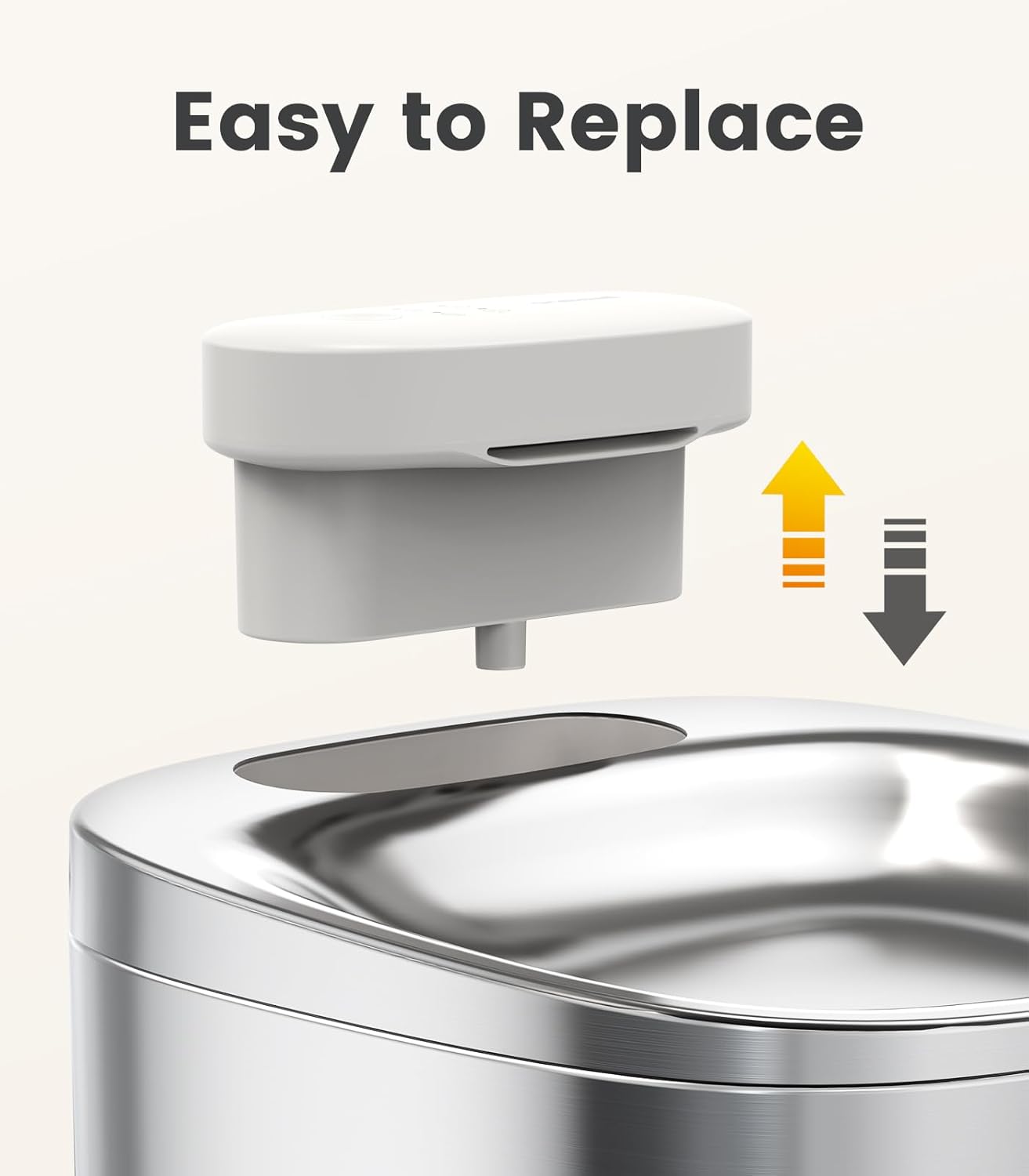
- Carefully align the battery module with the designated slot in the fountain's base.
- Gently press down until the module is securely seated.
- Ensure the water outlet from the module aligns with the water tray.

Operating Instructions
The intelligent control panel offers various modes to suit your pet's needs and conserve battery life.
Power On/Off
- To power on, press and hold the main button on the control panel for a few seconds until the indicator lights illuminate.
- To power off, press and hold the main button again for a few seconds.
Water Dispensing Modes
Use the mode selection button to cycle through the available water dispensing modes:
- Sensor Water Mode: The fountain dispenses water when motion is detected nearby, providing fresh water only when your pet approaches. This conserves battery.
- Intermittent Water Mode: Water is dispensed at regular intervals, ensuring consistent availability while managing battery usage.
- Continuous Water Mode: Water flows continuously, mimicking a natural stream to encourage drinking. This mode uses more battery.
Indicators
The control panel features indicator lights for important statuses:
- Battery Level Indicator: Shows the current battery charge level. Recharge when low.
- Filter Replacement Indicator: Illuminates when it's time to replace the filter for optimal water quality.

Maintenance
Regular cleaning and filter replacement are crucial for maintaining water quality and the longevity of your fountain.
Cleaning the Fountain
- Disconnect the power supply and remove the battery module from the fountain.
- Disassemble the water tray and water tank.
- Wash the water tray and water tank with mild soap and water. Rinse thoroughly.
- Important: Do not rinse the battery module. Always keep the battery module dry due to its electric components.
- Use the provided cleaning brush to clean any narrow passages or the pump area if accessible.
- Dry all components completely before reassembly.
Filter Replacement
The filter should be replaced regularly, typically every 2-4 weeks, or when the filter replacement indicator illuminates.
- Remove the water tray and the old filter.
- Rinse the new filter under running water for a few minutes to remove any loose carbon particles.
- Place the rinsed filter into the filter slot in the water tray.
- Reassemble the fountain and refill with fresh water.

Troubleshooting
No Water Flow
- Check if the battery module is properly seated and charged.
- Ensure the water level is above the minimum mark.
- Clean the pump and filter to remove any blockages.
- If the pump is dry, restart the unit several times to expel air.
Unusual Pump Noise
- Check the water level; low water can cause increased pump noise.
- Clean the pump and filter for any debris that might be causing obstruction.
Filter Indicator Light On
- Replace the filter with a new one.
Battery Indicator Light Low
- Recharge the battery module using the provided USB-C cable and wall adapter.
Product Specifications
| Feature | Detail |
|---|---|
| Brand | oneisall |
| Model Name | PW04 |
| Item Model Number | PW04 module |
| Power Source | Battery Powered |
| Battery Capacity | 5000mAh (up to 60 days use) |
| Capacity (Fountain) | 3.5 Liters |
| Item Weight | 7.4 ounces |
| Product Dimensions | 1.57 x 1.18 x 1.97 inches (module) |
| Color | White |
| Target Audience | House-cats |
| Specific Uses | Indoor |
Warranty and Customer Support
The oneisall Battery Module and Control Panel for PW04 is covered by a manufacturer's 2-year warranty.
For any inquiries, technical assistance, or warranty claims, please contact oneisall customer support. 24/7 support is available to assist you.