
Introduction
The Ergotron LX Pro Dual Monitor Arm is a high-quality desk mount designed to support two monitors side-by-side, enhancing your workspace ergonomics and efficiency. Featuring Constant Force™ technology, this arm allows for effortless adjustment of monitor height, tilt, and rotation, providing a comfortable viewing experience. This manual provides essential information for the safe and effective installation, operation, and maintenance of your monitor arm.
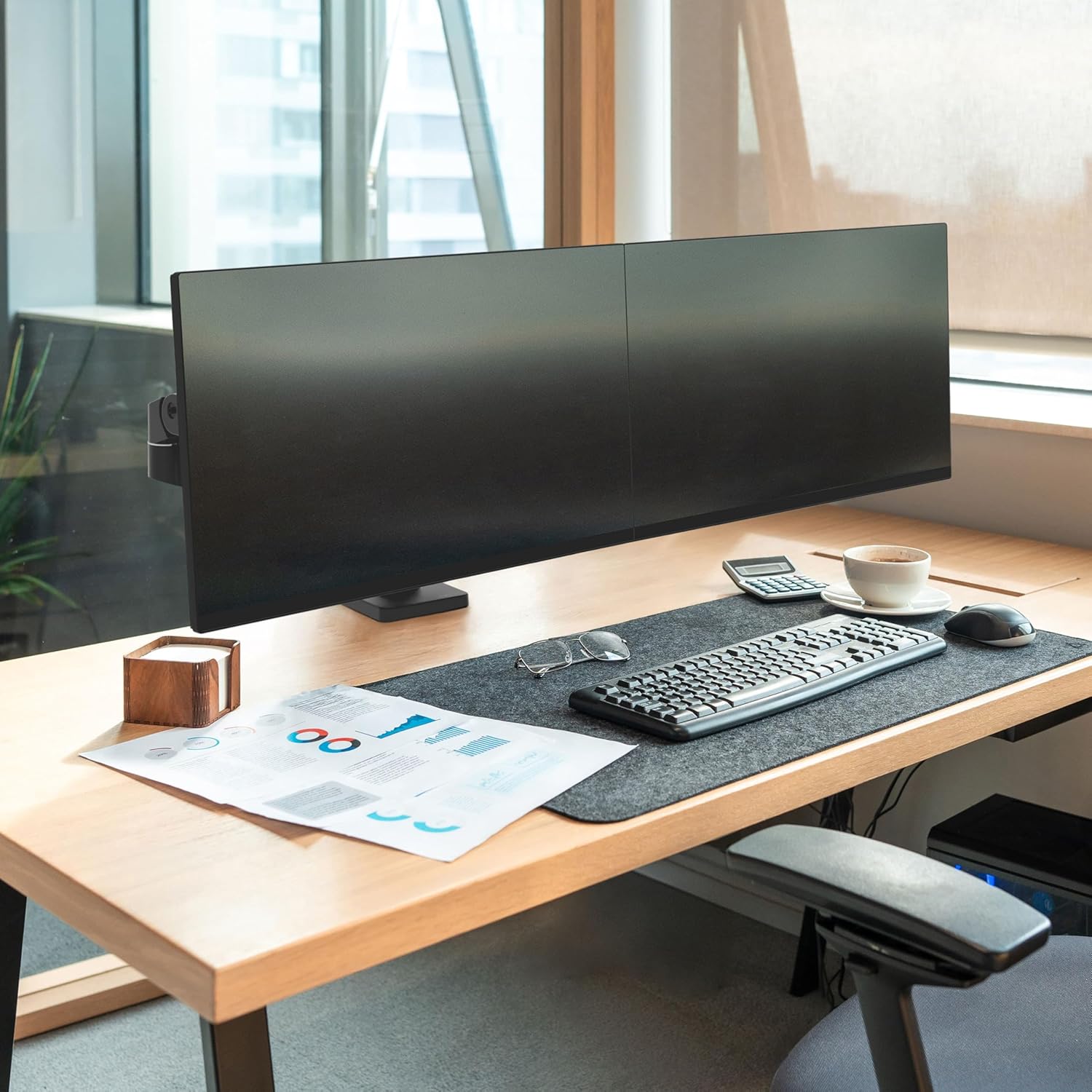
Image: The Ergotron LX Pro Dual Monitor Arm supporting two monitors on a modern desk setup, illustrating a clean and ergonomic workspace.
Package Contents
Before beginning installation, verify that all components are present:

Image: All components of the Ergotron LX Pro Dual Monitor Arm laid out, including the desk clamp base, vertical pole, two monitor arms, and two VESA mounting plates.
- Desk Clamp Base
- Vertical Pole
- Two Monitor Arms
- Two VESA Monitor Plates
- Hardware Kit (screws, washers, hex keys)
- Instruction Manual (this document)
If any parts are missing or damaged, please contact customer support immediately.
Setup and Installation
Follow these steps to properly install your Ergotron LX Pro Dual Monitor Arm.
1. Prepare Your Workspace
Ensure your desk surface is clean and clear. The desk clamp requires a surface thickness between 0.4 inches (1 cm) and 2.4 inches (6 cm).

Image: A diagram illustrating the desk clamp's compatibility with desk thicknesses from 0.4 to 2.4 inches (1-6 cm), along with various monitor arm adjustment angles for tilt, swivel, and rotation.
2. Attach the Desk Clamp Base
- Position the desk clamp base on the edge of your desk.
- Tighten the clamp screw until the base is securely fastened to the desk. Do not overtighten.
3. Install the Vertical Pole and Arms
- Insert the vertical pole into the desk clamp base and secure it.
- Slide the monitor arms onto the vertical pole at your desired height.
- Tighten the arm collars to secure the arms in place.
4. Mount Your Monitors
The arm supports VESA standard monitors up to 27 inches and weighing between 1.8 kg and 9 kg (approximately 4 lbs to 20 lbs) per arm.
- Attach the VESA monitor plates to the back of your monitors using the provided screws. Ensure the screws are appropriate for your monitor's VESA pattern (75x75mm or 100x100mm).
- Carefully slide each monitor (with the attached VESA plate) onto the end of each monitor arm.
- Secure the monitors to the arms using the locking mechanism.
Operating and Adjustments
The Ergotron LX Pro Dual Monitor Arm offers extensive adjustability for optimal viewing comfort.
Height Adjustment
The arm allows for a vertical height adjustment range of 13 inches (33 cm). To adjust the height, simply grasp the monitor and move it up or down. The Constant Force™ technology will hold it in place.
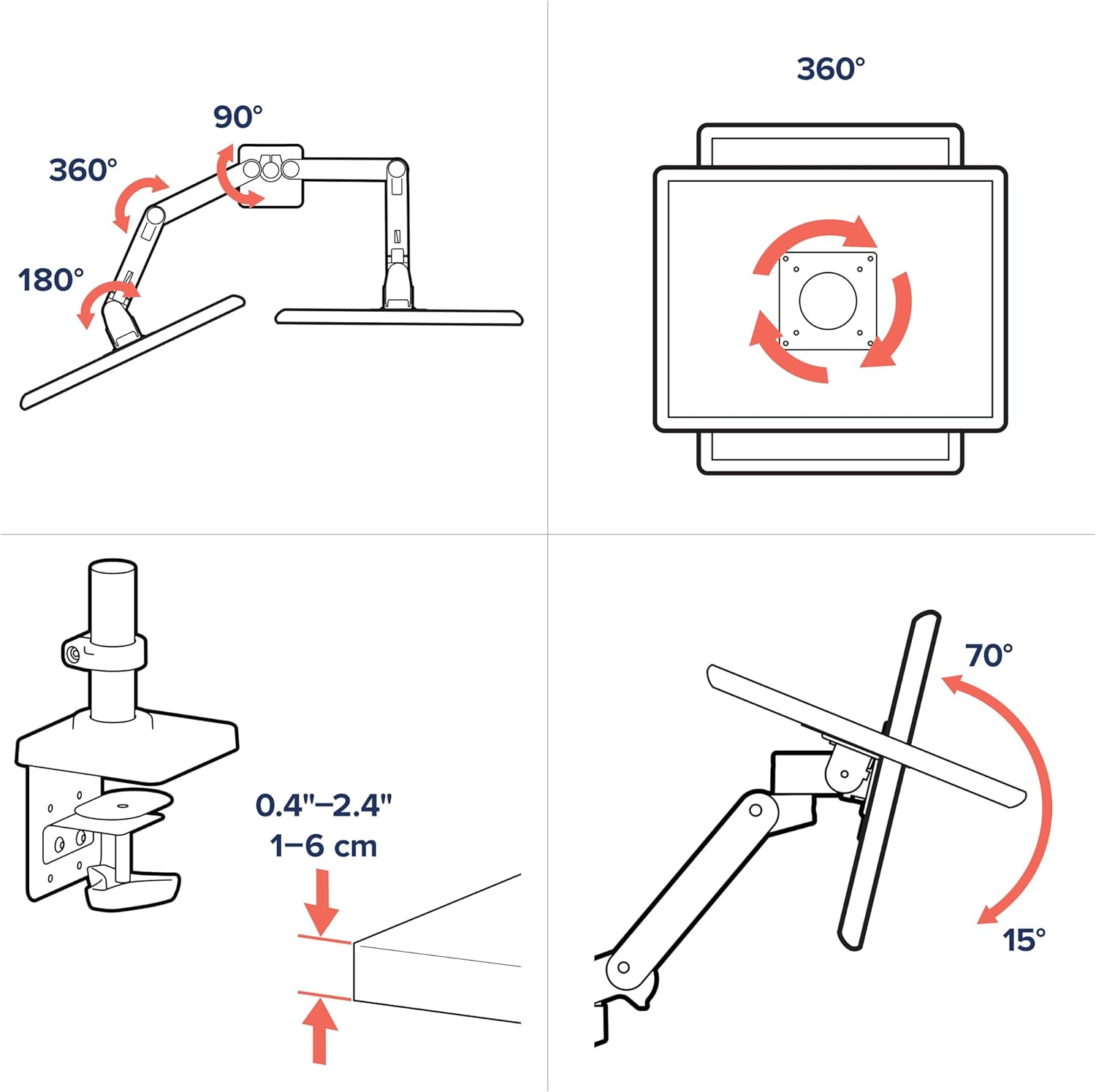
Image: A diagram illustrating the vertical movement range of the monitor arm, indicating a 13-inch (33 cm) height adjustment capability.
Extension and Retraction
The arm can extend up to 22 inches (56 cm) from the base, allowing you to position your monitors closer or further away from you.
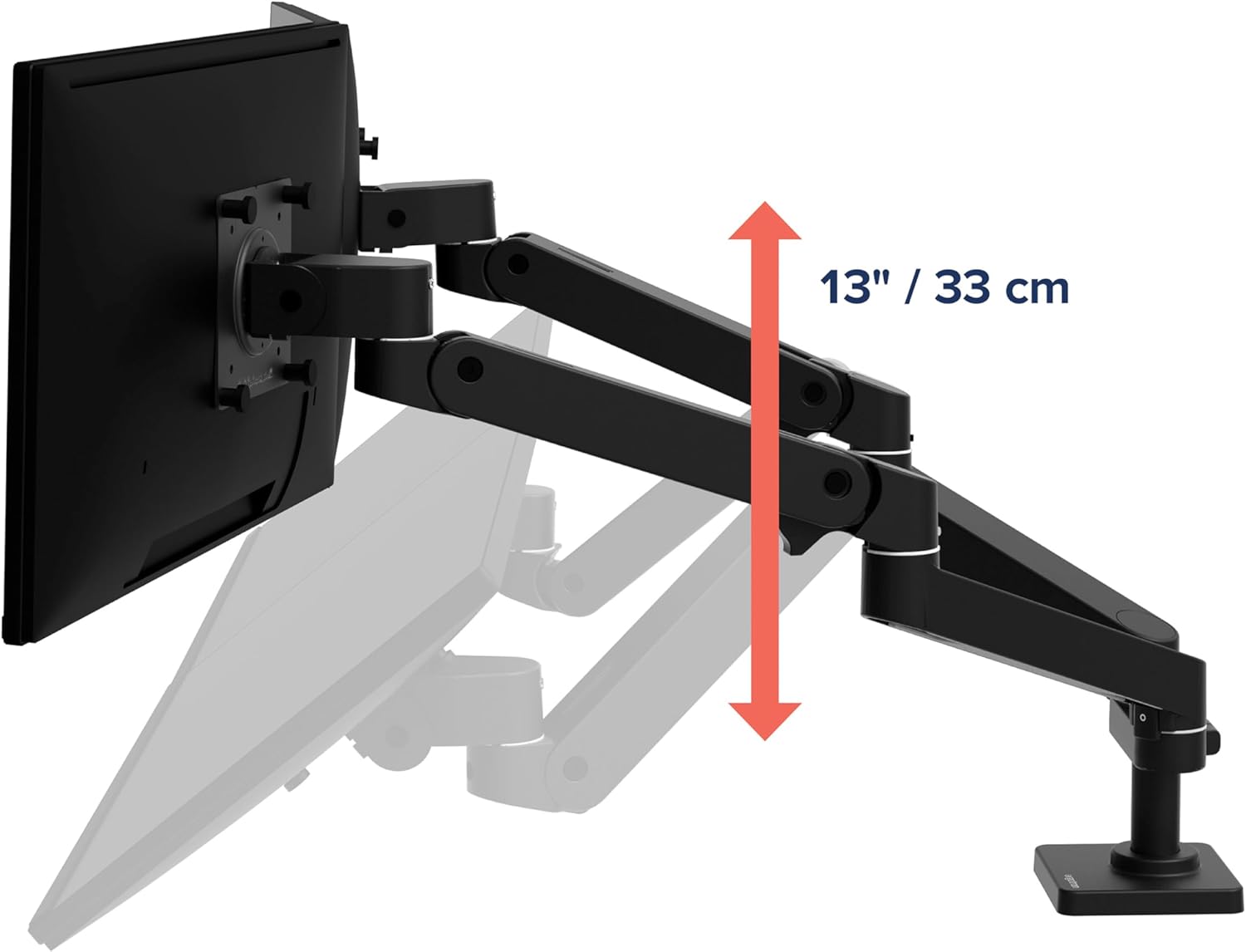
Image: A diagram illustrating the horizontal extension range of the monitor arm, showing it can extend up to 22 inches (56 cm) from its base.
Tilt, Swivel, and Rotation
- Tilt: Adjust your monitor's vertical angle up to 85 degrees (70 degrees up, 15 degrees down) to reduce glare and optimize viewing.
- Swivel: Rotate the monitor arm at its joints up to 360 degrees for flexible screen sharing or repositioning.
- Rotation: Rotate your monitor 360 degrees from landscape to portrait mode.
Refer to the diagram in the "Prepare Your Workspace" section for visual guidance on these movements.
Tension Adjustment
If your monitors are drifting or not holding their position, you may need to adjust the tension of the Constant Force™ mechanism. Use the provided hex key to turn the tension screw located on the arm joints. Turn clockwise to increase tension for heavier monitors, and counter-clockwise to decrease tension for lighter monitors. Adjust gradually until the monitors hold their position firmly yet move smoothly.
Maintenance
To ensure the longevity and optimal performance of your Ergotron LX Pro Dual Monitor Arm, follow these maintenance guidelines:
- Cleaning: Wipe the arm surfaces with a soft, damp cloth. Avoid abrasive cleaners or solvents that could damage the finish.
- Periodic Checks: Periodically check all screws and connections to ensure they are secure. Retighten if necessary.
- Lubrication: The Constant Force™ mechanism is designed to be maintenance-free and does not require lubrication.
Troubleshooting
If you encounter issues with your monitor arm, refer to the following common solutions:
- Monitors Sagging or Not Holding Position: This is typically due to incorrect tension adjustment. Refer to the "Tension Adjustment" section under "Operating and Adjustments" and adjust the Constant Force™ mechanism using the hex key.
- Arm Movement is Stiff: The tension might be too high for your monitor's weight. Decrease the tension slightly using the hex key.
- Monitors Not Level: Ensure both monitors are securely mounted to their VESA plates and that the VESA plates are properly attached to the arms. Minor leveling adjustments can often be made by slightly rotating the monitor on its VESA plate before tightening.
- Desk Clamp Loose: Re-tighten the desk clamp screw to ensure a secure fit.
If problems persist after attempting these solutions, please contact Ergotron customer support.
Specifications
| Feature | Detail |
|---|---|
| Model Number | 45-686-292 |
| Brand | Ergotron |
| Mounting Type | Desk Mount (Clamp) |
| Movement Type | Extendable, Swivel, Tilt, Rotate, Height Adjustable |
| Material | Metal |
| Color | Matte Black |
| Compatible Devices | Monitors |
| Maximum Compatible Size | 27 Inches (per monitor) |
| Weight Capacity | 1.8 kg - 9 kg (approx. 4 lbs - 20 lbs) per arm |
| Height Adjustment | 13 inches (33 cm) |
| Extension Range | 22 inches (56 cm) |
| Maximum Tilt Angle | 85 Degrees (70° up, 15° down) |
| VESA Standard | 75x75mm, 100x100mm |
| Desk Thickness Compatibility | 0.4 inches (1 cm) - 2.4 inches (6 cm) |
| UPC / GTIN | 698833091687 |
Warranty and Support
Ergotron stands behind the quality of its products. For specific warranty details, please refer to the official Ergotron website or the documentation included with your purchase.
- Spare Parts Availability: Spare parts for this product are available in the EU for a period of 10 years.
- Safety Information: For important safety information, please refer to the official safety document: Safety Information (PDF).
- Customer Support: For technical assistance, troubleshooting beyond this manual, or warranty claims, please visit the official Ergotron support website or contact their customer service department.