
1. Overview
This manual provides detailed instructions for the safe and efficient use of your Retevis RT68B 2 Way Radio. Please read this manual thoroughly before operating the device to ensure proper functionality and to prevent damage.
Package Contents
Upon opening the package, verify that all items listed below are present and in good condition:
- 2 x RT68B Walkie Talkie Units
- 2 x 1200mAh Li-ion Batteries
- 2 x Belt Clips & Hand Straps
- 2 x AC Adapters & Desktop Charging Bases
- 1 x User Manual

Image: Detailed view of the Retevis RT68B package contents.
2. Setup
2.1 Battery Installation
- Ensure the radio is powered off.
- Locate the battery compartment on the back of the radio.
- Align the 1200mAh Li-ion battery with the compartment contacts.
- Gently press the battery into place until it clicks securely.
2.2 Charging the Radio
The Retevis RT68B offers two charging methods: USB-C direct charging and desktop charging base.
- Using the Desktop Charging Base: Connect the AC adapter to the desktop charging base, then plug the adapter into a power outlet. Place the radio into the charging slot. The indicator light on the base will show charging status.
- Using USB-C Direct Charging: Connect a standard USB-C cable (not included) to the USB-C port on the side of the radio and to a compatible USB power source.
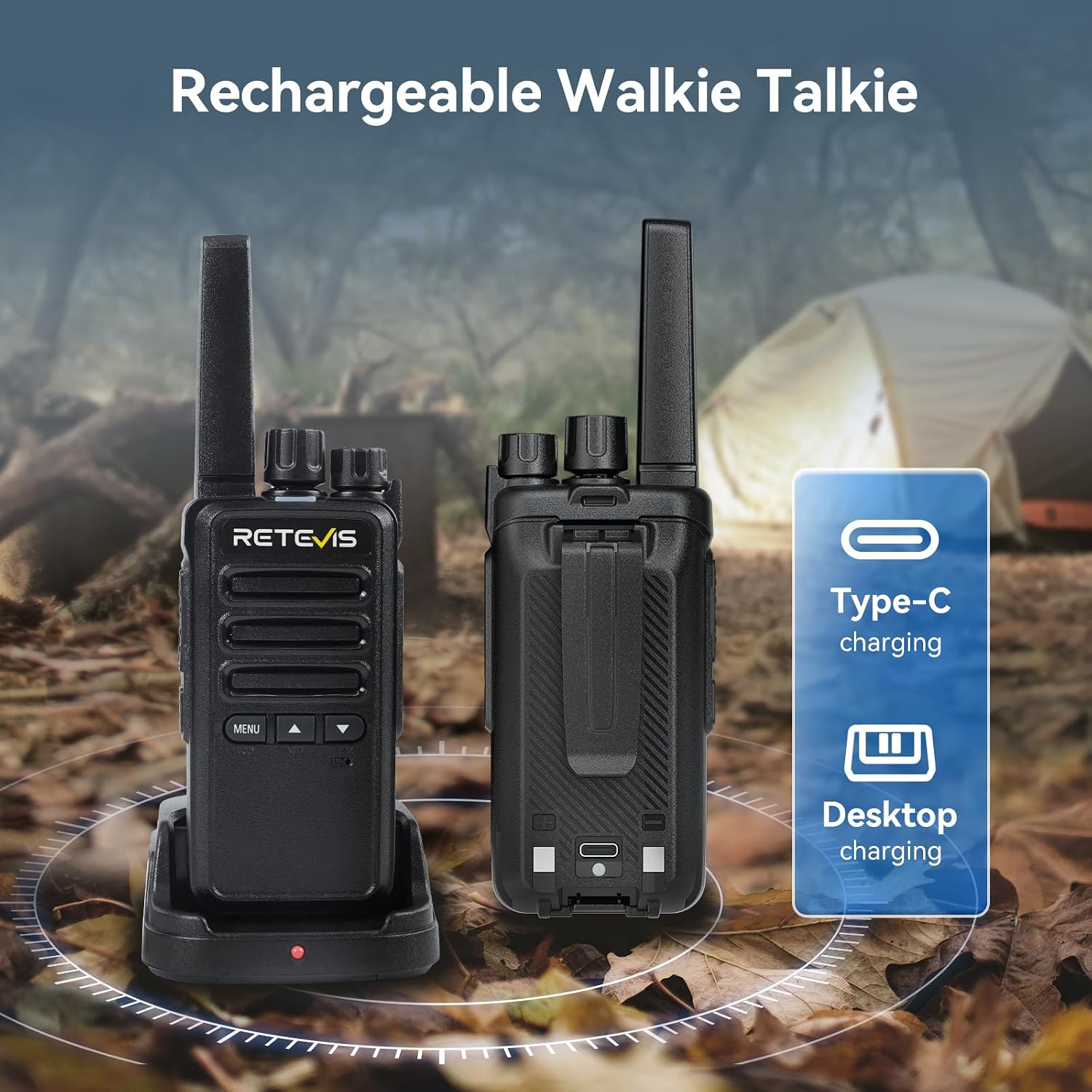
Image: The Retevis RT68B radio illustrating its dual charging capabilities: USB-C and desktop charging.
3. Operating Instructions
3.1 Power On/Off and Volume Adjustment
- Power On: Rotate the Power/Volume knob clockwise until you hear a click.
- Power Off: Rotate the Power/Volume knob counter-clockwise until you hear a click.
- Volume Adjustment: Rotate the Power/Volume knob clockwise to increase volume, counter-clockwise to decrease.
3.2 Channel Selection
The RT68B features 16 channels. Rotate the Channel Selector knob (typically located next to the antenna) to choose your desired channel. Ensure all radios in your group are on the same channel for communication.
3.3 Push-to-Talk (PTT) Button
To transmit, press and hold the large PTT button on the side of the radio. Speak clearly into the microphone. Release the PTT button to listen.
3.4 Front Button Functions
The RT68B is equipped with three front buttons (MENU, Up Arrow, Down Arrow) that allow direct access to several functions without PC programming.

Image: The RT68B's front buttons provide direct access to key functions like Key Lock, Roger Beep, and VOX.
- Key Lock Function: Prevents accidental button presses. This function can be activated directly using the front buttons.
- VOX (Voice Operated Exchange) Function: Allows hands-free transmission when your voice is detected. The RT68B supports 0-7 adjustable VOX levels.
- Roger Beep: An audible tone transmitted when the PTT button is released, signaling the end of your transmission.

Image: Activating the Key Lock function on the RT68B.

Image: Demonstrating the 7-level VOX function for hands-free operation.
3.5 Squelch Function
The 9-level squelch function helps to suppress background noise, ensuring clearer communication, especially in noisy environments.
3.6 CTCSS/DCS (Privacy Codes)
With 260 CTCSS/DCS codes, your radio can filter out unwanted conversations on the same channel, enhancing communication privacy and reducing interference.
3.7 Emergency Alarm
The emergency alarm function provides both local and remote alerts. To activate, long-press the designated side key. This feature is designed to enhance user safety.
3.8 Battery Saving and Low Battery Alert
The radio includes a battery-saving function to extend usage time. A low battery alert will notify you when the battery needs recharging.
4. Maintenance
4.1 Cleaning
Use a soft, damp cloth to clean the radio's exterior. Do not use harsh chemicals or abrasive cleaners. Ensure the radio is powered off and dry before cleaning.
4.2 Storage
Store the radio in a cool, dry place away from direct sunlight and extreme temperatures. If storing for extended periods, remove the battery.
4.3 Durability
The RT68B is constructed from durable ABS material, designed to withstand drops from up to 1 meter, making it suitable for outdoor use.

Image: The RT68B's robust construction, featuring ABS material for enhanced durability.
4.4 Water Resistance
Note: The Retevis RT68B is Not Water Resistant. Avoid exposing the radio to water or high humidity to prevent damage.
5. Troubleshooting
If you encounter issues with your RT68B radio, refer to the following common problems and solutions:
| Problem | Possible Cause | Solution |
|---|---|---|
| No power | Battery not installed correctly or discharged. | Ensure battery is properly seated. Charge the battery fully. |
| Cannot transmit or receive | Incorrect channel, low battery, or out of range. | Verify both radios are on the same channel. Charge battery. Move closer to the other radio. |
| Poor audio quality / Static | Weak signal, high squelch level, or interference. | Move to an open area. Adjust squelch level. Check for sources of interference. |
| Keypad unresponsive | Key Lock function is active. | Deactivate the Key Lock function using the front buttons. |
6. Specifications
Below are the technical specifications for the Retevis RT68B 2 Way Radio:
- Model: RT68B
- Brand: Retevis
- Number of Channels: 16
- Frequency Range: FRS
- Battery: 1200mAh Li-ion (included)
- Working Time: Approximately 14.5 hours
- Standby Time: Approximately 30 hours
- Voltage: 3.7 Volts
- Product Dimensions: 1.3"D x 2.16"W x 6.5"H
- Item Weight: 1.48 pounds
- Material: ABS (Anti-fall and Anti-shock)
- Water Resistance Level: Not Water Resistant
- Special Features: 3 front buttons, Long Range, USB-C charging, VOX, Squelch, CTCSS/DCS, Emergency Alarm

Image: Battery specifications for the Retevis RT68B, highlighting its 1200mAh capacity and operational duration.
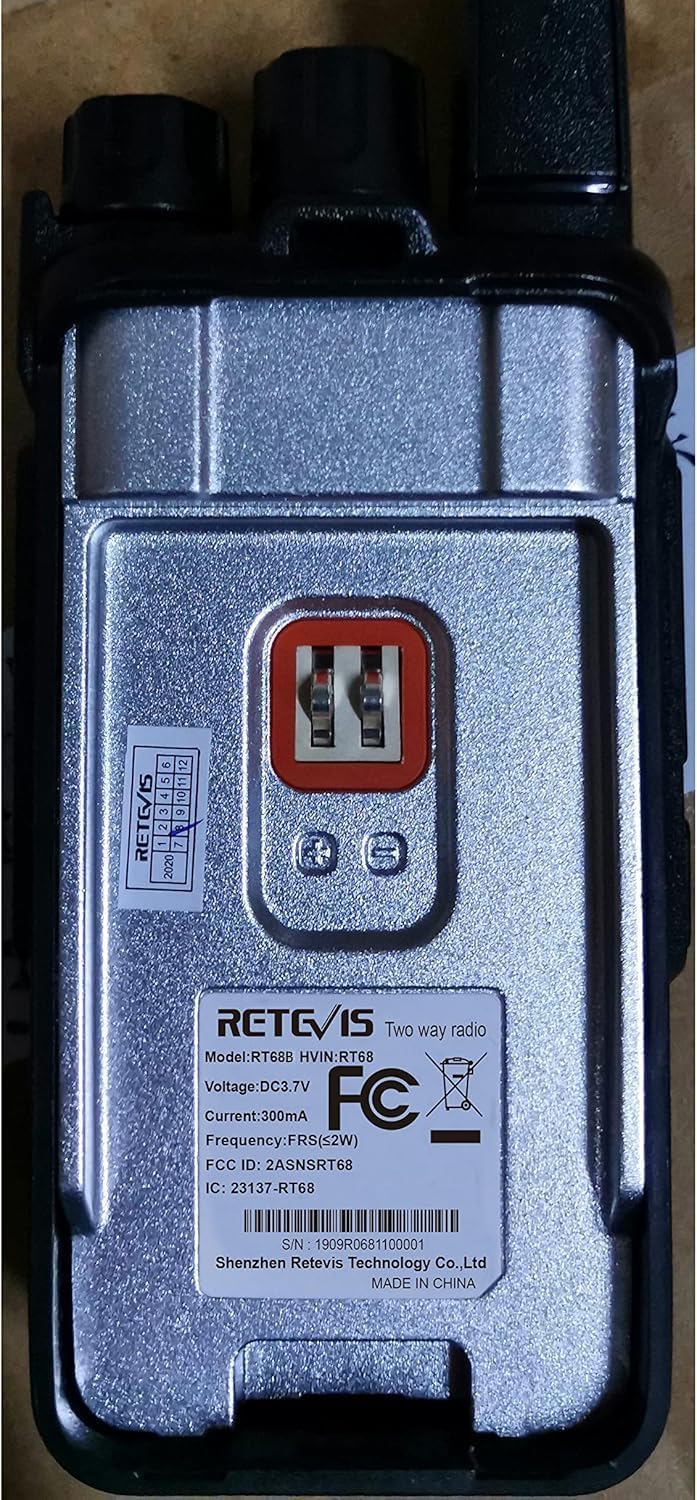
Image: Rear view of the RT68B, displaying regulatory information and model details.
7. Warranty and Support
7.1 Warranty Information
Retevis provides a 2-year warranty for the radio body and a 1-year warranty for accessories. Additionally, a 30-day no-reason return policy is offered. For service beyond the warranty period, maintenance services are available, with buyers responsible for associated costs.
7.2 Customer Support
For any questions, concerns, or warranty claims, please contact Retevis customer support directly through Amazon. You can expect a reply within 12 hours.


