
Introduction
This manual provides detailed instructions for the safe and effective use of your Dragonhawk Atom2 Wireless Tattoo Machine Kit. Designed for both beginners and professionals, the Atom2 offers precision and versatility for various tattooing and permanent makeup applications, including microblading, eyeliner, and lip blush. Please read this manual thoroughly before operating the device.
Safety Information
For external use only.
Always prioritize safety when using tattoo equipment. Ensure all components are sterilized before use. This device is intended for use by trained individuals or under professional supervision. Improper use may result in injury or infection. Keep out of reach of children.
Package Contents
Your Dragonhawk Atom2 Tattoo Kit includes the following items:
- Dragonhawk Atom2 Cordless Pen Machine
- 20 Tattoo Needle Cartridges
- 0.5oz Tattoo Ink
- RCA Adapter
- Assorted Accessories (e.g., grip wrap, practice skin, ink caps, gloves)

Image: A complete view of the Dragonhawk Atom2 Tattoo Kit, showcasing the Atom2 pen machine, needle cartridges, ink bottle, RCA adapter, and various accessories like grip tape, gloves, and practice skin.
Product Overview
The Dragonhawk Atom2 is a versatile tattoo pen machine designed for comfort and precision. Key components include:
- Cordless Battery: Integrated for wireless operation.
- RCA Jack Part: Allows for corded operation with an external power supply.
- Motor: High-performance coreless motor for quiet and smooth operation.
- Non-slip Grip Handle: Ergonomically designed for comfortable and secure handling during long sessions.
- Cartridges Needle Port: Compatible with all standard cartridge needles.
- Smart Screen: Displays current voltage, battery level, and selected operation mode.

Image: A detailed diagram of the Atom2 machine, highlighting its main components: Cordless Battery, RCA Jack Part, Motor, Non-slip Grip Handle, and Cartridges Needle port.
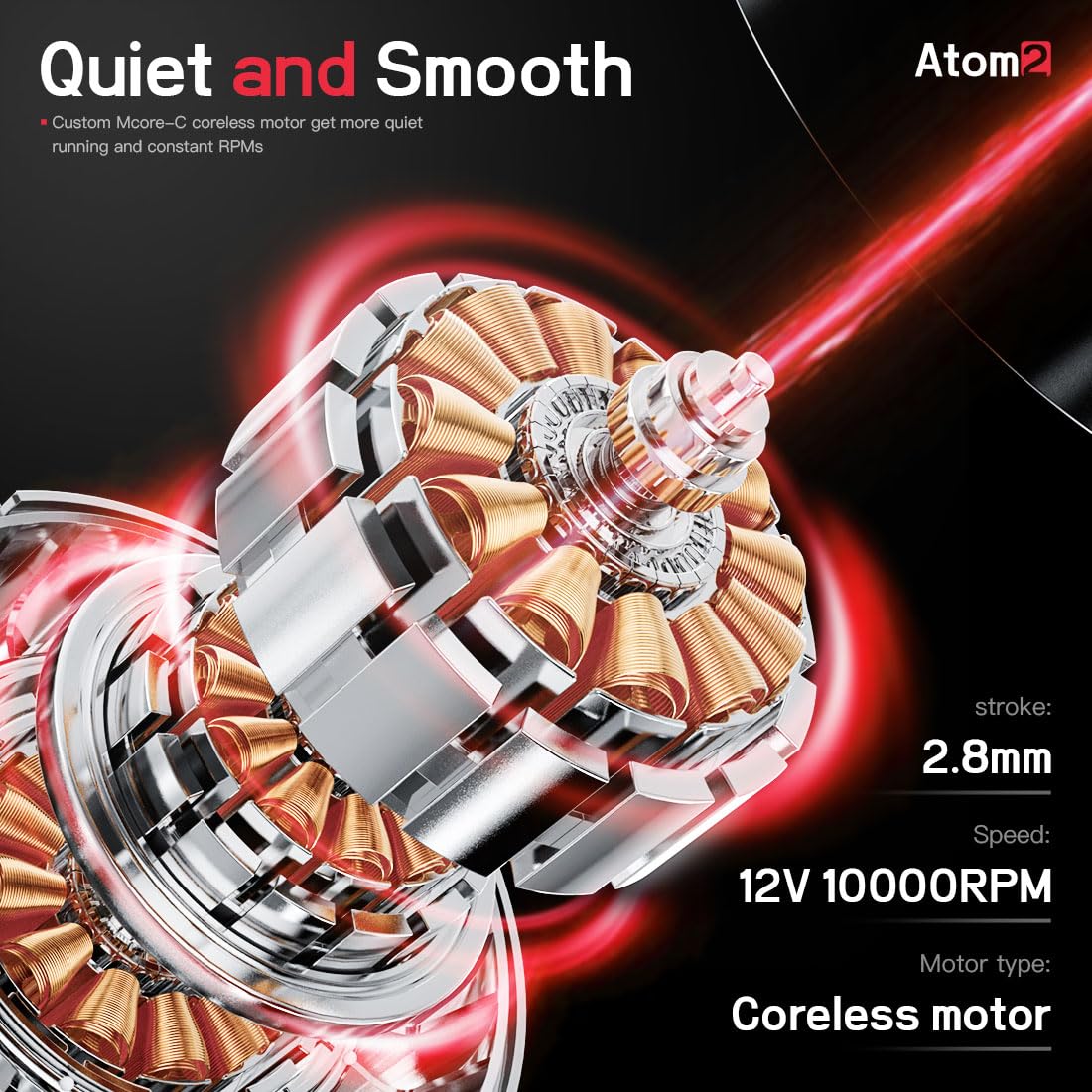
Image: An internal view of the Atom2's coreless motor, illustrating its design for quiet and smooth performance with a 2.8mm stroke and 12V 10000RPM speed.
Setup
- Charge the Device: Ensure the Atom2 pen's internal battery is fully charged using the provided Type-C charging cable. The smart screen will indicate battery status.
- Attach Needle Cartridge: Carefully insert a sterile tattoo needle cartridge into the front port of the Atom2 pen until it clicks securely into place.
- Adjust Needle Depth: Twist the grip handle of the Atom2 pen to adjust the needle depth. The adjustable range is typically 0-4mm. Rotate clockwise to extend the needle and counter-clockwise to retract it.
- Optional RCA Connection: For corded operation, attach the RCA adapter to the machine and connect it to an external RCA power supply (not included in all kits).

Image: Hands in black gloves demonstrating how to twist the grip of the Atom2 machine to adjust the needle depth, indicated by red arrows showing rotation.
Operating Instructions
- Power On/Off: Press and hold the switch button on the smart screen to turn the Atom2 pen on or off.
- Select Operation Mode: The Atom2 features five built-in operation modes: Lining, Shading, Eyeliner, Lip, and Eyebrow. Use the mode selection button on the smart screen to cycle through and choose the appropriate mode for your task.
- Adjust Voltage: Use the Voltage Increase (+) and Voltage Reduction (-) buttons on the smart screen to set the desired operating voltage. The voltage can be adjusted from 4V to 12V. Recommended voltages are 7V-8.3V for lining and 6V-7.5V for shading.
- Begin Application: Once the desired mode and voltage are set, apply the tattoo to the skin following your design.

Image: A close-up of the Atom2's smart screen interface, showing the voltage display, battery indicator, operation mode icons (Lining, Shading, Eyeliner, Lip, Eyebrow), and the Voltage Increase, Switch, and Voltage Reduction buttons.

Image: Two tattoo needles demonstrating recommended voltage ranges: 7V-8.3V for Lining and 6V-7.5V for Shading, illustrating the precision for different tattooing techniques.

Image: The Atom2 machine alongside various examples of its application, including eyeliner, eyebrows, lip blush, scalp micropigmentation, and traditional tattooing, demonstrating its versatility.
Maintenance
Proper maintenance ensures the longevity and hygiene of your Dragonhawk Atom2 machine:
- Cleaning: After each use, turn off the pen and carefully clean the exterior surfaces with a suitable disinfectant wipe. Ensure no liquids enter the internal components.
- Sterilization: While the machine itself cannot be autoclaved, ensure all needle cartridges are single-use and sterile. Follow proper sterilization protocols for any reusable accessories that come into contact with skin or ink.
- Storage: Store the Atom2 pen and accessories in a clean, dry place away from direct sunlight and extreme temperatures.
Troubleshooting
If you encounter issues with your Dragonhawk Atom2, refer to the following common problems and solutions:
- Machine Not Turning On:
- Ensure the battery is charged. Connect the Type-C cable and allow it to charge.
- Verify the power button is pressed and held correctly.
- Needle Not Moving:
- Check if the needle cartridge is properly seated and clicked into place.
- Confirm the machine is powered on and voltage is set above the minimum operating level.
- If using the RCA adapter, ensure the external power supply is functioning correctly and connected securely.
- Inconsistent Power/Performance:
- Ensure the battery is adequately charged. Low battery can affect performance.
- Check for any obstructions in the needle cartridge or machine mechanism.
- If using corded, inspect the RCA cable and power supply for damage.
If problems persist, please contact Dragonhawk customer service for assistance.
Specifications
| Feature | Specification |
|---|---|
| Weight | 111g (3.9oz) |
| Motor | Coreless Motor |
| Speed | 12V 10000RPM |
| Diameter & Length | 26mm x 126mm |
| Battery Capacity | 800mAh |
| Stroke | 2.8mm |
| Charging Cable | Type-C |
| Water Resistance Level | Water Resistant |

Image: A visual representation of the Atom2's technical parameters, including weight, motor type, speed, dimensions, battery capacity, stroke, and charging cable type.

Image: A comparison showing two Atom2 machines, highlighting their lightweight design with weights of 98g and 111g, emphasizing ease of handling.
Warranty and Support
Dragonhawk is committed to providing quality products and customer satisfaction.
- Warranty: Your Atom2 tattoo kit is covered by a 12-month warranty from the date of purchase.
- Customer Service: We offer lifetime customer service for the Atom2 tattoo kit. For any inquiries, concerns, or warranty claims, please reach out through Amazon's messaging system.
- Video Tutorials: For additional guidance, setup instructions, and professional tips, visit Youtube.com/@Dragonhawkofficial.