1. Introduction
This manual provides instructions for the installation, use, and maintenance of your UYRUREL Screen Protector for the Relndoo P80 11-inch Android 14 Tablet. This screen protector is designed to offer protection against scratches and daily wear while maintaining touch sensitivity and display clarity.
The screen protector features 9H hardness tempered glass, bubble-free installation, high touch responsiveness, and an oleophobic coating to resist fingerprints.

Image 1.1: Overview of the screen protector's features on a Relndoo P80 tablet, highlighting full screen overlay, anti-fingerprint properties, thin profile, sensitive touch, and diamond-grade hardness for protection.
2. Setup and Installation
Proper installation is crucial for optimal performance. Follow these steps carefully for a bubble-free application.
- Clean the Tablet Screen: Use the provided cleaning wipes (if included) or a microfiber cloth to thoroughly clean the tablet screen. Ensure there are no dust particles, smudges, or fingerprints.
- Remove Dust: Use a dust-absorber sticker (if included) to lift any remaining dust particles from the screen. Inspect the screen under good lighting to ensure it is completely clean.
- Align the Screen Protector: Carefully peel off the protective film from the adhesive side of the screen protector. Hold the screen protector by its edges and align it precisely with the tablet screen, ensuring the cutouts for the camera and sensors match.
- Apply the Protector: Once aligned, gently lower the screen protector onto the tablet screen. The advanced silicon adhesive will automatically adhere to the screen, minimizing bubbles.
- Remove Bubbles: If small bubbles appear, gently push them towards the edges of the screen using a clean, soft cloth or a squeegee (if provided). Most bubbles should disappear on their own within 24-48 hours.
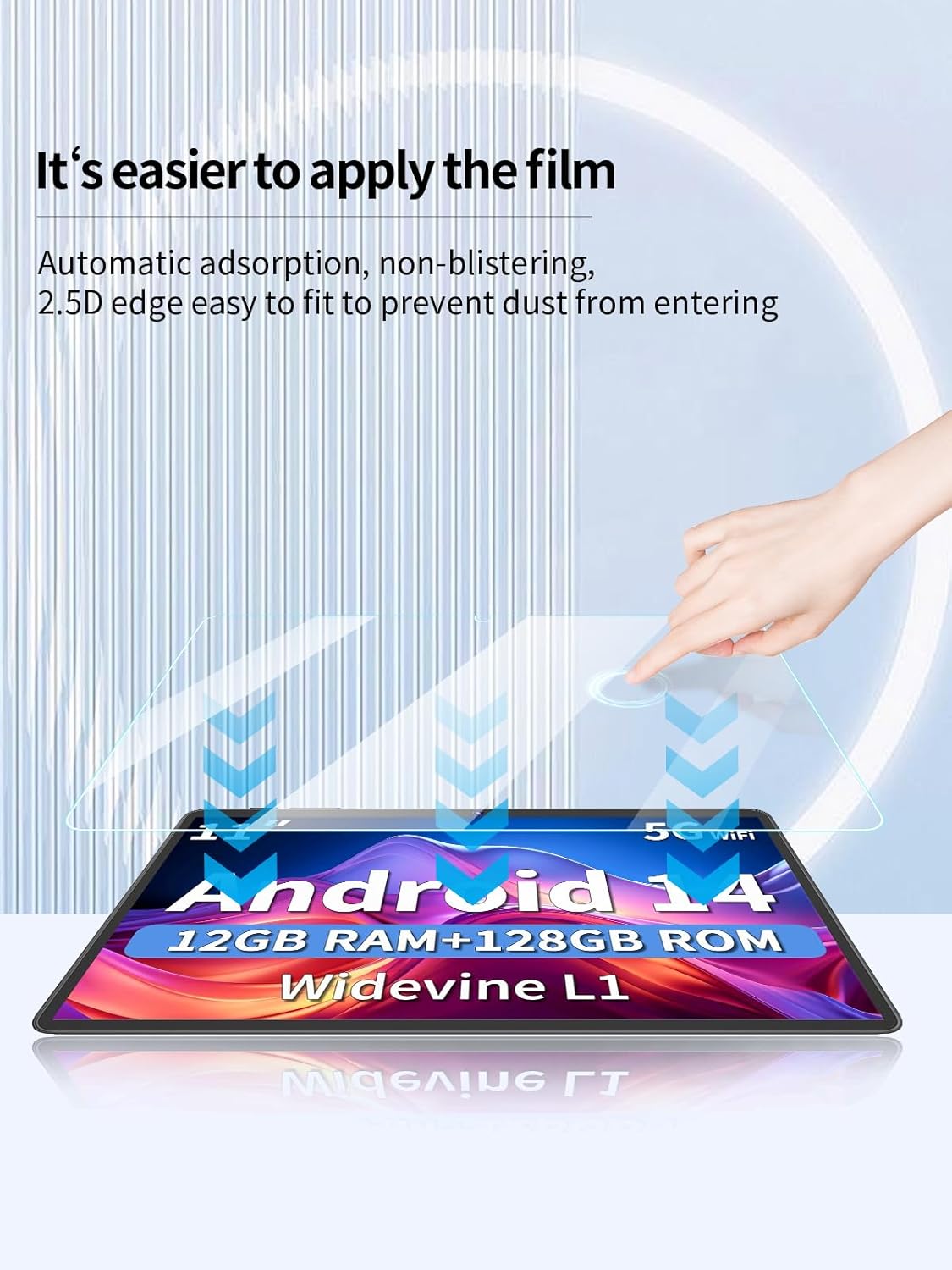
Image 2.1: Illustration of the screen protector's automatic adsorption feature, demonstrating how it adheres to the tablet screen without blistering and its 2.5D edge design for dust prevention.

Image 2.2: The screen protector's arc edge fitting, providing full coverage and a seamless feel, designed to restore the original feel of the tablet's bare metal surface.
3. Operating and Usage
Once installed, the UYRUREL Screen Protector is designed to integrate seamlessly with your Relndoo P80 tablet, providing enhanced protection without compromising functionality.
- Touch Sensitivity: The screen protector maintains high touch responsiveness, ensuring quick app launches, smooth gaming, and fluid video playback.
- Display Clarity: With a high light transmittance of 99%, the screen protector preserves the original image quality and brightness of your tablet's display.
- Protection: The 9H hardness tempered glass protects your screen from scratches caused by keys, coins, and other hard objects in daily use.

Image 3.1: The screen protector's ultra-clear property, demonstrating 99% light transmittance that restores the image quality of the original display.
4. Maintenance
To ensure the longevity and clarity of your screen protector, follow these simple maintenance guidelines:
- Cleaning: Use a soft, lint-free microfiber cloth to gently wipe the screen protector. For stubborn smudges, slightly dampen the cloth with water or a screen cleaner specifically designed for electronics. Avoid harsh chemicals or abrasive materials.
- Fingerprint Resistance: The advanced oleophobic coating helps resist fingerprints and smudges. If fingerprints accumulate, a quick wipe with a microfiber cloth should restore clarity.
- Avoid Sharp Objects: While the screen protector offers 9H hardness, extreme pressure or sharp objects can still cause damage. Avoid placing your tablet face down on rough surfaces or with sharp objects.
5. Troubleshooting
If you encounter any issues with your screen protector, refer to the following common problems and solutions:
- Bubbles After Installation:
- Small Bubbles: These often disappear naturally within 24-48 hours as the adhesive fully settles.
- Large Bubbles/Dust Particles: If a bubble persists and appears to be caused by a dust particle, carefully lift the nearest corner of the screen protector slightly to remove the dust with a dust-absorber sticker, then reapply.
- Reduced Touch Sensitivity:
- Ensure the screen protector is clean and free of smudges.
- Verify that the screen protector is correctly aligned and fully adhered to the screen without any lifted edges.
- Scratches on Protector:
- The screen protector is designed to absorb scratches to protect your tablet's original screen. If the protector is heavily scratched, it has served its purpose and should be replaced.

Image 5.1: Visual comparison illustrating the enhanced durability and anti-wear effect of the screen protector, protecting the tablet from potential damage.
6. Specifications
| Model Compatibility | Relndoo P80 11-inch Android 14 Tablet |
| Material | Tempered Glass |
| Hardness | 9H |
| Features | Anti-Scratch, Bubble-Free Installation, High Touch Sensitivity, 2.5D Rounded Edges, Oleophobic Coating, High Clarity (99% transmittance) |
| Package Contents | 2 x Tempered Glass Screen Protectors |
| Item Model Number | P80 |
| ASIN | B0DSJD86LM |

Image 6.1: Representation of the screen protector's material composition, indicating it is cut and formed in one piece using ultra-complete nanofibers for durability and precision.
7. Warranty and Support
For any questions, concerns, or support regarding your UYRUREL Screen Protector, please contact the seller or manufacturer through the platform where the product was purchased. Please refer to your purchase documentation for specific warranty details, if applicable.


